
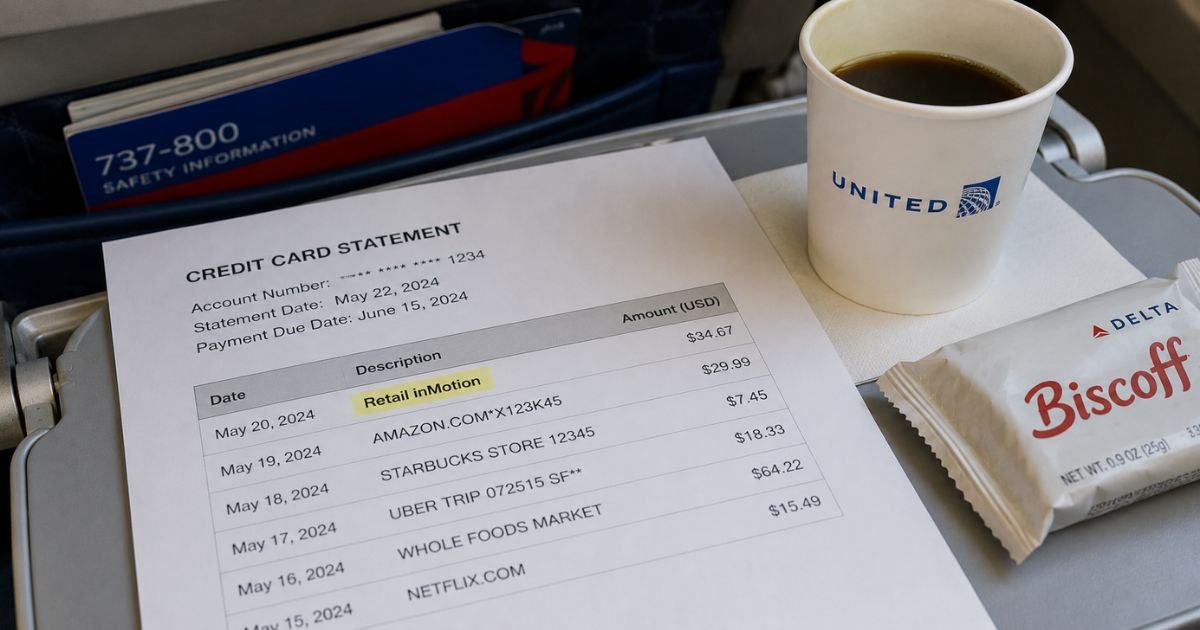
Seeing a Retail inMotion charge on credit card statement can feel confusing if you don’t immediately connect it to a recent trip. Unfamiliar merchant names are common after travel.
Most of the time this charge is legitimate and tied to something you bought on a plane. This guide explains the usual source, how to confirm it, and the practical next steps.
Table of Contents
What Is the Retail inMotion Charge?
Retail inMotion (sometimes shown as Retail inMotion, RiM, or similar variations) is a company that provides onboard retail technology and services for airlines. It manages the systems that let cabin crew sell food, drinks, snacks, duty-free items, and other products during flights.
When you pay with a credit or debit card on a plane that uses their platform, the charge often appears under the Retail inMotion name rather than the airline’s name.
The company is based in Ireland and works with many carriers worldwide. It has operated for more than 20 years and handles the full process from stock to payment processing.
Typical amounts are modest and match what you spent onboard. Common descriptor variations include:
- Retail inMotion
- RetailinMotion
- Sales Retail inMotion
- RIM or inMotion (sometimes with extra codes)
This is almost always a one-time purchase charge, not a subscription or recurring bill.
Why Did This Charge Appear?
The most common reason is a purchase made during a flight. Here are the usual explanations:
- You bought food, a drink, a snack, or a meal on the plane.
- You purchased a duty-free item such as perfume, alcohol, or a gift.
- You pre-ordered items that were charged to your card.
- The airline partners with Retail inMotion for its onboard payment system.
- The charge date lines up with a recent flight you took.
Because the payment processor is different from the airline’s own billing, the name on your statement looks unfamiliar even when the purchase was intentional. If the amount and date match your trip, the charge is generally from that onboard sale.
How to Verify the Charge
Follow these steps to confirm the source:
- Check the date of the charge against your recent flight itinerary or boarding pass.
- Look for any paper or digital receipt you received from the cabin crew.
- Review the exact amount. It should match what you remember spending on food, drinks, or other items.
- Search your email for any order or payment confirmations related to the flight.
- Note any extra text on the statement line (airline codes or reference numbers) for your records.
- If you flew with more than one carrier around that time, match the date to the correct flight.
Most people recognize the charge once they connect it to a specific trip.
Is the Charge Legitimate or Fraud?
Retail inMotion is a real company that powers onboard retail programs for numerous airlines. The large majority of these charges are legitimate purchases made during a flight.
Common legitimate explanations
- An in-flight food or beverage purchase.
- Duty-free shopping onboard.
- A pre-order that was charged after the flight.
Warning signs
- No recent flights that match the charge date.
- An amount that is far higher than any onboard purchase you made.
- Multiple similar charges with no corresponding trips.
- Charges appearing long after any travel.
When to contact the bank: If you have no matching flight or receipt after checking your records, contact your card issuer and report the charge as unauthorized. Provide the date, amount, and full descriptor.
How to Cancel Retail inMotion
There is usually nothing to cancel because these are one-time purchase charges, not subscriptions. You cannot “unsubscribe” from Retail inMotion the way you would from a monthly service.
If you have an open pre-order or need to stop a related transaction, contact the company through their passenger support channels and reference your flight details.
For future trips, you can simply decline to make onboard purchases or pay with cash if the airline accepts it. Removing the card from any airline app or account is a good extra step if you want to limit future card use.
Can You Get a Refund?
Refund rules for onboard purchases are limited. According to the company’s passenger support terms, refunds are generally not available for buy-on-board items, fresh food (such as sandwiches), pre-order meals, cosmetic products, or tobacco products.
For eligible items, requests typically must be made within about 30 days of the transaction. You will usually need to provide proof such as a photo of the receipt plus flight and passenger details.
The company may ask for the product to be returned. Support requests can be submitted through their passenger service portal or by emailing bordshop@retailinmotion.com.
Outcomes can vary. Always keep your original receipt and flight information if you plan to request a refund. If the company declines and you believe the charge is incorrect, you can still dispute it with your card issuer.
What to Do If the Charge Is Unauthorized
- Double-check your recent travel history and any receipts from the flight.
- Contact Retail inMotion passenger support with the charge date, amount, and any flight details you have. Ask them to investigate.
- Call the number on the back of your credit or debit card. Report the charge as unauthorized and request a dispute or chargeback.
- Ask your issuer to monitor or block similar future charges if the option is available.
- Keep copies of all emails, statements, and support tickets.
- Watch your account for any additional related activity.
Act quickly. Most card issuers have time limits for disputing charges.
Prevention Tips
- Keep boarding passes and onboard receipts until you have reviewed your next statement.
- Note the exact amount of any in-flight purchase right after you make it.
- Turn on transaction alerts from your bank so you see charges in real time.
- Review statements shortly after each trip.
- Prefer cash for small onboard buys if you want to avoid card descriptors.
- Be cautious about saving cards in airline apps if you rarely use them for purchases.
FAQs: Retail inMotion Charge on Credit Card
Q. Why does the charge say Retail inMotion instead of the airline name?
A. Retail inMotion processes the payment for many airlines’ onboard sales. The statement shows the payment processor’s name rather than the carrier’s brand.
Q. Is Retail inMotion a subscription service?
A. No. These charges are almost always one-time purchases made during a flight. There is no ongoing membership to cancel.
Q. Which airlines use Retail inMotion?
A. The company partners with many carriers worldwide. The exact list can change. Matching the charge date to your flight is the most reliable way to confirm the source.
Q. Can I get a refund for food or drinks bought on the plane?
A. Refunds for fresh food, buy-on-board meals, and certain other categories are typically not available. Check the company’s passenger support terms and contact them with proof if you believe an exception applies.
Conclusion
A Retail inMotion charge on credit card statement is most often the result of an in-flight purchase of food, drinks, snacks, or duty-free items. Connecting the date and amount to a recent flight usually resolves the mystery. The company is a legitimate provider of onboard retail technology used by many airlines.
If the charge does not match any travel you took, contact both the company’s passenger support and your card issuer right away. Keeping receipts and reviewing statements after trips is the simplest way to stay ahead of similar questions in the future.
Disclaimer: This article is for informational purposes only and is not financial or legal advice. Policies, refund rules, and contact options can change and may vary by issuer or individual account. Always verify details with the company or your bank for your specific situation.
Meet the Author
