
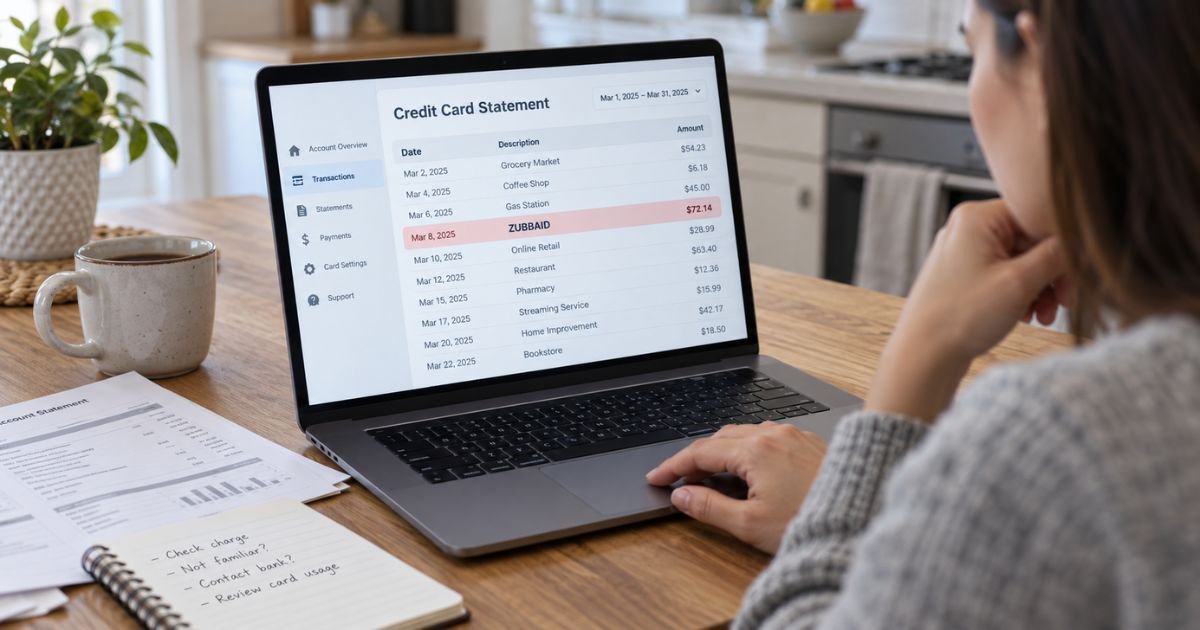
A Zubbaid charge on credit card can feel confusing if you don’t recall signing up for anything under that name. In many cases, unfamiliar statement names are legitimate billing descriptors rather than the name of the website or service you remember using.
ZubbAid appears to function as a billing and customer-support name for online purchases and memberships. This guide explains what the charge may mean, how to identify it, how to cancel recurring billing, and what to do if you believe the transaction was unauthorized.
Table of Contents
What Is a Zubbaid Charge on Credit Card?
A Zubbaid charge on credit card is typically a transaction billed under the ZubbAid name instead of the name of the website where the purchase happened. ZubbAid’s own FAQ says the name is used for billing to protect customer privacy.
The ZubbAid site says it is owned and operated by Gamma Billing Inc. It also lists Digigamma BV and Gamma Entertainment as official suppliers. For billing inquiries and membership cancellation, the site directs customers to Segpay, an authorized payment processor.
Some Gamma Entertainment membership services involve adult-oriented digital content. That means a ZUBBAID descriptor may be connected to an adult website subscription, although you should verify the exact merchant before assuming which site created the charge.
How Zubbaid May Appear on Your Statement
Your issuer may shorten or slightly change a merchant descriptor.
| Statement wording | What it may mean |
|---|---|
| ZUBBAID | Billing descriptor used for an online purchase or membership |
| ZUBBAID.COM | The ZubbAid billing-support domain is included |
| ZUBBAID plus other text | Your issuer may add a location, reference, or processor detail |
| Repeating ZUBBAID charges | The purchase may involve a recurring membership |
There is no single verified ZubbAid charge amount. The price depends on the website, membership, trial, or other purchase connected to the transaction.
Why You May Not Recognize the Zubbaid Charge
The biggest reason is that the descriptor may not match the website name you remember. ZubbAid says its billing name is used for privacy, so the statement may show ZUBBAID rather than the service brand.
You may also see the charge because:
- You signed up for a recurring online membership.
- A trial or introductory offer later moved to paid billing.
- Someone with permission to use your card made the purchase.
- You used an email address that you rarely check.
- You canceled one service but another active membership remains.
Pro Tip: Search your email and spam folders for “ZubbAid,” “Segpay,” “Gamma,” “membership,” or “receipt.” ZubbAid says a sales confirmation or receipt is sent with processed orders.
How to Verify a Zubbaid Charge
Start with the full transaction details in your card app or online banking account. Look for the exact date, amount, merchant website, phone number, location, or reference number.
ZubbAid also provides an online order lookup. Its order page says you can search using the first six and last four digits of the card, the expiration date, and your email address.
You can also use Segpay’s Consumer Self-Service Portal. Segpay says the portal can help you identify transactions, view subscription information, cancel memberships, and contact support.
How to Cancel a Zubbaid Subscription
ZubbAid currently directs billing and cancellation questions to Segpay. Segpay’s official support information says consumers can use its self-service portal to locate a purchase and cancel a membership.
A typical cancellation process is:
- Open the official Segpay Consumer Self-Service Portal.
- Look up the purchase using the requested transaction details.
- Open the membership connected to the ZubbAid charge.
- Select the cancellation option.
- Save the confirmation page or email.
Segpay also lists consumer support by phone at 866-450-4000 in the U.S. and +1 954-414-1610 internationally. Its official contact page also provides email, self-service, and support options.
Common Mistakes: Don’t assume replacing your credit card always cancels the underlying membership. You should generally cancel the recurring membership itself and keep proof of the cancellation.
Can You Get a Refund for a Zubbaid Charge?
ZubbAid lists refund or credit requests as a support topic, but it does not publish a blanket promise that every charge will be refunded. Refund eligibility can depend on the transaction, merchant, timing, and reason for the request.
If you recognize the purchase but want your money back, contact ZubbAid or Segpay first. Provide the charge date, amount, and enough information for the support team to locate the transaction.
If you canceled before a renewal but were charged again, keep your cancellation confirmation. That record may help when asking the merchant or your card issuer to review the payment.
Is Zubbaid a Scam or Legitimate Charge?
ZubbAid has an active billing-support website, identifies Gamma Billing Inc. as its operator, and directs customers to Segpay for billing support. Segpay is also listed by the Better Business Bureau as an accredited payment-processing company.
That does not mean every Zubbaid charge on every card is authorized. A legitimate billing company can still appear on a transaction you did not make.
Consumer feedback is mixed. As of September 2026, BBB lists Gamma Billing as not accredited and gives it an F rating, citing failure to respond to three complaints. BBB lists Segpay as accredited with an A+ rating, while its complaint records include billing, product, and service issues.
Trustpilot shows mixed Segpay reviews. Some consumers report quick cancellations, while others report unexpected billing or refund problems. Direct Reddit evidence specific to ZubbAid appears limited, so broad forum claims should be treated cautiously.
These reviews are individual consumer reports, not proof about your transaction. Your own receipt, account history, and card issuer records are more important.
What to Do If You Did Not Authorize the Charge
If you cannot connect the charge to any purchase after checking ZubbAid, Segpay, your email, and other card users, contact your card issuer promptly. Use the phone number on the back of your card or inside your official banking app.
Tell the issuer that you do not recognize the transaction. Ask whether it should be handled as fraud, an unauthorized transaction, or a billing dispute.
The Consumer Financial Protection Bureau recommends reporting suspicious credit or debit card transactions quickly. Debit-card protections can depend heavily on how soon you notify your bank, so delaying may affect your rights.
FAQs: Zubbaid Charge on Credit Card
Q. What does Zubbaid mean on my credit card?
A. Zubbaid generally means the payment was billed using the ZubbAid descriptor. ZubbAid says the billing name is used for privacy, so it may not match the website where you signed up.
Q. What company owns Zubbaid?
A. ZubbAid’s website identifies Gamma Billing Inc. as the site owner and operator. It lists Digigamma BV and Gamma Entertainment as official suppliers.
Q. How do I stop future Zubbaid charges?
A. Use the official Segpay Consumer Self-Service Portal to find the membership and cancel it. Keep the cancellation confirmation and check your next statement for any additional billing.
Q. What should I do if I never signed up for anything?
A. First verify the transaction through ZubbAid or Segpay and ask anyone authorized to use your card. If you still do not recognize it, contact your card issuer promptly and ask about disputing the charge.
Conclusion
A Zubbaid charge on credit card usually points to an online purchase or membership billed under the ZubbAid privacy-focused descriptor. The charge may be linked to Gamma Billing and a service processed through Segpay, but the exact website and amount can vary.
Verify the transaction before taking action. If you recognize it, cancel the membership through the official support channel if you no longer want it. If you do not recognize it, contact your card issuer quickly and ask about your dispute options.
Disclaimer: This article is for general informational purposes only and is not financial or legal advice. Billing, refund, cancellation, and dispute policies may vary by merchant and card issuer, so verify account-specific questions with the company or your bank.
Meet the Author
