
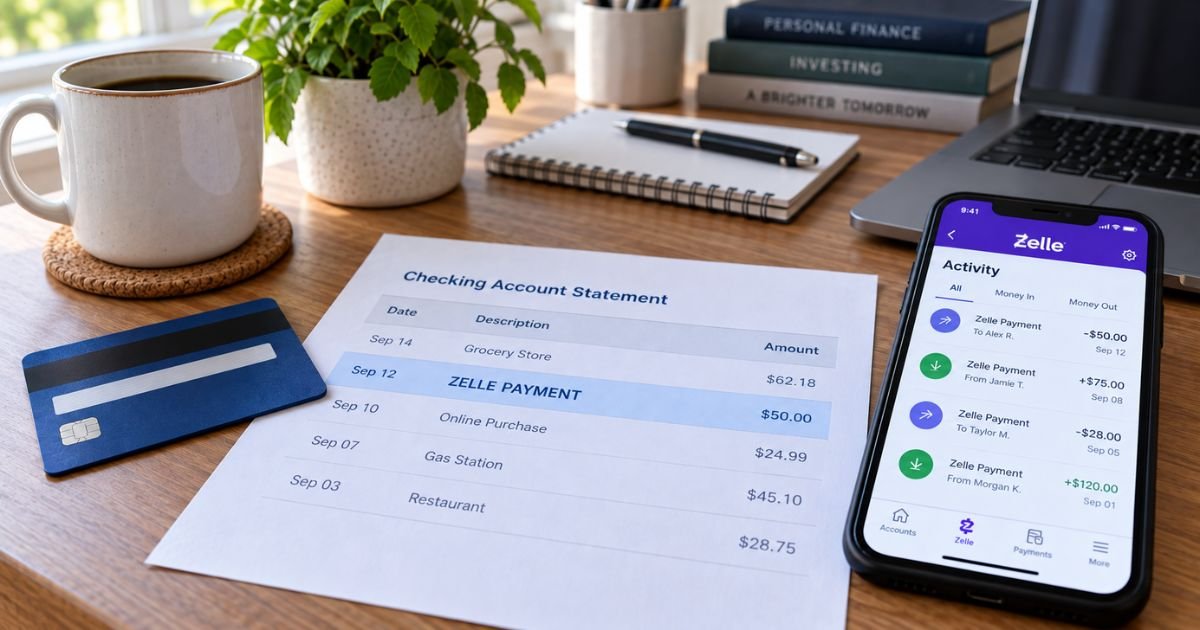
A Zelle charge on a bank statement can feel confusing if you don’t recall sending money to anyone. The line may show only ZELLE and a first name. The money is already gone.
Unfamiliar Zelle lines are often legitimate payments you made from checking. Zelle is a real bank-to-bank network, not a store. This guide explains what the charge is, how it usually appears, and what you can still do.
Table of Contents
What is a Zelle charge on a bank statement?
A Zelle charge on bank statement is typically money sent from your U.S. checking or savings account through the Zelle network.
Zelle is operated by Early Warning Services, LLC. You use it inside your bank or credit union app, or in the standalone Zelle app if your bank does not offer it.
You send to an enrolled U.S. mobile number, email address, or Zelle tag. Official help says money is typically available to an enrolled recipient within minutes. Official pages also say Zelle payments cannot be reversed once that happens.
Zelle is not a credit-card merchant in the usual sense. It moves deposit-account funds. That is why you usually see it on a bank statement, not a Visa or Mastercard bill.
If a credit-card statement shows something that only says Zelle, look again. You may be reading a debit-card checking account that looks like a “card.”
Official consumer FAQ language says there are typically no fees to send or receive. Zelle still tells you to confirm with your own bank.
A Zelle survey cited on zellepay.com said 99.36% of consumer savings and checking accounts linked to Zelle did not charge a fee to send, receive, or request money. Your bank can still set send limits. Those limits vary by institution and account type.
Zelle is for U.S. accounts. Official help says the sender and recipient bank accounts must be based in the United States.
How the line usually appears
Your bank writes the descriptor. Zelle does not print one national store name the way Amazon does.
| What you may see | What it often means |
|---|---|
| ZELLE PAYMENT TO [name] or ZELLE TO [name] | You sent money to that person or small business |
| ZELLE PAYMENT FROM [name] or ZELLE FROM [name] | Someone sent money into your account |
| ZELLE TRANSFER, ZELLE PMT, or ZELLE | Short bank wording for the same network |
| BANK NAME ZELLE PAYMENT | Your bank branded the same send |
| Zelle Scheduled payment or Zelle Recurring payment | Wording Bank of America publishes for future-dated or repeating sends |
The other party’s legal name may not match the nickname in your phone. The bank app’s Zelle Activity screen is usually clearer than the printed statement.
Incoming Zelle is a credit, not a charge. Outgoing Zelle is a debit from checking. People search “charge” for both, so check the plus or minus sign.
What Zelle is not
Zelle is not Venmo, Cash App, or PayPal Instant Transfer. Those apps often hold a balance and can pull a credit card. Zelle sends bank to bank.
Zelle is not a wire. It is not a standard three-day ACH bill pay, even though some banks also offer slower Zelle delivery on certain sends.
It is not Australian Zeller. That card processor can post as ZLR* plus a shop name. That is a different company.
Official network language says Zelle does not offer purchase protection for authorized payments. If you pay a stranger for goods and the item never arrives, that is not the same as a credit-card chargeback.
Why you might not recognize it
You may have split a dinner or paid rent from the bank app and forgotten the Zelle label. A household member with joint access can send from the same checking account.
Some banks let you schedule or repeat a Zelle payment. Bank of America help says those can appear as scheduled or recurring Zelle lines. Cancel the series in Payment Activity before the next send date if you no longer want it.
Cutoff times vary. Bank of America help describes editing until 11:59 p.m. on the applicable day. Confirm your bank’s cutoff.
A request you approved in the app is still a send you authorized. A memo like “utilities” does not make it a utility company bill.
Pro Tip: Open your bank app, go to Zelle Activity, and match the date and amount. That screen usually shows the email, mobile number, or tag you used.
How to confirm the payment
- Sign in to the same bank or credit union that holds the account.
- Open Zelle, then Activity or Payment Activity.
- Match the date, amount, and recipient.
- Check whether the payment is completed or still pending.
- If you use the standalone Zelle app, check that app too. An email or number can be enrolled in only one place at a time.
Official help says you will not see the recipient’s account and routing numbers. The recipient chooses which of their accounts is linked.
If you have several banks, check each one. People sometimes enroll a phone number at a new bank and forget the old profile.
Can you cancel or reverse it?
Official Zelle help is direct. Payments cannot be reversed. Money to an enrolled recipient moves into their bank account, typically within minutes.
You can cancel only if the recipient has not enrolled yet. Official steps:
- Open your Zelle activity page.
- Choose the payment.
- Select Cancel This Payment if that button is still there.
If Cancel is gone, the send is finished. Call your bank right away if you used the wrong number. Official bank FAQs say to call immediately. They do not promise the money back.
Some banks describe a slower 1- or 3-day Zelle speed on certain payments. Ally Bank help, for example, says those slower sends may be cancelable if Activity still offers it. That exception is bank-specific. Do not assume you have it.
Common Mistakes: Treating Zelle like a credit-card purchase you can dispute with the store. Sending to a number from a text without calling the person on a known number. Waiting days to tell the bank about an unauthorized login.
Fees, limits, and the standalone app
Most consumer sends inside a participating bank app have no Zelle network fee. Your bank can still charge other deposit-account fees that are unrelated to Zelle.
Send and receive limits are set by your bank. They can change with account history. The standalone Zelle app is for people whose bank is not in the network. That app has its own, often lower, limits. Confirm current caps in your own app before you plan a large rent payment.
Zelle is available in over 2,300 U.S. bank and credit union apps on current official pages. Some Zelle pages say over 2,400. Use your bank’s participant listing if you are not sure it is in your app.
If the charge is a scam or not yours
Official Zelle support draws a line.
Fraud, in their wording, is when someone used your account and you did not authorize the payment. Those unauthorized transfers are the ones that typically qualify for reimbursement after the bank investigates.
A scam, in their wording, is when you sent the money but did not get what you expected. An example is someone pretending to be a person or business.
Official pages say certain impostor scams qualify for reimbursement. That is a network policy, not a guarantee on every story. Eligibility is decided by your bank after you report it.
If you enrolled through a bank or credit union, official help says to report the transaction to that bank first. You may also report scams and identity theft to the Federal Trade Commission and the Internet Crime Complaint Center.
Zelle Support is 1-844-428-8542. Official hours are 8 a.m. to 10 p.m. ET, seven days a week, excluding Independence Day, Thanksgiving, Christmas, and New Year’s Day. Use that line if you used the standalone app or cannot tell where you enrolled.
Unauthorized electronic transfers from a deposit account generally have federal error-resolution rights. Report them quickly. Waiting can limit what your bank will cover. Authorized sends to a scammer usually do not get credit-card-style chargebacks. Still tell the bank the same day.
Never send a “test” Zelle because a caller claims to be your bank. Hang up and call the number on your debit card or official bank site.
FAQs: Zelle Charge on Bank Statement
Q. Is a Zelle charge on a bank statement a merchant bill?
A. Usually no. It is typically a person-to-person or small-business transfer from your deposit account. The other party’s name should appear in Zelle Activity even if the printed line is short. It is not a store subscription by itself.
Q. Why can’t my bank just pull the money back?
A. Official help says money to an enrolled recipient is already in that person’s bank account and cannot be reversed. Cancel exists only while the recipient is not enrolled. Your bank can still investigate unauthorized use or a qualifying impostor scam after you report it.
Q. Does Zelle charge a fee I missed?
A. Official consumer language says there are typically no fees to send or receive. Confirm with your bank. A Zelle-linked account survey published by Zelle found almost all consumer checking and savings accounts had no send, receive, or request fee. Overdraft or other bank fees are separate.
Q. Could this be on my credit card instead?
A. Zelle is built for U.S. bank and credit union deposit accounts. A “Zelle charge on a bank statement” is the usual place it posts. If you only have a credit-card login open, switch to the checking account that is enrolled. Do not confuse it with Venmo or Cash App card pulls.
Conclusion
A Zelle charge on a bank statement is typically a fast bank-to-bank send through Early Warning’s Zelle network. It usually has no consumer network fee, posts under ZELLE plus a name, and cannot be reversed after an enrolled recipient is paid.
Match it in your bank’s Zelle Activity. Report problems to your bank first, and use 1-844-428-8542 if you enrolled in the standalone app.
Disclaimer: This article is for general information only. It is not financial, legal, or tax advice. Zelle limits, descriptors, fees, and reimbursement rules vary by bank and by whether a payment was unauthorized or an authorized scam. Verify account-specific questions with your bank or credit union before you dispute a transfer.
Meet the Author
