
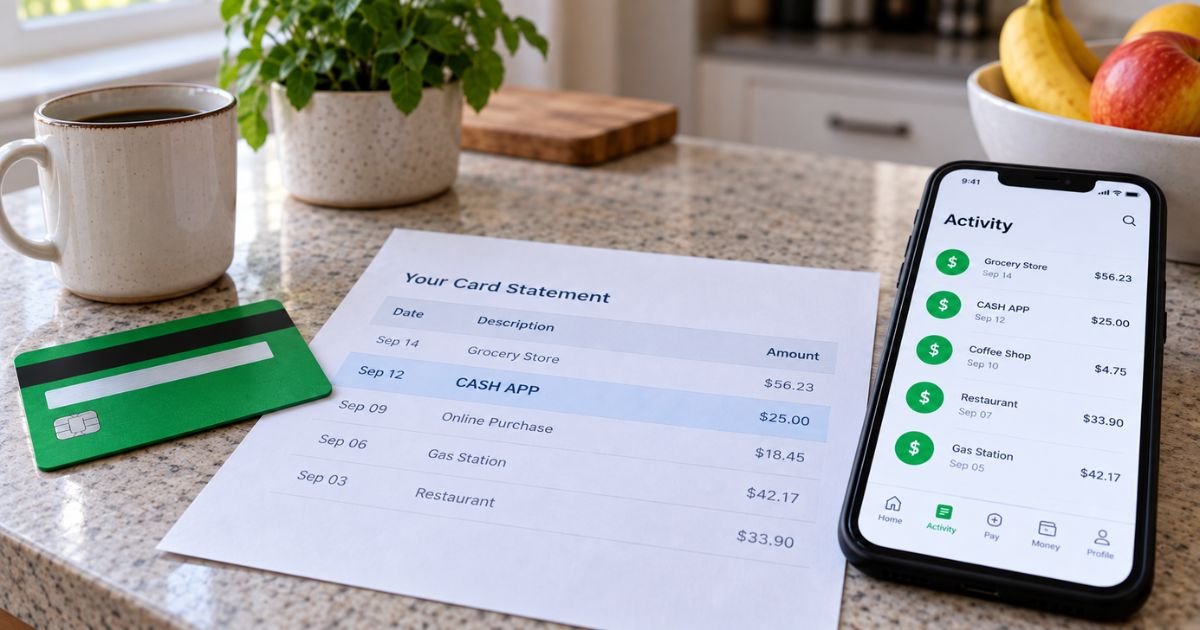
A Cash App transfer charge on a credit card can feel confusing if you don’t recall sending money to anyone. The line may say CASH APP or CASH OUT. The amount may include a small extra fee.
Unfamiliar Cash App lines are often legitimate. Cash App is a real payments app from Block, Inc. This guide explains what a transfer usually is, how it posts, the official fees, and how to match or stop it.
Table of Contents
What is a Cash App transfer charge on a credit card?
A Cash App transfer charge on credit card is typically money moving through Cash App using a card you linked. It is not one single product. The same brand can post for a person-to-person send, an add-money pull, a cash-out to your bank, or a Cash App Pay checkout.
Cash App is a U.S. payments and banking app. Banking services use partner banks. Prepaid Cash App Cards are issued by Sutton Bank, Member FDIC, and related partners. You send money with a $cashtag, phone number, or email.
Official Instant Transfer is the paid cash-out from your Cash App balance to a linked debit card or bank. Official help says Instant transfers arrive instantly to a linked debit card.
Standard transfers to a bank are free and usually take 1 to 3 business days. Instant help pages list a fee of 0.5% to 1.75% with a $0.25 minimum.
Cash App’s no-fees page and card fee tables also list Instant Transfer at 0.5% to 2.5%, with a $0.25 to $1 minimum and a maximum that shall not exceed $75. The exact fee is disclosed before you confirm.
That cash-out is usually a deposit to a debit card or bank, not a new credit-card bill. A Cash App transfer charge on a credit card more often means you funded a send or an add-money step with the credit card. Official pages list a 3% fee when you use a credit card to send money or add money.
Some issuers treat card-funded person-to-person sends as cash-like. That can mean a cash-advance fee and interest with no grace period. That treatment varies by issuer. It is separate from Cash App’s 3% fee.
How the charge usually appears
Banks shorten names. You may see Square-era codes because Cash App grew out of Square Cash.
| What you may see | What it often means |
|---|---|
| CASH APP, CASHAPP*, CASH APP*NAME | Person-to-person send or receive; the name is often the other user |
| CASH APPCASH OUT, SQCASH APP TRANSFER | Withdrawal from your Cash App balance to a bank or debit card |
| CASH APP*CASH IN | Adding money into Cash App from a linked card or bank |
| CashApp* plus a store name | Cash App Pay at a merchant |
| SQC*CASH APP or SQUARE INC CASH APP | Older Square Cash style wording |
| CASH APP 800-969-1940 | Cash App line that includes the official support number |
Issuers add prefixes like POS, CHECKCARD, or PENDING. Those labels come from your bank.
A small extra amount on top of a round send is often the 3% credit-card fee. A cash-out fee is taken from the withdrawal on the Instant path. It may not print as its own credit-card line.
Official fees that get mixed together
Keep these separate. They look alike on a statement.
- Send or receive with Cash App balance, bank, or debit: official pages say free.
- Send or add money with a credit card: 3% of the amount.
- Standard transfer to your bank: free, usually 1 to 3 business days.
- Instant transfer to a linked debit card or bank: percentage fee shown at checkout, typically within minutes. Official help says it can take up to 24 hours depending on the bank.
- Paper money deposit at retail: $1 per deposit on official fee lists.
- Cash App Card ATM: $2.50 listed for many out-of-network withdrawals, with monthly waivers if you meet deposit or spend tests.
Your Instant rate can differ by account. Use the number on the confirmation screen, not a blog calculator.
Official help says Instant Transfer goes to a linked debit card. If the debit card cannot take Instant, Cash App says it refunds the Instant fee and sends the money as a standard 1 to 3 day deposit.
Why you might not remember the transfer
You may have tapped Instant on a cash-out after someone paid you. You may have added money from the credit card so you could send it the same day. A household member can use a shared phone login.
Cash App Pay at a store can print CashApp* plus a merchant name you barely notice at checkout. Bitcoin or stock activity is a different product inside the same app. Those lines usually say more than “transfer,” but banks still truncate.
Scam texts that say “confirm a Cash App transfer” are common. Official support says staff will never ask for your password, PIN, full card number, or sign-in code. They will not ask you to run a test payment.
Pro Tip: Open the Activity tab first and match the date and amount. The in-app name is usually clearer than the 22-character bank line.
How to match it in Cash App
- Open the official Cash App and tap Activity.
- Find the same date and amount.
- Read whether it is a payment, a cash-out, or an add-money step.
- For a cash-out, scroll to the transaction number. Official help says your bank may need that Visa, Mastercard, Discover, American Express, or ACH reference.
- Check which card or bank is linked under your profile.
You can also withdraw and review activity at cash.app/account after you sign in.
If nothing matches, you may have a second $cashtag or an old phone number. Ask household members before you dispute.
How to stop future transfer charges
There is no single “cancel Cash App transfer” switch for money already sent.
Official help says Cash App to Cash App payments are instant and usually cannot be canceled. Open the payment in Activity and look for Cancel. If Cancel is gone, ask the recipient to refund it from their Activity screen. You can also tap Request to ask for the money back.
Official cash-out help is stricter. Once a transfer has been sent, Cash App cannot cancel or reverse it. If Instant fails, the fee refund and slower deposit are the official path.
To reduce new credit-card lines:
- Remove the credit card from Cash App if you do not want it used.
- Send from your Cash App balance or a debit card instead.
- Choose Standard when you cash out to a bank.
- Lock the Cash App Card in the app if that card was used in stores.
Official contact is inside the app under Support, at cash.app/help or cash.app/contact, or by phone at 1 (800) 969-1940. The official contact page lists that number every day from 9 a.m. to 7 p.m. ET.
Other Cash App pages list slightly different hours, so treat hours as subject to change. Mail listed on the contact page is Cash App, 1955 Broadway, Suite 600, Oakland, CA 94612.
Common Mistakes: Deleting the app does not unlink your card. Sending to a $cashtag you did not type carefully cannot be pulled back after it lands. A “support agent” who wants a test transfer is a warning sign.
Lookalikes that are not a Cash App transfer
- A Cash App Card store purchase, which is a Visa debit swipe
- Square POS charges that start with SQ * and a restaurant name
- Venmo, PayPal INST XFER, Zelle, or Apple Cash
- Cash App Borrow, bitcoin, or stock trades
- Cash App Mobile wireless billing, which is a different prepaid product
Open cash.app yourself. Do not use a link from a text that mentions a transfer hold.
If you did not authorize the charge
Change your PIN and lock the Cash App Card. Review linked banks and cards. Report the payment in Activity if the control is there.
Official Cash App Card dispute help says you can start a dispute in Support and that transactions should be disputed within 60 days of the monthly statement on which they appear. Phone support for that path is the same 1 (800) 969-1940 line.
If the money left a credit card you did not use in the app, contact that issuer too. Federal credit-card billing-error rules generally give you 60 days after the statement was sent to dispute in writing. Debit timing can differ.
FAQs: Cash App Transfer Charge on Credit Card
Q. Is a Cash App transfer charge on a credit card always Instant Transfer?
A. No. Official Instant Transfer is a paid cash-out from your Cash App balance to a linked debit card or bank. A credit-card line is more often a send or add-money pull funded by that card, plus Cash App’s 3% credit-card fee. Match the Activity type before you assume you paid the Instant percentage.
Q. Why is the amount a few dollars higher than what I sent?
A. Official pages add 3% when a credit card funds the send or the add-money step. Your issuer may also post a cash-advance fee on top. Instant cash-out fees are usually taken from the withdrawal, so they may not show as a separate card charge.
Q. Can Cash App reverse an Instant transfer?
A. Official help says that once a transfer has been sent, Cash App cannot cancel or reverse it. Person-to-person payments are also instant and usually cannot be canceled. If Cancel still shows in Activity, use it. Otherwise ask the recipient to refund you and, if needed, contact Support.
Q. Does this mean my card was stolen?
A. Not by itself. Cash App is a widely used app, and CASH APP* is a common descriptor. Treat it as unauthorized only after you check Activity, linked cards, and other household logins. If nothing matches, lock the app and work with Cash App and your issuer.
Conclusion
A Cash App transfer charge on a credit card is typically a Cash App send, add-money pull, or cash-out label, not a mystery store. Official Instant Transfer is the paid speed option to a linked debit card or bank.
Credit-card funding is listed at 3%. Confirm the item in Activity, remove the card if you do not want more pulls, and use official Support or 1 (800) 969-1940 if the line is not yours.
Disclaimer: This article is for general information only. It is not financial, legal, or tax advice. Cash App fees, descriptors, limits, and dispute windows vary by account, card, and issuer. Verify account-specific questions with Cash App or your bank before you dispute or unlink a payment method.
Meet the Author
