
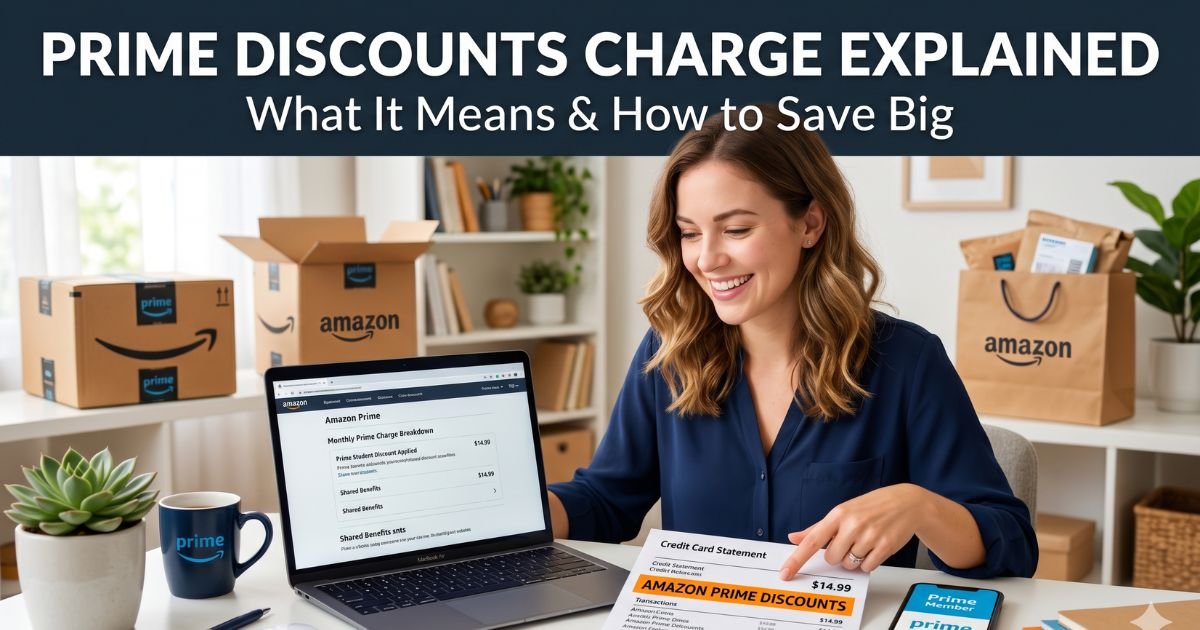
Have you ever glanced at your credit card statement and spotted a line that says something like “Prime Discounts” or “Amazon Prime” with a charge you don’t remember approving?
You’re not alone. Thousands of shoppers see this every month and wonder if it’s a scam, a billing error, or just the cost of their Prime membership.
Don’t worry, we’ll break it all down in plain English. You’ll learn why these charges pop up, how to spot legitimate ones versus sneaky fees and smart ways to turn Prime perks into real savings.
Table of Contents
Decoding the Prime Discounts Charge on Your Statement
Let’s start with the basics. When you see “Prime Discounts charge on credit card” or a similar descriptor like “AMZN.COM/BILL WA” on your credit card, it’s almost always Amazon processing a payment. This could be your monthly or annual Prime membership fee.
It might also cover Prime Video add-ons, Subscribe & Save orders, or even the way Amazon applies member-only discounts at checkout. The label isn’t always crystal clear on bank statements, which is why so many people get confused.
Amazon doesn’t always list the exact item. Instead, it groups things under one billing code. That’s why a single charge might bundle your Prime renewal with a discounted Whole Foods purchase or an e-book you grabbed on sale.
The good news? These charges are usually easy to trace once you know where to look.
Why You’re Seeing a Prime Discounts Charge
Several everyday situations trigger this line item. First, your Prime membership auto-renews. The standard plan runs $14.99 a month or $139 a year. If you signed up for the monthly option, expect a recurring hit around the same date each month. Many people forget they chose monthly billing and get surprised when the charge shows up.
Second, discounted Prime options exist for specific groups. If you qualify for Prime Access through government assistance programs, you might pay just $6.99 a month. Students in Prime for Young Adults pay $7.49 monthly after a free trial period. These lower rates still appear under similar billing labels, so they can look like unexpected fees at first glance.
Third, add-on services like Prime Video channels or third-party subscriptions you activated during a free trial can renew automatically. Amazon sometimes pulls from whatever payment method you have saved, even if you thought you canceled. And yes, family members or kids with access to your account can trigger charges too.
How to Check If the Charge Is Legitimate
Don’t panic and dispute it right away. Head to your Amazon account instead. Log in, click “Your Payments,” then “Transactions.” You’ll see a full list of every charge, including the date, amount, and what it paid for. It’s way more detailed than your bank statement.
If the charge doesn’t match any order you remember, open “Memberships & Subscriptions” under Your Account. Here you can see your Prime status, renewal date, and any linked video channels. Many readers tell me this simple check clears up 90 percent of the mystery charges they spot.
Steps to Cancel or Manage Unwanted Prime Charges
Ready to stop the billing? It takes just a few clicks. Go to “Memberships & Subscriptions,” select Amazon Prime, and hit “End Membership.” Amazon will ask if you want to keep shopping benefits until the current period ends. Say yes if you still want free shipping for the rest of the month. They’ll even prorate refunds in some cases.
For Prime Video add-ons, head to “Prime Video Settings” and cancel each channel individually. Pro tip: Set a calendar reminder two days before your renewal date. That way you can decide fresh each time instead of letting it auto-renew.
If the charge looks fraudulent, contact your credit card issuer immediately. Under federal law, you’re protected from unauthorized charges, especially recurring ones. Amazon also lets you file a claim directly through their help pages.
Maximizing Prime Discounts with the Right Credit Card
Here’s where things get exciting. You can actually turn those Prime charges into savings instead of just another bill. The Chase Prime Visa card is designed exactly for this.
With an active Prime membership, you earn unlimited 5% back on Amazon.com, Amazon Fresh, Whole Foods Market, and Chase Travel purchases. That’s like getting a built-in discount on everything you buy there.
You also get 2% back at gas stations, restaurants, and local transit, plus 1% everywhere else. No annual fee for the card itself, though you do need Prime to unlock the top rewards.
| Prime Option | Monthly Cost | Best For | Rewards Boost with Prime Visa |
|---|---|---|---|
| Standard Prime | $14.99 | Everyday shoppers | 5% back on Amazon & Whole Foods |
| Prime Access | $6.99 | EBT/SNAP recipients | Same 5% back + lower fee |
| Prime for Young Adults | $7.49 | College students | Same 5% back after free trial |
This table shows how different plans stack up. Pairing any of them with the Prime Visa card turns routine spending into real money back.
Top Benefits That Make Prime Worth the Charge
Beyond free two-day shipping, Prime unlocks streaming on Prime Video, same-day delivery in many cities, and exclusive deals during Prime Day.
You also get Prime Reading, music streaming, and photo storage. Shoppers who use it for groceries at Whole Foods love the extra 10% off select sale items when they scan the app.
One reader in Texas shared how she saved over $300 last year just on diapers and household staples through Subscribe & Save combined with Prime discounts. That kind of real-world win makes the charge feel like an investment rather than an expense.
Smart Tips to Avoid Future Surprises
Always review your saved payment methods in Amazon. Remove old cards you no longer use. Turn on purchase notifications so your phone pings you the second a charge posts. And if you share your account, set up parental controls or separate profiles for kids.
Watch out for phishing emails claiming your Prime is suspended. These are common scams that try to steal your card info. Stick to logging in directly through the Amazon app or website.
For the latest official details on billing and membership, check Amazon’s help center or the FTC’s consumer resources on subscription traps.
FAQs: Prime Discounts Charge on Credit Card
Q. What Is the Prime Discounts Charge on My Credit Card Statement?
A. It’s usually Amazon billing your Prime membership fee, a renewal, or a discounted purchase. The exact label can vary, but it often reads “Prime Discounts,” “Amazon Prime,” or “AMZN Mktp.” Log into your Amazon account under Transactions to see the breakdown.
Q. Can I Get a Refund for an Unwanted Prime Charge?
A. Yes, in most cases. If you cancel within the right window, Amazon issues a prorated refund. Contact customer service through chat or phone and explain the situation. They’re usually quick to help legitimate requests.
Q. How Does the Prime Visa Card Help Offset These Charges?
A. It gives you 5% cash back on Amazon and Whole Foods purchases when you have Prime. Over time, those rewards can more than cover your membership cost, turning the charge into a net positive for your wallet.
Conclusion
Now that you know exactly what that Prime discounts charge means, you’re in control. Take five minutes today to check your Amazon account and your credit card statements. You might discover savings you never knew existed or stop a fee you don’t need. Shopping smarter online doesn’t have to feel complicated. With a few simple habits, Prime can work for you instead of the other way around.
Disclaimer: This article is for informational and educational purposes only. It is not financial, legal, or tax advice. Always review your own account details and consult your bank or a professional advisor for personalized guidance. Amazon policies and credit card terms can change, so verify current details directly with the companies involved.
Meet the Author
