
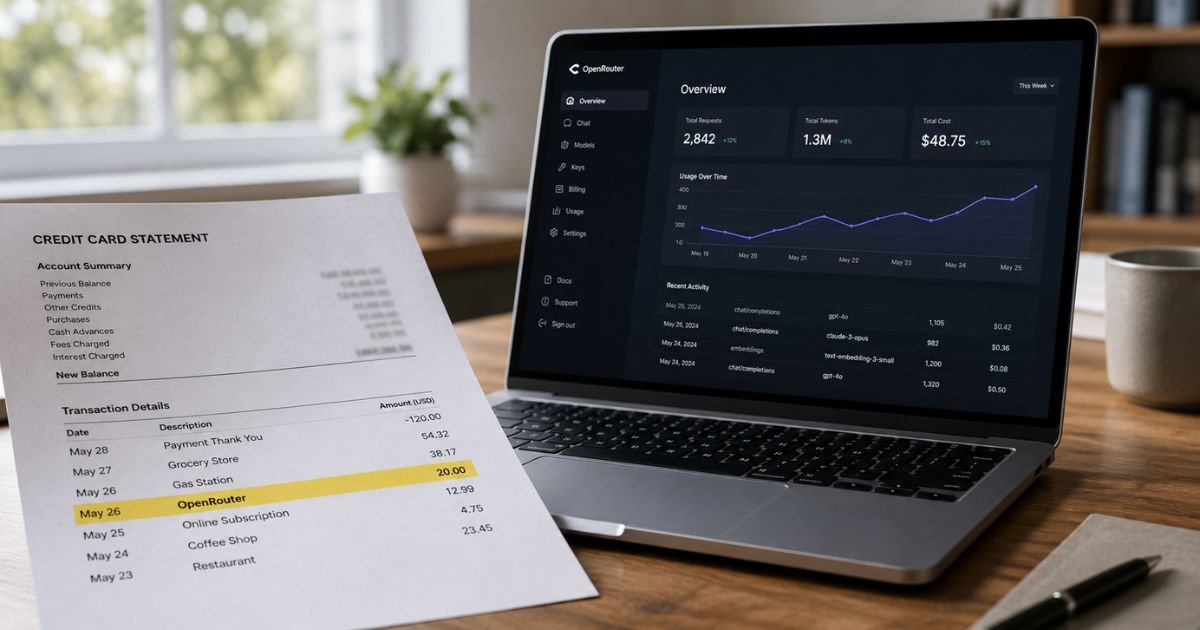
Seeing an OpenRouter charge on credit card can feel confusing if you don’t recall signing up for anything. Unfamiliar charges are often legitimate once you understand the service behind them.
This guide explains what the charge means, how OpenRouter billing works, and the clear steps you can take to check or stop it.
Table of Contents
What Is the OpenRouter Charge on Your Credit Card?
OpenRouter is a real platform that gives developers and users one API to reach hundreds of AI language models from many providers. You buy credits in advance. Those credits pay for the AI requests you (or your apps) make.
The charge on your statement is almost always for a credit purchase or an automatic top-up. OpenRouter does not run a standard monthly subscription for regular accounts. A one-time credit buy does not renew on its own.
The merchant name usually appears as OpenRouter, OPENROUTER, or a close variation processed through Stripe. The company is based in New York and operates the site openrouter.ai.
Why the Charge Appears
You typically see the charge for one of these reasons:
- You (or someone with access to your account) bought credits on openrouter.ai.
- Auto Top-Up (also called Auto Recharge) is turned on and your balance dropped below the threshold you set.
- An API key linked to your account is still active in an app, script, or tool that keeps making requests.
- Sales tax was added in certain U.S. states.
OpenRouter charges a platform fee of 5.5% (with a $0.80 minimum) when you buy credits with a card. Crypto purchases carry a 5% fee. Model usage itself is billed at the provider’s listed rates with no extra markup on the tokens.
Small top-ups can feel expensive because of the $0.80 minimum fee. Larger purchases bring the effective rate closer to 5.5%.
How OpenRouter Billing Works
OpenRouter uses a prepaid credit system in U.S. dollars. You add money once. Every API call deducts the cost of the tokens used. You can watch the exact spend on the Activity page inside your account.
There is no automatic monthly fee on a standard account. The only recurring charge possible is Auto Top-Up, which you must enable yourself.
When your balance falls below the amount you chose, OpenRouter charges your saved card and adds the top-up amount you selected.
Credits generally expire after one year if left unused. Refunds for unused credits are limited to a 24-hour window after purchase. Platform fees are not refunded.
| Billing Element | Details |
|---|---|
| Credit purchase | One-time, does not renew |
| Platform fee (card) | 5.5%, $0.80 minimum |
| Platform fee (crypto) | 5% flat |
| Auto Top-Up | Optional, user-controlled |
| Model usage | Pass-through provider rates |
| Refund window | 24 hours for unused credits |
How to Check If the Charge Is Yours
Log in at openrouter.ai and go to the Credits page. Look at recent transactions and your current balance. Then open the Activity page to see every request, model used, and cost.
If you see usage you do not recognize, check for active API keys. Anyone with a key can generate charges against your balance. You can regenerate or delete keys in account settings.
Also review whether Auto Top-Up is enabled. The setting sits on the Credits page. Turning it off stops future automatic card charges.
Pro Tip: Screenshot the Activity page and the Credits page before contacting support. Those details speed up any review.
How to Stop Future OpenRouter Charges
Follow these steps:
- Sign in at openrouter.ai.
- Go to the Credits page (openrouter.ai/settings/credits).
- Find the Auto Top-Up or Auto Recharge toggle and switch it off.
- Remove or update any saved payment methods if you no longer want the card on file.
- Review and revoke any API keys you no longer need.
Once Auto Top-Up is off, your remaining credits simply run down with use. Nothing renews automatically.
If you are on an Enterprise plan, contact support for plan-specific help.
What to Do About a Recent Charge
Unused credits bought within the last 24 hours can often be refunded through a button on the Credits page. Platform fees stay non-refundable. Crypto payments are not eligible for refund.
After 24 hours the credits are generally final. If credits never appeared after a charge, wait up to an hour, then email support@openrouter.ai with the date, amount, and last four digits of the card.
For unexpected high usage, check the Activity page for runaway scripts or exposed keys. OpenRouter typically does not refund usage that matches actual API calls.
Common Mistakes: Leaving Auto Top-Up on after a test project, sharing an API key without limits, or forgetting a small script still running in the background.
Is OpenRouter Legitimate?
Yes. OpenRouter is a real company founded in 2023. It provides a unified API for hundreds of AI models from dozens of providers.
Independent charge-lookup tools list it as a software and SaaS merchant. The site is openrouter.ai and support email is support@openrouter.ai.
Trustpilot shows mixed reviews.
Some users praise the model selection and ease of use. Others report slow support responses, strict 24-hour refund rules, and surprise bills from Auto Top-Up or shared keys.
Low ratings often stem from these billing and support experiences rather than the service being fake.
If you never created an account and still see the charge, treat it as possible unauthorized activity. Contact your bank promptly and email OpenRouter support with the statement details.
Steps If You Suspect Unauthorized Use
- Change your OpenRouter password immediately.
- Revoke all API keys and create new ones only if needed.
- Turn off Auto Top-Up and remove saved cards.
- Email support@openrouter.ai with the charge details and a request to review the account.
- File a dispute with your card issuer if the company cannot help and you did not authorize the activity.
Banks typically give you a limited window to dispute, so act quickly.
Contact and Support Options
For billing questions, email support@openrouter.ai. Technical help is available in the OpenRouter Discord community. The official help center at openrouter.zendesk.com covers most common payment issues.
Always verify any reply comes from the official domain. Never share your full card number or password by email.
FAQs: OpenRouter Charge on Credit Card
Q. Is the OpenRouter charge a recurring subscription?
A. No. Standard accounts have no recurring subscription. You only pay when you buy credits or when Auto Top-Up (which you control) adds more credits. Turn Auto Top-Up off to stop automatic charges.
Q. Why was I charged more than the credit amount I selected?
A. OpenRouter adds a 5.5% platform fee with a $0.80 minimum on card purchases. Small top-ups therefore carry a higher effective percentage. Sales tax may also apply in some states.
Q. Can I get a refund for an OpenRouter charge?
A. Unused credits can usually be refunded within 24 hours of purchase through the Credits page. Platform fees are kept. After 24 hours or if credits were used, refunds are generally not available. Crypto purchases are non-refundable.
Q. What if I never signed up for OpenRouter?
A. Check whether a family member, colleague, or old project used your card or account. If the charge is truly unauthorized, email support@openrouter.ai, secure the account, and contact your bank to dispute the transaction.
Conclusion
An OpenRouter credit card charge almost always comes from a legitimate credit purchase or an Auto Top-Up you (or someone with your login) enabled. The service is a pay-as-you-go AI API platform, not a hidden monthly subscription.
Review your Credits and Activity pages, turn off Auto Top-Up, and revoke unused keys to stop further charges. Contact support@openrouter.ai or your bank if anything still looks wrong. Taking these steps usually clears up the confusion quickly.
Disclaimer: This article is for informational purposes only and is not financial, legal, or professional advice. Billing policies, fees, and refund rules can change and may vary by account or card issuer. Always verify details directly with OpenRouter or your bank for your specific situation.
Meet the Author
