
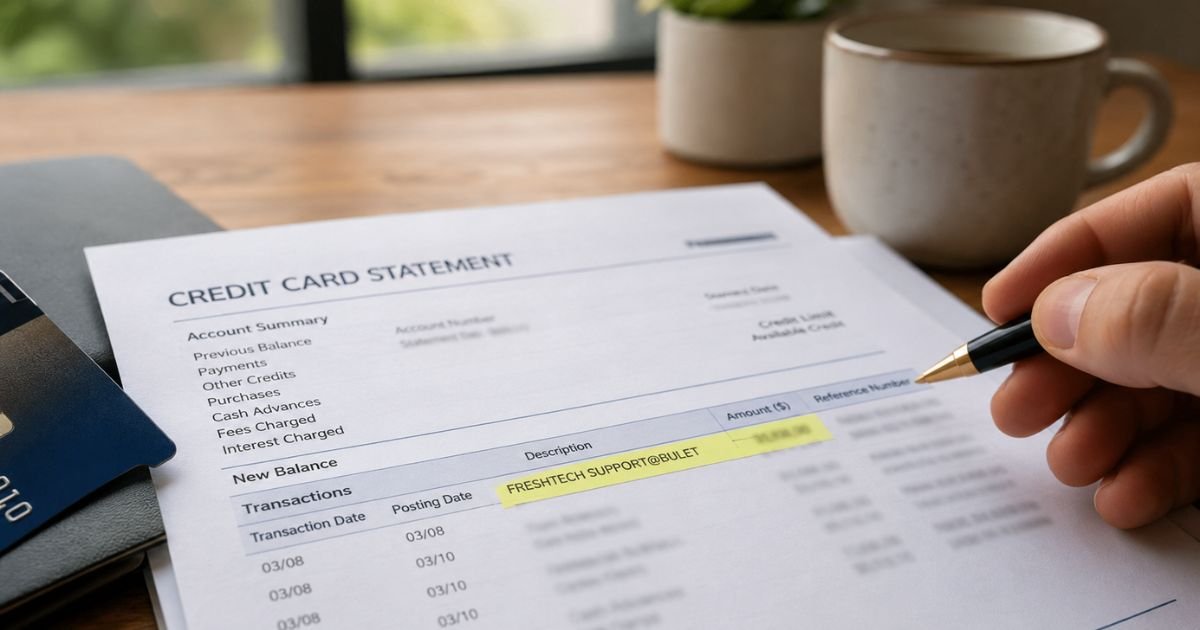
A Freshtech charge on credit card can feel confusing if you don’t recall signing up for anything. Unfamiliar charges are often legitimate purchases or billing descriptors that look different from the brand name you expect.
This guide explains what the Freshtech credit card charge typically means, how to check if it belongs to you, and what steps you can take next.
Table of Contents
What Is the Freshtech Charge on Your Credit Card?
The Freshtech charge on a credit card or debit card statement most often appears as FRESHTECH SUPPORT@BULET, FRESHTECH SUPPORT@BULETHK, or similar variations such as CHKCARD FRESHTECH SUPPORT@BULET or POS PUR FRESHTECH SUPPORT@BULET.
Consumer reports on charge-identification sites show this descriptor has appeared since early 2026. Many people first notice amounts ranging from roughly $20 to $170.
Some link it to recent online orders for clothing, décor, or other items advertised on social media. Others connect it to unexpected tech-support style billing after a computer or phone pop-up.
No single well-known U.S. company with a clear public website and strong customer reviews matches this exact descriptor cleanly.
Legitimate businesses named FreshTech exist in packaging, IT services, and other fields, but their billing names and contact details do not line up with the SUPPORT@BULET wording that shows up on statements.
When evidence is limited, treat the charge as something you should verify rather than assume is automatic or authorized.
Is the Freshtech Charge Legit?
Many consumers report the Freshtech charge as unrecognized or unauthorized. On sites that collect statement reports, a high share of users mark FRESHTECH SUPPORT@BULET as unauthorized.
Common complaints include never receiving ordered goods, receiving poor-quality items that do not match the advertisement, or seeing a charge after a virus-warning pop-up that froze a device.
Similar descriptors such as CITETECHSUPPORT@BULET or other *TECH SUPPORT@BULET names appear in the same reporting pattern.
One Better Business Bureau Scam Tracker entry describes a pop-up virus alert that led to a Freshtech charge of about $35, with a phone number that did not work.
A few people say they did place an order and later received something, though quality and delivery issues are frequently mentioned.
Because the merchant details behind SUPPORT@BULET or Bulethk are not transparent, it is hard to confirm a fully legitimate, easily contactable company.
If you never ordered anything and never entered card details for tech support, the charge is more likely unauthorized.
Unauthorized or Wrong (And How to Check)
Start by matching the exact date and amount on your statement to any recent activity.
Look through your email for order confirmations, shipping notices, or receipts that mention Freshtech, Bulet, or a similar name.
Check your browser history or social-media ads you may have clicked around that date. Review any pop-ups or tech-support calls you may have answered.
If nothing matches, treat the charge as potentially unauthorized. Under federal rules, you generally have protection for unauthorized credit-card charges when you report them promptly. Debit-card rules are similar but can differ by bank, so act quickly.
Do not call any phone number that appears only on the charge or in an unsolicited email. Those numbers may belong to the same operation.
How to Stop Recurring Charges or Cancel a Freshtech Subscription
No clear official cancellation page or customer-service channel is publicly tied to the SUPPORT@BULET descriptor.
- Log into your bank or credit-card account and look for any option to block the merchant or turn off recurring payments linked to that descriptor.
- Call the number on the back of your card. Tell the representative you do not recognize the Freshtech charge and want to dispute it and block future charges from the same merchant.
- Ask the bank to open a formal dispute. Provide the exact statement wording, date, and amount. Keep notes of the call.
- Monitor your account for the next billing cycle. If another charge appears, contact the bank again right away.
Some people report that simply disputing the charge and requesting a merchant block stops further activity. Refund success varies by issuer and how quickly you act.
Pro Tip: Screenshot the charge and any related emails before you call your bank. Clear records make the dispute process smoother.
Preventing Future Unknown Charges
Review your statements weekly instead of waiting for the monthly bill.
Turn on transaction alerts in your bank or card app so you get notified of every new charge.
Avoid entering card details on sites that appear after a pop-up virus warning or after clicking an unsolicited ad for clothing or gadgets. Use a virtual card number or a dedicated card with a low limit for online shopping when possible.
If you share devices or accounts with family members, confirm no one else made a purchase.
Common Mistakes: Waiting more than 60 days to dispute a charge can limit your options under the Fair Credit Billing Act. Also avoid replying to emails that claim to offer a refund from “Freshtech” without first verifying through your bank.
FAQs: Freshtech Charge on Credit Card
Q. Why does the charge say SUPPORT@BULET or Bulethk?
A. Merchant descriptors are often short codes set by the payment processor. SUPPORT@BULET and similar wording appear repeatedly with Freshtech charges. The exact company behind the code is not clearly identified in public records.
Q. Can I get a refund for a Freshtech charge I do not recognize?
A. Many cardholders successfully dispute unrecognized charges by contacting their bank promptly. Success depends on your issuer’s policies and how soon you report it. Your bank can guide you through the process.
Q. Is Freshtech connected to a real tech-support company?
A. Reports link some Freshtech charges to virus-pop-up scenarios that are classic signs of tech-support scams. Legitimate major tech companies do not generate unexpected charges this way or ask for payment after a random pop-up.
Q. What if I did order something and the charge matches?
A. If you remember placing an order, check your email for tracking or contact information. If the item never arrives or is not as described, you can still dispute the charge with your bank as a billing error or non-delivery.
Conclusion
A Freshtech charge on credit card most often shows up as FRESHTECH SUPPORT@BULET or a close variation. Many consumers report it as unexpected, sometimes tied to undelivered online purchases or tech-support style billing.
Check your records first. If the charge does not match anything you authorized, contact your bank right away to dispute it and block the merchant. Acting quickly protects your account and improves your chance of a resolution.
Stay alert to statement descriptors that look unfamiliar. A quick weekly review is one of the simplest ways to catch problems early.
Disclaimer: This article is for informational purposes only and is not financial or legal advice. Policies and protections can vary by card issuer and individual account. Always verify details with your bank or the merchant using contact information you trust.
Meet the Author
