
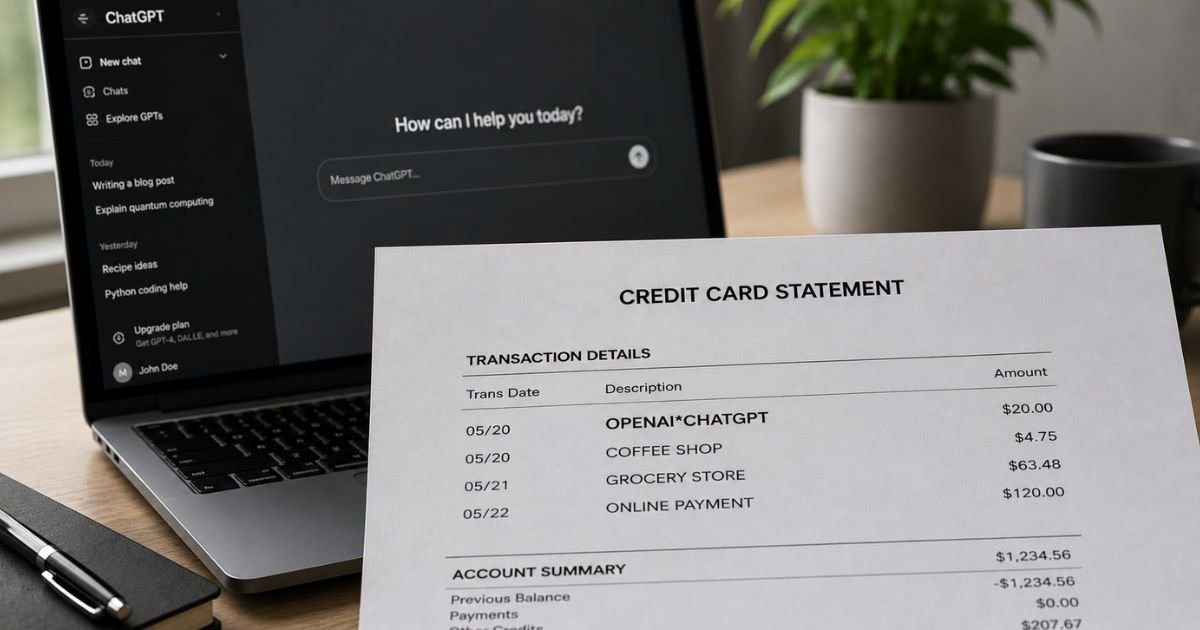
Seeing an OpenAI charge on credit card statement can be confusing if you don’t remember signing up for anything.
The name may not immediately ring a bell, especially if someone else in your household used the card.
This article explains what the charge means, why it appears, how to verify it, and how to cancel or dispute it if needed.
Table of Contents
What Is the OpenAI Charge?
OpenAI is the artificial intelligence company that develops ChatGPT and related tools. Charges on your statement typically come from one of these sources:
- A ChatGPT Plus (or higher-tier) subscription
- Prepaid API credits or usage for developers building with OpenAI models
- A temporary authorization hold when a payment method is added or verified
Common statement descriptors include:
- OPENAI
- OPENAI*
- OPENAI*CHATGPT
- OPENAI* CHATGPT CREDIT
- Similar short or bank-formatted versions
The most frequent consumer charge is the monthly ChatGPT Plus subscription. API-related charges can vary based on usage or auto-recharge settings.
Why Did This Charge Appear?
Common reasons include:
- A ChatGPT Plus subscription that auto-renewed
- A free trial that converted to a paid plan
- API credit purchases or usage billing
- Auto-recharge of API credits when the balance runs low
- A temporary card verification hold (often appears as a higher amount and later reverses)
- A family member or household member who signed up using your card
- A business or developer account linked to the same payment method
Subscriptions renew automatically unless canceled. API accounts may charge when you buy credits or when auto-refill is enabled.
How to Verify the Charge
Follow this checklist:
- Note the exact date, amount, and full descriptor on your statement.
- Check your email for receipts or invoices from OpenAI around the same date.
- Log into your OpenAI or ChatGPT account and review the Billing or Payment History section.
- For API users, check platform.openai.com under Billing and Usage.
- Ask household members if they started a ChatGPT subscription or used the API.
- Compare the amount to known plan pricing (ChatGPT Plus is typically a fixed monthly fee) or recent credit purchases.
Matching the charge to an invoice or account activity confirms it is valid.
Is It Legitimate or Fraud?
In the large majority of cases, an OpenAI charge is legitimate. OpenAI is a well-known company, and these descriptors are their standard billing names.
Common legitimate scenarios:
- You or a family member subscribed to ChatGPT Plus.
- You purchased API credits or incurred usage charges.
- A temporary authorization appeared when a card was added.
Warning signs that need investigation:
- No one in the household has an OpenAI or ChatGPT account.
- Multiple unexpected charges appear with no matching activity.
- You previously canceled but continue to be billed.
- The amount does not match any plan or credit purchase you recall.
If the charge is completely unfamiliar, contact OpenAI support and your card issuer promptly.
How to Cancel an OpenAI Subscription
Cancellation is done through your account settings. Access usually continues until the end of the current billing period.
For ChatGPT subscriptions signed up on the website:
- Log in to ChatGPT.
- Select your profile icon, then Settings.
- Go to Billing.
- Under Cancel plan, select Cancel and confirm.
If you subscribed through the Apple App Store or Google Play:
Cancel through your device’s subscription settings (iOS Settings or Google Play subscriptions), not inside the ChatGPT app.
For ChatGPT Business:
Go to Workspace settings → Billing → Manage plan → Cancel subscription.
For API accounts:
Turn off auto-recharge and remove the payment method in the billing settings on platform.openai.com. You can also set hard spending limits.
Cancel at least 24 hours before the next billing date to avoid the upcoming charge. Monitor your next statement to confirm it does not reappear.
Can You Get a Refund?
OpenAI’s general policy is that subscription fees are non-refundable once the billing period has started. Limited exceptions may apply:
- Accidental purchases if you contact support promptly (often within 14 days).
- Residents of the EU, UK, or Turkey may have a 14-day cooling-off right with prorated refunds in some cases.
- Unauthorized charges or clear billing errors.
To request a refund, log into your account and use the chat widget in the OpenAI Help Center.
Provide the charge date, amount, last four digits of the card, and a screenshot. OpenAI may process eligible refunds within several business days.
If you subscribed through Apple or Google, request the refund from those platforms instead.
For unauthorized charges, also dispute with your credit card issuer under the Fair Credit Billing Act.
What to Do If the Charge Is Unauthorized
If you confirm no one authorized the charge:
- Log into the OpenAI or ChatGPT account (if accessible) and cancel any active subscription or turn off auto-recharge immediately.
- Remove the payment method from the account.
- Contact OpenAI support through the Help Center chat widget and report the unrecognized charge. Provide the date, amount, and card details requested.
- Call your credit card issuer’s fraud department, report the charge, and request a dispute.
- Change passwords on the OpenAI account and any linked email.
- Document the date, amount, descriptor, and all reference numbers from your conversations.
Report the issue quickly to limit potential liability. OpenAI’s help center specifically addresses unrecognized ChatGPT or API charges and recommends contacting your bank right away if fraud is suspected.
Prevention Tips
- Review credit card and bank statements every month.
- Turn on transaction alerts for new merchants or recurring amounts.
- Set calendar reminders for free trial end dates.
- Use a virtual card number or limited-balance card for AI tool trials when available.
- For API users, set hard monthly spending limits and disable auto-recharge if not needed.
- Keep a simple list of active subscriptions and their billing dates.
- Cancel trials immediately if you decide not to continue.
- Ask household members before they use a shared card for new services.
- Regularly check the Billing section in your OpenAI or ChatGPT account.
Common OpenAI Charge Types
| Type | Typical Frequency | What It Usually Means |
|---|---|---|
| ChatGPT Plus subscription | Monthly | Recurring paid plan |
| API credit purchase | One-time or auto | Prepaid usage credits |
| API usage / auto-recharge | Variable | Token usage or balance top-up |
| Card verification hold | One-time | Temporary authorization (usually reverses) |
Statement Descriptor Variations
| Descriptor Example | Meaning |
|---|---|
| OPENAI | Standard OpenAI billing |
| OPENAI* | Common shortened form |
| OPENAI*CHATGPT or similar | ChatGPT subscription or related |
| OPENAI* CHATGPT CREDIT | Often linked to credits or Plus |
FAQs: OpenAI Charge on Credit Card
Q. What is an OpenAI charge on my credit card?
A. It is almost always a payment to OpenAI for a ChatGPT Plus subscription, API credits, or related usage. The descriptor is their standard billing name.
Q. Why was I charged after I thought I canceled?
A. Cancellation usually takes effect at the end of the current billing period. You keep access until then, and the next charge is avoided only if you cancel before the renewal date. Check your cancellation confirmation for the exact end date.
Q. How do I cancel OpenAI and stop future charges?
A. For website sign-ups, go to Settings → Billing → Cancel plan. For app store subscriptions, cancel through Apple or Google. For API accounts, turn off auto-recharge and remove the payment method. Monitor your next statement.
Q. Can I get a refund for an OpenAI charge?
A. Subscriptions are generally non-refundable once the period starts. Accidental or unauthorized charges may be eligible if you contact OpenAI support promptly. EU/UK/Turkey residents may have additional rights. You can also dispute unauthorized charges with your card issuer.
Conclusion
An OpenAI charge on credit card is typically a legitimate payment for a ChatGPT subscription or API usage.
Verify it against your account billing history, cancel through Settings or the relevant app store if you no longer want the service, and contact OpenAI support or your card issuer if the charge is unexpected or unauthorized.
Reviewing statements regularly and tracking free trials helps prevent similar surprises with AI and software services.
Disclaimer: This article is for informational purposes only and is not financial, legal, or professional advice. Subscription terms, pricing, cancellation rules, and refund policies can change and may vary by plan or region. Always verify details directly in your OpenAI account, with OpenAI support, or with your financial institution.
Meet the Author
