
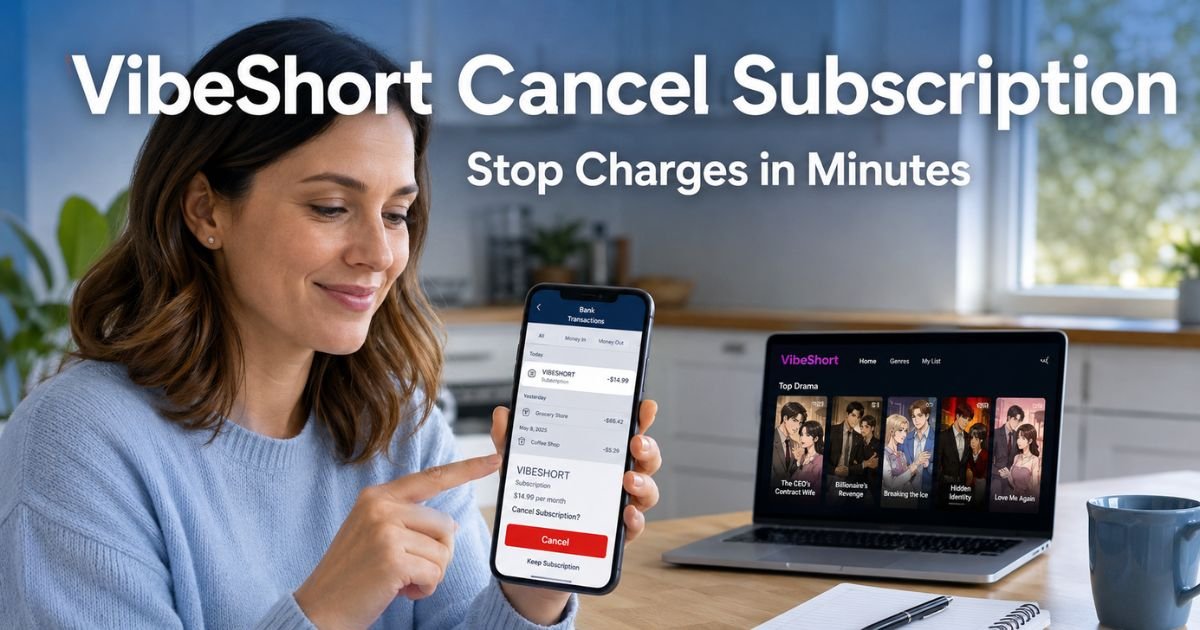
You open your credit card or bank statement and there it is: a charge for VibeShort. Maybe it says “VIBESHORT,” “GOOGLE*VIBESHORT,” or something similar. Your heart sinks a little. You do not remember signing up for anything like that.
You are not alone. Every month, thousands of people spot mysterious charges and wonder what is going on. The good news? It is usually just an auto-renewing subscription for an app you tried once, and you can fix it fast.
You will learn exactly what VibeShort is, why the charge keeps happening, and the simplest way to cancel your VibeShort subscription for good.
Table of Contents
What Exactly Is VibeShort?
VibeShort is a mobile app available on both the Apple App Store and Google Play Store. It delivers short, AI-generated comic-style dramas. Think bite-sized episodes, usually one to two minutes long, packed with romance, drama, or suspense.
The app uses artificial intelligence to create colorful comic panels that feel like a mix between a graphic novel and a TV show.
Many people download it for a quick break during a commute or lunch hour. The first few episodes are often free.
But once you finish those, the app prompts you to subscribe for unlimited access, higher quality, and ad-free viewing. That is where the charges start.
How VibeShort Subscriptions Actually Work
VibeShort offers weekly “Pro Pass” subscriptions. Typical pricing runs around $11.99 to $19.99 per week, sometimes with a lower intro rate for the first couple of weeks.
The subscription automatically renews unless you cancel it.
Here is the key part: the charge usually appears on your statement under your app store (Apple or Google) because you signed up through their billing system.
That is why it can feel hidden, you do not see a separate VibeShort bill, it blends in with other digital purchases.
Why the Auto-Renewal Catches People Off Guard
The app renews your subscription 24 hours before it ends. If you forget or do not notice the small confirmation messages, the charge just keeps coming. Many users tell us they only spotted the charge weeks or even months later.
Bottom line: VibeShort is a legitimate entertainment app, but its subscription model is designed to keep billing you until you take action.
Real-Life Example: How Maria Handled Her VibeShort Charge
Take Maria, a 38-year-old teacher from Texas. She downloaded VibeShort one evening while scrolling for something light to watch. She enjoyed the first few free episodes, tapped “Subscribe” without reading the fine print, and moved on.
Three weeks later she noticed three $19.99 charges on her Chase statement labeled “VIBESHORT.”
Maria felt frustrated and a little embarrassed. She thought she had just tried a free app. Within 15 minutes of following the steps below, she canceled the subscription through Google Play and reached out to support.
The next charge never happened, and she even received a partial refund. Maria now checks her statements every Friday like clockwork.
How to Cancel Your VibeShort Subscription: Step-by-Step
You have three easy ways to cancel. Choose the one that matches how you signed up.
1. Cancel Directly in the VibeShort App (Fastest for Most People)
- Open the VibeShort app on your phone.
- Go to your Profile (usually the person icon in the bottom right).
- Look for “Top Up,” “Subscribe,” or the “About Subscription” section.
- Tap your active plan and select “Cancel Auto-Renewal” or “Manage Subscription.”
- Confirm the cancellation.
The subscription will run until the end of your current paid period and then stop.
2. Cancel Through Your App Store (Works Even If You Cannot Find the Option in the App)
On iPhone or iPad:
- Open the Settings app.
- Tap your name at the top.
- Choose “Subscriptions.”
- Find VibeShort in the list.
- Tap “Cancel Subscription” and follow the prompts.
On Android:
- Open the Google Play Store app.
- Tap your profile picture in the top right.
- Select “Payments & subscriptions” then “Subscriptions.”
- Locate VibeShort and tap “Cancel subscription.”
3. Contact VibeShort Support (When the Above Steps Do Not Work)
- Email service@vibeshort.live.
- In the subject line write: “Cancel Subscription – Request.”
- Include your User ID (UID) from the app’s Profile page and the email tied to your account.
- Ask them to cancel your auto-renewal and confirm in writing.
Support usually replies within 24 hours and can handle the cancellation for you.
Pro Tip: Take a quick screenshot of your cancellation confirmation and the date. Keep it in a folder called “Subscriptions.” This tiny habit saves so much time if you ever need to dispute a charge later.
What to Expect After You Cancel
Your access to paid features ends when the current billing cycle finishes. You will still be able to use the free version of the app. No more automatic charges will appear on your statement.
If you see a charge right after canceling, do not panic. It could be the renewal that was already processed 24 hours early. Wait one full billing cycle and check again.
Common Mistake People Make When Canceling VibeShort
Common Mistake: Canceling only inside the VibeShort app but forgetting to check Apple or Google Play. Because billing goes through the app stores, you must cancel in the store too. Otherwise the charges keep coming even after you think you are done. Always double-check both places.
VibeShort Subscription Plans at a Glance
| Plan Type | Typical Price | What You Get | Auto-Renews? | Best For |
|---|---|---|---|---|
| Weekly Pro Pass | $11.99–$19.99/week | Ad-free, 1080p, unlimited episodes | Yes | Short-term trial users |
| First 2 Weeks | Discounted intro rate | Same as above | Yes | New users |
| Free Version | $0 | Limited episodes with ads | No | Casual viewers |
Source: VibeShort app listings and terms of service (current as of 2026). Prices can change—always check inside the app.
If Charges Keep Coming After You Cancel
- First, confirm the cancellation in your app store.
- Second, email VibeShort support with your UID and cancellation date.
- Third, contact your bank or card issuer and dispute the charge as a recurring subscription you already canceled. Most banks will reverse unauthorized post-cancellation charges.
You can also set up transaction alerts in your banking app so you catch any future surprises immediately.
VibeShort Cancel Subscription: Your Quick Action Checklist
- Open your app store subscriptions today
- Cancel the VibeShort plan
- Screenshot the confirmation
- Email support@vibeshort.live if needed
- Check your next statement to make sure the charge is gone
FAQs: VibeShort Cancel Subscription
Q. How do I cancel VibeShort subscription if I cannot find it in Google Play or Apple Subscriptions?
A. Sometimes the subscription does not show up right away. Open the VibeShort app, go to Profile, and look for the “About Subscription” area. If you still cannot find it, email service@vibeshort.live with your UID and they will cancel it for you within a day.
Q. Will I get a refund after canceling my VibeShort subscription?
A. VibeShort usually does not offer refunds unless the service was unusable. However, if you cancel promptly and explain the situation in your support email, they sometimes approve a partial refund. Always ask in writing and keep records.
Q. Why does VibeShort charge keep appearing on my bank statement even after I unsubscribed?
A. The charge you see may have been processed before your cancellation took effect. Auto-renewals happen 24 hours early. Wait one full cycle and verify in your app store that the subscription status now says “Canceled.” If it still charges, contact support immediately.
Conclusion
You now have everything you need to cancel VibeShort subscription and stop those charges for good. The process takes just a few minutes once you know where to look.
The bigger lesson? Those small recurring charges add up fast. Set aside ten minutes once a month to review your statements and cancel anything you no longer use. Your future self and your budget will thank you.
If you spotted another mystery charge this month, explore our other guides on ExplainCharges.com. We have simple, step-by-step help for hundreds of common charges just like this one.
Disclaimer: The content on ExplainCharges.com is for informational and educational purposes only and does not constitute financial, legal, or professional advice. We are not affiliated with any companies or services mentioned. The information provided may not apply to your specific situation. If you suspect unauthorized charges or fraud, contact your bank or credit card issuer immediately. Always verify details directly with the source and consult a qualified professional if needed.
Meet the Author
