
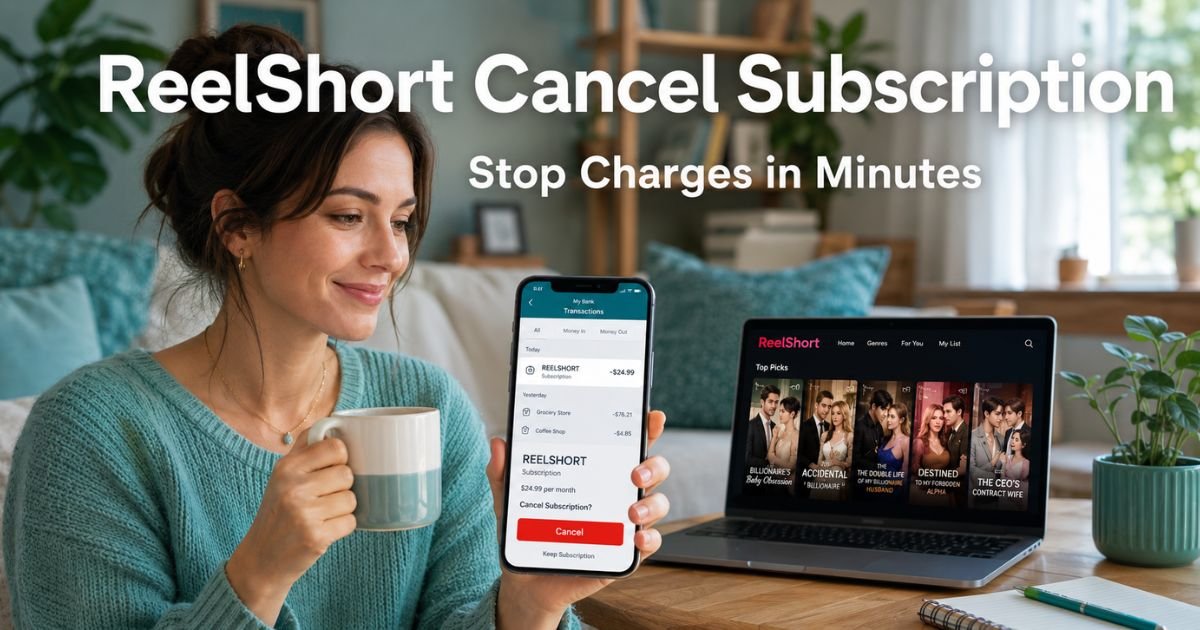
You grab your phone to check your latest transactions and there it is: a charge for ReelShort. It might read “REELSHORT,” “APPLEREELSHORT,” or “GOOGLEREELSHORT.” You do not remember signing up for anything extra.
Sound familiar? You are definitely not the only one. Hundreds of people every week open their statements and wonder about this exact charge.
The great news is that ReelShort is a real app, the charge is usually from a subscription you started during a free trial, and you can cancel it quickly once you know how.
You will learn what ReelShort really is, how its subscriptions work, and the easiest ways to cancel your ReelShort subscription for good.
Table of Contents
What Exactly Is ReelShort?
ReelShort is a mobile app you can find on the Apple App Store and Google Play Store. It offers short, vertical drama episodes that last about one minute each.
Think bite-sized stories packed with romance, suspense, or family drama, all designed to watch on your phone in portrait mode.
The app uses high-quality production and lets you unlock full series with a VIP subscription. Many people download it for a quick escape during a break or commute.
The first few episodes are often free to hook you in. After that, the app nudges you toward paid access. That is when the recurring charges begin.
How ReelShort Subscriptions Actually Work
ReelShort runs on weekly VIP subscriptions. Prices usually land around $19.99 per week, though new users sometimes see a lower intro rate for the first week or two. The subscription renews automatically unless you cancel it.
Here is why it can feel sneaky: billing goes through Apple or Google Play. That means the charge shows up mixed in with your other app purchases instead of a separate ReelShort bill. You will not get a direct invoice from the company itself.
Why the Auto-Renewal Surprises So Many People
The app processes renewal 24 hours before your current period ends. If you miss the small pop-up reminders or forget you even started the trial, the charges keep rolling in. Plenty of users report noticing the fee only after several weeks.
Bottom line: ReelShort is a legitimate entertainment app from Crazy Maple Studio, but its subscription setup makes it easy to keep billing until you take action.
Real-Life Example: How Lisa Fixed Her ReelShort Charge
Take Lisa, a 42-year-old office manager from Florida. She downloaded ReelShort one rainy afternoon after seeing an ad for a dramatic love story. She loved the quick episodes and tapped the VIP button without reading every detail. A month later she spotted four $19.99 charges on her Wells Fargo statement labeled “REELSHORT.”
Lisa felt annoyed at first, she thought it was just a one-time unlock. She followed the steps you will read below, canceled through her iPhone settings, and emailed support for good measure.
The next charge never hit, and she even got a partial refund credited back. Lisa now reviews her statements every payday and feels back in control.
How to Cancel Your ReelShort Subscription: Step-by-Step
You have three straightforward paths. Pick the one that matches how you signed up.
1. Cancel Directly in the ReelShort App (Often the Fastest)
- Open the ReelShort app on your phone.
- Tap the VIP banner, it is usually gold or brightly colored at the top.
- Scroll down to “Manage Subscription.”
- Select your active plan and tap “Cancel” or “Turn Off Auto-Renewal.”
- Confirm the change.
Your access continues until the end of the paid period, then stops.
2. Cancel Through Your App Store (Works Even If the App Option Is Missing)
On iPhone or iPad:
- Open the Settings app.
- Tap your name at the top.
- Choose “Subscriptions.”
- Find ReelShort in the list.
- Tap it, then select “Cancel Subscription” and confirm.
On Android:
- Open the Google Play Store app.
- Tap your profile picture in the top right.
- Go to “Payments & subscriptions” then “Subscriptions.”
- Locate ReelShort and tap “Cancel subscription.”
3. Contact ReelShort Support (When You Need Extra Help)
- If the above steps do not show your subscription, email reelshort.support@crazymaplestudio.com.
- Include your account email, User ID from the app profile, and a request to cancel.
- Ask for written confirmation that the auto-renewal is off.
Support typically responds within a day or two.
Pro Tip: After you cancel, take a screenshot of the confirmation screen and the date. Save it in a folder named “Subscriptions Canceled.” This small habit makes disputes or refunds so much easier if anything slips through.
What to Expect After You Cancel
Your VIP access ends at the close of the current billing cycle. You can still watch free episodes, but paid unlocks will stop. No more automatic charges will appear.
If you notice a charge right after canceling, stay calm. It may be the renewal that was already queued 24 hours earlier. Give it one full cycle and double-check your app store status.
Common Mistake People Make When Canceling ReelShort
Common Mistake: Canceling only inside the ReelShort app while skipping the Apple or Google Play store. Since billing flows through those platforms, you must cancel there too. Otherwise charges can continue even after you think you are finished. Always verify both spots.
ReelShort Subscription Plans at a Glance
| Plan Type | Typical Price | What You Get | Auto-Renews? | Best For |
|---|---|---|---|---|
| Weekly VIP | $19.99/week | Unlimited episodes, ad-free, HD | Yes | Regular viewers |
| Intro Offer | Lower first-week rate | Same as VIP | Yes | New users testing it |
| Coin Purchases | Varies (one-time) | Unlock specific episodes | No | Occasional use |
| Free Version | $0 | Limited episodes with ads | No | Casual browsing |
Source: ReelShort app listings and terms of service (current as of 2026). Prices can vary, always check inside the app for your exact plan.
If Charges Keep Coming After You Cancel
- Double-check your cancellation in the app store.
- Email support with your details and cancellation date.
- Reach out to your bank or card issuer to dispute any post-cancellation charges as an unwanted recurring subscription. Banks are usually quick to help.
You can also turn on spending alerts in your banking app so you catch anything unusual right away.
ReelShort Cancel Subscription: Your Quick Action Checklist
- Open your phone’s app store subscriptions section today
- Cancel the ReelShort VIP plan
- Screenshot the confirmation
- Email support if the charge still shows
- Review your next statement to confirm it is gone
FAQs: How to Cancel ReelShort Subscription
Q. How do I cancel ReelShort subscription if I do not see it in my Apple or Google subscriptions?
A. Open the ReelShort app, tap the VIP banner, and scroll to Manage Subscription. If it still does not appear, email reelshort.support@crazymaplestudio.com with your account details. They can cancel it directly and send confirmation.
Q. Will canceling ReelShort subscription give me a full refund for the current week?
A. ReelShort does not usually refund mid-cycle charges, but you can ask support in your cancellation email. Some users receive partial credits if they explain the situation clearly and provide screenshots. Keep records of everything.
Q. Why does my ReelShort charge keep appearing on my bank statement even after I canceled?
A. The charge you see may have processed before your cancellation took effect. Auto-renewals happen up to 24 hours early. Wait one complete billing cycle, then verify in your app store that the status now reads “Canceled.” Contact support right away if it continues.
Conclusion
You now know exactly how to cancel ReelShort subscription and stop those charges for good. The whole process takes just a few minutes when you follow the right steps.
The real takeaway here is that small recurring fees like this add up faster than most of us realize. Spend ten minutes each month scanning your statements and canceling anything you no longer want. Your wallet will thank you, and you will feel lighter knowing your money stays where it belongs.
If another mystery charge popped up this month, browse the other easy-to-follow guides right here on ExplainCharges.com. We break down hundreds of common charges just like ReelShort so you never have to wonder again.
Disclaimer: The content on ExplainCharges.com is for informational and educational purposes only and does not constitute financial, legal, or professional advice. We are not affiliated with any companies or services mentioned. The information provided may not apply to your specific situation. If you suspect unauthorized charges or fraud, contact your bank or credit card issuer immediately. Always verify details directly with the source and consult a qualified professional if needed.
Meet the Author
