
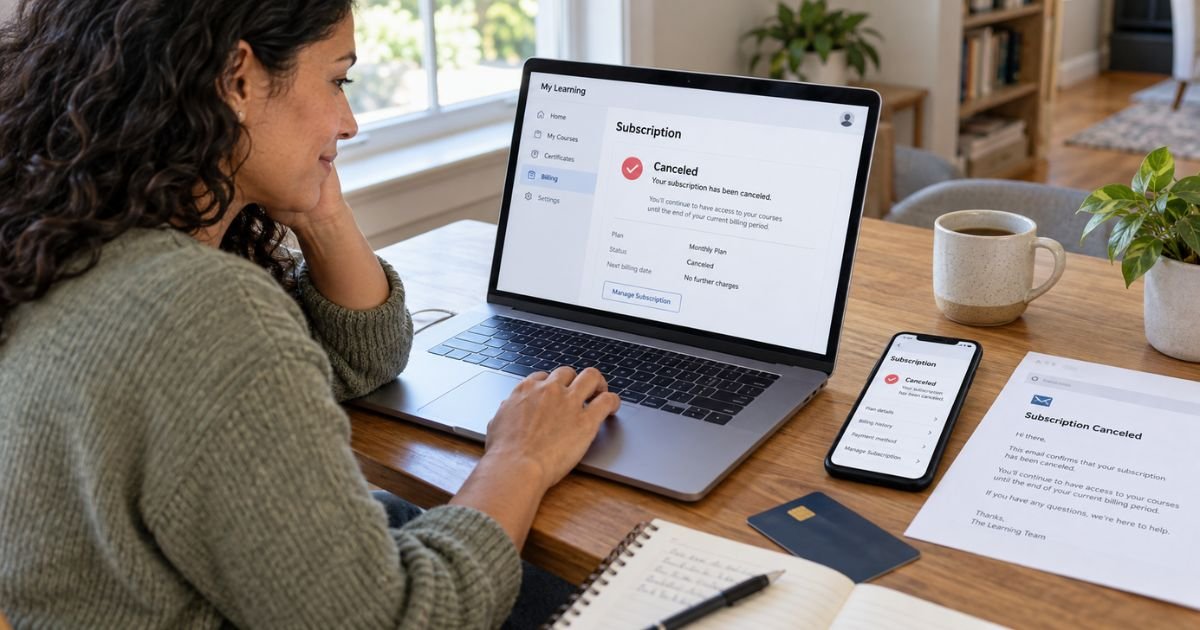
Learning how to cancel Coursera subscription plans can feel confusing if you cannot find the subscription under your account. Your cancellation method generally depends on whether Coursera, Apple, or Google Play handles your billing.
You can usually stop future Coursera charges through My Purchases or the marketplace that billed you. This guide explains monthly plans, Coursera Plus, free trials, refunds, and what to do if charges continue.
Table of Contents
How to Cancel Coursera Subscription
If Coursera bills you directly, you can generally cancel your subscription through the My Purchases section of your Coursera account. Coursera’s current terms also let you use its Support Services when you cannot complete the cancellation yourself.
Canceling normally stops future renewal rather than immediately deleting the access you already paid for. Coursera says you generally keep access through the end of your current billing period.
Coursera Cancellation Options
Your correct cancellation method generally depends on where you originally subscribed.
| Billing method | Where you generally cancel | What happens next |
|---|---|---|
| Coursera website | My Purchases | Renewal stops |
| Coursera Support | Learner Help Center | Support can review the subscription |
| Apple App Store | Apple Subscriptions | Apple stops future billing |
| Google Play | Google Play Subscriptions | Google stops future billing |
| Monthly free trial | Cancel before trial ends | Avoid next subscription charge |
| Annual Coursera Plus | Cancel and request refund if eligible | Separate refund rules apply |
Checking your original receipt can generally tell you which company processes the payment.
How to Cancel Coursera on the Website
If you subscribed directly through Coursera, sign in using the account that holds the paid subscription.
You can generally follow these steps:
- Sign in to Coursera.
- Open your account menu.
- Go to My Purchases.
- Find your active subscription.
- Select the option to manage or cancel it.
- Confirm the cancellation.
- Save the confirmation email or take a screenshot.
Coursera’s current terms specifically direct subscribers to the My Purchases page or Support Services for cancellation.
Pro Tip: Check the email address shown in your Coursera account before canceling. If you have signed in through Google, Facebook, or another method, you may have more than one Coursera account and the subscription may be attached to a different login.
How to Cancel Coursera Plus
Coursera Plus can generally be billed monthly or annually. The cancellation process is similar, but the refund rules are different.
For a monthly Coursera Plus subscription, you generally cancel through My Purchases before your next renewal. Coursera currently offers a seven-day free trial on its monthly Coursera Plus plan for eligible new subscriptions.
For an annual plan, cancellation prevents the next annual renewal. Coursera’s current terms say annual subscriptions paid in full may qualify for a refund if you cancel within 14 days of the original purchase.
How to Cancel a Coursera Free Trial
A monthly Coursera subscription may start with a free trial. Coursera says you must cancel before the trial ends if you want to avoid the first paid charge.
For Coursera Plus monthly plans, the current trial period is generally seven days. Your specific offer may vary, so check the date shown when you sign up.
Do not assume deleting the app stops the subscription. You need to cancel through the billing account.
Common Mistakes: Do not wait until after the free trial ends and assume cancellation will automatically refund the first payment. Coursera treats cancellation and refund eligibility as separate issues.
How to Cancel Coursera on an iPhone
If Apple bills your Coursera subscription, you generally need to cancel through your Apple Account rather than Coursera.
On an iPhone, you can usually:
- Open Settings.
- Tap your name.
- Tap Subscriptions.
- Select Coursera.
- Tap Cancel Subscription.
- Confirm the cancellation.
Apple says that if you do not see a Cancel button and instead see an expiration message, the subscription is already canceled.
Apple also recommends canceling free or discounted trials at least 24 hours before the trial ends.
How to Cancel Coursera Through Google Play
If Google Play handles your Coursera subscription, you generally need to cancel it through Google Play.
You can typically:
- Open Google Play.
- Make sure you are signed into the correct Google Account.
- Open Payments & subscriptions.
- Select Subscriptions.
- Choose Coursera.
- Tap Cancel subscription.
- Follow the instructions.
Google states that uninstalling an app does not cancel its subscription. After cancellation, you generally keep access for the paid period that remains.
What Happens After You Cancel Coursera?
If Coursera bills you directly, cancellation generally becomes effective at the end of your current billing period. You should not receive another renewal charge after that point.
You can generally continue using the subscription until the paid period ends.
For subscriptions billed by Apple or Google, the marketplace controls the exact access and renewal timing. Check the cancellation screen for your expiration date.
Does Canceling Coursera Give You a Refund?
Not automatically.
Coursera’s current terms say monthly subscription payments are generally nonrefundable, except where required by law or where another stated exception applies. Canceling generally prevents future charges rather than refunding the current billing period.
Annual subscriptions have a different rule. Coursera currently says you can generally request a refund within 14 days of paying for an annual subscription. Renewal charges on annual subscription plans are generally not refundable under its standard policy.
Coursera Plus also states that annual subscribers can use My Purchases to submit an eligible refund request within 14 days. Certificates earned during that period may be revoked after the refund.
What If You Cannot Find the Cancel Button?
First, check whether you are signed into the correct Coursera account.
Users sometimes create separate accounts through email, Google, or social sign-in without realizing it. Recent Reddit reports describe users finding that their paid subscription was attached to a different login than the account they were checking.
You should also check whether Apple or Google Play billed you. If the subscription was purchased through a mobile marketplace, it may not appear as a Coursera-managed subscription.
If you still cannot locate it, Coursera directs learners to its Learner Help Center and Support team.
What If Coursera Keeps Charging You?
Keep your cancellation confirmation and compare it with the dates of any later charges.
Check for:
- Another Coursera account.
- A separate course subscription.
- Coursera Plus plus another specialization subscription.
- An Apple subscription.
- A Google Play subscription.
- A cancellation that took effect after the latest renewal.
BBB complaints include consumers who report duplicate subscriptions, renewals they did not expect, and difficulty identifying which subscription generated a charge. Coursera responses in some complaints confirm that customers can have multiple active subscriptions at the same time.
Reddit users also report cases where they believed they had canceled but later saw another billing attempt. These are individual reports and do not prove that every cancellation will have the same issue.
What BBB and Trustpilot Reports Show
BBB currently shows hundreds of complaints involving Coursera over the last three years, including a substantial number categorized as billing issues. Recent complaints include renewal charges and difficulty obtaining refunds.
Trustpilot also includes recent complaints involving trial conversions, cancellation, and refunds. Other reviewers defend Coursera’s stated trial and billing rules, so the reviews show mixed individual experiences rather than a single universal outcome.
Your cancellation confirmation, receipt, and account history are generally more useful than online reviews for proving what happened to your own subscription.
How to Avoid Another Coursera Charge
Cancel before the date shown for your next renewal.
Then:
- Save the confirmation.
- Check the subscription status.
- Review Apple or Google Play if relevant.
- Check for other paid Coursera subscriptions.
- Review your next card statement.
- Keep your original purchase receipt.
If a charge posts after a confirmed cancellation, contact Coursera or the marketplace that processed the payment. If you believe a charge is genuinely unauthorized or incorrect, you can also ask your card issuer about its dispute process.
FAQs: How to Cancel Coursera Subscription
Q. Can you cancel Coursera anytime?
A. You can generally cancel an active subscription before its next renewal. You usually keep access until the current paid billing period ends.
Q. Does Coursera refund you after cancellation?
A. Usually not for monthly subscription payments. Annual plans may generally qualify for a refund within 14 days of the original payment, subject to Coursera’s current rules.
Q. How do you cancel a Coursera free trial?
A. If Coursera bills you directly, cancel through My Purchases before the trial ends. If Apple or Google Play bills you, cancel through that platform’s subscription settings.
Q. Why can’t you find your Coursera subscription?
A. You may be signed into the wrong Coursera account, or Apple or Google Play may manage the subscription. Check your receipt and every login method you may have used.
Conclusion
Knowing how to cancel Coursera subscription plans starts with identifying who bills you. Direct Coursera subscriptions can generally be canceled through My Purchases, while Apple and Google Play subscriptions must usually be canceled through those platforms.
Cancel before your trial or renewal deadline and keep your confirmation. If charges continue, check for multiple Coursera accounts or subscriptions and contact the company or marketplace that processed the payment.
Disclaimer: This article is for general informational purposes only and is not financial or legal advice. Coursera, Apple, Google Play, refund, and subscription policies can change, so verify account-specific questions with Coursera or the company processing your payment.
Meet the Author
