
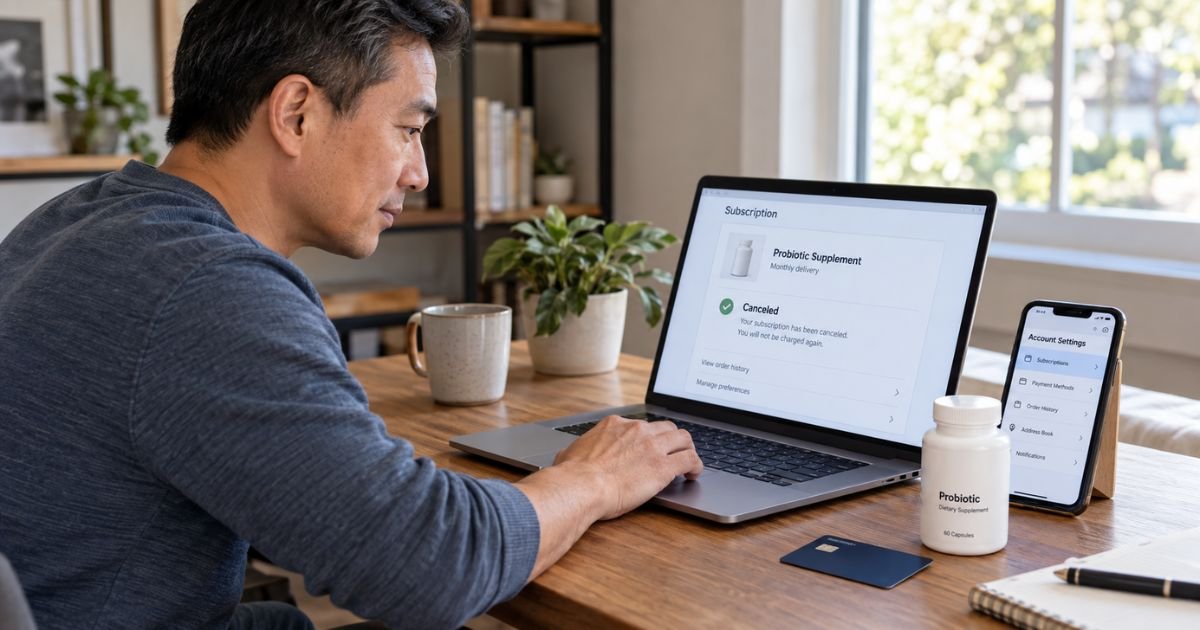
Learning how to cancel Bioma subscription plans can feel confusing if you expected to stop shipments immediately. Bioma currently offers an online subscription portal, but its discounted subscription terms may affect when you can cancel without an additional payment.
You should check whether you have already received your second subscription charge before canceling. This guide explains the online process, Bioma’s early-cancellation rule, refunds, and what to do if billing continues.
Table of Contents
How to Cancel Bioma Subscription
Bioma currently lets you manage a subscription through its self-service account portal. According to its Help Center, you can generally cancel normally after the second subscription charge has been processed.
If you try to cancel subscription before that second charge, Bioma says you may need to pay the difference between the discounted subscription price and its one-time purchase price. This makes checking your order history important before you confirm cancellation.
Bioma Cancellation Options
Your available option generally depends on where you are in the subscription cycle.
| Situation | What Bioma currently says | What to do |
|---|---|---|
| Second charge already processed | Subscription can generally be canceled | Use the self-service portal |
| Before second charge | Price difference may be required | Choose Pay & Cancel |
| Subscription paused | Cancel option may be hidden | Unpause first |
| Cannot access account | Create or activate your account | Use checkout email |
| Portal does not work | Contact customer support | Email Bioma |
Bioma’s public FAQ also says you can cancel a subscription through its self-service platform. Some newer product FAQs say you can email customer support to cancel.
How to Cancel Bioma Online
Start by opening your Bioma account using the same email address you entered during checkout.
Bioma says placing an order does not automatically create an online account. If you have never activated one, you generally need to create an account using your checkout email before managing the subscription.
You can generally follow these steps:
- Create or sign in to your Bioma account.
- Open Your Subscriptions.
- Select Manage Subscription.
- Look for Pay & Cancel or the available cancellation option.
- Choose your cancellation reason.
- Select Submit & Cancel.
- Confirm that the subscription shows as canceled.
- Save a screenshot or confirmation email.
If your subscription is paused, Bioma says you must unpause it before the cancellation option appears.
Pro Tip: Save screenshots showing your subscription status before and after cancellation. They may help if another renewal later appears on your card.
Why Bioma May Ask You to Pay Before Canceling
Bioma markets subscription orders at a lower price than comparable one-time purchases. Its current Help Center says the discount is tied to its subscription conditions.
If you cancel before a second subscription charge, Bioma says it may require you to pay the difference between the original discounted amount and the one-time purchase price.
Its self-service portal calls this option Pay & Cancel. Once that price difference is paid, Bioma says the subscription is canceled and no further shipments should be sent.
This rule is important because Bioma’s storefront also uses phrases such as “Cancel anytime.” The Help Center provides the additional qualification concerning the discounted subscription price and second charge.
Can You Pause Bioma Instead?
Yes. Bioma currently lets subscribers pause a subscription for up to one month through the self-service portal.
Pausing does not permanently cancel future billing. When you later want to cancel, Bioma says you must unpause the subscription first so the cancellation control becomes available.
Use a pause only if you actually want to keep the subscription later.
Can You Cancel Bioma by Email?
Bioma’s current product FAQ says subscribers can email hello@bioma.health to request cancellation. Its published terms also list that email for subscription cancellations.
If you email support, include your order email and order number when available. State clearly that you want recurring billing and future shipments stopped.
Keep the response confirming the cancellation.
What Happens After You Cancel?
A successful cancellation should generally stop future subscription renewals after the applicable cancellation conditions are satisfied.
Do not assume that canceling automatically refunds an order that already processed. Cancellation and refunds are separate issues.
Check your subscription page after canceling and monitor your card around the next scheduled renewal date.
Common Mistakes: Do not assume deleting your account, changing your card, or pausing the subscription permanently cancels it. Use Bioma’s cancellation process and keep written proof.
Can You Get a Refund From Bioma?
Bioma currently offers a 14-day return window for eligible U.S. orders. Its Help Center says the product generally needs to be unopened, in original packaging, and fit for resale unless the product is faulty or not as described.
You generally need to email Bioma within 14 days of delivery to request a return.
If approved, Bioma currently says:
- You receive a prepaid return label.
- A $9 shipping fee is deducted from the refund.
- The refund goes back to the original payment method.
- Bioma processes it within 14 days after receiving the return.
- Your bank may take another 10 to 30 business days to display it.
Bioma currently says orders shipped to Canada and Australia are non-returnable and non-refundable under this policy.
What If Bioma Already Shipped the Renewal?
Contact support immediately and ask whether the shipment is still eligible for cancellation or return.
Do not assume that stopping the subscription automatically stops an order already processed. Ask separately about both the recurring subscription and the pending shipment.
If the order arrives and you want a refund, avoid opening the product until Bioma confirms whether it qualifies under the return policy.
What If You Cannot Find Your Bioma Account?
Bioma says ordering does not automatically create a customer account. This can explain why you receive subscription shipments but cannot initially find a login.
Go through Bioma’s account registration process using the exact email address used during checkout.
You should receive an activation email. Bioma says the activation link is valid for 30 minutes, so check your spam folder if it does not arrive.
What Do Consumers Report About Cancellation?
BBB consumer reviews and Scam Tracker reports include recurring complaints from customers who say they had difficulty canceling before a second shipment or did not understand that a discounted purchase created recurring billing. These are consumer allegations and do not independently prove wrongdoing.
Recent Reddit reports describe similar confusion, including users who say their online accounts did not clearly show the subscription or who encountered the price-difference requirement. These are individual experiences rather than official policy.
Trustpilot presents a more mixed picture. Recent reviewers include customers reporting successful cancellation and refunds alongside other feedback about the service.
The most reliable evidence for your own case is your checkout receipt, subscription page, cancellation confirmation, and correspondence with Bioma.
What to Do If Bioma Keeps Charging You
First, verify that the subscription actually shows as canceled and that you satisfied any early-cancellation requirement.
Then compare the charge date with your cancellation confirmation. Contact Bioma if a renewal posted after the effective cancellation date.
If you believe a charge is unauthorized or violates the agreed subscription terms, you can generally contact your credit or debit card issuer and ask about its dispute process.
Keep your confirmation, emails, receipts, and screenshots. These records may help your issuer understand what happened.
FAQs: How to Cancel Bioma Subscription
Q. Can you cancel a Bioma subscription anytime?
A. Bioma advertises subscription plans as cancelable, but its current Help Center says discounted subscriptions generally require a second charge before normal cancellation. Before that second charge, you may need to pay the difference between the subscription and one-time purchase price.
Q. How do you cancel Bioma online?
A. Sign in to the self-service portal, open Your Subscriptions, choose Manage Subscription, and follow the Pay & Cancel or cancellation prompts. If your subscription is paused, you generally need to unpause it first.
Q. Does canceling Bioma automatically give you a refund?
A. No. Cancellation generally stops future subscription billing, while refunds follow a separate return policy. Eligible U.S. products generally need to meet Bioma’s 14-day return requirements.
Q. Why can’t you find your Bioma subscription account?
A. Bioma says purchasing a product does not automatically create an online account. You may need to register using the same email address you used during checkout before you can manage the subscription.
Conclusion
Knowing how to cancel Bioma subscription plans starts with checking whether your second subscription charge has already occurred. After that charge, you can generally cancel through the self-service portal.
If you cancel earlier, Bioma currently says you may need to pay the difference between its discounted subscription price and one-time purchase price. Save your cancellation confirmation, review the next billing date, and contact Bioma promptly if another charge appears.
Disclaimer: This article is for general informational purposes only and is not financial or legal advice. Bioma subscription, return, billing, and card dispute policies can change, so verify account-specific questions with Bioma or your financial institution.
Meet the Author
