
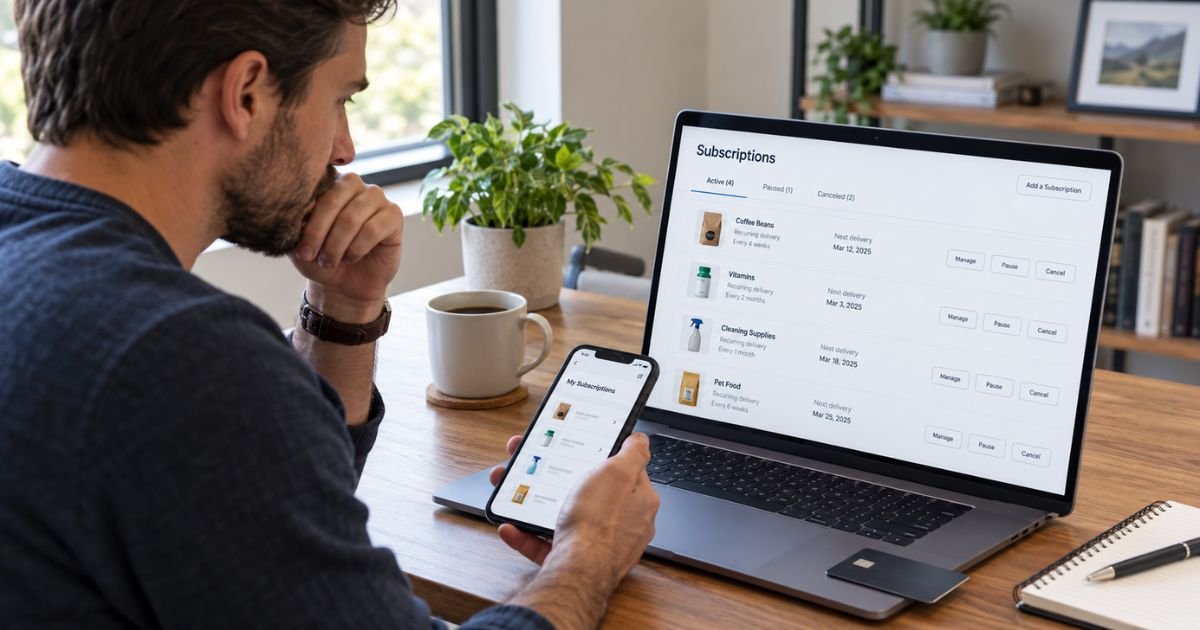
Learning how to cancel a subscription on Amazon can be confusing because Amazon manages several types of recurring services.
Prime, Subscribe & Save, Prime Video Channels, Kindle Unlimited, and app subscriptions may each use a different cancellation screen.
The safest approach is to identify exactly what is billing you first. Then you can cancel the correct subscription, confirm the renewal date, and save proof that automatic billing has stopped.
Table of Contents
How To Cancel A Subscription On Amazon
To cancel a subscription on Amazon, sign in to the Amazon account used to start it. Open Your Account, then look for Memberships & Subscriptions or the settings for that specific service.
For many Amazon-billed services, you can cancel online before the next renewal date. Access may continue until the end of the current paid period, depending on the subscription.
| Subscription type | Where you generally manage it | What cancellation does |
|---|---|---|
| Amazon Prime | Prime membership settings | Stops the next Prime renewal |
| Subscribe & Save | Subscribe & Save | Stops future deliveries |
| Prime Video Channels | Memberships & Subscriptions | Stops channel renewal |
| Kindle Unlimited | Kindle Unlimited settings | Stops the next renewal |
| Amazon Music | Amazon Music Settings | Stops future renewal |
| Amazon Pay agreement | Amazon Pay Activity | Stops authorized recurring payments |
If you cannot find the cancellation option in the app, try Amazon’s website in a browser.
Cancel an Amazon Prime Membership
Sign in to Amazon and open your Prime membership settings. Choose the option to manage the membership, then follow the prompts to end it.
Amazon may show more than one confirmation screen. Continue until the account clearly says the membership will not renew.
Your Prime benefits may remain active until the end of your current billing period. The exact result can depend on your account and when you cancel.
Check your email for confirmation afterward. Return to the Prime membership page and make sure a future renewal is no longer scheduled.
Pro Tip: Take a screenshot of the final cancellation page and save Amazon’s confirmation email. You will have clear evidence if another membership charge appears later.
Cancel Amazon Subscribe & Save
Subscribe & Save is separate from Prime. Canceling Prime does not necessarily cancel products scheduled for automatic delivery.
Open Subscribe & Save, select the product, and choose the cancellation option in its subscription settings. Amazon’s current terms say recurring orders continue until you cancel them.
Check Your Orders after canceling. A shipment that has already been created may need separate action.
Skipping a delivery is not the same as canceling. A skipped product can return on a later delivery date.
Cancel a Prime Video Channel
Prime Video Channels can include separate subscriptions to streaming services. These may renew independently from your main Prime membership.
Open Your Memberships & Subscriptions, find the Prime Video add-on, and choose the option to cancel or turn off renewal. Complete all confirmation steps.
Amazon notes that Prime Video add-ons can bill on different dates from Prime itself. That is why you may still see a channel charge after canceling another Amazon service.
Check each channel separately before assuming all video subscriptions are canceled.
Cancel Kindle Unlimited
If you subscribed through Amazon, open Kindle Unlimited settings and select Cancel membership. Amazon currently says the membership remains active until the next billing date.
If you subscribed through Google Play Billing, Amazon directs you to cancel through Google Play instead. In that situation, changing your Amazon settings may not stop the billing.
Some monthly Kindle Unlimited plans also offer a pause option. A pause resumes later, so choose cancellation if you want the recurring membership to end.
Cancel an Amazon Music Subscription
For an Amazon-billed Music plan, open Amazon Music Settings. Find the subscription renewal section, choose the cancellation option, and confirm it.
Amazon says you can generally use the paid service until the plan ends. Some eligible monthly plans may also offer a temporary pause.
If another platform bills the subscription, cancel through that provider. The company collecting the payment generally controls the renewal.
Common Mistakes: Do not delete the Amazon app or remove a credit card and assume the subscription is canceled. Amazon may keep a subscription active, and it can restrict card removal when that payment method is still tied to an active subscription or pending order.
Cancel an Amazon App Subscription
Amazon-Sold Appstore subscriptions generally renew automatically until canceled. Amazon says you should cancel before the renewal date to avoid the next charge.
Open your Amazon digital content or Appstore subscription settings. Select the subscription and turn off automatic renewal or use the available cancellation control.
You generally keep access until the end of the current subscription period. If a third party bills you directly, use that provider’s cancellation system instead.
Cancel a Recurring Amazon Pay Payment
Amazon Pay can be used for recurring payments to third-party merchants. These agreements are separate from Amazon Prime.
In Amazon Pay Activity, open Merchant agreements, choose the agreement, then select Cancel agreement. Amazon Pay says the merchant will no longer be able to charge you through that authorization after cancellation.
You may still have a separate contract with the merchant. Contact the merchant too if you are canceling an ongoing service.
What If You Cannot Find the Subscription?
First, make sure you are using the correct Amazon account. You may have purchases under another email address or phone number.
Review Your Payments and Memberships & Subscriptions. Amazon specifically recommends checking those areas when you see an unfamiliar Prime or Prime Video renewal.
Search your email for the charge amount, subscription name, “renewal,” and “membership.” A receipt may identify the exact service.
Public BBB, Trustpilot, and Reddit reports include customers who say cancellation menus were difficult to locate or navigate. These are individual reports, so your experience may differ.
If the option is missing, contact Amazon Customer Service through Amazon’s official website or app.
Can You Get a Refund After Canceling?
A refund is not automatic for every subscription. Eligibility generally depends on the service, timing, usage, and the terms that apply to your plan.
For example, Amazon says Kindle Unlimited normally stays active through the next billing date after cancellation rather than ending immediately. Other services can follow different rules.
If you were charged after canceling, compare the cancellation date with the renewal date. Then contact Amazon and provide your confirmation email or screenshot.
If you do not recognize the charge at all, review your Amazon transactions first. Contact your bank or card issuer promptly if the transaction still appears unauthorized.
FAQs: How To Cancel A Subscription On Amazon
Q. Where do I find all my Amazon subscriptions?
A. Start with Your Account and Memberships & Subscriptions. You may also need separate settings for Subscribe & Save, Amazon Music, Kindle Unlimited, Appstore subscriptions, or Amazon Pay.
Q. Does deleting my payment card cancel an Amazon subscription?
A. No. Removing a card is not the same as canceling the subscription, and Amazon may block removal when the card is tied to an active subscription or pending order.
Cancel the service first, then remove the card if needed.
Q. Will Amazon keep charging me after I cancel?
A. A properly canceled subscription should generally stop future renewals. However, an already-created order or charge may still need separate handling.
Save your confirmation and check your next statement.
Q. Does canceling Amazon Prime cancel every Amazon subscription?
A. No. Prime Video add-ons, Subscribe & Save, Kindle Unlimited, Music, app subscriptions, and Amazon Pay agreements may be separate.
Review each one individually before assuming all Amazon recurring billing has stopped.
Conclusion
Knowing how to cancel a subscription on Amazon starts with identifying the exact recurring service. Prime, Subscribe & Save, Prime Video Channels, Kindle Unlimited, Amazon Music, Appstore subscriptions, and Amazon Pay can each use a different cancellation path.
Complete every confirmation step and save proof. Then check the next renewal date and your card statement to confirm the subscription has actually stopped.
Disclaimer: This article is for general informational purposes only and isn’t financial or legal advice. Amazon subscription menus, cancellation rules, refund policies, and billing terms may change or vary by service. Verify account-specific questions with Amazon or your bank.
Meet the Author
