
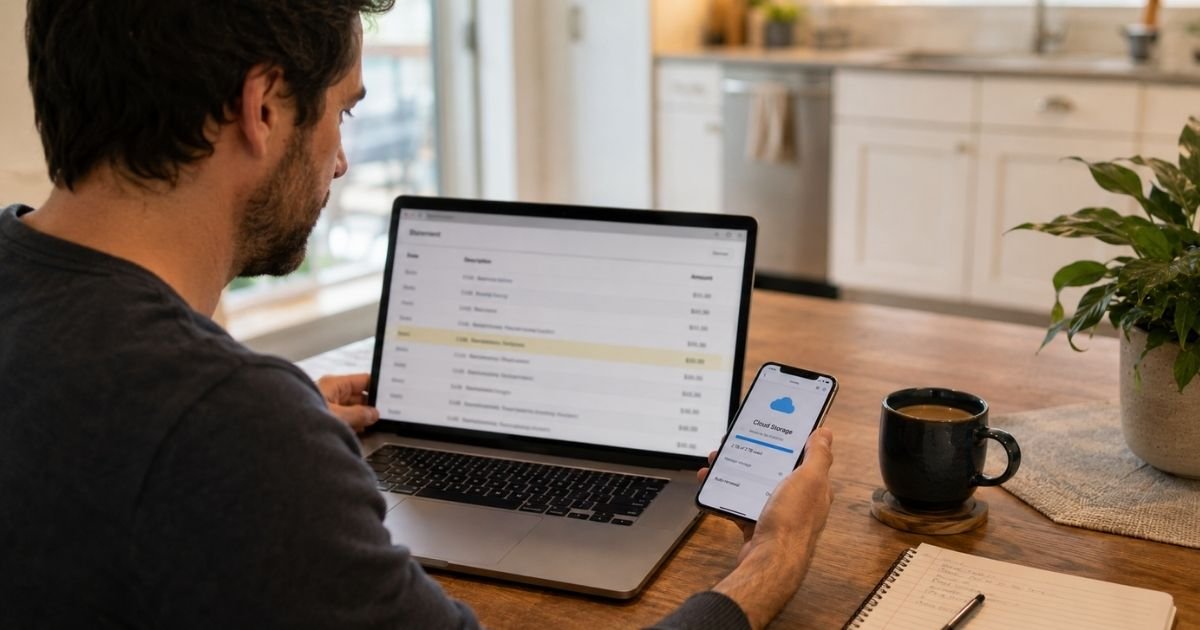
A Google One charge on credit card can feel confusing if you don’t recall signing up for anything. In many cases the line is a real Google bill for extra cloud storage, not a random merchant you never heard of.
This guide explains what the charge usually is, how to match it to your account, and how to cancel if you no longer want the plan.
Table of Contents
What Is a Google One Charge on Credit Card?
A Google One charge on credit card is typically the recurring fee for Google’s paid storage membership. Every Google account generally starts with 15 GB of free space shared across Gmail, Google Drive, and Google Photos.
When that free space fills up, Google may prompt you to upgrade. That upgrade is usually Google One. The plan then bills the card saved on your Google payments profile.
Google One is a legitimate Google product. You can review plans on the official site at one.google.com. Some plans add extras such as family sharing or higher Gemini access. Features and names can change, so check your own membership screen for what you actually have.
The charge generally renews on its own. Google’s help pages say subscriptions typically renew at the end of the billing cycle unless you cancel first.
How the Charge May Appear on Your Statement
Banks shorten merchant names. Your issuer may also add a city or an asterisk. Google’s payments help says charges for Google products or services generally start with “Google.”
These are common ways people report the same bill:
| What you may see | What it often means |
|---|---|
| GOOGLE ONE* or GOOGLE *ONE | Google One membership renewal |
| GOOGLE *Google Storage | Extra Drive, Photos, or Gmail storage |
| GOOGLE *Google One | Same service, slightly different wording |
| GOOGLE plus a city such as Mountain View | Google processed the payment |
| GOOGLE WORKSPACE plus a domain | Usually a work plan, not personal Google One |
| GOOGLE * plus an app or developer name | Often a Google Play purchase, not Google One |
If the line does not start with “Google,” it generally did not come from Google. Compare the date and amount with your Google activity before you assume fraud.
Why You Might See This Charge
The most common reason is simple. You, or someone using your card, accepted a storage upgrade.
That prompt often appears when Gmail stops sending mail. It also appears when Google Photos cannot back up new pictures. One tap on a phone can start a monthly or annual plan.
A family member may have used a shared card. A child tablet, an old Gmail login, or a work profile can hold the subscription. Carrier bundles can also bill Google One through a phone plan instead of Google directly.
Annual plans cause extra confusion. You may have agreed months ago and only notice the renewal now. A free trial can also convert if you did not cancel in time.
Typical Plan Amounts You May Recognize
Prices vary by country, taxes, and plan type. Google has also mixed storage plans with AI plans, so the amount on your statement may not match an older flyer you remember.
In the U.S., official Google One pages have commonly shown storage starting around these monthly rates. Always confirm the live price on one.google.com before you treat any figure as current.
| Plan type often listed | Storage often listed | Monthly price often shown in the U.S. |
|---|---|---|
| Basic | 100 GB | About $1.99 |
| Standard | 200 GB | About $2.99 |
| Higher storage or AI tiers | 400 GB to multiple TB | Higher amounts that may include Gemini access |
You may also see a yearly total instead of a small monthly fee. Tax can make the posted amount a few cents or dollars higher. If the number is far larger than a personal storage plan, check whether the account moved to a Google AI tier or a different Google product.
Pro Tip: Search your email for “Google One” and “Google LLC.” Google community helpers often note that receipts go to the address that owns the subscription. The receipt date should line up with the card charge.
How to Verify the Charge
Start with the account, not the bank. A charge that looks random often belongs to a second Gmail login you forgot.
- Sign in at one.google.com and open Settings. Look for the plan name, renewal date, and payment method.
- Open pay.google.com and review Activity plus subscriptions.
- Check Google Play subscriptions on the web or in the Play Store app.
- Repeat those steps on every Google account that might use your card.
Google Product Experts regularly tell people to check four places on each account they control: Payments Center activity, Google Account subscriptions, Play order history, and Play subscriptions.
If you still cannot find the plan, look at Apple subscriptions. A Google One plan started on an iPhone may bill through the App Store, not Google Play. Also check a spouse, child, or old phone that still has your card on file.
Match three things: the date, the amount, and the last four digits of the card. If all three line up with Google’s records, the Google One charge on credit card is generally an authorized renewal.
How to Cancel Google One
You can usually cancel at any time. Canceling typically stops future payments. It does not always wipe the current period.
On a computer, Google’s official steps are:
- Go to one.google.com.
- Open Settings.
- Choose Cancel membership.
- Confirm Cancel membership.
You should see a cancellation confirmation. Google also lets many people manage the same plan in Google Play under Payments and subscriptions.
If you signed up through Apple, cancel in the App Store subscriptions list as well. Google’s help pages say an App Store signup may not be fully editable later from an Android device.
If a phone carrier sold you Google One as an add-on, you may need to remove it with that carrier. T-Mobile help, for example, has described managing some Google One add-ons in the carrier account rather than only in Google’s site.
Keep a screenshot of the confirmation. Save the email too. That record helps if a later renewal still posts.
What Happens After You Cancel
Google says extra storage and member benefits generally last until the end of the paid cycle. After that, each person typically returns to the free 15 GB limit.
If your files still use more than 15 GB, Google warns that services can freeze. Gmail may stop sending and receiving mail. Drive may block new uploads. Photos may stop new backups.
Google’s purchase policy is strict in most countries. Storage plan purchases are generally non-refundable. You usually keep the paid storage until the period ends, even after you cancel.
Some regions allow a faster cancel with a partial refund. Play Store and App Store purchases can also follow those stores’ own refund rules. Do not assume a refund until Google or Apple confirms it.
Before you cancel, download anything you cannot lose. Move large photo libraries if you need them offline. Then cancel if the plan no longer earns its keep.
Common Mistakes: People check only one Gmail inbox and miss an old account. Others cancel in Play Store but leave an Apple subscription running. A third group removes the card and thinks the plan is dead, then sees retries when a new card is added later.
Is a Google One Charge a Scam?
Usually no. Google One is a real Google membership, and the company bills cards on file.
That said, an unexpected charge still deserves a check. Review sites and help forums show recurring consumer complaints about hard-to-find accounts, trial conversions, and refund limits. Those reports do not prove every charge is fake. They do show why you should verify the login yourself.
Treat the bill as suspicious if you cannot find it on any Google account you own, the descriptor does not start with “Google,” or the amount keeps jumping with no plan change on your screen.
Google’s payments help says you can report unauthorized Google charges through the payments center. If the charge is not from Google at all, contact the fraud number on the back of your card instead.
Also lock down the Google account. Change the password. Review connected devices. Turn on 2-Step Verification. If a family member bought the plan by mistake, adjust purchase approvals so it cannot happen again.
FAQs: Google One Charge on Credit Card
Q. What is a Google One charge on credit card?
A. It is typically Google’s fee for extra storage on Gmail, Drive, and Photos. The charge may also cover a higher Google One or Google AI plan tied to that same account. Match the date and amount in one.google.com or pay.google.com before you dispute it.
Q. How do I cancel Google One so the card stops getting billed?
A. Sign in at one.google.com, open Settings, and choose Cancel membership. If you started the plan on an iPhone, cancel the Apple subscription too. Benefits generally continue until the current billing period ends.
Q. Can I get a refund for a Google One charge?
A. In most countries Google says storage plan purchases are non-refundable. You usually keep the storage until the paid time runs out. Play Store and App Store purchases may follow those stores’ refund processes instead. Outcomes vary, so ask inside the account that was billed.
Q. What if I cannot find any Google One plan but the charge is still there?
A. Check every Google account that could hold your card, plus Play subscriptions and Apple subscriptions. Look at family devices too. If the charge still does not appear on an account you control, report it through Google’s unauthorized-transaction tools and call your card issuer.
Conclusion
A Google One charge on credit card is usually a storage subscription you or someone in your household approved. It is often easy to miss because the signup happens inside Gmail, Photos, or a phone setup screen.
Verify the plan in Google One and your payments activity first. Cancel in the same place you subscribed if you do not need the extra space. Then watch one more statement to confirm the renewals stopped.
Keep the 15 GB limit in mind after canceling. Freeing space now can prevent locked email and stalled photo backups later.
Disclaimer: This article is for general information only. It is not financial, legal, or tax advice. Billing descriptors, prices, refunds, and cancellation rules may vary by Google account, country, app store, and card issuer. Confirm details in your own Google account or with your bank before you act.
Meet the Author
