
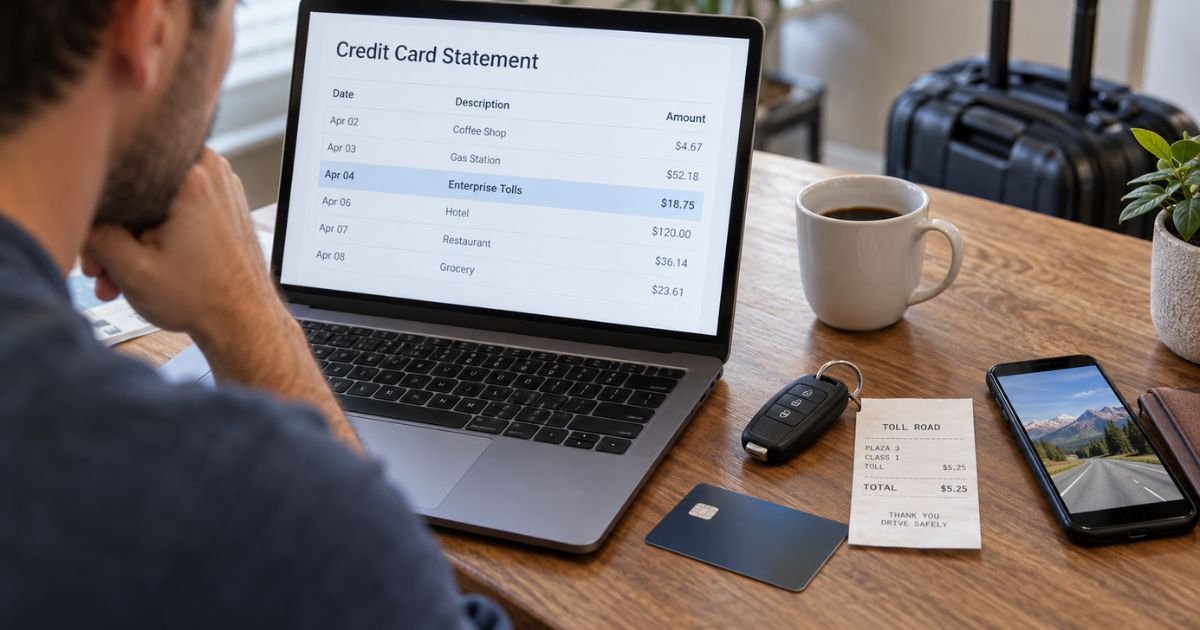
An Enterprise Toll Charge on Credit Card can feel confusing if you returned your rental car weeks ago or don’t remember agreeing to an extra toll service.
In many cases, the charge is a legitimate toll, TollPass convenience fee, or toll-related administrative charge connected to an Enterprise rental.
The amount may also appear separately from your original rental payment. Here’s how Enterprise toll billing generally works, how to check the charge, and what you can do if you believe it is wrong.
Table of Contents
What Is an Enterprise Toll Charge on Credit Card?
An Enterprise Toll Charge on Credit Card generally means a toll was recorded while you had an Enterprise rental vehicle. Enterprise or its toll-processing service may then charge the credit card listed on your rental agreement.
Enterprise calls its electronic toll program TollPass. The exact program, price, and toll-payment method can vary by rental location.
You may see a separate charge rather than an adjustment to your original rental bill.
| Charge Type | What It Generally Means |
|---|---|
| Enterprise Tolls | Toll-related payment from your rental |
| TollPass | Enterprise electronic toll service |
| Toll amount | Road, bridge, tunnel, or express-lane toll |
| Convenience charge | Fee for using TollPass on applicable days |
| Administrative fee | Processing of certain unpaid tolls or violations |
Your statement wording may vary by card issuer and toll-processing system.
Why Did Enterprise Charge You for Tolls?
You may receive a toll charge if the rental vehicle traveled on a toll road, bridge, tunnel, or other covered roadway.
In many locations, you do not need to manually sign up for TollPass. If you drive through an electronic toll and don’t pay through another accepted method, you may generally be enrolled in the toll service automatically.
The amount can include:
- The actual toll
- A TollPass convenience charge
- An administrative fee
- An unpaid toll or violation
- Related penalties in some situations
You should compare the charge with the dates and locations of your rental.
How Much Is the Enterprise TollPass Fee?
Enterprise toll pricing varies by market. You should not assume the same fee applies to every rental location.
In many U.S. areas, Enterprise currently lists a TollPass convenience charge of $4.95 for each rental day on which you incur a covered toll, up to a maximum of $34.65 per rental period. You generally pay the actual tolls in addition to that fee.
You normally are not charged the daily convenience fee on days when you do not incur a TollPass toll.
Some markets work differently. Chicago, for example, currently has a TollPass Waiver option with a separate daily price that may include eligible tolls when you purchase the program.
Always check the toll terms for the location where you rented your vehicle.
Pro Tip: Keep your rental agreement until every toll charge has posted. Your agreement number can make it much easier to look up individual tolls and verify whether the dates match your rental.
Why Did the Toll Charge Appear Weeks Later?
A delayed charge is generally normal for rental-car tolls.
Enterprise must usually wait for the toll authority to send the vehicle’s toll data. Depending on the road and toll agency, this can take several weeks.
Enterprise states that toll information may commonly take around one to six weeks to reach its billing system. Some cases may take longer.
This means you could return the vehicle, receive your final rental receipt, and still see a separate toll charge later.
A delayed charge alone does not mean someone continued using your credit card without permission.
Why Is the Toll Charge Higher Than the Road Toll?
The amount you see may include more than the toll itself.
In many Enterprise TollPass markets, you may pay the toll plus a daily convenience fee. The toll may also be billed at the applicable video, cash, or highest undiscounted rate rather than a discounted personal-transponder rate.
For example, if you incurred several small tolls on one day, the total could include those tolls plus the applicable TollPass fee.
This can make the final charge noticeably higher than the toll prices you remember seeing on road signs.
How to Look Up an Enterprise Toll Charge
You can generally retrieve detailed toll information through Enterprise’s toll receipt system.
You may need:
- Your last name
- Your rental agreement or contract number
- Your rental dates
- Your vehicle details
If you don’t know the agreement number, the toll lookup system may allow you to search using your name and portions of the credit card used for the rental.
The statement can generally show individual tolls, including their dates and locations.
Compare each entry carefully with your actual trip before deciding whether a charge is incorrect.
What If You Used Your Own E-ZPass or Transponder?
You can generally use your personal compatible toll transponder with many Enterprise rentals. However, the exact procedure depends on your toll provider and rental location.
Your toll agency may require you to temporarily add the rental vehicle’s license plate to your account. You may also need to enter your rental start and end dates.
Problems can occur if:
- The rental plate was not registered correctly.
- The toll system did not read your transponder.
- The Enterprise vehicle’s toll system was also detected.
- You forgot to remove the rental plate afterward.
- Your personal toll payment did not process.
If Enterprise charged you for a toll that you already paid, gather proof before requesting a correction.
Useful evidence may include a toll-agency receipt or credit card statement showing the same toll was paid.
How to Dispute an Incorrect Enterprise Toll Charge
Contact Enterprise’s toll or citation department if the charge appears incorrect.
Enterprise currently lists 1-800-774-7578, option 1 for U.S. toll and violation questions. TollPass-specific assistance may also be available through the toll-processing service connected to your rental.
Have your rental agreement number ready.
Explain:
- Which toll you dispute
- Why you believe it is wrong
- Your rental dates
- Whether you used a personal transponder
- Whether you already paid the toll
- Any evidence showing where you were
Enterprise may ask you to submit supporting documents.
What Proof Can Help With a Toll Dispute?
The strongest evidence generally directly connects the disputed toll to a payment error or incorrect vehicle activity.
You may provide:
- A toll-agency receipt
- A bank or card statement showing toll payment
- Proof of a clerical error
- Proof showing your whereabouts
- Personal transponder transaction history
For example, if a toll was recorded in another state after you returned the rental, travel records or other reliable location evidence may help your case.
Current consumer reports describe occasional situations involving incorrect plates, duplicate toll payments, or tolls recorded in places renters say they never visited. These reports are anecdotal, so you should rely on your rental and toll records when challenging your own charge.
What If Enterprise Charged You After You Already Paid?
Duplicate toll billing can occur if you used your own transponder but Enterprise also received a toll notice.
Do not immediately assume the second charge is intentional. First compare the date, time, location, and toll amount.
If you can show that your personal toll account already paid the same toll, Enterprise provides a process for submitting proof of payment.
Keep copies of every document you submit.
Common Mistakes: Don’t throw away your toll receipts as soon as you return the rental car. Toll charges can arrive weeks later, and your payment history may be the easiest way to prove that a duplicate charge is incorrect.
What Do Consumer Reviews Say About Enterprise Toll Charges?
BBB, Trustpilot, and Reddit reports include complaints about delayed toll charges, administrative fees, incorrect toll locations, and disputes involving personal transponders.
Some renters also report confusion because toll charges appeared separately from their rental receipts. Others say the fee was larger than the toll itself.
These reports do not mean Enterprise toll charges are generally fraudulent. They show why you should review the detailed toll statement rather than relying only on the merchant description on your credit card.
Can You Dispute an Enterprise Toll Charge With Your Credit Card?
You may be able to dispute the transaction with your card issuer if you believe the charge is incorrect and cannot resolve it with Enterprise.
Contact your issuer promptly. You should accurately explain whether the issue involves an unauthorized charge, duplicate billing, or an incorrect toll.
For certain U.S. credit card billing errors, you generally should also send your issuer a written billing-error notice within 60 days after the statement containing the error was sent to you.
Keep:
- Your rental agreement
- Enterprise toll statements
- Personal toll receipts
- Emails with Enterprise
- Any refund or dispute case numbers
Your credit card issuer’s procedures may vary.
How to Avoid Enterprise Toll Charges Next Time
Ask how tolls work before leaving the rental location, especially if your trip crosses several states.
Depending on the location, you may be able to:
- Use your own compatible transponder.
- Register the rental plate with your toll account.
- Pay certain tolls directly.
- Purchase an available TollPass option.
- Avoid toll roads.
Do not assume every Enterprise location uses the same system.
If you use your personal toll account, remove the rental vehicle from that account when your rental ends. Otherwise, you could potentially create problems if another renter later drives the same vehicle.
FAQs: Enterprise Toll Charge on Credit Card
Q. Why did Enterprise charge my credit card after I returned the car?
A. Toll data may not reach Enterprise until weeks after your rental ends. You may therefore see a legitimate toll charge after your main rental transaction has already been completed.
Q. Does Enterprise charge extra for tolls?
A. In many locations, yes. You may generally pay the toll plus a TollPass convenience charge, but pricing varies by rental market and toll program.
Q. How can I see which Enterprise tolls I was charged for?
A. You can generally use Enterprise’s toll receipt lookup system with your last name and rental agreement number. The resulting statement may show the individual toll dates and locations.
Q. What should I do if an Enterprise toll charge is not mine?
A. Contact Enterprise’s toll department promptly and request the detailed toll record. If the charge remains unresolved and you believe it is incorrect or unauthorized, you can also ask your credit card issuer about its dispute process.
Conclusion
An Enterprise Toll Charge on Credit Card is generally connected to toll-road use during an Enterprise rental. It may include the actual toll plus a TollPass convenience or administrative fee, and the transaction may not appear until several weeks after you return the vehicle.
Check the detailed toll record before disputing the payment. If the toll is incorrect, duplicated, or tied to a time or location that does not match your rental, contact Enterprise with supporting evidence and involve your credit card issuer if the issue remains unresolved.
Disclaimer: This article is for informational purposes only and isn’t financial or legal advice. Enterprise toll programs, fees, toll rates, and credit card dispute procedures may vary by location and issuer, so verify account-specific questions directly with Enterprise, the toll authority, or your card issuer.
Meet the Author
