
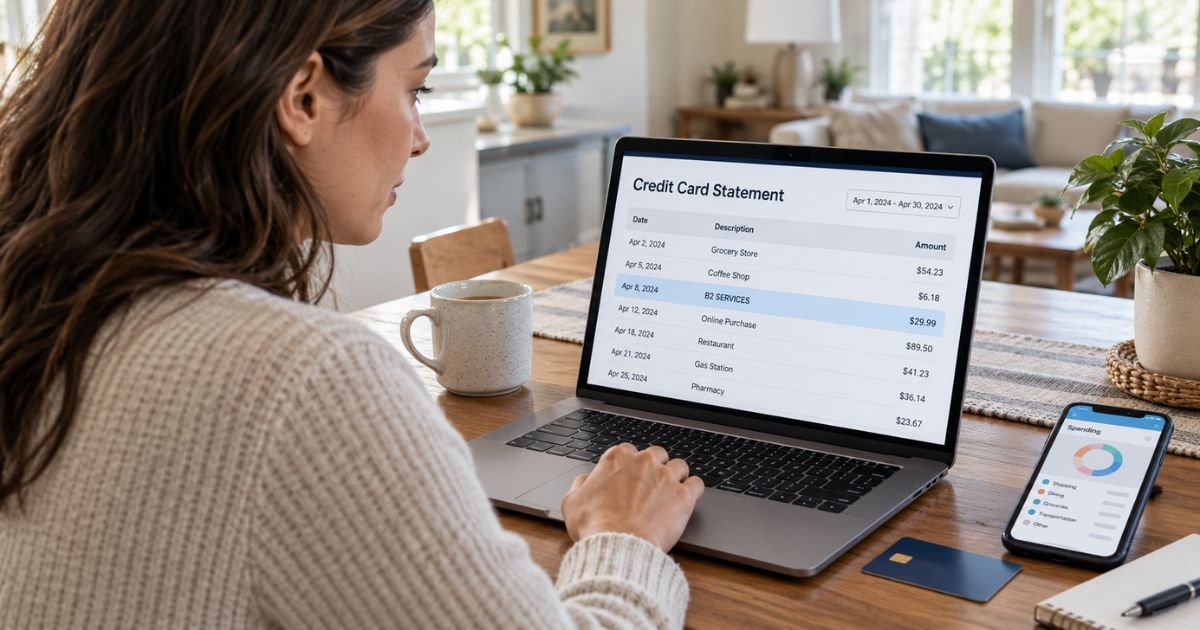
A B2 Services charge on credit card statements can feel confusing if you don’t remember buying anything from a company with that name. In many cases, the charge is connected to an online social gaming or sweepstakes casino purchase processed by B2Services OÜ.
The unfamiliar descriptor doesn’t automatically mean your card was compromised. This guide explains what B2 Services is, which websites may use it, how to identify the transaction, and what to do if you didn’t authorize it.
Table of Contents
What Is a B2 Services Charge on Credit Card?
A B2 Services charge on credit card statements commonly refers to B2Services OÜ, an Estonian company that processes payments for several online social gaming platforms.
The company is registered in Tallinn, Estonia under company number 16579410. The letters OÜ mean private limited company under Estonian corporate law.
B2Services OÜ currently acts as a payment services agent for platforms including McLuck, Hello Millions, and SpinBlitz. It is also directly connected with payment processing for PlayFame.
| Statement Wording | Possible Meaning |
|---|---|
| B2 SERVICES | B2Services OÜ payment |
| B2SERVICES | Online gaming purchase |
| B2 SERVICES OÜ | Payment processed by the Estonian company |
| B2SERVICES-O- | Descriptor used by some related platforms |
| B2 SERVICES TALLINN | Payment routed through the Estonia-based company |
Your bank may shorten or slightly change the merchant name. The exact descriptor can vary by card issuer and payment network.
Which Websites Can Cause a B2 Services Charge?
One of the clearest connections is McLuck. McLuck states that payments made on its platform are issued and processed by B2Services OÜ.
B2Services OÜ is also named as a payment services agent for:
- McLuck
- Hello Millions
- SpinBlitz
- PlayFame
These services operate as social casino or sweepstakes-style gaming platforms. Users may purchase virtual coin packages used for gameplay.
Company relationships can change over time. You should therefore check the specific platform’s current terms if you recognize one of these websites.
Why Did B2 Services Charge Your Credit Card?
The charge usually represents a purchase made through one of the platforms that uses B2Services OÜ for payments.
For example, you or another authorized user may have purchased Gold Coins or another virtual currency package.
Possible explanations include:
- You bought a coin package on McLuck.
- You made a purchase on Hello Millions.
- You used SpinBlitz or PlayFame.
- Someone in your household used your card.
- Your card remained saved on an online gaming account.
- You made several purchases close together.
- Someone used your card without permission.
Unlike a typical streaming subscription, these charges may represent individual purchases rather than a monthly membership.
Pro Tip: Search your email for “McLuck,” “Hello Millions,” “SpinBlitz,” “PlayFame,” and “B2Services.” A gaming receipt may identify the transaction even when your card statement only says B2 Services.
Why Does the Statement Say B2 Services Instead of McLuck?
Your credit card statement may show the payment processor or legal company instead of the website name you recognize.
This is common with online businesses. The customer-facing brand and the company handling payments can have completely different names.
For example, McLuck currently identifies B-Two Operations Limited as its operator while B2 Services OÜ acts as its payment services agent.
That arrangement can make a legitimate McLuck purchase look unfamiliar when you review your statement later.
How to Check Whether the Charge Is Yours
Start by comparing the transaction amount and date with your gaming account history.
Sign in directly through the official website rather than through a link in an unexpected email or message.
Check:
- Your purchase history
- Coin package purchases
- Recent promotions
- Saved credit cards
- Email receipts
- Other people authorized to use your card
You may also see several B2 Services charges on the same day if multiple purchases were made separately.
Don’t assume repeated charges are duplicates until you compare each amount with your transaction history.
What If You Don’t Have a McLuck Account?
McLuck isn’t the only platform connected with B2 Services. Check Hello Millions, SpinBlitz, and PlayFame if you have used social gaming websites.
You should also ask anyone who has permission to use your credit card.
If nobody recognizes the purchase and you have never used a connected service, contact your credit card issuer. An unknown online gaming transaction may indicate that your card information was used without permission.
Is B2 Services a Legitimate Company?
B2Services OÜ is a registered Estonian private limited company. Estonia’s official business register currently lists the company as active and identifies its main business activity as video game publishing.
Its corporate existence does not mean every transaction showing its name was authorized by you.
The Better Business Bureau also has a profile for B2 US INC associated with McLuck and Hello Millions. The profile is not BBB accredited and is currently not rated because the company is based outside the BBB’s normal service area.
That status alone doesn’t establish whether an individual transaction is legitimate or fraudulent.
What Consumers Report About B2 Services
Consumer discussions on Reddit show that some cardholders have connected B2 Services and B2 Services OÜ charges with McLuck purchases.
Other complaints involving related platforms focus on payment disputes, account restrictions, redemption delays, and difficulty recognizing billing names.
McLuck also has thousands of Trustpilot reviews. Experiences vary widely, with both positive reviews and complaints about account, purchase, or redemption issues.
These reports are anecdotal. Your own card statement, purchase history, and account records provide stronger evidence about whether a particular B2 Services charge belongs to you.
How to Stop Future B2 Services Charges
If you made the purchases yourself but no longer want to spend money through the platform, stop using the saved payment method.
Log in to the relevant website and review your account settings.
Depending on the platform, you may be able to:
- Remove your saved card.
- Contact customer support.
- Request account closure.
- Use responsible-play controls.
- Ask for purchase restrictions.
Removing a saved card does not reverse transactions that already completed.
If another person has been using your card with permission, clearly tell them not to make additional purchases.
Common Mistakes: Don’t assume B2 Services is a subscription and search only for a “Cancel Subscription” button. Many charges connected with these platforms are individual virtual coin purchases, so you should review your purchase history first.
Can You Get a Refund From B2 Services?
Refund rules generally depend on the gaming platform through which you made the purchase.
Start with the website where you bought the coins. Contact its customer support and provide the transaction date, amount, and account information.
Purchases involving virtual items may have stricter refund rules once the virtual currency has been used.
Do not assume a refund is guaranteed. Review the applicable site’s current purchase and refund terms.
Keep copies of:
- Purchase receipts
- Support messages
- Screenshots
- Refund confirmations
- Transaction IDs
These records may also help if you later need to contact your card issuer.
How to Dispute an Unauthorized B2 Services Charge
If you never made the purchase and nobody authorized to use your card recognizes it, contact your credit card issuer promptly.
Use the phone number on the back of your card or your issuer’s official app.
Explain that you don’t recognize the B2 Services transaction. Your issuer may ask whether you have ever used McLuck or another related merchant.
The issuer may:
- Open a fraud investigation.
- Block future transactions.
- Replace your card number.
- Issue temporary credit where applicable.
- Ask for additional information.
Federal credit card billing protections can be time sensitive. For certain billing errors, you generally should send a written notice within 60 days after the statement containing the error was sent.
Should You Replace Your Credit Card?
You generally don’t need to replace your card if you confirm that the B2 Services transaction came from a purchase you authorized.
If the charge is truly unauthorized, your issuer may recommend replacing the card.
Check for other suspicious transactions as well. Unauthorized card use sometimes involves several merchants or multiple small charges.
Turn on real-time purchase alerts if your credit card company offers them.
FAQs: B2 Services Charge on Credit Card
Q. What company is B2 Services on my credit card?
A. A B2 Services charge commonly refers to B2Services OÜ, a company registered in Tallinn, Estonia. It processes payments for several social gaming platforms, including McLuck and other related services.
Q. Is B2 Services connected to McLuck?
A. Yes. McLuck currently identifies B2 Services OÜ as its payment services agent. A purchase made through McLuck may therefore appear under B2 Services rather than McLuck on your credit card statement.
Q. How do I stop B2 Services from charging my card?
A. Identify which gaming account caused the transaction, then review its saved payment methods and account controls. If you never authorized the charge, contact your credit card issuer and consider replacing the card.
Q. Can I dispute a B2 Services charge?
A. Yes, you can generally contact your issuer if a transaction was unauthorized or if you have an unresolved billing problem. Explain exactly what happened because an unauthorized purchase is different from a purchase you made but later regretted.
Conclusion
A B2 Services charge on credit card statements is commonly connected to B2Services OÜ, an Estonia-based company that processes payments for social gaming platforms such as McLuck, Hello Millions, SpinBlitz, and PlayFame.
Check your gaming accounts, receipts, transaction dates, and other authorized card users before assuming fraud. If you still cannot recognize the charge, contact your credit card issuer promptly and ask about securing your card and disputing the transaction.
Disclaimer: This article is for informational purposes only and isn’t financial or legal advice. Merchant relationships, platform terms, refund policies, and credit card dispute procedures may change, so verify account-specific questions directly with the company or your card issuer.
Meet the Author
