
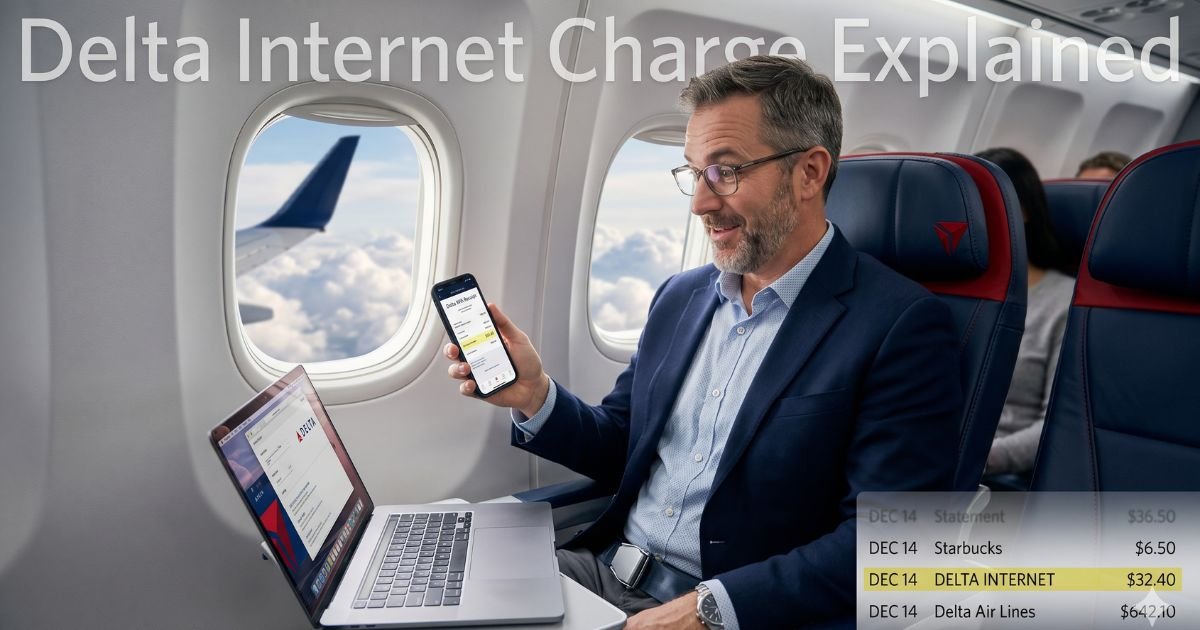
You open your credit card statement or banking app and there it is: “Delta Internet” or “DELTA INTERNET DELTA.C” for some amount between $5 and $40. Your heart skips a beat. Did someone steal your card? Is this a scam?
Relax. In most cases, this is a legitimate charge from Delta Air Lines. By the time you finish this article, you will know exactly why the charge happened, whether you can get your money back, and how to prevent surprise bills in the future.
Table of Contents
Why Does “Delta Internet” Show Up on Statements?
Delta partners with satellite internet providers (currently Viasat on many planes) to offer high-speed Wi-Fi from takeoff to touchdown. When you connect and pay, the transaction routes through Delta’s billing system. That is why it reads “Delta Internet” rather than the name of the Wi-Fi provider.
Here is the good news in 2026: Delta now gives fast, free Delta Sync Wi-Fi to anyone logged into their SkyMiles account on most domestic mainline flights. No payment needed if you have a free SkyMiles membership and sign in.
But you still see charges in these common situations:
- You flew before free Wi-Fi rolled out to your aircraft type
- You were on an international, regional, or older plane without the free service
- You bought Wi-Fi without logging into SkyMiles
- Someone else on the flight used your card (with your permission)
- You purchased a day pass or monthly plan through the Wi-Fi portal
Sometimes the charge appears as a pending authorization first and posts a day or two later. That is normal.
Bottom line: The Delta Internet charge on credit card is almost always tied to onboard Wi-Fi you or a family member actually used.
Real-Life Example
Take a 42-year-old project manager from Chicago. He flew Delta from Chicago to Los Angeles last month for a client meeting. He needed to answer emails mid-flight, so he bought a full-flight Wi-Fi pass for $18. Two days after landing, he spotted “Delta Internet $18.00” on his Chase statement and panicked.
He called his bank first (smart move). The rep confirmed it was a Delta merchant code. Then he checked his Delta app and saw the flight receipt listed right there under “In-flight purchases.” He felt relieved immediately. If he had not remembered buying Wi-Fi, he would have followed the dispute steps we cover next.
Your story might be similar. Or maybe a teenager borrowed your card during a family vacation. Either way, the charge is usually easy to explain.
How to Confirm the Charge Is Yours
Do these three quick checks right now:
- Log into your Delta account or SkyMiles app and look at recent flights.
- Search your email (including spam) for “wifionboard.com” or “Delta Wi-Fi receipt.”
- Open your banking app and note the exact date and time of the charge—does it match any recent Delta flight?
If the dates line up, you are almost certainly looking at a legitimate Wi-Fi purchase.
Pro Tip: Set up transaction alerts on your credit card for any amount over $5. You will get a text the moment someone buys Wi-Fi (or anything else) so you never wonder again.
What to Do If the Charge Is Unauthorized
Sometimes the charge really is a mistake or fraud. Here is your simple action plan:
- Contact Delta first at 800-221-1212 or through the chat on delta.com. Have your flight number and card details ready.
- If Delta cannot help within 48 hours, dispute the charge directly with your credit card issuer. Most banks give you a temporary credit while they investigate.
- Change your card number online if you suspect someone else has your details.
Delta’s in-flight Wi-Fi partner also runs a support site at wifionboard.com where you can view receipts and update payment methods.
Common Reasons People Get Double-Charged
A few travelers report seeing the charge twice. This usually happens when:
- The first attempt to buy Wi-Fi timed out, but the card was still authorized
- You bought a pass on the ground and again once airborne
- An older system glitch posted the same transaction twice
Delta usually refunds the duplicate within 7–10 business days once you report it. Keep your boarding pass as proof.
Common Mistake: Disputing the charge immediately without checking your flight history. Banks and Delta both require proof, and you could lose the dispute if you actually used the Wi-Fi. Always verify first.
Delta Wi-Fi Pricing and Options in 2026
Here is what you can expect to pay (prices can vary slightly by route and aircraft):
| Pass Type | Typical Cost | Best For | Free for SkyMiles? |
|---|---|---|---|
| Messaging Only | Free | Texts & basic apps | Yes |
| Full Flight (Domestic) | $5–$18 | Browsing & email | Yes with login |
| International Day Pass | $20–$40 | Long-haul flights | Sometimes |
| Monthly Subscription | Varies | Frequent flyers | No |
Note: Prices shown are current averages from Delta’s system. Always check the inflight portal for exact rates before you buy.
How to Stop Future Delta Internet Charges
You have three easy options:
- Log into SkyMiles before every flight and enjoy free Wi-Fi on eligible planes.
- Turn off auto-connect to airline Wi-Fi in your device settings.
- If you never want to pay again, simply avoid buying passes—use your phone’s data or airplane mode instead.
Traveling with kids or coworkers? Set a spending limit on their cards or use a prepaid travel card with a low balance for inflight purchases.
Step-by-Step Dispute Guide
| Step | What to Do | Who to Contact | Time It Usually Takes |
|---|---|---|---|
| 1 | Gather flight details & receipt | Yourself | 5 minutes |
| 2 | Reach out to Delta | 800-221-1212 or delta.com | 1–2 days |
| 3 | File dispute with your bank | Card issuer app/phone | 3–10 business days |
| 4 | Follow up if needed | Both Delta & bank | Up to 30 days |
Source: Delta Air Lines policies and major credit card issuer guidelines (2026).
When to Worry About Fraud
True fraud is rare with this descriptor, but it can happen. Red flags include:
- A charge when no one in your household flew Delta
- Multiple small charges adding up quickly
- The charge appears alongside other unfamiliar merchants
If you see any of these, freeze your card immediately and call your issuer. Delta’s fraud team works quickly with banks to reverse unauthorized transactions.
FAQs: Delta Internet Charge on Credit Card
Q. Why does my credit card show “Delta Internet Delta.C” instead of “Delta WiFi”?
A. Banks use abbreviated merchant codes to save space on statements. “Delta.C” is simply Delta’s internal code for in-flight connectivity purchases. It does not mean anything different from a normal “Delta Internet” charge.
Q. Can I get a refund for a Delta Internet charge I bought by mistake?
A. Yes, in most cases. Contact Delta within 24 hours of the flight or use the wifionboard.com portal. Have your confirmation email ready. Refunds usually process in 5–7 business days if the Wi-Fi was never used.
Q. Is the Delta Internet charge a scam or unauthorized subscription?
A. No. It is not a recurring subscription unless you specifically signed up for one. It is a one-time purchase for Wi-Fi on a specific flight. Always double-check your travel calendar before disputing.
Conclusion
The Delta Internet charge on credit card is usually just the bill for Wi-Fi you (or someone you know) used during a Delta flight. Thanks to Delta’s push for free SkyMiles Wi-Fi, these charges are becoming less common, but they still pop up on older routes or when you forget to log in.
Remember that story? A quick check in the app turned confusion into clarity. The same can happen for you. Keep your receipts, set up alerts, and log into SkyMiles before takeoff. You will save money and skip the stress next time.
Next time you spot an unfamiliar charge, come back and explore more guides here at ExplainCharges.com. We have you covered—whether it is another airline fee, a streaming service you forgot, or something completely new.
Stay on top of your statements, travel with confidence, and enjoy the journey.
Disclaimer: The content on ExplainCharges.com is for informational and educational purposes only and does not constitute financial, legal, or professional advice. We are not affiliated with any companies or services mentioned. The information provided may not apply to your specific situation. If you suspect unauthorized charges or fraud, contact your bank or credit card issuer immediately. Always verify details directly with the source and consult a qualified professional if needed.
Meet the Author
