
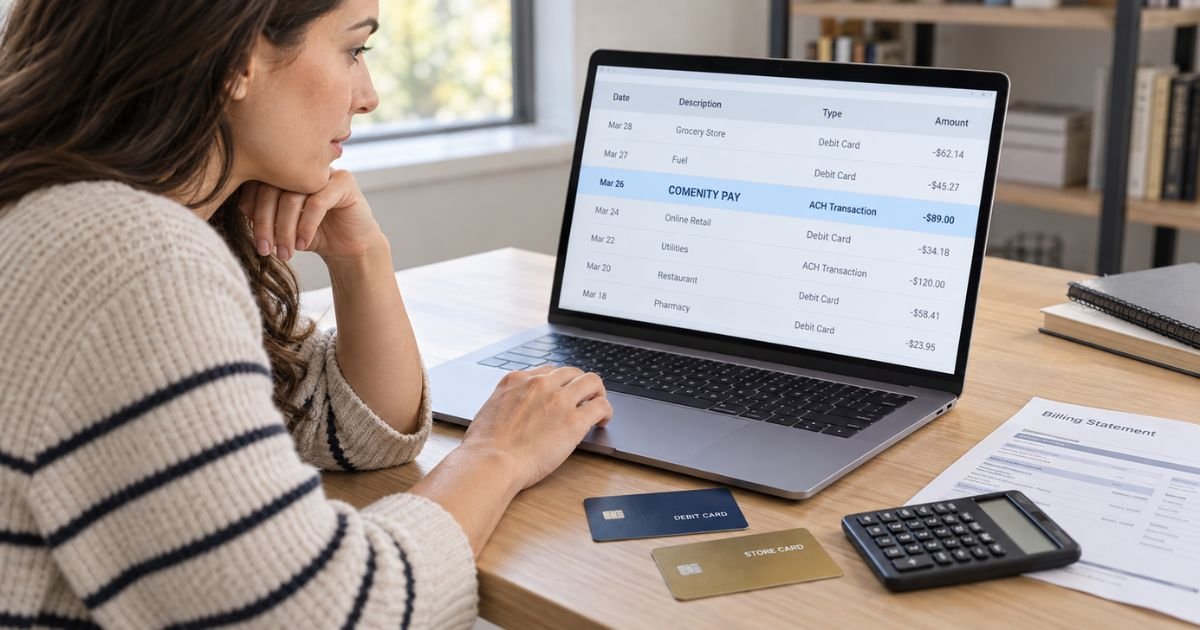
A Comenity charge on your bank statement can feel confusing if you don’t remember buying anything from a company called Comenity.
In many cases, it is not a purchase at all. It is a payment from your checking account toward a store or co-branded credit card issued by Comenity.
Comenity Bank and Comenity Capital Bank are Bread Financial companies. This guide explains common descriptors, AutoPay withdrawals, how to identify the card involved, and what to do if nobody authorized the payment.
Table of Contents
What Is a Comenity Charge on Bank Statement?
A Comenity charge on bank statement activity typically represents a payment to a credit card issued by Comenity Bank or Comenity Capital Bank.
Comenity works behind the scenes for many retail credit card programs. You may think of your account by the retailer’s name rather than the bank that issued the card.
For example, you may remember paying a jewelry, clothing, beauty, home, or specialty retail card. Your checking account may simply identify the receiving bank as Comenity.
The withdrawal may be a one-time web payment or an automatic monthly payment. It generally reduces the balance on your Comenity-issued credit card rather than representing a new retail purchase.
What Is Comenity Bank?
Comenity Bank and Comenity Capital Bank issue private-label and co-branded credit cards. Both currently operate as Bread Financial companies.
Private-label cards generally carry the retailer’s branding and may only work with that retailer or related stores. Co-branded cards may carry Visa or Mastercard branding and can generally be used more widely.
This setup explains why the Comenity name can be unfamiliar. You may have signed up for a retail card without thinking of it as a “Comenity card.”
How a Comenity Payment May Appear
The exact ACH description varies by your bank, card program, and payment method.
| Bank statement wording | Typical explanation |
|---|---|
| COMENITY PAY | Payment to a Comenity-issued card |
| COMENITY PAY WEB PYMT | Online credit card payment |
| COMENITY PAY CP WEB PYMT | Web payment through a Comenity program |
| COMENITY BANK PAYMENT | Payment sent to Comenity Bank |
| COMN CAP APY AUTO PAY | Comenity Capital Bank automatic payment |
| COMENITY PAY AUTO PAY | Scheduled recurring card payment |
| COMENITY plus phone number | Comenity payment with support information |
Some banks shorten descriptors. You may only see part of the wording in your mobile app.
Pro Tip: Compare the exact withdrawal amount with every retail credit card you have. A matching payment in one card’s transaction history will usually identify the Comenity entry quickly.
Why Did Comenity Take Money From Your Checking Account?
The most common reason is a credit card payment you previously scheduled.
You may have submitted a one-time payment through the card’s website. You may also have enrolled the card in AutoPay months or years ago.
AutoPay can generally be set to withdraw a minimum payment, statement balance, or another selected amount. Your exact options depend on the card program.
Other authorized users may also have access to a shared bank account or card account. Ask them before treating the payment as unauthorized.
Which Store Card Caused the Comenity Payment?
Comenity services many different retail credit card programs, so the bank statement alone may not identify the retailer.
Start by reviewing the store and specialty credit cards in your household. Then compare each card’s payment history with the bank withdrawal.
You should check:
- Retail and store credit cards
- Jewelry financing cards
- Beauty retailer cards
- Home and specialty store cards
- Cards managed through Bread Financial
- Cards issued by Comenity Bank
- Cards issued by Comenity Capital Bank
- Accounts belonging to another authorized household member
Bread Financial currently advises Comenity customers to use the contact information for their specific card or call the number on the back of that card.
Is Comenity Pay a Purchase or an ACH Debit?
On a checking account statement, COMENITY PAY is generally an ACH or electronic payment rather than a store purchase.
The money moves from your deposit account to the credit card account you are paying.
That distinction matters when investigating the transaction. You should look for a credit on a Comenity card account rather than looking for a receipt from a store called Comenity.
Your bank may be able to show an ACH company ID, reference number, or other electronic payment information if the basic statement description is unclear.
Why Is Comenity Charging You Every Month?
A monthly withdrawal commonly means AutoPay is active.
Check the payment settings on the card account. You may have selected automatic minimum payments or automatic statement-balance payments when you first set up online access.
The amount does not have to stay the same. An AutoPay based on the minimum payment or statement balance can change every month.
If the withdrawals continue after you thought you turned AutoPay off, review the account’s scheduled payments and saved bank information. Keep screenshots of any changes you make.
What If You See Two Comenity Payments?
First check whether two different Comenity-issued cards are using the same checking account.
You could have separate retail cards that both process payments through Comenity. The bank statement may make those payments look almost identical.
Also check whether one payment was manually submitted while AutoPay was already scheduled. That can sometimes create two withdrawals.
Consumer reports include complaints about duplicate-looking payments and payment-processing problems. Those reports do not prove that every duplicate entry is an error.
Common Mistakes: Don’t stop an unfamiliar Comenity payment immediately without checking your credit cards. Reversing a legitimate payment could leave the card unpaid and may lead to late fees or other account problems.
Is Comenity Legitimate?
Yes. Comenity Bank and Comenity Capital Bank are established financial institutions within Bread Financial.
The consolidated BBB profile for Comenity and Comenity Capital Bank currently has an A+ rating and is BBB accredited. However, the profile also shows more than 5,000 complaints over the previous three years, with billing issues making up most of them.
Trustpilot currently shows a much lower consumer score, around 1.3 out of 5 from fewer than 100 reviews. Recent reviews commonly mention payments, fees, account access, and customer service.
Reddit discussions also show cardholders who initially did not recognize Comenity AutoPay entries. Some later identified them as payments for store financing or retail credit cards.
These consumer reports provide context. Your own payment records are stronger evidence for identifying your transaction.
What If the Money Left Your Bank but Did Not Reach the Card?
Check both accounts carefully.
Your bank may show the ACH debit before the payment fully posts to your credit card. A short processing delay does not automatically mean the payment is missing.
If several business days pass and the card account still does not show the payment, contact the card’s customer service department.
Have the bank transaction date, amount, ACH reference information, and confirmation number ready. Ask your checking-account bank for proof of payment if needed.
Keep records until the credit is properly applied.
What If You Do Not Recognize Any Comenity Account?
Do not assume you must have forgotten about a card.
Ask other authorized users on the checking account whether they made a payment. Then review your credit reports and records for store cards you may have opened previously.
If nobody recognizes the payment, contact your bank and Bread Financial promptly. Ask which Comenity account received the money.
An unknown payment could result from incorrect bank details being attached to another person’s card account. It could also indicate unauthorized access.
How to Stop Future Comenity AutoPay Withdrawals
If you identify the card, sign in to its official account portal and review AutoPay or scheduled-payment settings.
Cancel future automatic payments if you no longer want them. Make sure you still arrange another way to pay any balance that remains due.
If you cannot access the card account, call the number on the back of the card or use the official Bread Financial card lookup.
For a payment you never authorized, contact your checking-account bank as well. Ask what ACH stop-payment or dispute options apply.
How Long Do You Have to Report an Unauthorized Payment?
Act promptly.
For consumer checking accounts, federal electronic fund transfer protections can depend on how quickly you report an unauthorized ACH withdrawal. The 60-day period after the bank sends the statement showing the transaction can be especially important.
Business accounts may follow different rules and can have shorter ACH return deadlines.
Do not wait for another monthly payment if you believe the first Comenity withdrawal was unauthorized.
FAQs: Comenity Charge on Bank Statement
Q. What does Comenity Pay mean on your bank statement?
A. It usually means money was withdrawn from your checking account to pay a credit card issued by Comenity Bank or Comenity Capital Bank.
Q. Why does Comenity appear instead of the store card name?
A. Comenity is the bank behind many retail credit cards. Your checking account may show the financial institution receiving the payment rather than the retailer printed on your card.
Q. What does Comenity Pay Web Pymt mean?
A. It generally indicates an online payment toward a Comenity-issued credit card. Compare the amount with your retail card payment history to identify the account.
Q. What should you do if you never authorized the Comenity withdrawal?
A. Check every Comenity or Bread Financial card in your household first. If nobody recognizes the payment, contact your bank and the relevant Comenity card support team promptly.
Conclusion
A Comenity charge on bank statement activity usually represents a payment to a retail or co-branded credit card issued by Comenity Bank or Comenity Capital Bank. The most common explanations are a one-time online payment or AutoPay withdrawal.
Match the amount with your store card statements before treating it as fraud. If no Comenity account shows the payment or nobody authorized it, contact your bank and Bread Financial promptly and keep records of the ACH transaction.
Disclaimer: This article is for informational purposes only and is not financial or legal advice. ACH protections, payment processing, card terms, fees, and dispute procedures may vary by bank and account type, so verify account-specific questions with Comenity, Bread Financial, or your bank.
Meet the Author
