
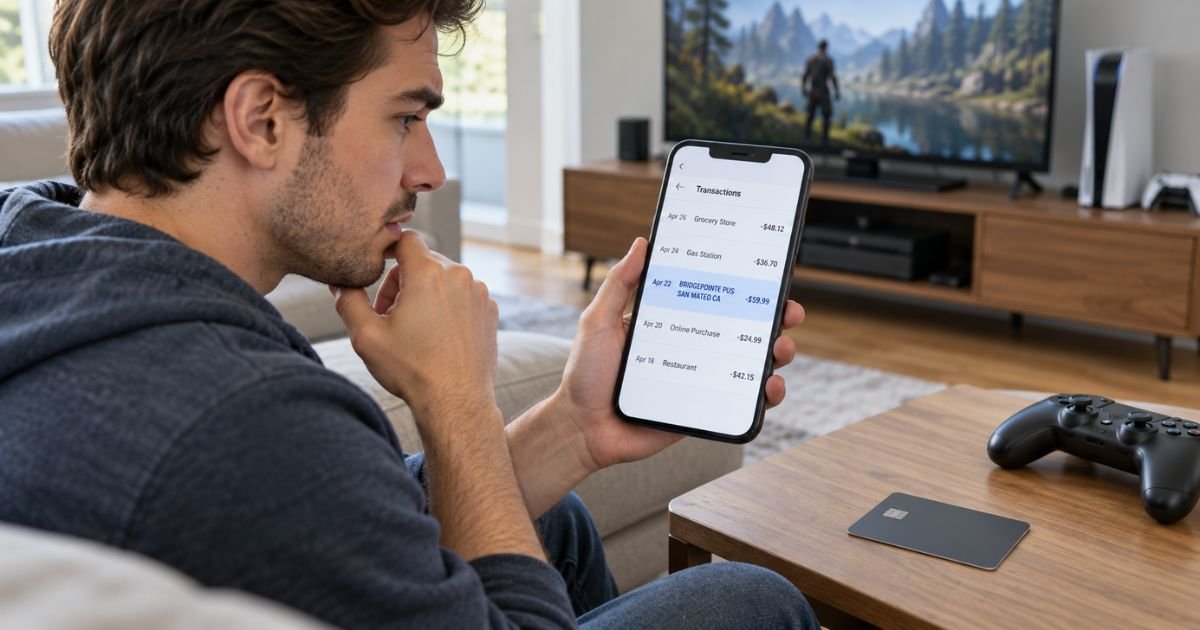
A Bridgepointe PUS San Mateo CA charge on credit card activity can feel confusing if you have never visited San Mateo, California. The strongest match is Sony Interactive Entertainment, the company behind PlayStation.
Sony Interactive Entertainment is headquartered at 2207 Bridgepointe Parkway in San Mateo. A PlayStation Store purchase, PlayStation Plus renewal, or other PlayStation payment may therefore be the source of the charge.
Table of Contents
What Is a Bridgepointe PUS San Mateo CA Charge on Credit Card?
A Bridgepointe PUS San Mateo CA charge on credit card activity most likely relates to PlayStation or Sony Interactive Entertainment. Sony Interactive Entertainment’s current San Mateo location is 2207 Bridgepointe Parkway.
The statement wording may emphasize the merchant address instead of saying “PlayStation Store.” That can make a normal gaming purchase difficult to recognize.
PlayStation does not appear to publish an official definition for the exact PUS portion of this descriptor. You should therefore avoid assuming those letters have a specific meaning.
What Purchases May Cause the Charge?
A Bridgepointe San Mateo transaction may come from several types of PlayStation spending.
Common possibilities include:
- A PlayStation Store game
- A game add-on
- In-game currency
- A season pass
- A preorder
- PlayStation Plus
- A PlayStation Store wallet top-up
- A purchase by another user on your console
- A child account purchase
- A recurring subscription
PlayStation’s own support guidance says that recurring subscriptions, family spending, and duplicate purchases are common things to check when you do not recognize a payment.
Pro Tip: Open your PlayStation transaction history and compare the exact date and amount with your card statement. This is generally more reliable than trying to identify the payment from “Bridgepointe” alone.
How to Check Your PlayStation Transaction History
You can review purchases through your PlayStation account, console, or PlayStation App.
In the PlayStation App, open the PlayStation Store, select the menu, and choose Transaction History. Select the date range that includes the credit card charge.
On a PS5, you can generally review payment and account information through your account settings. PlayStation also provides transaction history through Account Management.
Look for an amount matching the Bridgepointe charge. Remember that a wallet top-up and the purchase made with wallet funds may appear differently.
Could It Be a PlayStation Plus Renewal?
Yes. PlayStation Plus automatically renews unless you cancel the subscription.
Sony says PlayStation Plus is an ongoing subscription with recurring billing. The saved payment method may be charged automatically when the next subscription period begins.
That can produce an unexpected Bridgepointe charge if you forgot that automatic renewal remained active.
Consumer complaints also frequently mention PlayStation Plus renewals. BBB records include users reporting unexpected renewal payments, although those individual complaints do not prove anything about your transaction.
How to Cancel PlayStation Plus
Canceling generally stops the next automatic payment. Your current membership normally remains active through the period you already paid for.
On the web:
- Sign in to PlayStation Account Management.
- Select Subscription.
- Choose your PlayStation Plus subscription.
- Select Cancel Subscription.
On PS5, go to Settings > Users and Accounts > Account > Payment and Subscriptions > Subscriptions > PlayStation Plus. Then select the cancellation option.
Save confirmation that the subscription was canceled.
Common Mistakes: Do not simply remove your credit card and assume PlayStation Plus is canceled. Use the subscription controls so your account shows that future renewal has been stopped.
Can You Get a Refund?
Refund eligibility depends on what you purchased.
For US PlayStation Store games and add-ons, PlayStation generally allows a refund request within 14 days if you have not started downloading or streaming the product. Once downloading or streaming starts, the purchase generally is not eligible unless the item is faulty.
For a newly purchased subscription, PlayStation’s US policy generally allows you to request a refund within 14 days of the initial transaction. The refund may be reduced based on how much of the subscription you used.
Simply canceling future renewal does not normally refund payments already made.
PlayStation Store wallet top-ups are generally non-refundable.
What If Your Card Was Charged Twice?
Check your PlayStation transaction history before contacting your issuer.
Sony specifically tells customers with an apparent duplicate charge to check whether the same content was purchased more than once.
Make sure both card transactions are fully posted. A pending authorization may disappear instead of becoming a second completed charge.
If both charges remain posted but only one purchase appears in your PlayStation history, contact PlayStation Support.
Could a Child or Family Member Have Made the Purchase?
Yes. This is another common explanation.
PlayStation family accounts can allow a child account to spend money from the family manager’s wallet. The family manager can set spending limits.
Check whether your payment method is saved to an adult PlayStation account that other people can access.
Ask household members before reporting the transaction as fraud. You can also review parental controls and require a password for purchases.
Is Bridgepointe PUS a Legitimate Merchant?
The Bridgepointe location itself has a strong verified connection to Sony Interactive Entertainment. BBB currently lists PlayStation/Sony Interactive Entertainment at 2207 Bridgepointe Parkway, San Mateo, CA 94404.
That does not prove every Bridgepointe transaction was authorized. Someone who gains access to your PlayStation account or card information could still make purchases.
BBB currently lists PlayStation/Sony Interactive Entertainment as not accredited and Not Rated. Its complaint profile shows thousands of complaints over the previous three years, including billing and account-security issues.
Trustpilot’s PlayStation Store profile currently shows a low consumer score, with many reviews mentioning refunds and support. These reviews are individual experiences and may not represent every customer.
What Reddit Users Report
Reddit posts provide another clue about the descriptor.
Some users report seeing charges containing Bridgepointe or 2207 Bridgepointe and later identifying them as Sony or PlayStation payments. One San Mateo discussion specifically described a Bridgepointe Parkway entry as a recurring PlayStation online-service payment.
These reports support the PlayStation connection, but they should not replace checking your own PlayStation account.
What If You Do Not Recognize the Charge?
Start with PlayStation’s official unauthorized-payment process.
Sony recommends checking transaction history and subscription settings first. If those records do not explain the payment, review family accounts and account security.
Change your PlayStation password if you suspect someone accessed your account. Review saved payment methods and security settings as well.
If you have never owned or used a PlayStation account, contact your credit card issuer promptly. Ask for the complete merchant information and explain that you do not recognize the transaction.
Should You Dispute It With Your Credit Card Company?
A credit card dispute may be appropriate if the payment was genuinely unauthorized.
However, if the transaction belongs to your PlayStation account, contact PlayStation Support first when practical. Consumer reports describe situations where chargebacks were followed by PlayStation account restrictions while the payment dispute was unresolved.
That does not mean you should accept an unauthorized charge. It means you should understand the possible account consequences and keep documentation of your communication with Sony and your issuer.
How to Prevent Future PlayStation Charges
Review your PlayStation payment settings and remove payment methods you no longer want stored.
You can also:
- Require a password at checkout.
- Turn off unwanted subscriptions.
- Review family spending limits.
- Use two-step verification or a passkey.
- Turn on credit card transaction alerts.
- Check PlayStation purchase emails.
- Review transaction history regularly.
These steps can generally make future Bridgepointe charges easier to identify.
FAQs: Bridgepointe PUS San Mateo CA Charge on Credit Card
Q. Is Bridgepointe PUS San Mateo CA a PlayStation charge?
A. It most likely may be. Sony Interactive Entertainment, the company behind PlayStation, is headquartered at 2207 Bridgepointe Parkway in San Mateo, California.
Q. Why does your credit card say Bridgepointe instead of PlayStation?
A. Your issuer may display merchant address information instead of the familiar PlayStation brand. Statement descriptors can vary by issuer and payment type.
Q. Can Bridgepointe PUS be a PlayStation Plus renewal?
A. Yes. PlayStation Plus renews automatically until canceled, so a recurring Bridgepointe charge may match a subscription renewal.
Q. What should you do if you never authorized the charge?
A. Check PlayStation transaction history, subscriptions, family users, and account security first. If nobody recognizes the payment, contact PlayStation Support and your credit card issuer promptly.
Conclusion
A Bridgepointe PUS San Mateo CA charge on credit card activity most likely traces back to Sony Interactive Entertainment and PlayStation. Sony’s headquarters at 2207 Bridgepointe Parkway provides a strong explanation for the San Mateo descriptor.
Check PlayStation Store purchases, PlayStation Plus renewals, wallet activity, and family accounts first. If the charge remains unexplained, secure your PlayStation account and contact your credit card issuer promptly.
Disclaimer: This article is for informational purposes only and is not financial or legal advice. PlayStation refund rules, subscription terms, merchant descriptors, account restrictions, and credit card dispute procedures may vary, so verify account-specific questions with PlayStation or your card issuer.
Meet the Author
