
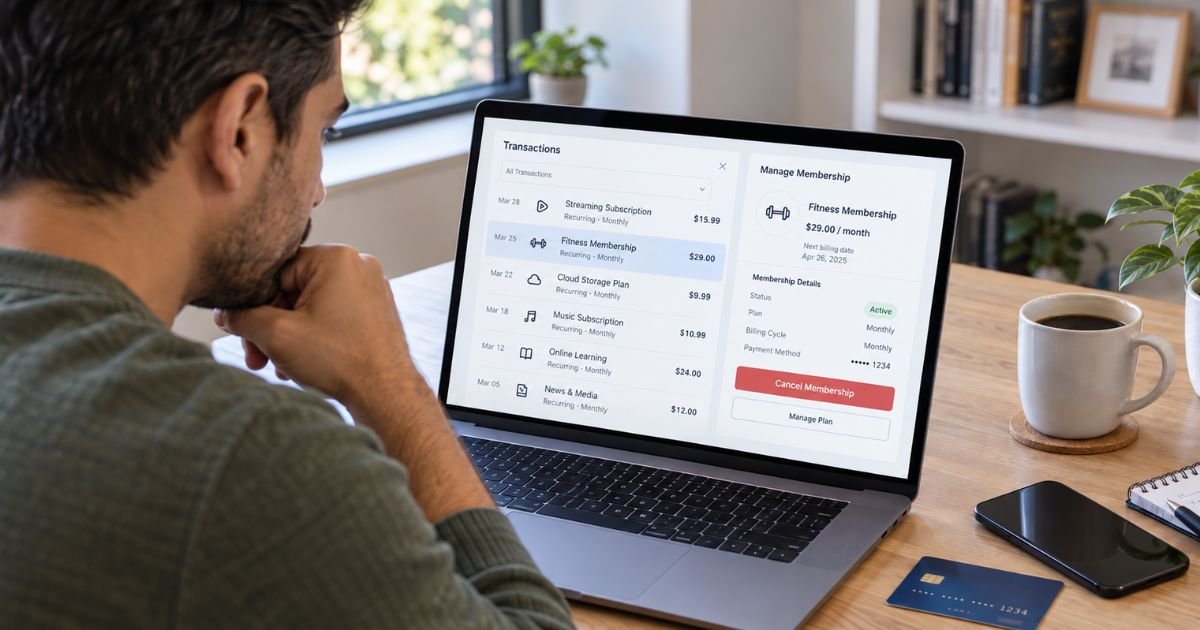
An automatic subscription charge can feel frustrating when you no longer want the service or cannot remember how you signed up. The good news is that you usually have several ways to stop future billing, depending on how you originally paid.
The safest approach is to cancel with the subscription company first, save proof, and then watch your statements. If charges continue, your bank or card issuer may offer additional ways to stop or dispute them.
Table of Contents
What Is an Automatic Subscription Charge?
An automatic subscription charge is a recurring payment that a company collects on a schedule you previously authorized. You might see one every month or year for streaming, software, fitness, dating, news, cloud storage, delivery services, or other memberships.
Some subscriptions begin with a free or discounted trial and then switch to paid billing. Others renew automatically at the end of a membership period unless you cancel first.
1. Cancel Directly With the Subscription Company
Start with the company that provides the subscription. This is usually the cleanest option because stopping a payment method alone may not end your membership or contract.
Sign in to the official website or app. Look under Account, Billing, Membership, Subscription, Plan, or Auto-Renew.
Follow the cancellation process until you receive confirmation. The FTC recommends keeping copies of cancellation requests and notes about any conversations with the company.
Pro Tip: Take a screenshot showing the cancellation date and confirmation message. Keep it until at least one or two billing cycles have passed without another charge.
2. Check Where You Originally Subscribed
You may need to cancel through a billing platform instead of directly with the service.
| Where you subscribed | Where to check first |
|---|---|
| Company website | Company billing settings |
| Apple App Store | Apple subscription settings |
| Google Play | Google Play subscriptions |
| Amazon | Amazon membership settings |
| PayPal | Automatic payment settings |
| Bank account | Merchant and your bank |
Deleting an app usually does not cancel its subscription. Check the original receipt if you are unsure which platform controls the recurring payment.
3. Turn Off Auto-Renew Before the Billing Date
If the service has an Auto-Renew switch, turn it off before the renewal date. Your access may continue until the end of the period you already paid for.
Do not assume canceling on the renewal date will always prevent that day’s charge. Processing times and cutoff rules vary by merchant.
4. Contact Support if Online Cancellation Fails
If you cannot find a cancel button, use the company’s official support page. State clearly that you want to cancel the subscription and stop future recurring charges.
Save useful records, including:
- Support tickets or chat transcripts.
- Screenshots of error messages.
- The cancellation confirmation number.
- The date you contacted the company.
- Any refund response.
Common Mistakes: Do not simply delete the app, remove your profile, or stop using the service. Those actions generally do not cancel recurring billing unless the company specifically says they do.
5. Revoke Automatic Bank Account Debits
If the subscription pulls money directly from your checking account, you have additional options.
The CFPB says you can tell the company that you are revoking authorization for automatic payments. You should also tell your bank or credit union that you revoked the company’s permission to debit your account.
Your bank may also accept a stop payment order. CFPB guidance says you should generally give it at least three business days before the scheduled payment. Some banks charge a stop payment fee.
Stopping the debit does not automatically cancel the underlying contract. Cancel the subscription with the merchant too if you want the service to end.
6. Ask Your Card Issuer About Recurring Payments
If a company keeps charging your credit or debit card after cancellation, contact the issuer using the number on the back of your card or its secure app.
Explain that you canceled and have proof. Ask what options are available for stopping future charges from that merchant.
Available options vary by bank, network, and transaction type.
Replacing a card should not be your only cancellation method. A new card number does not necessarily cancel your agreement with the merchant.
7. Dispute Charges That Continue After Cancellation
A dispute, sometimes called a chargeback, may be appropriate when billing continues after a valid cancellation or when a charge was never authorized.
The FTC advises consumers to dispute recurring charges if a company continues billing after cancellation.
For credit cards, the CFPB says you should contact the issuer promptly. To protect certain federal billing-error rights, you generally need to send the required written notice within 60 days after the statement containing the error was sent.
Provide evidence such as your cancellation confirmation, emails, screenshots, and the dates you tried to resolve the problem.
Debit card rules are different, so report unauthorized transactions quickly. CFPB guidance notes that timing can affect your protections.
8. Check Whether the Final Charge Is Valid
Canceling today does not always erase a payment that was already processed or due under the subscription terms.
Your cancellation may take effect at the end of the current billing period. You may keep access until then without receiving a prorated refund.
Also check whether the charge is pending or fully posted. Refund eligibility and cancellation cutoffs vary by company.
9. Monitor Your Statements After Canceling
Keep checking the card or bank account used for the subscription. Look for another payment around the normal renewal date.
The CFPB recommends monitoring your account after revoking an automatic bank debit. If another unauthorized payment appears, report it promptly.
10. Be Careful With Free Trials and Auto-Renewals
Before starting another subscription, read the renewal terms. The FTC recommends checking what happens after a free trial, how much you will pay, and how to cancel.
U.S. subscription rules also vary by state and service. The FTC’s broad 2024 “click-to-cancel” rule was vacated by a federal appeals court in July 2025, so you should not assume every subscription is covered by one nationwide rule requiring cancellation to be as easy as signup.
FAQs: Best Ways to Cancel an Automatic Subscription Charge
Q. Can I ask my bank to cancel a subscription?
A. Your bank may be able to stop certain recurring payments or accept a stop payment order. You should generally cancel with the subscription company too because stopping payment does not automatically end your contract.
Q. Will replacing my credit card stop a subscription?
A. Not always. Replacing the card does not cancel the subscription agreement itself. Cancel with the merchant and ask your issuer what recurring-payment controls are available.
Q. Can I dispute a subscription charge after canceling?
A. You may be able to dispute a charge if it continued after a valid cancellation or was unauthorized. Contact your issuer promptly and provide your cancellation confirmation and other records.
Q. Does deleting an app cancel its subscription?
A. Usually not. If you subscribed through Apple, Google Play, or another platform, you normally need to cancel through that platform’s subscription settings.
Conclusion
The best ways to cancel an automatic subscription charge start with identifying who controls the billing and canceling directly through that company or platform. Save confirmation, turn off auto-renew, and monitor your account.
If billing continues, contact your bank or card issuer and provide your records. For bank account debits, you may also be able to revoke authorization or request a stop payment order.
Disclaimer: This article is for informational purposes only and is not financial or legal advice. Subscription, refund, stop payment, and dispute policies vary by merchant and issuer, so verify account-specific questions with the company involved or your bank.
Meet the Author
