
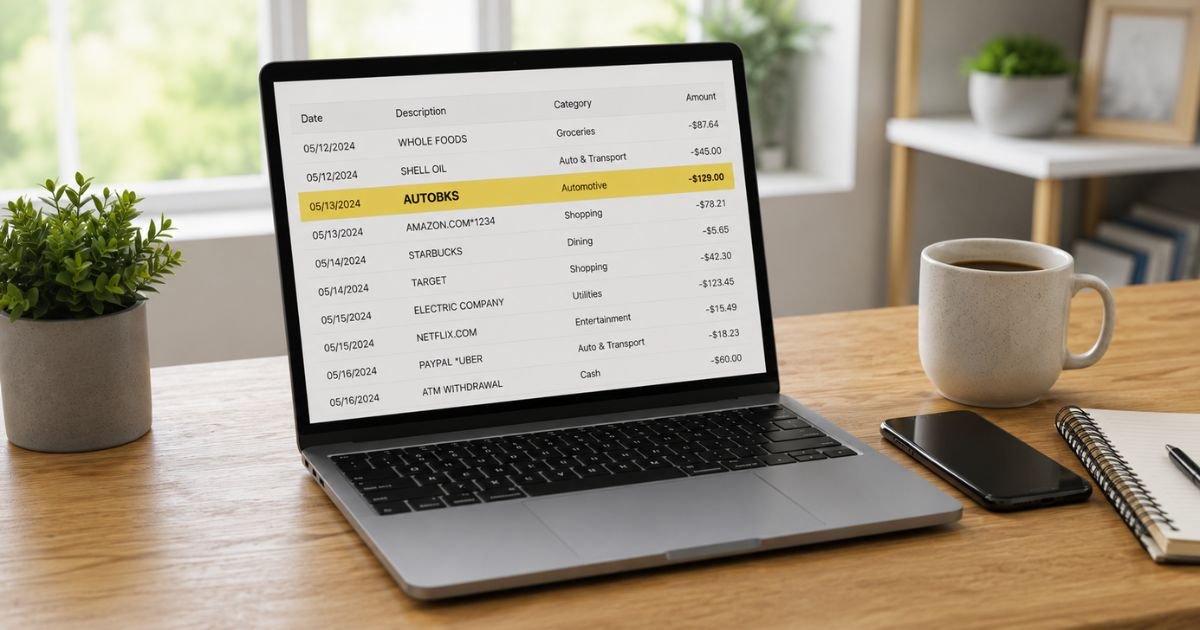
Seeing an Autobks charge on bank statement can be confusing if you don’t recognize the name. You’re not alone. Many people notice “AUTOBKS” or “AUTOBKS *Business Name” and want a clear explanation right away.
This guide explains what the charge means, why it appears, how to confirm it, and the steps to resolve any issues.
Table of Contents
What Is an Autobks Charge?
Autobooks (autobooks.co) is a business payment and invoicing tool. It lets small businesses send digital invoices and accept credit cards, debit cards, or ACH bank transfers, often right inside their bank’s online or mobile banking app.
When a customer pays an invoice or makes a payment through Autobooks, the charge on the customer’s bank or credit card statement commonly appears as:
- AUTOBKS *[Business Name]
- AUTOBKS * followed by a shortened business name
- AB *[Business Name]
- Similar variations limited by bank character limits
For the business owner, deposits may show as “Autobooks” plus “disbursement” or “settlement,” while fees appear as “Autobooks” and “web pmts.”
The descriptor identifies the payment platform, not a separate fee charged to you as a consumer.
Why Did This Charge Appear?
Common reasons include:
- You paid an invoice or bill from a business that uses Autobooks.
- A free trial or initial payment converted into a recurring arrangement with that business.
- A family member or joint account holder authorized a payment to a merchant using Autobooks.
- You (or your business) use Autobooks and are seeing a processing fee or monthly subscription fee withdrawn.
- A one-time purchase or Tap to Pay transaction processed through the platform.
- An authorization hold that later posted as a full charge.
If you recently received an email invoice or paid a local business online or via mobile, that is often the source.
How to Verify the Charge
Use this checklist:
- Note the exact amount, date, and full descriptor (especially any business name after AUTOBKS*).
- Search your email for invoices, payment receipts, or messages that mention Autobooks or the business name shown.
- Check recent purchases, service appointments, or bills you paid online or by card.
- Ask household members if they made a payment to a business using this platform.
- If you run a business, log into your Autobooks account or bank portal and review recent activity and fees.
- Compare the amount against any invoice or receipt you received.
Matching the business name after “AUTOBKS*” usually confirms the charge is expected.
Is It Legitimate or Fraud?
Common legitimate scenarios
Most Autobks charges are simply payments you authorized to a real business that processes cards or ACH through Autobooks. The platform is widely used by banks and small businesses for invoicing and accepting payments.
Warning signs
- You have no memory of any related purchase or invoice.
- The business name after AUTOBKS* is unfamiliar or looks altered.
- Multiple similar charges appear without explanation.
- You receive unexpected follow-up emails or calls about the payment.
If anything feels wrong, contact your bank promptly and request an investigation while also reaching out to Autobooks support.
How to Cancel
Cancellation depends on whether you are the customer or the business:
If you are the customer who paid
Contact the business that charged you and request a refund or cancellation of any recurring arrangement. Autobooks processes the payment on behalf of the merchant, so the business controls refunds and future billing.
If you are a business using Autobooks
- Log into your Autobooks account or the bank portal where it is integrated.
- Submit a cancellation request through the support form (there is a specific Cancellation Request option).
- Call Autobooks support at (866) 617-3122 (Monday–Friday, 9 a.m.–6 p.m. ET) or email support@autobooks.co.
- Request written confirmation that the account is closed and no further fees will be debited.
- Monitor your bank account for the next billing cycle.
Keep records of all requests.
Can You Get a Refund?
Refund eligibility depends on the situation:
- Payments you authorized to a business are handled by that merchant’s refund policy. Contact the business first.
- Processing or subscription fees charged to a business account may be reviewed by Autobooks support.
- Unauthorized charges can be disputed with your bank under Regulation E (debit cards) or the Fair Credit Billing Act (credit cards).
Start the dispute with your bank and provide the transaction details, any invoices, and correspondence.
Banks typically investigate within 10 business days for provisional credit and complete the review in 45–90 days.
What to Do If the Charge Is Unauthorized
- Contact your bank or card issuer immediately and report the charge as unauthorized.
- Request a freeze or replacement card if needed.
- Call Autobooks support at (866) 617-3122 or email support@autobooks.co with the transaction details and ask them to investigate.
- Contact the business name shown after AUTOBKS* if one is listed.
- Change passwords on related email and banking accounts and enable two-factor authentication.
- Document every step with dates and reference numbers.
- Monitor statements and credit reports for 60–90 days.
- File a report at IdentityTheft.gov if you suspect identity theft.
Act quickly to protect your rights under federal rules.
Prevention Tips
- Review every bank and credit-card statement within a few days of posting.
- Keep a simple list of businesses and platforms that have permission to charge your accounts.
- Set transaction alerts for amounts above a low threshold.
- Use unique passwords and two-factor authentication on email and banking logins.
- When paying invoices, save the confirmation email or receipt.
- Prefer ACH or card payments only to businesses you recognize.
- If you run a business, regularly review Autobooks fees and activity.
- Cancel unused payment or invoicing tools promptly and request confirmation.
Common Autobks Descriptor Variations
| Descriptor Seen | Typical Meaning |
|---|---|
| AUTOBKS *[Business Name] | Customer payment to a business using Autobooks |
| AB *[Business Name] | Alternative short form of the same |
| Autobooks + disbursement/settlement | Deposit of customer payments to a merchant |
| Autobooks + web pmts | Processing or subscription fee to a merchant |
Typical Dispute Timeline
| Action | Usual Timeframe |
|---|---|
| Bank provisional credit | Within 10 business days |
| Full bank investigation | 45–90 days |
| Autobooks support response | Same day to a few business days |
| Confirmation of stopped billing | 1 billing cycle |
FAQs: Autobks Charge on Bank Statement
Q. Why does the charge say AUTOBKS instead of the store or business name?
A. Banks limit the number of characters. Autobooks uses “AUTOBKS*” followed by a shortened version of the business name so the merchant is still identifiable.
Q. Is an Autobks charge a subscription fee I signed up for?
A. Usually no. For most consumers it is a one-time or invoice payment to a business. Business owners may see separate processing or monthly fees.
Q. How do I stop future Autobks charges?
A. If you are the customer, contact the business that billed you. If you are the business owner, cancel through Autobooks support at (866) 617-3122 or via their support form and request written confirmation.
Q. What if I never paid any business that uses Autobooks?
A. Treat the charge as potentially unauthorized. Dispute it with your bank right away and contact Autobooks support with the transaction details for investigation.
Conclusion
An Autobks charge on bank statement is almost always a payment processed through Autobooks, either a customer paying a business invoice or a business seeing related fees or deposits.
Match the business name after AUTOBKS* to your records, contact the merchant or Autobooks support if needed, and dispute any unauthorized activity with your bank.
Checking statements regularly and keeping track of invoices will help you avoid future surprises.
Disclaimer: This article is for informational purposes only and is not financial or legal advice. Policies, fees, and contact details can change. Always verify information directly with Autobooks, the merchant, your bank, or a qualified professional before taking action.
Meet the Author
