
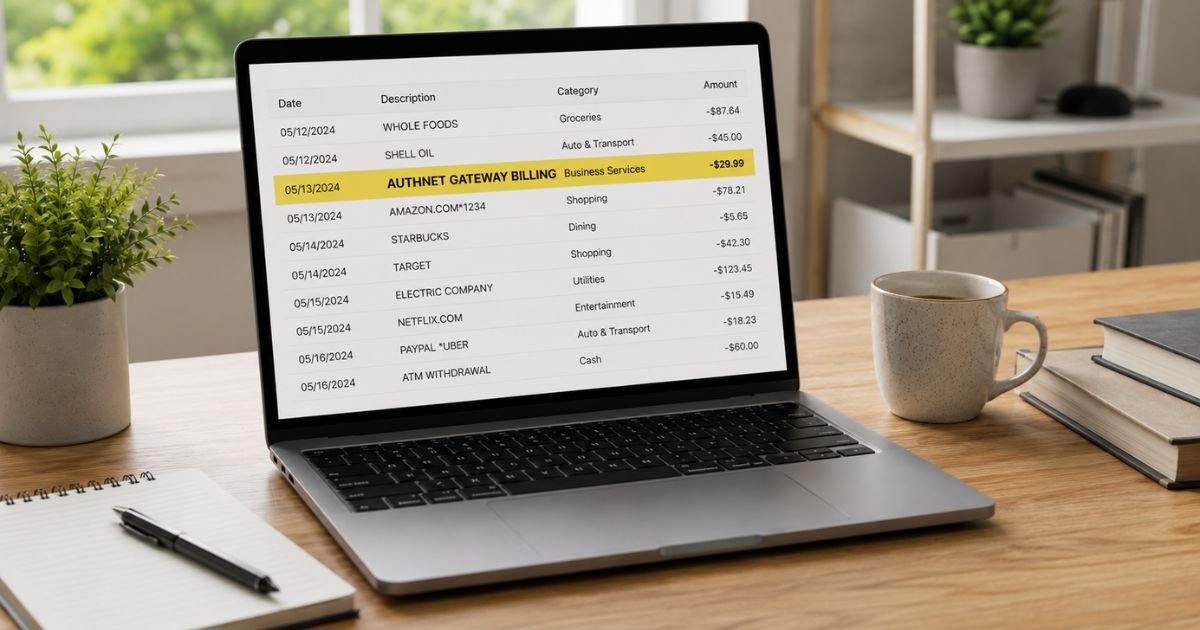
Seeing an AuthNet Gateway Billing charge on bank statement can raise questions, especially if you don’t run an online business. You’re not alone. Many people notice this entry and want a clear explanation.
This guide explains what the charge means, why it appears, how to confirm it belongs to you, and the steps to cancel, seek a refund, or report it if unauthorized.
Table of Contents
What Is an AuthNet Gateway Billing Charge?
Authorize.Net is a long-established payment gateway owned by Visa. Businesses use it to accept credit cards, debit cards, and eChecks on websites, mobile apps, and virtual terminals.
When a business signs up for the gateway, Authorize.Net charges monthly service fees (plus per-transaction fees in some plans).
These fees are billed directly to the bank account or credit card the merchant placed on file. The descriptor that often appears is “AUTHNET GATEWAY BILLING,” “AuthNet Gateway,” or a close variation.
For everyday consumers, charges processed through Authorize.Net normally show the individual merchant’s name, not AuthNet.
If you see “AuthNet Gateway Billing,” it most often means you (or a business you own or manage) are being billed for the gateway service itself.
Common statement variations include:
- AUTHNET GATEWAY BILLING
- AuthNet Gateway
- AUTHORIZE.NET or similar short forms
Why Did This Charge Appear?
Typical reasons include:
- You or your business have an active Authorize.Net payment gateway account and the monthly service fee is being collected (usually on the first of the month).
- The charge is for gateway access, batch fees, or related service costs.
- A reseller or partner is billing under a similar descriptor.
- An old merchant account was never fully closed and continues to generate the monthly fee.
- A family member or business partner set up the gateway using a shared or personal payment method.
- In rarer cases, a misconfigured merchant descriptor or an unauthorized setup.
Authorize.Net states that billing for service fees occurs on the first day of each month and is debited from the payment method on file.
How to Verify the Charge
Follow this checklist:
- Note the exact amount, date, and full descriptor.
- Search your email for messages from Authorize.Net, login credentials, or billing statements.
- Check whether you or your business ever applied for a payment gateway or merchant account.
- Log into the Authorize.Net Merchant Interface (if you have credentials) and review the Manage Billing or Statements section.
- Ask business partners, accountants, or anyone who handles payments for your company.
- Compare the amount against typical gateway fees (commonly around $25 per month plus possible transaction or batch fees).
If you find no related account, treat the charge as potentially unexpected or unauthorized.
Is It Legitimate or Fraud?
Common legitimate scenarios
Most AuthNet Gateway Billing charges are the regular monthly fee for an active payment gateway. Businesses that accept online or card-not-present payments often use Authorize.Net, and the fee is an expected cost of that service.
Warning signs
- You have never operated a business that accepts card payments.
- The charge continues after you believe an account was closed.
- The amount is unusually high or appears more than once per month.
- You receive no statements or login access despite the charges.
If anything feels off, contact your bank and Authorize.Net support promptly.
How to Cancel
To stop future charges you must close or update the Authorize.Net account:
- Sign in to the Merchant Interface at login.authorize.net.
- Go to Contact Us or the Support Center.
- Open a support case or start a chat and clearly request account closure. Provide your Payment Gateway ID and the last four digits of the billed card or bank account for verification.
- Alternatively, call Merchant Support at 877-447-3938 (available 24/7, closed major holidays).
- Confirm in writing that the account is closed and no further billing will occur.
- Update or remove the payment method on file if the account remains open for any reason.
- Monitor your bank statement for the next billing cycle.
If the account was opened through a reseller or merchant service provider, contact that provider as well.
Can You Get a Refund?
Refunds depend on the circumstances:
- Current-month fees already billed are generally not refunded once processed, but you can ask support.
- Fees charged after a confirmed closure request may be eligible for review and credit.
- Unauthorized charges can be disputed with your bank under Regulation E (debit) or the Fair Credit Billing Act (credit cards).
Start the dispute with your bank while also notifying Authorize.Net.
Banks typically investigate within 10 business days for provisional credit and complete the review in 45–90 days. Keep records of all communications.
What to Do If the Charge Is Unauthorized
- Contact your bank or card issuer right away and report the transaction as unauthorized.
- Request a temporary freeze or new card if the payment method is compromised.
- Call Authorize.Net Merchant Support at 877-447-3938 or open a support case requesting investigation and account closure.
- Change any related passwords and enable two-factor authentication.
- Document every conversation with dates, names, and reference numbers.
- Monitor statements and credit reports for 60–90 days.
- File a report at IdentityTheft.gov if you suspect broader identity theft.
Act quickly to protect your rights under federal rules.
Prevention Tips
- Keep a list of every payment gateway or merchant account linked to your personal or business banking.
- Review bank and credit-card statements within a few days of posting.
- Set low-amount or merchant-name alerts in your banking app.
- Close unused gateway accounts promptly and request written confirmation.
- Use a dedicated business payment method for all merchant services.
- Regularly log into the Merchant Interface to check billing and status.
- When working with resellers, confirm exactly who will bill you and under what descriptor.
- Store Gateway IDs and support contacts in a secure place.
Common AuthNet-Related Descriptors
| Descriptor Seen | Typical Meaning |
|---|---|
| AUTHNET GATEWAY BILLING | Monthly gateway service fee |
| AuthNet Gateway | Gateway access or related service charge |
| AUTHORIZE.NET | Authorize.Net billing or processing |
| AuthNet Batch | Batch or settlement-related fee |
Typical Dispute Timeline
| Action | Usual Timeframe |
|---|---|
| Bank provisional credit | Within 10 business days |
| Full bank investigation | 45–90 days |
| Authorize.Net support response | Same day to a few days |
| Confirmation of stopped billing | 1 billing cycle |
FAQs: AuthNet Gateway Billing Charge on Bank Statement
Q. Why does the charge say AuthNet Gateway Billing instead of a store name?
A. This descriptor is used when Authorize.Net is billing the merchant for the gateway service itself. Consumer purchases processed through the gateway normally show the individual merchant’s name.
Q. Is AuthNet Gateway Billing a scam?
A. In the large majority of cases it is a legitimate monthly fee for an active Authorize.Net account. Independent sources confirm the descriptor is standard for gateway billing. Verify the account relationship before assuming fraud.
Q. How do I stop future AuthNet Gateway Billing charges?
A. Close the Authorize.Net account through the Merchant Interface Support Center or by calling 877-447-3938. Request written confirmation that billing has ended.
Q. What if I never signed up for Authorize.Net?
A. Contact your bank to dispute the charge and call Authorize.Net support to investigate. Provide the transaction details and ask them to confirm whether any account is linked to your payment method.
Conclusion
An AuthNet Gateway Billing charge on bank statement is most often the monthly fee Authorize.Net collects from businesses that use its payment gateway.
Confirm whether you or your company have an active account, cancel it through official channels if no longer needed, and dispute any unauthorized activity with your bank.
Checking statements regularly and closing unused services will keep these charges from becoming ongoing surprises.
Disclaimer: This article is for informational purposes only and is not financial, legal, or business advice. Fees, policies, and contact details can change. Always verify information directly with Authorize.Net, your bank, or a qualified professional before taking action.
Meet the Author
