
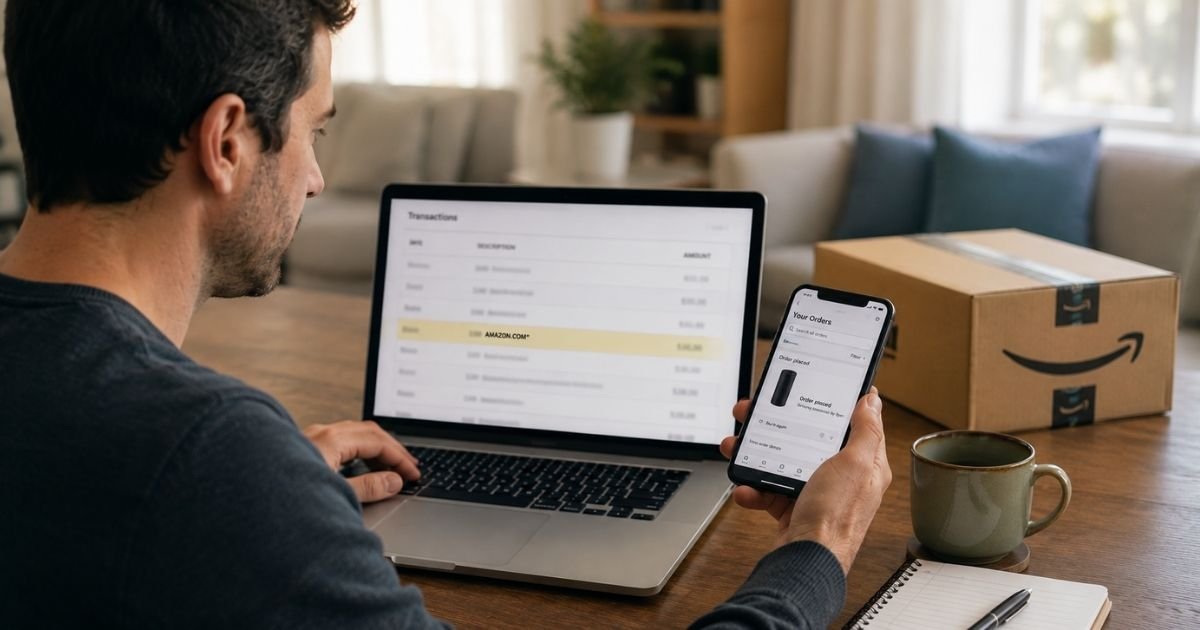
An Amazon Reta charge on bank statement can feel confusing if you only remember shopping at “Amazon,” not a company called Reta.
In many cases the line is still a real Amazon purchase. Your bank simply shortened the merchant text.
This guide explains what “Reta” usually means, how to match it to an order, and what to do if the amount is wrong.
Table of Contents
What Is an Amazon Reta Charge on Bank Statement?
An Amazon Reta charge on bank statement is typically an Amazon retail payment. Banks have limited space on each line. “Amazon Retail” often gets cut to “AMAZON RETA” or “AMAZON RETA*.”
Amazon’s official help page lists “Amazon Retail LLC” as a descriptor tied to some Amazon Books purchases.
Consumer statements also show AMAZON RETA* plus a code and a Washington location for other Amazon.com retail billing. The exact wording can vary by bank.
“Reta” does not usually mean “return.” That mix-up is common because the letters look like a refund code.
A return credit may still appear as a separate Amazon line. The posted amount tells you which is which. A purchase adds to what you owe. A refund reduces it.
Amazon.com is a legitimate retailer. You can review charges in Your Orders and in Your Transactions after you sign in.
How the Charge May Appear on Your Statement
Your issuer may add WA, a website fragment, or a string of letters after the name. That extra code is often an Amazon reference, not a second company.
| What you may see | What it often means |
|---|---|
| AMAZON RETA or AMAZON RETA* | Short for Amazon Retail on many bank feeds |
| AMAZON RETA* plus letters and numbers | Same retail bill, with an order-style reference |
| WWW.AMAZON.CO WA or similar | Amazon’s site and Washington billing location, cut short |
| Amazon Retail LLC | Listed by Amazon for some Amazon Books charges |
| AMZN MKTP US | Often an Amazon.com marketplace purchase |
| AMAZON PRIME or AMZ*Prime | Prime membership billing |
| Amazon Digital Svcs | Kindle, video, apps, or other digital items |
| AMZN.COM/BILL or AMAZON.COM | Broader Amazon purchase wording |
Amazon’s official identifier page also covers Amazon Pay, Amazon Fresh, authorizations, and Prime. If your line looks different, compare it with that list before you assume fraud.
Why This Charge Shows Up
The most common reason is a shipped order. Amazon generally charges when items go out, not always on the day you click Buy. A charge can land days later.
One bank line may cover more than one order. Shoppers in consumer forums have reported AMAZON RETA* amounts that did not match a single checkout total. Amazon had grouped nearby orders into one bill. Tax, shipping, and a tip on a grocery order can change the number too.
Gift cards can hide in order history. A print-at-home or email gift card may not look like a boxed package. Subscribe & Save refills can post on a different date than you expect.
Household sharing matters. A spouse, child, or roommate with the same Amazon Household or saved card can place the order. Digital purchases sit in a separate list from physical orders, so they are easy to miss.
Amazon also places a bank authorization when you order. That hold can show as pending and later drop or change when the real charge posts. A canceled order can leave a temporary authorization that is not a final sale.
How to Verify the Charge
Sign in to the Amazon account that uses the card.
- Open Your Orders and filter by the charge date.
- Open Your Transactions to see payments Amazon recorded on that card.
- Check Your Digital Orders for Kindle, video, apps, or music.
- Open Manage Prime Membership and other subscriptions.
- Review Subscribe & Save and gift card purchases.
Match the date and the amount, including tax. If the bank amount is a sum of two shipments, add those order totals. Search the letter-number string from the statement in Amazon’s order search if your bank printed one.
Check every Amazon account that might hold the card. An old login, a work profile, or a family profile can own the order. Search email for “Amazon” and the dollar amount.
If you used Amazon Pay on another website, review Amazon Pay activity. That checkout can still print as an Amazon-style line.
Pro Tip: Sort Your Transactions by the card’s last four digits. That view is often clearer than Your Orders when Amazon split one checkout into two shipments.
How to Cancel, Return, or Stop Related Billing
A one-time Amazon Reta line is usually a product purchase. You do not cancel GOSQ-style “membership” for that charge. You return the item or ask Amazon about the payment.
For a physical order, start a return from Your Orders if the item is eligible. Refund timing varies. Amazon may wait until the return is received. A later credit can show as a separate Amazon line.
For Prime or a digital plan, open Manage Your Memberships and Subscriptions and cancel the plan you do not want. Access generally continues until the paid period ends. Rules can differ by plan.
To stop future surprises, remove extra cards you no longer use. Turn on purchase approvals in a Household if kids use the account. Review Subscribe & Save quantities before the next ship date.
If Amazon charged you again after a return because an item was marked unreturned, that can be a retrocharge.
Amazon’s help pages describe retrocharges when a refund was issued but the item was not returned as required. Check the related order messages before you dispute.
If You Still Do Not Recognize the Charge
Ask Amazon support through the official help pages and have the date and amount ready. Do not send your full card number in an email unless Amazon clearly asks inside a signed-in chat or call you started.
If Amazon cannot find the payment on any account you own, call the number on the back of your card. Ask the bank to dispute an unrecognized Amazon charge. Consider a new card number if other strange Amazon lines appear.
Amazon.com’s BBB file shows a very large volume of complaints, which is common for a retailer this size. People report matching problems, return credits, and household purchases. Those reports are a reason to check Your Transactions. They are not proof that every Reta line is fake.
Ignore texts that claim an Amazon Reta charge and then push a phone number or login link. Use Amazon’s site or app you already trust.
Common Mistakes: People read “Reta” as a return and wait for a credit that never comes. Others check only Your Orders and skip Digital Orders or gift cards. A third group disputes a pending authorization that later drops on its own.
FAQs: Amazon Reta Charge on Credit Card
Q. What is an Amazon Reta charge on my bank statement?
A. It is typically Amazon retail billing, with the word “Retail” shortened by your bank. Official Amazon help also lists “Amazon Retail LLC” for some book-related charges. Match the date and amount in Your Orders or Your Transactions.
Q. Why doesn’t the amount match one Amazon order?
A. Amazon may charge when items ship, split one order into two bills, or group nearby orders on one line. Tax and shipping can change the total. Add the shipments from the same few days before you dispute.
Q. Does Amazon Reta mean I returned something?
A. Usually no. “Reta” is generally a shortened retail label, not a return code. A refund is a credit. Compare the plus or minus sign and look for a return email on the related order.
Q. How do I stop Amazon charges I do not want?
A. Cancel Prime or digital plans in Manage Your Memberships and Subscriptions. Return eligible items from Your Orders. Remove extra cards and review Household users if someone else can shop on your account.
Conclusion
An Amazon Reta charge on bank statement is usually Amazon collecting payment for a retail order, with the merchant name cut short. The letters look odd. The purchase is often sitting in Your Orders or Your Transactions.
Match the date and amount first. Return or cancel only what you no longer want. Call your bank if Amazon has no record of the payment.
Keep order emails for a month after busy shopping weeks. Grouped Reta lines are much easier to explain when you still have the shipment dates.
Disclaimer: This article is for general information only. It is not financial, legal, or tax advice. Statement wording, refunds, and dispute rules may vary by Amazon account, product, bank, and card network. Confirm details in your Amazon account or with your bank before you act.
Meet the Author
