
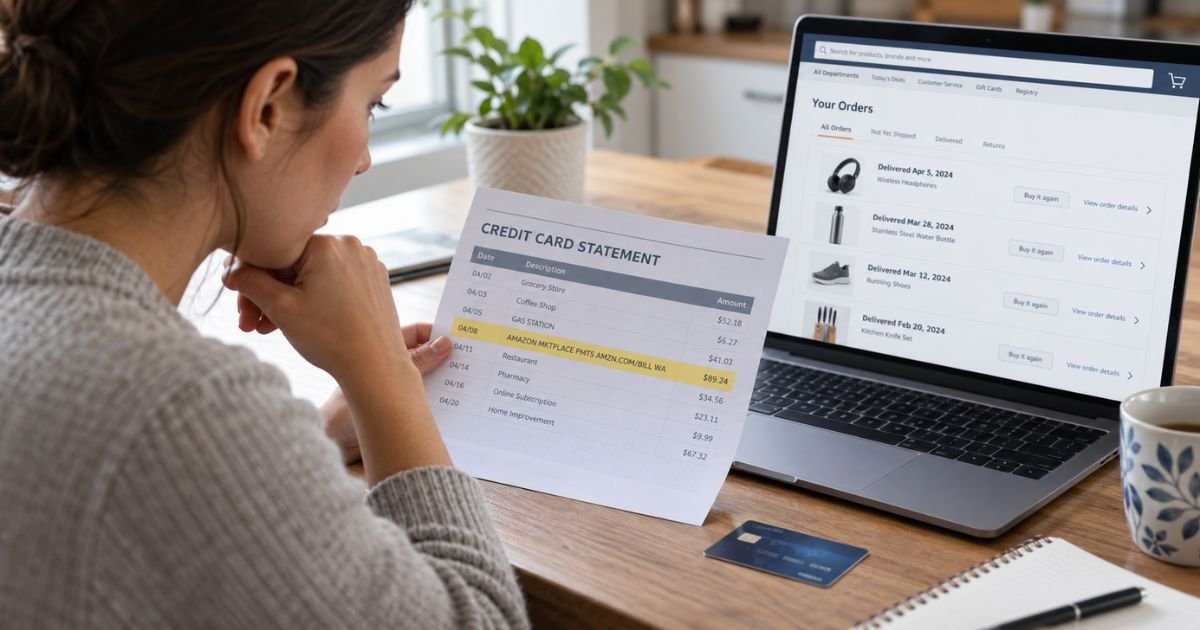
Seeing an AMAZON MKTPLACE PMTS AMZN.COM/BILL WA charge on your statement can feel confusing if you don’t remember making an Amazon purchase. In many cases, the transaction is legitimate but doesn’t appear under the product or seller name you remember.
You can usually identify it by comparing the amount with your Amazon transactions and recent shipments. Below, you’ll learn what the descriptor means, why dates and amounts can look unusual, and what to do if the charge isn’t yours.
Table of Contents
What Is an AMAZON MKTPLACE PMTS AMZN.COM/BILL WA Charge?
AMAZON MKTPLACE PMTS AMZN.COM/BILL WA is a billing descriptor commonly associated with purchases made through Amazon.com.
Amazon officially lists “AMAZON MKTPLACE PMTS,” “AMZN Mktp US,” and “AMZN.COM/BILL” among descriptors related to Amazon.com purchases.
“MKTPLACE” is short for marketplace, while “PMTS” means payments. The descriptor tells your bank that Amazon processed the transaction, but it normally does not tell you which individual product was purchased.
The “WA” portion commonly appears as part of Amazon’s card-processing information. It does not necessarily mean your product came from Washington or that the seller was located there.
What Does the Charge Look Like on a Statement?
Amazon descriptors can vary depending on your bank, card network, transaction type, and how much information your issuer displays.
You may see entries similar to these:
| Statement descriptor | Typical meaning |
|---|---|
| AMAZON MKTPLACE PMTS AMZN.COM/BILL WA | Amazon.com marketplace purchase |
| AMZN Mktp US | Amazon.com purchase |
| AMAZON.COM AMZN.COM/BILL | Amazon retail purchase |
| AMAZON PRIME AMZN.COM/BILL | Amazon Prime-related payment |
| AMAZON DIGITAL SVCS | Digital content or service |
| AMZ*Merchant Name | Amazon Pay transaction |
Amazon’s help center separates marketplace charges, Amazon Pay charges, Prime payments, and digital services into different descriptor categories. Your bank may shorten or slightly rearrange the wording.
Why Did Amazon Charge Your Card?
The simplest explanation is a recent Amazon order. However, the date on your card statement may not match the day you placed the order.
Amazon may process a payment when an item ships. A preorder, backordered product, gift, or delayed shipment can therefore create a charge days or weeks after you originally ordered it.
Other possible explanations include:
- A recent Amazon.com purchase.
- An order shipped in several packages.
- A preorder or backordered item that just shipped.
- A purchase made by someone in your household.
- A gift order you placed earlier.
- An item purchased using another Amazon account but your card.
- A temporary authorization from Amazon.
- A retrocharge involving a return or refund.
- An unauthorized use of your card.
Pro Tip: Match the dollar amount before relying on the transaction date. Amazon shipment dates and card posting dates can differ from the date you originally clicked “Place your order.”
Why One Amazon Order Can Create Several Charges
A single Amazon checkout does not always create one card transaction. Amazon may divide your order into separate shipments and charge each shipment individually.
For example, suppose you placed a $90 order containing three items. Your card statement might show separate Amazon charges of $25, $30, and $35 instead of one $90 transaction.
This often happens when products ship from different fulfillment centers or at different times. The separate amounts should generally correspond to parts of your Amazon order.
Amazon Business has even introduced tools specifically designed to help customers reconcile individual charges with split shipments. Amazon says multiple shipments and charges can make statement matching difficult.
How to Find the Exact Amazon Order
Start by signing in to the Amazon account you normally use. Open Your Orders or Your Transactions and compare recent amounts with the amount shown on your bank statement.
Amazon specifically recommends using Your Transactions to match statement charges with associated orders.
Follow these steps:
- Note the exact transaction amount.
- Check whether the transaction is pending or posted.
- Sign in directly at Amazon.com.
- Open your recent orders and transaction history.
- Look for shipments with the same amount.
- Check older orders that recently shipped.
- Review canceled orders and returns.
- Check digital orders and Prime charges separately.
- Ask household members who may use your card.
If you have several Amazon accounts, check each one. You may also have placed an order while signed into another family member’s account.
Common Mistakes: Don’t search only for an order placed on the statement date. Amazon may charge when an item ships, so an older order can create a newer transaction.
Is a Pending AMAZON MKTPLACE PMTS Charge a Real Charge?
Not always. A pending Amazon transaction may be an authorization rather than a completed payment.
When you order something, Amazon can ask your bank to verify the payment method and reserve the funds. Amazon says an authorization is not yet an actual charge.
If the order changes or is canceled, Amazon generally tells the bank that the authorization is no longer required. How quickly the pending amount disappears can depend on your financial institution.
Avoid immediately treating both a pending authorization and a later posted transaction as two completed purchases. Check whether the pending entry disappears after the final payment posts.
Why You May See an Amazon Charge After a Refund
Amazon also describes a situation called a retrocharge. This can occur when you received a refund but did not return an item as required, or when a refunded item was later delivered and kept.
If you recently returned something, compare the charge with your return history. Look for Amazon messages explaining whether an item still needs to be returned.
A new Amazon charge after a refund does not automatically mean fraud. However, you should verify the transaction before assuming the charge is correct.
What If You Don’t Recognize the Charge?
First rule out ordinary explanations. Check your Amazon transactions, archived or older orders, subscriptions, family purchases, gift orders, and recently shipped backorders.
Amazon also recommends checking whether a spouse, relative, friend, or coworker had access to your payment method. An order can sometimes appear unfamiliar because another person used the saved card.
If nothing matches, contact Amazon through its official website or app. Avoid calling a phone number found in an unverified forum post or responding to a suspicious email.
If you still believe someone used your card without permission, contact your card issuer promptly. Your bank may recommend freezing or replacing the card and opening an unauthorized transaction dispute.
Is AMAZON MKTPLACE PMTS Legitimate?
Yes, the descriptor itself is associated with Amazon purchases. Amazon’s own charge-identification page specifically lists “AMAZON MKTPLACE PMTS” as an Amazon.com purchase descriptor.
That does not prove that every charge displaying the descriptor was personally authorized by you. A legitimate merchant name can still appear when stolen card information is used.
Consumer complaint sites also show that Amazon receives billing-related complaints. BBB currently categorizes thousands of Amazon complaints as billing issues, although these complaints cover many different situations and do not prove a problem with this specific descriptor.
Trustpilot reviews also contain complaints about refunds, customer support, and account issues. These reviews are user-submitted and may not represent the experience of typical Amazon customers.
Evidence from Reddit specifically tied to this exact descriptor was limited in the searches reviewed. Older Amazon community discussions do show customers asking about unfamiliar “AMAZON MKTPLACE PMTS AMZN.COM/BILL WA” transactions, which supports the idea that the wording itself often causes confusion.
FAQs: AMAZON MKTPLACE PMTS AMZN.COM/BILL WA
Q. What does AMAZON MKTPLACE PMTS mean?
A. It generally means Amazon processed a marketplace purchase through Amazon.com. Amazon lists “AMAZON MKTPLACE PMTS” among its recognized Amazon.com purchase descriptors.
Q. Why is the Amazon charge date different from my order date?
A. Amazon may charge when an item ships rather than when you originally order it. Split shipments, preorders, and backordered items can therefore create charges on later dates.
Q. Why did Amazon charge me several smaller amounts?
A. Your order may have been divided into multiple shipments. Amazon can charge each shipment separately, so several smaller transactions may add up to the original order total.
Q. What should I do if the Amazon charge is not mine?
A. First check your Amazon transactions and ask anyone who has access to your card. If you still cannot identify the purchase, contact Amazon and your card issuer promptly to report the potentially unauthorized charge.
Conclusion
An AMAZON MKTPLACE PMTS AMZN.COM/BILL WA charge on bank statement generally points to a purchase processed through Amazon.com. The unfamiliar wording often becomes easier to explain once you compare the amount with your Amazon transaction and shipment history.
Check split shipments, old orders, preorders, household purchases, returns, and pending authorizations first. If no legitimate transaction matches, contact Amazon and your card issuer so you can secure your account and dispute the charge if necessary.
Disclaimer: This article is for informational purposes only and is not financial or legal advice. Billing and dispute policies may vary by Amazon, your card network, and your issuer, so verify account-specific questions directly with Amazon or your bank.
Meet the Author
