
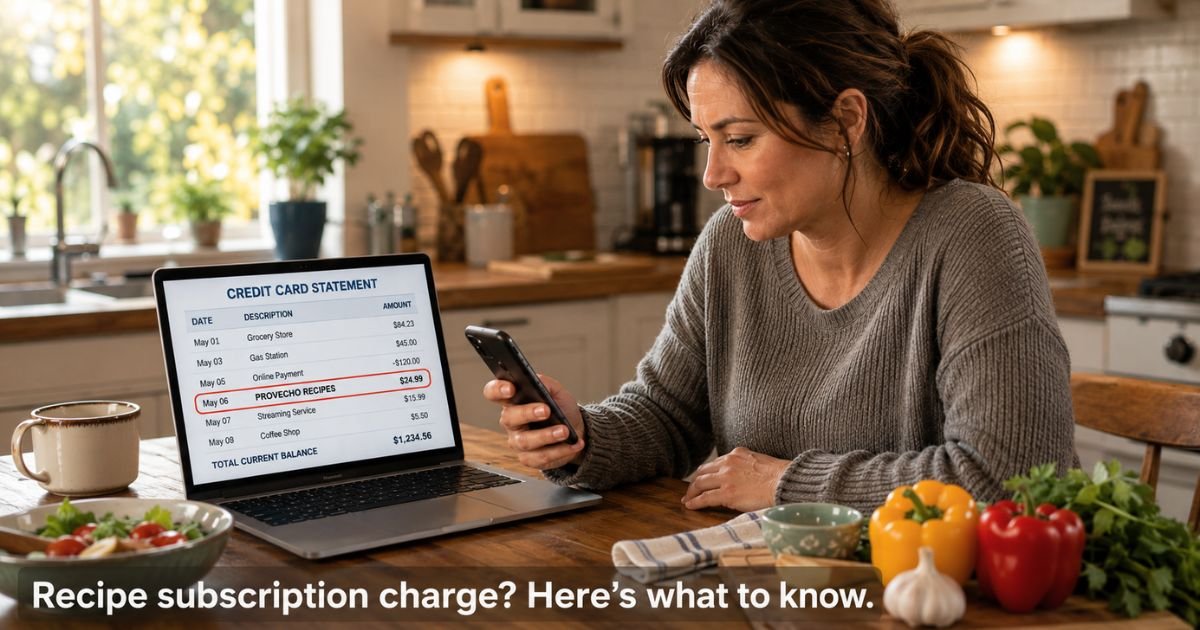
You open your credit card statement and spot a Provecho Recipes charge on credit card that you do not remember making. It is easy to feel unsure when a name like this shows up among your regular transactions.
This guide explains exactly what the charge represents, how to confirm whether it belongs to you, and what steps to take if you want to stop future billing.
Table of Contents
What Is the Provecho Recipes Charge?
The Provecho Recipes charge is a billing descriptor for a subscription service called Provecho. The platform provides access to a large library of premium recipes, meal planning tools, grocery lists, and video instructions from cooking creators.
It operates through provecho.co and offers a mobile app that requires a paid subscription for full access.
Payments are processed through standard services like Stripe, which is why the name on your statement may appear as Provecho Recipes or a similar variation.
Billing descriptors for subscription apps often look different from the brand name you originally saw when signing up. This is especially common when people join through a creator’s Instagram link or a promotional page.
Why Does This Charge Appear?
Several situations commonly trigger a Provecho Recipes charge:
- You signed up for the recipe app or platform, possibly through a social media link or during a promotion.
- A free trial period ended and automatically converted into a paid monthly or annual subscription.
- Someone else who uses your card or shares your devices created an account.
- You followed a cooking creator who promoted Provecho and tapped through to subscribe.
Recipe platforms like this often use easy one-tap signups on Instagram or other apps. It is very common for people to try the service once and then overlook the recurring charge weeks or months later.
Is the Charge Legitimate or Unauthorized?
Provecho is a legitimate recipe subscription service with a working website, app, and active presence on social media. The charge itself is usually a standard recurring subscription fee rather than anything fraudulent.
The main reason people do not recognize it is that signup often happens quickly through social media or an app store promotion. Once the initial excitement fades, the monthly charge can slip out of memory.
If you have no record of any signup and no one in your household remembers creating an account, treat the charge as worth investigating right away. Otherwise, it is almost certainly a legitimate subscription you or a family member started.
How to Verify the Provecho Recipes Charge
Follow these steps in order:
- Search your email inbox and spam folder for messages from provecho.co, Provecho Recipes, or any confirmation or receipt.
- Check your phone’s app subscriptions (on iPhone go to Settings > Apple ID > Subscriptions; on Android check Google Play subscriptions).
- Ask other people who use your card or devices whether they signed up for a recipe app recently.
- Look through your recent Instagram or social media activity for any cooking creators whose links may have led to Provecho.
- Visit provecho.co and try to log in or recover your account using the email address associated with your card.
How to Stop Future Provecho Recipes Charges
If you find an active subscription you no longer want, log into your Provecho account at provecho.co or through the app and cancel from there. Most subscription services send a confirmation email once cancellation is complete.
When you cannot access the account or the charge feels completely unfamiliar, contact your card issuer and dispute the recurring transaction. Ask them to block future charges from this billing descriptor.
You can also reach Provecho support directly at support@provecho.co if you need help locating or canceling an account.
Pro Tip: After you cancel any subscription, keep the confirmation email and check your next two statements to confirm the charges have actually stopped. This simple habit prevents surprise renewals.
What Should You Do If You Do Not Recognize the Charge?
Start with the verification checklist above. In most cases you or someone in your household will discover a quick signup that happened through social media or an app promotion.
If nothing connects and you want to stop the charges immediately, call your card issuer. Explain that you do not recognize the Provecho Recipes transaction and request a dispute along with a block on future billing from this merchant.
Keep records of every step you take, including confirmation emails and conversation reference numbers with your issuer. This documentation protects you if any follow-up is needed.
Bottom line: Check your app subscriptions and email first. Provecho Recipes charges are almost always legitimate recurring fees from a recipe platform, but your card issuer can stop them quickly when the charge does not match anything you intended to keep.
Common Scenarios for a Provecho Recipes Charge
| Situation | Likely Explanation | Recommended Next Step |
|---|---|---|
| Recent social media or app signup | Legitimate subscription you started | Log in and cancel through the Provecho account |
| Free trial that converted automatically | Recurring subscription after trial period | Cancel in the app or contact support |
| Shared device or family member | Someone else created the account | Ask household members, then cancel or dispute |
| No record of any signup | Possible forgotten or unauthorized subscription | Dispute with card issuer and request merchant block |
Common Mistake: Forgetting to check phone app subscriptions when an unfamiliar charge appears. Many people only look at email and miss the active subscription sitting right in their device settings.
FAQs: Provecho Recipes Charge on Credit Card
Q. How do I cancel a Provecho Recipes subscription I do not remember signing up for?
A. Search your email for provecho.co messages and check your phone’s app subscription settings. If you locate the account, cancel directly through the Provecho website or app. If you cannot find it, contact your card issuer to dispute the charge and block future billing from this merchant.
Q. Is the Provecho Recipes charge from a legitimate company?
A. Yes. Provecho is a real recipe platform that offers thousands of premium recipes, meal plans, and video instructions through a paid subscription. The charge represents standard recurring billing for access to their app and website features.
Q. What should I do if Provecho Recipes keeps charging my card after I canceled?
A. Contact Provecho support at support@provecho.co with your cancellation confirmation. If the charges continue, call your card issuer immediately, provide your cancellation records, and ask them to dispute the transactions and permanently block the merchant.
Conclusion
Finding a Provecho Recipes charge on credit card statement is usually the result of a subscription you or someone in your household started through the recipe platform.
These services make it very easy to sign up through social media or app promotions, which is why the charge can feel surprising later.
Take a quick look at your email, phone subscriptions, and recent online activity. In most cases you will find the connection right away.
When the charge does not match anything you want to keep, your card issuer can stop the billing and protect your account with a simple dispute.
Reviewing your statements regularly helps catch these small recurring charges before they add up. For more guides on subscription charges and how to handle them, explore other articles here on ExplainCharges.com.
Disclaimer: The content on ExplainCharges.com is for informational and educational purposes only and does not constitute financial, legal, or professional advice. We are not affiliated with any companies or services mentioned. The information provided may not apply to your specific situation. If you suspect unauthorized charges or fraud, contact your bank or credit card issuer immediately. Always verify details directly with the source and consult a qualified professional if needed.
Meet the Author
