
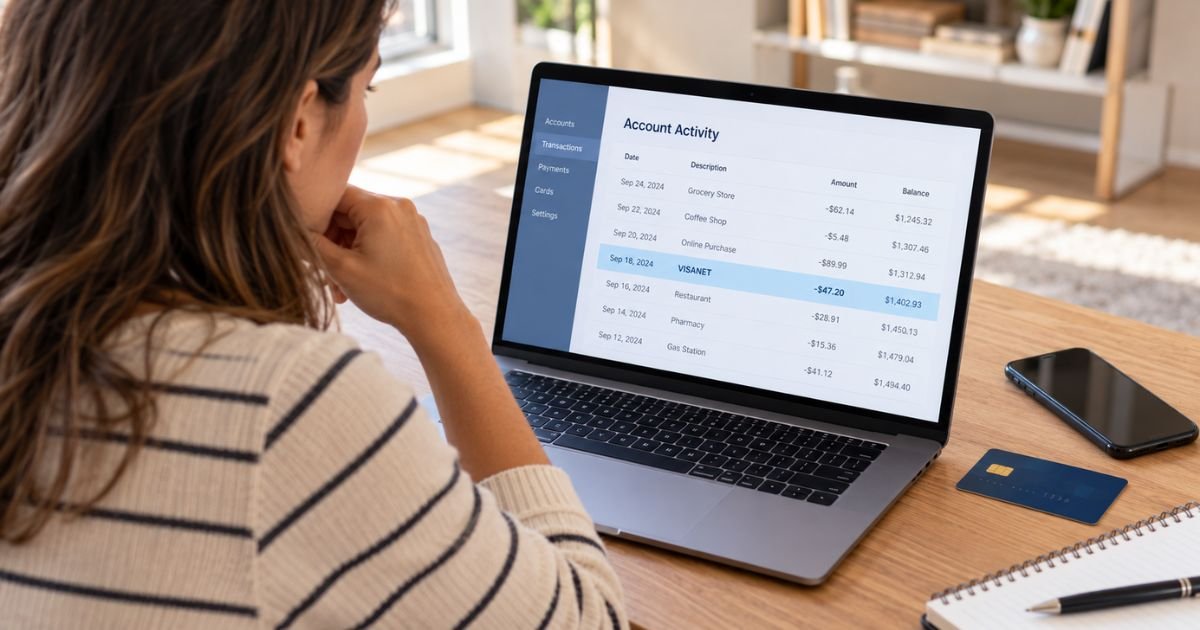
A VisaNet charge on my debit card statement can feel confusing if you don’t remember shopping at a business called VisaNet. The good news is that VisaNet is generally a payment-processing network, not a normal retail merchant.
The entry may relate to a purchase, card verification, or other Visa transaction processed behind the scenes. Here’s how you can identify the real merchant and decide whether you need to contact your bank.
Table of Contents
What Is a VisaNet Charge on My Debit Card Statement?
VisaNet is Visa’s global electronic payment network. Visa says the system handles transaction authorization, clearing, and settlement between merchants, merchant banks, and card issuers.
When you use a Visa debit card, VisaNet may help carry the payment information between the businesses involved. The purchase amount itself generally comes from a merchant, not from VisaNet selling you a product or service.
This distinction matters when VisaNet appears in your transaction details. The label may describe the processing network while the actual merchant information is incomplete, shortened, or displayed elsewhere by your bank.
Is VisaNet a Merchant?
VisaNet itself is generally not the store, website, or subscription service you paid. It is infrastructure used to process electronic payments.
Visa’s technical documentation shows that VisaNet transaction records can contain a merchant name, merchant ID, location, customer-service information, transaction amount, and other identifying data. Your bank may have access to more of this information than it shows on your main statement screen.
If the statement only says VisaNet, ask your bank for the full merchant descriptor. That can be much more useful than searching online for a business called VisaNet.
Why Does VisaNet Appear on Your Debit Card?
There are several possible reasons.
- Your purchase was processed through Visa’s network.
- Your bank displayed network information instead of a clear merchant name.
- A merchant sent an account-verification request.
- The transaction is still pending and has limited information.
- A merchant descriptor was shortened or incorrectly displayed.
- Someone attempted to verify or use your debit card without permission.
Visa requires merchant transaction records to include identifying information. However, the exact wording you see can still vary because banks decide how much transaction data to display in their apps and statements.
Pro Tip: Open the transaction rather than relying on the short description in your transaction list. Your bank may show a merchant city, phone number, category, website, or longer description after you select it.
What Does a $0 VisaNet Transaction Mean?
A zero-dollar VisaNet entry may be an account-verification request. Merchants can use these requests to check whether a card account is valid before storing the card or attempting a later payment.
Visa specifically supports zero-amount account verification. Its documentation says these requests can confirm that the account exists, is open, and is not marked lost or stolen.
A $0 verification normally does not remove money from your checking account. However, you should investigate it if you did not recently add your card to an online account, digital wallet, subscription, or other service.
There are also anecdotal Reddit reports of consumers seeing $0 VisaNet authorizations they did not recognize. Those reports do not establish what caused your transaction, but they reinforce the value of checking unexpected verification attempts with your bank.
VisaNet Charge vs. Normal Debit Card Purchase
The word VisaNet does not tell you exactly what you bought.
| Statement information | What it may mean |
|---|---|
| VISANET | Visa network information connected with a transaction |
| VISANET plus merchant details | Visa-processed payment with extra identifying information |
| VISANET $0.00 | Possible account-verification request |
| Pending Visa transaction | Authorization that has not fully settled |
| Merchant name plus VISA | Regular purchase processed on the Visa network |
A pending transaction may also change when it posts. The final transaction could show a clearer merchant name after clearing and settlement are completed.
Does Visa Charge You a VisaNet Fee?
You should not automatically interpret a VisaNet entry as a consumer processing fee charged directly by Visa.
VisaNet processes payments between participating financial institutions and merchants. Banks and businesses can have their own fees, but seeing the word VisaNet alone does not establish that Visa separately charged your checking account.
If you see a separate amount described specifically as a service fee, network fee, or foreign transaction fee, ask your bank what created it. Your debit card agreement should explain fees charged by your financial institution.
How to Identify the Real Merchant
Start with your recent purchases. Compare the amount and date with receipts, emails, mobile wallet activity, and online orders.
Then open the full transaction details in your banking app. Look for:
- Merchant name.
- Merchant city or country.
- Merchant category.
- Phone number.
- Website.
- Transaction reference.
- Whether the payment is pending or posted.
- Whether your physical card or a digital wallet was used.
Visa’s processing specifications include fields for merchant identification and customer-service information. That means your issuer may be able to retrieve details that do not appear on your statement.
Call the number on the back of your debit card if you still cannot identify the payment. Ask specifically for the complete merchant descriptor associated with the VisaNet transaction.
Is VisaNet Legitimate?
Yes. VisaNet is an established Visa payment-processing network used by financial institutions and businesses around the world.
Visa Inc. currently has an A+ BBB rating and BBB accreditation. BBB also records consumer complaints about Visa, but those complaints cover many Visa products and services and do not show whether an individual VisaNet transaction is legitimate.
Trustpilot’s Visa profile has predominantly negative consumer reviews. However, those reviews discuss many unrelated card, merchant, dispute, and customer-service issues, so they are not useful evidence that a specific VisaNet charge is fraudulent.
A legitimate payment network can still process an unauthorized transaction. You should judge the charge based on whether you recognize the underlying merchant and payment.
What to Do If You Don’t Recognize the VisaNet Charge
Contact your bank promptly if you cannot identify the transaction. Visa itself tells cardholders with suspicious transactions to report them to the financial institution that issued the card.
You may also want to:
- Temporarily lock your debit card.
- Review other recent transactions.
- Check your digital wallets.
- Change your PIN if it may be compromised.
- Turn on transaction alerts.
- Ask whether your bank recommends a replacement card.
If you identify the transaction as unauthorized, clearly tell your bank that you did not make or approve it.
Common Mistakes: Don’t dispute VisaNet as if it were the merchant before asking for the full transaction details. Your dispute generally needs to identify the actual payment that was processed through the network.
Why You Should Report Debit Card Fraud Quickly
Debit card payments usually take money directly from your checking account. Federal protections can depend on how quickly you report unauthorized activity.
The CFPB says that if your debit card is lost or stolen, reporting it within two business days after discovering the loss generally limits your potential liability to the lesser of $50 or the unauthorized amount. Waiting longer can increase potential liability.
If your physical card was never lost but an unauthorized debit appears on your statement, you should generally report it within 60 days after the statement was sent. Reporting sooner is safer because additional unauthorized transactions could occur.
Visa also provides a Zero Liability Policy for most Visa debit and credit cards, subject to limitations. Visa advises you to notify your issuing bank immediately when you discover unauthorized use.
Should You Replace Your Debit Card?
A temporary lock may be enough if you recognize the transaction after checking the full details. You can generally unlock the card once you are confident the account is safe.
Replacement may be more appropriate if the VisaNet transaction is unauthorized or your card details appear compromised. The CFPB recommends contacting your provider immediately and replacing a compromised card before additional transactions occur.
Ask your bank whether replacing the debit card changes recurring payments or digital-wallet credentials. Policies vary by issuer.
FAQs: VisaNet Charge on My Debit Card Statement
Q. Is VisaNet a company charging my debit card?
A. VisaNet is Visa’s payment-processing network rather than a typical retailer. A VisaNet entry may be connected with another merchant whose transaction information is not clearly displayed.
Q. Why do I have a $0 VisaNet charge?
A. It may be an account-verification request. Visa supports zero-dollar verification messages that merchants can use to check whether a card account is valid before attempting a payment.
Q. Can I dispute a VisaNet debit card charge?
A. Yes, if the underlying transaction is unauthorized or incorrect. Contact the bank that issued your debit card and ask it to identify the merchant before starting the appropriate dispute or fraud claim.
Q. Does VisaNet mean my debit card was hacked?
A. Not necessarily. VisaNet processes normal Visa transactions every day, and the wording alone does not prove fraud.
If you did not make the related purchase or verification request, contact your bank promptly.
Conclusion
A VisaNet charge on my debit card statement generally points to activity processed through Visa’s electronic payment network rather than a purchase directly from a merchant called VisaNet. The real transaction could be a normal purchase, a pending authorization, or a zero-dollar card verification.
Check the full transaction details and compare the amount with recent purchases. If the VisaNet charge on my debit card statement remains unfamiliar, contact your debit card issuer promptly and ask it to identify the merchant and protect the account.
Disclaimer: This article is for general informational purposes only and is not financial or legal advice. Debit card protections, transaction descriptions, dispute procedures, and issuer policies may vary, so verify account-specific questions with your bank or credit union.
Meet the Author
