
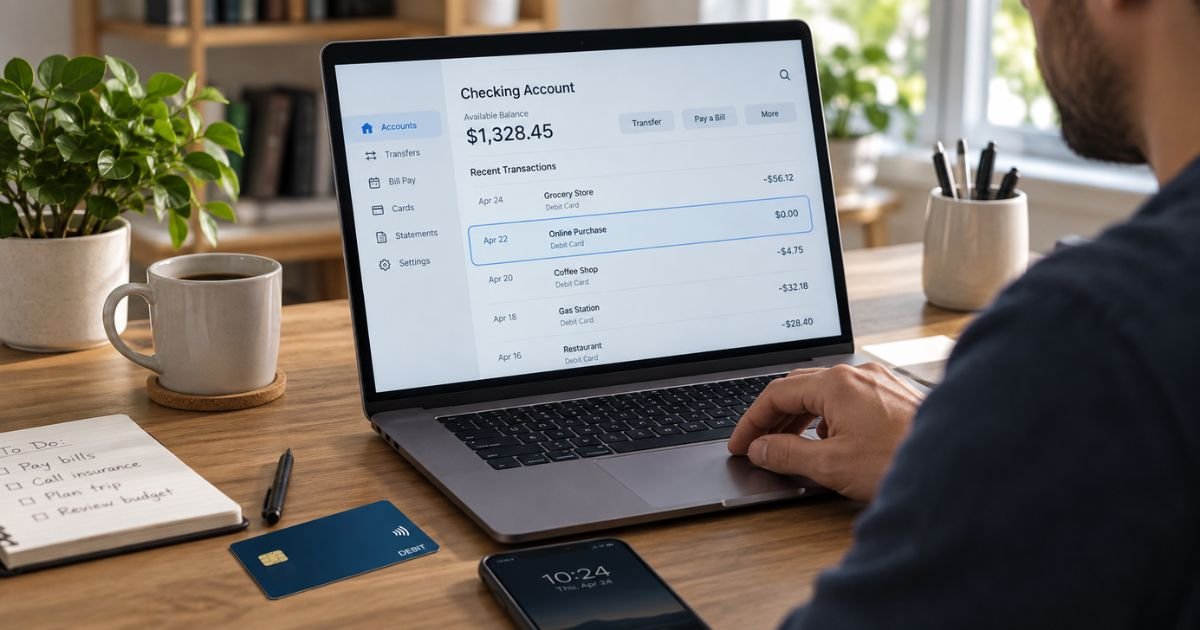
A 0 Dollar Charge on Debit Card Statement can feel confusing because no money appears to have left your account. In many cases, it is simply a card verification request from a merchant, app, subscription service, or payment network.
You still should not automatically ignore it. This guide explains why $0 charges appear, when they are usually harmless, when they may be suspicious, and what you can do next.
Table of Contents
What Is a 0 Dollar Charge on Debit Card Statement?
A 0 dollar charge is generally an authorization request rather than a completed purchase. A merchant may send it to your bank to check whether your debit card is valid and able to accept transactions.
You may also see it called a zero-dollar authorization or card verification. Since the amount is zero, you usually are not paying the merchant anything.
The entry may appear as pending and then disappear. Some banks may show it only in card alerts or transaction controls.
| What You See | What It Usually Means |
|---|---|
| $0.00 pending transaction | Card verification |
| $0.00 merchant authorization | Merchant checking whether your card is active |
| $0.00 after adding a card to an app | Payment method verification |
| Repeated unknown $0.00 attempts | Activity that deserves review |
| $0.00 followed by a purchase | Verification before a transaction |
Why Do Merchants Make a $0 Charge?
Merchants generally use zero-dollar authorizations to confirm that the card information you entered is usable. This lets them check your payment method without collecting money.
You may see one after:
- Adding a debit card to an online account
- Saving a card for future purchases
- Starting a free trial
- Updating subscription billing information
- Adding a card to a digital wallet
- Booking travel or using an app
A $0 transaction can therefore be normal even when you have not purchased anything that day.
Does a $0 Charge Mean Money Was Taken?
Usually, no. A true zero-dollar authorization does not transfer money from your checking account because the authorization amount is $0.
Your banking app may still display the event or send an alert. That can make the activity look more serious than it is.
If the transaction later changes to a positive amount, review the final posted charge. A normal verification should not become a purchase you did not authorize.
Why Did a $0 Charge Appear After Adding Your Card to an App?
An app or website may check your debit card when you add it as a payment method. The company generally wants to confirm that the card is valid before relying on it for a later purchase.
This can happen with streaming services, digital wallets, payment apps, and subscriptions.
If you just added your card to a service you recognize, the timing can help explain the charge.
Pro Tip: Compare the time of the $0 transaction with anything you recently did online. Adding a card, updating an expired card, starting a trial, or signing in to a payment app may explain the authorization.
Can a $0 Charge Be Fraud?
Yes, it can sometimes be suspicious. A zero-dollar authorization can be used to test whether stolen card details are still valid.
That does not mean every $0 authorization is fraud. However, an unknown merchant deserves attention.
Warning signs may include:
- You do not recognize the merchant.
- You did not recently add your card anywhere.
- Several unknown $0 transactions appear close together.
- Small unfamiliar purchases appear afterward.
- Your bank sends a fraud warning.
If this happens, contact your bank through its official app or the number on the back of your card.
What Should You Do If You Recognize the Merchant?
If you recognize the business, think about your recent activity with it. You may have saved your debit card, restarted a subscription, updated billing information, or signed up for a trial.
Check the merchant account directly. Review your saved payment methods, subscriptions, and recent orders.
If everything matches, you generally do not need to dispute a $0 authorization. You should still monitor your account for any unexpected purchase afterward.
What Should You Do If You Don’t Recognize the $0 Charge?
Start by checking whether the merchant name belongs to a payment processor or service you already use. Search your email for receipts or recent payment-method updates.
If you still cannot identify the activity, contact your bank.
Your bank may recommend:
- Locking or freezing the debit card.
- Reviewing recent transactions.
- Replacing the card.
- Changing your PIN if appropriate.
- Watching for later unauthorized activity.
Should You Cancel Your Debit Card Over a $0 Charge?
Not necessarily. If the charge clearly matches a service where you just entered your card, replacing the card may be unnecessary.
The situation is different if you have no connection to the merchant. An unknown $0 authorization may mean someone else has your card details.
In that case, contact your bank rather than waiting for a larger transaction.
Common Mistakes: Don’t assume a $0 transaction is harmless only because no money was taken. Also don’t assume it is fraud if you recently added your card to a legitimate app or subscription. Check the merchant and timing first.
How Long Does a $0 Authorization Stay on Your Account?
The timing varies by bank and merchant. Some zero-dollar authorizations disappear quickly, while others may remain visible as pending activity for a short period.
In some cases, you may only see the event in transaction alerts. It may never become a posted transaction on your final statement.
Is a $0 Charge the Same as a $1 Verification Charge?
The purpose can be similar. Some merchants use a zero-dollar authorization, while others may temporarily authorize a small amount such as $1.
A small authorization may temporarily affect your available balance until it is released. A true $0 verification should not remove money.
You should still investigate any unfamiliar merchant, regardless of the amount.
How to Protect Your Debit Card From Unauthorized Charges
Turn on transaction alerts if your bank provides them. Real-time alerts can help you notice suspicious activity quickly.
You can also:
- Use unique passwords for banking and payment apps.
- Enable two-factor authentication where available.
- Avoid payment links in unexpected emails or texts.
- Review your bank account regularly.
- Remove cards from accounts you no longer use.
- Lock your card if you believe it is compromised.
Never give a caller your banking password or one-time security code.
FAQs: 0 Dollar Charge on Debit Card Statement
Q. Why did I get a $0 charge on my debit card?
A. You may see a $0 charge when a merchant verifies that your debit card is active. It commonly happens after you save a card, update payment information, join a service, or add the card to an app.
Q. Is a zero-dollar debit card charge a scam?
A. Not always. Many legitimate merchants use zero-dollar authorizations, but an unknown merchant may deserve investigation. Contact your bank if you cannot connect the transaction to anything you did.
Q. Will a $0 charge disappear from my bank account?
A. It often does because it is generally an authorization rather than a completed purchase. How long it remains visible can vary by your bank and the merchant.
Q. Should I replace my debit card after an unknown $0 charge?
A. Your bank may recommend replacing it if the authorization is genuinely unfamiliar or other suspicious activity appears. Contact your bank promptly and follow its fraud-prevention instructions.
Conclusion
A 0 Dollar Charge on Debit Card Statement is generally a verification request used to check whether your debit card is active and valid. It often appears after you add your card to an app, subscription, digital wallet, or online account.
If you recognize the merchant and the timing makes sense, the $0 entry is usually harmless. If you do not recognize it, contact your bank promptly, monitor your account, and consider replacing the card if your bank believes the details may be compromised.
Disclaimer: This article is for informational purposes only and is not financial or legal advice. Debit-card policies, fraud procedures, and transaction displays may vary by issuer, so verify account-specific questions directly with your bank.
Meet the Author
