
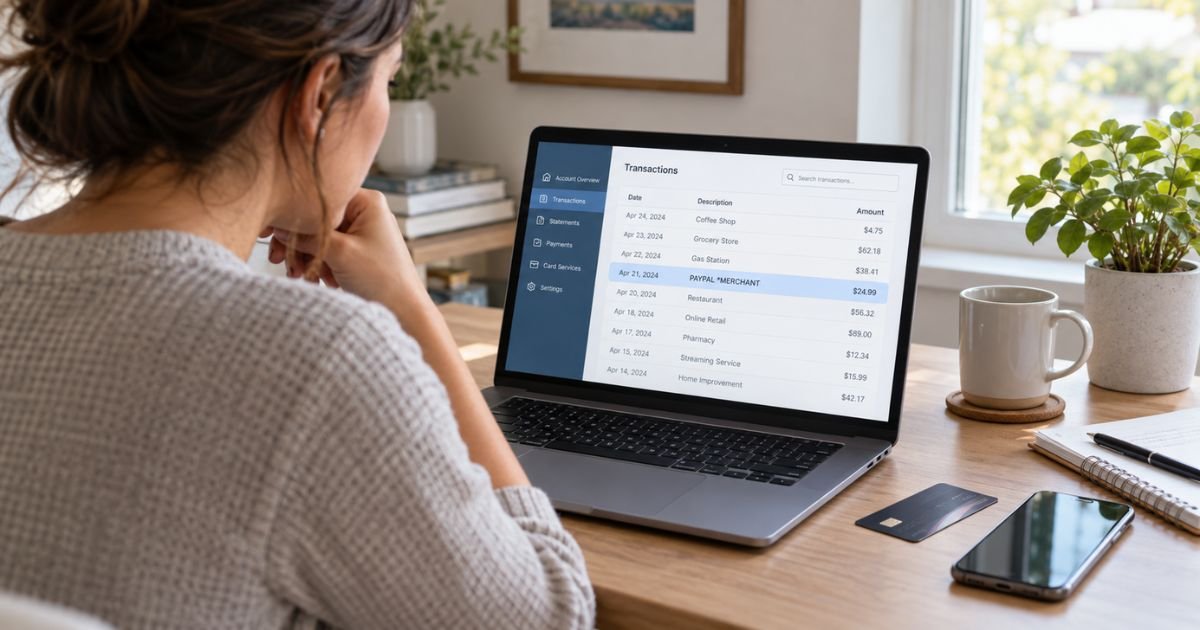
An Unknown PayPal Charge on Credit Card can feel confusing if you do not remember buying anything through PayPal. In many cases, the payment is legitimate but appears under PayPal or an unfamiliar merchant descriptor instead of the store name you remember.
You should first compare the amount with your PayPal activity, subscriptions, email receipts, and recent online purchases. If nothing matches, you can report the transaction to PayPal and your credit card issuer.
Table of Contents
What Is an Unknown PayPal Charge on Credit Card?
An Unknown PayPal Charge on Credit Card generally means a payment was processed through PayPal, but you do not immediately recognize the merchant or transaction. PayPal may have been used as your digital wallet, or a seller may have used PayPal to process your credit card.
PayPal officially says charges may appear with PayPal and the number 402-935-7733 when you make a PayPal purchase. The same information may appear when a merchant uses PayPal as its credit card processor.
This means the word PayPal does not necessarily identify what you bought. You usually need to find the underlying seller before deciding whether the transaction is wrong.
What Can a PayPal Charge Look Like?
Your card issuer controls how transaction information appears, so descriptors can be shortened or rearranged.
Common patterns may look like these:
| Statement descriptor | What it may indicate |
|---|---|
| PAYPAL *MERCHANT | PayPal payment to the named merchant |
| PP*MERCHANT | Shortened PayPal merchant descriptor |
| PAYPAL 4029357733 | Payment processed through PayPal |
| PAYPAL *SUBSCRIPTION | Possible recurring merchant payment |
| Pending PAYPAL | Authorization that has not fully posted |
PayPal confirms that 402-935-7733 is associated with its service and can appear when a merchant processes your card through PayPal.
Pro Tip: Focus on the amount first. Searching your email for the exact dollar amount plus “PayPal” can often reveal the seller faster than searching only by the posting date.
Why You May Not Recognize the PayPal Charge
Several ordinary situations can make a legitimate PayPal transaction look unfamiliar.
Possible explanations include:
- A merchant name that differs from the website name.
- An automatic subscription renewal.
- A payment made by another authorized user.
- An online order you placed several days earlier.
- A PayPal guest checkout purchase.
- A seller using PayPal only as its card processor.
- A pending authorization.
- A genuinely unauthorized transaction.
PayPal recommends checking family-member purchases and automatic payments before filing an unauthorized-activity case.
Check Your PayPal Activity First
Sign in through PayPal’s official website or app. Open your Activity and look for a transaction matching the amount and approximate date.
Open the payment details if you find a match. You may see the merchant name, purchase information, or seller contact details that explain the statement descriptor.
Also search your email for PayPal receipts. A seller name may be clearer in the receipt than it is on your credit card statement.
Do not use a login link from an unexpected text or email while investigating. Go directly to PayPal instead.
What If the Charge Is Not in Your PayPal Account?
A transaction can still be connected with PayPal even when it does not appear in your account.
PayPal offers Guest Checkout, which lets shoppers pay with a debit or credit card without logging into a PayPal account. PayPal’s U.S. documentation confirms that merchants can enable this checkout method.
PayPal help pages also explain that a card transaction missing from your PayPal account may have been completed through guest checkout. In that situation, PayPal acted as the payment processor even though you were not signed in.
Search your email for the merchant receipt. You may find a PayPal guest-payment confirmation associated with the purchase.
Check for an Automatic PayPal Payment
Subscriptions are another common source of unfamiliar charges.
PayPal calls these arrangements automatic payments, subscriptions, recurring payments, or billing agreements. A merchant can use an authorization you previously granted to collect scheduled payments.
To review them on PayPal’s website, go to Settings, select Payments, and open Subscriptions and saved businesses or Automatic Payments. You can then select the merchant and review or cancel the authorization.
Canceling the PayPal authorization generally stops that merchant from using the agreement for future PayPal payments. It may not automatically cancel your underlying subscription contract, so you should also cancel directly with the service provider when necessary.
Common Mistakes: Do not report a familiar merchant as fraud simply because you forgot about a subscription. Check your PayPal automatic-payment list and past billing history before choosing a dispute reason.
What If You Never Authorized the PayPal Charge?
Treat the transaction more seriously if you cannot connect it with any purchase, subscription, guest checkout, or authorized card user.
PayPal tells customers to report unauthorized activity through its Resolution Center. You select the payment, choose the unauthorized-activity option, and submit the requested information.
PayPal says it investigates reports of unauthorized transactions and sends an email update within 10 days. The final result depends on the circumstances of your case.
You should also contact the issuer of the credit card showing the charge. Use the number on the back of your card or its secure banking app.
If there are several unusual attempts to use your card, PayPal says the card may be compromised and recommends contacting the card issuer.
How to Dispute the Charge With Your Credit Card Issuer
Contact your issuer promptly if you believe the transaction is unauthorized or PayPal cannot identify it.
Explain that your statement shows a PayPal transaction you did not authorize. Keep screenshots, PayPal case numbers, email correspondence, and the transaction details.
For U.S. credit cards, the CFPB says you should also send a written billing-error notice within 60 calendar days after the issuer sent the statement showing the disputed charge to preserve federal billing-error protections. Follow the instructions on your statement because the dispute address can differ from the payment address.
Continue paying legitimate portions of your bill on time. Under the federal billing-error process, you generally do not have to pay the properly disputed amount while the issuer investigates.
Is an Unknown PayPal Charge Always Fraud?
No. PayPal is a legitimate payment processor, and an unfamiliar descriptor often turns out to be a real merchant purchase, guest checkout, or recurring payment.
However, a legitimate PayPal descriptor does not prove that you personally authorized the payment. Someone using stolen card information could potentially make a transaction through a legitimate payment processor.
The CFPB advises contacting your card provider immediately when you find suspicious activity. It also notes that criminals sometimes test stolen payment information with smaller transactions before attempting more charges.
What Consumer Reports Say About PayPal Charges
PayPal has a large customer base, so consumer review sites contain a substantial volume of complaints. BBB showed more than 26,000 complaints over the prior three years when checked, with more than 8,000 categorized as billing issues.
Trustpilot showed more than 41,000 PayPal reviews and a TrustScore around 1.4 out of 5. Recent reviews commonly mention disputes, unauthorized payments, customer support, and account restrictions, although these user-submitted reports do not prove that your charge is incorrect.
Reddit discussions also contain reports from users who saw PayPal charges they could not find in their account history. Some describe guest checkout or merchant-processing situations, while others involve genuinely disputed transactions. These reports are anecdotal and should not replace your PayPal records or card issuer’s investigation.
FAQs: Unknown PayPal Charge on Credit Card
Q. Why is PayPal on my credit card statement if I did not use PayPal?
A. A merchant may have used PayPal to process your credit card, or you may have completed a guest checkout without signing into PayPal. Check the merchant descriptor and your email receipts before assuming fraud.
Q. What does PAYPAL 402-935-7733 mean?
A. PayPal confirms that 402-935-7733 is a number associated with its service. It can appear when you pay through PayPal or when a merchant uses PayPal as its card processor.
Q. How can I find out who charged me through PayPal?
A. Check PayPal Activity, automatic payments, and your email receipts using the exact amount and approximate date. If you cannot find the transaction, contact PayPal through its official support or Resolution Center.
Q. Should I call my credit card company about an unknown PayPal charge?
A. Yes, if you cannot identify or authorize the payment after checking PayPal and your recent purchases. Contact your card issuer promptly and follow its fraud or billing-dispute process.
Conclusion
An Unknown PayPal Charge on Credit Card does not automatically mean someone stole your card. The charge may come from a merchant processed through PayPal, an automatic payment, or a guest checkout purchase that does not appear in your regular PayPal activity.
Check the amount, merchant descriptor, PayPal Activity, subscriptions, and email receipts first. If nothing explains the transaction, report it promptly to PayPal and your credit card issuer.
Disclaimer: This article is for informational purposes only and is not financial or legal advice. PayPal procedures, card protections, dispute deadlines, and issuer policies may vary, so verify account-specific questions with PayPal or your credit card issuer.
Meet the Author
