
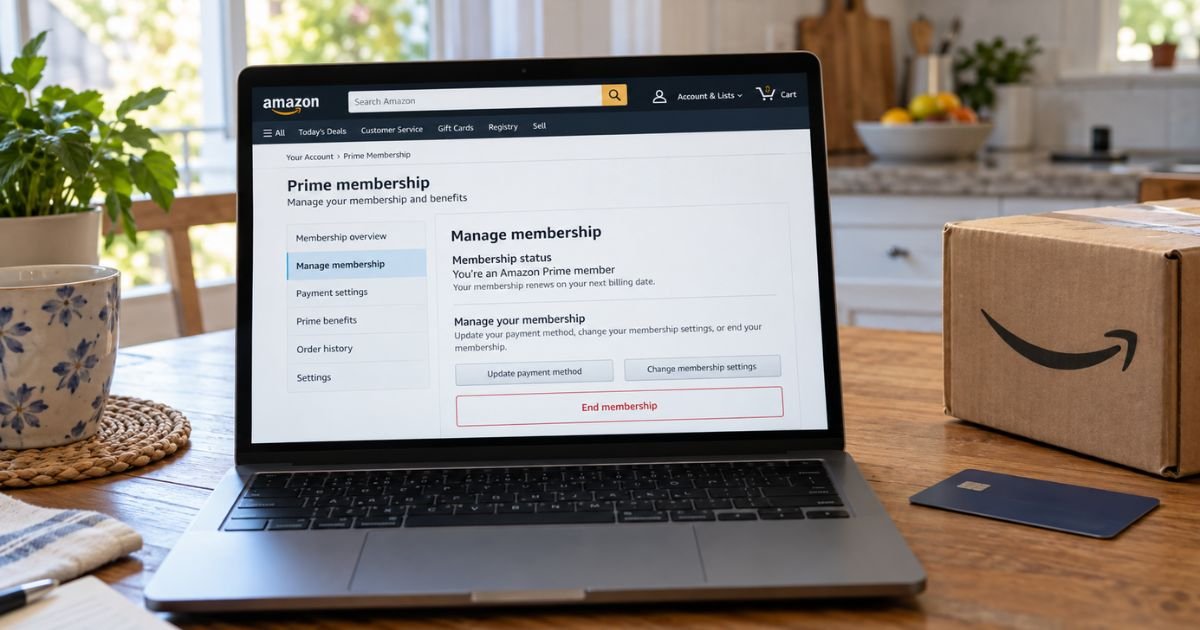
An Amazon Prime charge can feel confusing if you thought the trial had ended or you no longer use free shipping. Recurring Prime fees are usually legitimate once auto-renew is on. This guide shows Amazon’s official cancel path, when a refund may apply, and what else you should turn off.
Table of Contents
What an Amazon Prime Subscription Is
Amazon Prime is a paid membership that auto-renews until you cancel. Official US help currently lists these prices before tax:
| Plan | Official help price |
|---|---|
| Prime monthly | $14.99 per month |
| Prime annual | $139 per year |
| Prime Video only | $8.99 per month |
| Prime for Young Adults | $7.49 per month or $69 per year |
| Prime Access (EBT, Medicaid, SNAP, and some other aid) | $6.99 per month after official verification |
Your own Prime page is the source of truth. Taxes may apply in some states. Amazon will charge the then-current fee at renewal unless you cancel first. If the fee goes up, official terms say Amazon will notify you before that renewal.
Prime is not the same as every other Amazon bill. Subscribe & Save, Kindle Unlimited, Prime Video channels, and Music Unlimited are separate. Cancel Prime and those other plans can keep billing.
Cancel Prime on a computer
- Sign in at Amazon.com with the account that pays for Prime.
- Open Your Prime membership, or search Amazon Help for “Cancel Your Prime Membership.”
- Use the official Cancel Your Prime Membership button and follow the prompts.
- You can also open Manage membership, then Update, cancel, and more, then End membership.
- Confirm the cancel screen until Amazon shows that auto-renew is off.
- Screenshot the confirmation and note the end date.
Amazon may show several “keep Prime” screens. Keep going until you see a clear cancel confirmation. Check Your Memberships and Subscriptions afterward so the status matches.
Cancel Prime in the Amazon Shopping app
- Open the Amazon Shopping app and sign in.
- Tap the profile icon.
- Open Your Account, then Memberships & subscriptions.
- Open Prime Membership Settings or Prime membership.
- Tap Manage membership, then Update, cancel, and more.
- Tap End membership and finish the prompts.
- Save the confirmation.
Menu labels can shift slightly after an app update. If you cannot find End membership, use the website cancel page on the same account.
If you signed up through Google Play or another company
Official US help says Android shoppers who bought Prime through Google Play must cancel in Google subscription settings, not only inside Amazon. Open Google Play, then Payments & subscriptions, then Subscriptions, then Amazon Prime.
If another company bundled Prime, contact that company. Amazon’s terms say third-party signups follow that company’s cancel and refund rules.
Apple App Store billing is less common for US Prime. If your statement shows Apple, cancel in Apple subscriptions as well and still check Amazon’s Prime page.
Pause instead of cancel
Amazon offers a pause for eligible memberships. Official pause help says billing and Prime benefits stop after the current cycle. You can resume later at the then-current rate.
Official options include:
- Monthly plans: pause one month, then auto-resume.
- Monthly or annual plans: pause up to one year and resume yourself.
- After more than 365 days paused, Amazon says the membership is canceled automatically.
Pause starts after the current paid period. Official help says subscriptions tied to Prime end when billing is paused.
Amazon also lists cases where you are not eligible to pause. Read that list on the Pause Your Amazon Prime Membership help page before you rely on it.
Pro Tip: Cancel or pause a few days before the renewal date shown on Manage Prime. Terms say you may cancel any time before the renewal takes effect. Waiting until the charge posts can cost you another month or year.
Refunds after you cancel
Amazon’s Prime terms control refunds. Official cancel help adds that paid members who have not used benefits are eligible for a full refund of the current period. Amazon says it processes that refund in three to five business days.
The terms add two timing rules:
- If you cancel within 3 business days of signing up or converting from a free trial to paid Prime, Amazon will refund the full fee. Amazon may subtract the value of Prime benefits you used in those 3 business days.
- If you cancel later, Amazon refunds the full fee only if you and your account did not make eligible Prime purchases or use Prime benefits since the latest membership charge.
The fee is otherwise non-refundable except as those terms allow. Using Prime shipping, Prime Video, photos storage, or other listed benefits can block a refund. Ask Amazon to confirm eligibility in writing if the page is unclear.
A refund is not the same as canceling future renewals. You can turn off auto-renew even when no refund is due. You generally keep benefits until the paid period ends unless Amazon ends access because it issued a refund.
What stays on after Prime ends
Official cancel help says Prime Video channel subscriptions, such as Paramount+, can keep billing after Prime ends. Open Your Memberships and Subscriptions and cancel each add-on you do not want.
Also check:
- Kindle Unlimited
- Music Unlimited
- Subscribe & Save items
- Prime Try Before You Buy
- Grubhub+ if you activated the Prime perk
- Household adults who share Prime
Household sharing does not cancel itself. The paying account owner should cancel. Then tell anyone on the household plan that free shipping and video access will end on the date Amazon shows.
If Prime still bills you
- Confirm cancel status on Manage Prime and Your Memberships and Subscriptions.
- Match the statement date and amount to that page.
- Use Amazon Customer Service on the website or app. Official cancel help says go to the Customer Service homepage, then help with something else, then Prime.
- Ask whether a backup card on file was charged after the first method failed.
- If the charge is unauthorized or a billing error, contact your card issuer. Federal credit card billing-error rules generally give you 60 days from the statement that first showed the charge to send a written notice.
Amazon warns that real support will not ask for your password, one-time passcode, or gift card numbers by phone. Hang up on those calls. Start again from amazon.com/gp/help/customer/display.html or the app.
Statement wording varies. Common Prime lines include AMZ*Prime Member, AMAZON PRIME, and amzn.com/bill. Grouped digital orders can look different. Use Amazon’s Identify an Amazon Charge tools if the descriptor is unclear.
Common Mistakes: Canceling only a Prime Video channel and thinking Prime itself stopped. Also, removing the card from Wallet without ending membership. Terms let Amazon use any eligible payment method on file.
FAQs: How to Cancel Amazon Prime Subscription
Q. How do I cancel Amazon Prime?
A. Sign in, open Cancel Your Prime Membership or Manage membership, then End membership and confirm. In the app, use Memberships & subscriptions, then Prime settings. Google Play signups must also be canceled in Google subscriptions.
Q. Do I get a refund when I cancel Prime?
A. Official help says paid members who have not used benefits can get a full refund of the current period in three to five business days. Terms also cover a 3-business-day window after signup or trial conversion, minus benefits used. Later cancels are refunded only if no Prime benefits were used since the last charge.
Q. Can I pause Amazon Prime instead?
A. Yes, if your plan is eligible. Official pause help lets monthly members pause one month with auto-resume, or pause up to a year on monthly or annual plans. Benefits stop after the current cycle. Resume is at the then-current price.
Q. Will Prime Video channels cancel with Prime?
A. No. Official help says subscriptions on Prime Video, like Paramount+, can remain after Prime ends. Cancel each one under Your Memberships and Subscriptions.
Conclusion
Canceling an Amazon Prime subscription is done in your Amazon account before the next renewal. Official US prices are $14.99 a month or $139 a year before tax.
Use Cancel Your Prime Membership, confirm the end date, and review other Amazon subscriptions so a leftover channel or Kindle plan does not keep drafting your card.
Disclaimer: This article is for general information only. It is not financial or legal advice. Amazon Prime prices, refunds, pause rules, and benefits vary by account and can change. Confirm cancel steps and charges with Amazon Customer Service or your bank using official site or app contacts.
Meet the Author
