
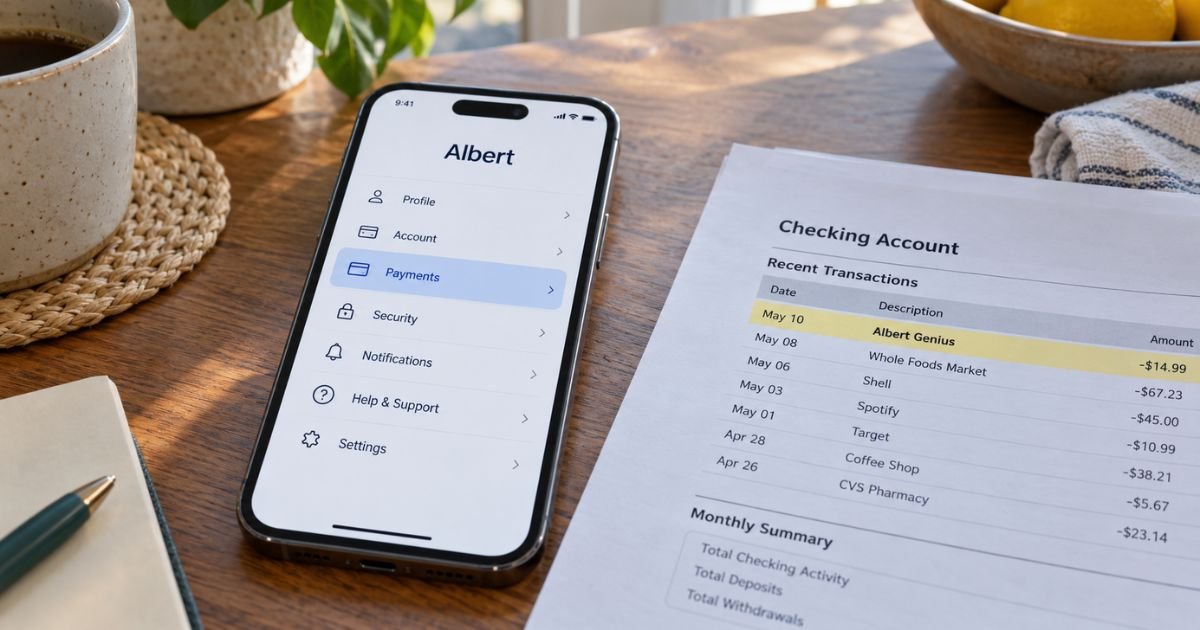
An Albert Genius charge can feel confusing if you do not recall turning on a paid plan. Recurring app fees are often legitimate once a trial ends.
This guide walks through Albert’s official cancel steps, the zero-balance rules, and what still stays open after you deactivate.
Table of Contents
What Albert Genius Is and How Billing Works
Albert Genius is Albert’s paid AI money assistant inside the Albert app. Official help describes it as an AI-powered tool that can help you budget, move money, shop, and answer money questions. Albert also says Genius can make mistakes and is not a substitute for a licensed advisor.
Genius is a subscription tier, not a separate bank. Official help currently lists these monthly prices:
| Plan | Official help price | What it includes, in short |
|---|---|---|
| Standard | $19.99 a month | Core paid Albert benefits, including listed savings access |
| Genius | $39.99 a month | Genius plus Standard benefits |
| Family | $39.99 a month | Owner plus up to 4 members, billed to the Owner |
Your Payments screen is the source of truth. Albert’s terms say some accounts are grandfathered at older prices. Albert may also split or discount a charge. Check Profile, then the menu, then Payments before you cancel.
Billing auto-renews until you cancel or close the account. Albert’s terms say the company can debit your primary linked bank and, if needed, other linked or Albert accounts for the subscription.
Pausing Smart money does not pause the subscription. Official Genius refund help says Albert does not offer refunds for monthly subscriptions.
New and reactivated accounts generally get 30 days before the first subscription charge. Terms say that if you first create or reactivate an account and then deactivate or close it within 30 days of the scheduled payment, that subscription payment will not be charged.
After a monthly charge posts, official help does not promise a refund.
Official ways to cancel Genius
Albert’s Terms of Use list three cancel routes.
1. In the app (official path)
- Open the Albert app and sign in.
- On the home screen, tap Profile.
- Tap the menu icon.
- Tap Payments.
- Tap Help center.
- Choose Deactivate or close my accounts.
- Follow the prompts and save a screenshot of the confirmation.
Official help also points you to the in-app virtual assistant for guided deactivation.
2. On the web
Open a browser and go to albert.com/deactivate. Sign in with the same email or phone you use in the app. Choose deactivate to cancel the subscription, or close if you want every Albert account shut.
3. By text or email
Text customer support at 639-37. Or email support@albert.com. Say you want to cancel the Genius subscription or deactivate the account. Include the name, phone, and email on the account. Ask for written confirmation.
Official contact help also lists (844) 891-9309. That page says you can call to hear support options or leave a voicemail. The fastest official path is still the app, the deactivate page, or text.
Pro Tip: Screenshot Payments before and after you deactivate. Keep the date, plan name, amount, and confirmation. That record helps if another draft posts.
Deactivate vs. close the account
These are not the same step.
Deactivating cancels the Albert subscription, including Genius. Your login generally stays active. Official help says you can reactivate later. Features that are not part of the paid plan may still work.
Permanent closure shuts all Albert accounts. You generally cannot send or receive funds there. Pending and future deposits, including direct deposit, may be returned. That return can take a few days.
Choose deactivate if you only want billing to stop. Choose closure if you want Albert out of your banking setup.
Zero-balance rules you should handle first
Official terms require an Albert Savings and Albert Investing balance of $0 to cancel the subscription. Pending deposits or unsettled trades may force you to wait until those clear.
Deactivation does not wipe Instant advances or loans. Official help says you must keep paying those balances to avoid extra fees. If auto pay is on, Albert may keep drafting those repayments.
Permanent closure is stricter. Official help says Cash, Savings, Investing, advances, and loans generally need to be at $0 first.
Work through this list before you tap deactivate.
- Withdraw Savings to your bank. Wait for the transfer to finish.
- Sell investments if needed, then withdraw settled cash.
- Bring Albert Cash to $0 if you plan to close, not only deactivate.
- Repay Instant or loan balances, or confirm the remaining payoff in the app.
- Watch for a leftover few cents. Consumers often report that a tiny pending amount blocks cancel.
Albert publishes separate help articles for withdrawing Savings, selling investments, and repaying Instant or loans. Use those in-app guides if a transfer is stuck.
Common Mistakes: Stopping Smart money and assuming Genius billing stopped. Official refund help says pausing Smart money does not pause subscription payments. Also, ignoring a $0.99 Investing leftover. Terms can keep the subscription live until that balance is truly $0.
Family plan extra steps
Family is $39.99 a month to the Owner. Official terms say Members are not billed directly. If the Owner cancels, downgrades, or is suspended, each Member must start a personal subscription or close that Member account.
Owners remove a Member under Profile, then Family account. Members leave the same Family account screen. Do not assume one cancel wipes every phone in the household.
What the charge may look like on your statement
Banks shorten names. The line may say Albert, Albert Genius, or a similar app label. Match the date and amount to Payments in the app. If the amount is $19.99, you may be on Standard, not Genius. If it is $39.99, it may be Genius or Family.
Albert typically bills a linked bank or Albert account, not the Apple or Google store. Canceling an App Store subscription may not stop an Albert bank draft. Use Albert’s own deactivate path.
If a charge continues after you cancel
- Confirm deactivation in the app and at albert.com/deactivate.
- Text 639-37 or email support@albert.com with the confirmation and the new charge.
- Ask whether a leftover Savings or Investing balance kept billing on.
- Watch the next billing date. One more draft can post if you canceled after the charge already left the bank.
- If the charge is unauthorized or a billing error, contact your bank. Credit card billing-error rules generally give you 60 days from the statement that first showed the charge to send a written notice. Debit and ACH drafts follow different electronic transfer clocks. Report those quickly.
Albert’s deposit agreement lists the same support channels for electronic transfer errors: 844-891-9309, text 639-37, support@albert.com, or write Albert, 440 N Barranca Ave #3801, Covina, CA 91723.
Do not send one-time passcodes to a random caller. Use numbers from help.albert.com.
FAQs: How to Cancel Albert Genius Subscription
Q. How do I cancel Albert Genius in the app?
A. Official help says go to Profile, then the menu, then Payments, then Help center, then Deactivate or close my accounts. You can also use albert.com/deactivate, text 639-37, or email support@albert.com.
Q. Will Albert refund this month’s Genius fee?
A. Official Genius refund help says Albert does not offer refunds for monthly subscriptions. Terms allow you to avoid the first charge if you deactivate or close within 30 days of the scheduled payment when you first create or reactivate an account.
Q. Why won’t Albert let me cancel?
A. Terms require Savings and Investing balances of $0 to cancel the subscription. Pending transfers or open trades can delay that. Advances and loans stay due even after you deactivate.
Q. Does closing my bank card stop Genius billing?
A. Not by itself. Albert’s terms allow debit of other linked or Albert accounts if the primary account fails. Deactivate in Albert, then ask your bank about a stop payment if another draft is already scheduled.
Conclusion
Canceling an Albert Genius subscription is done by deactivating or closing the Albert account, not by ignoring the app. Official routes are the in-app Help center path, albert.com/deactivate, text 639-37, and support@albert.com.
Zero out Savings and Investing first, keep paying any Instant or loan balance, and save written confirmation so the next $39.99 draft does not surprise you.
Disclaimer: This article is for general information only. It is not financial or legal advice. Albert prices, trial rules, refunds, and account requirements can change and may differ by account. Confirm cancel steps, balances, and charges with Albert or your bank using official contacts.
Meet the Author
