
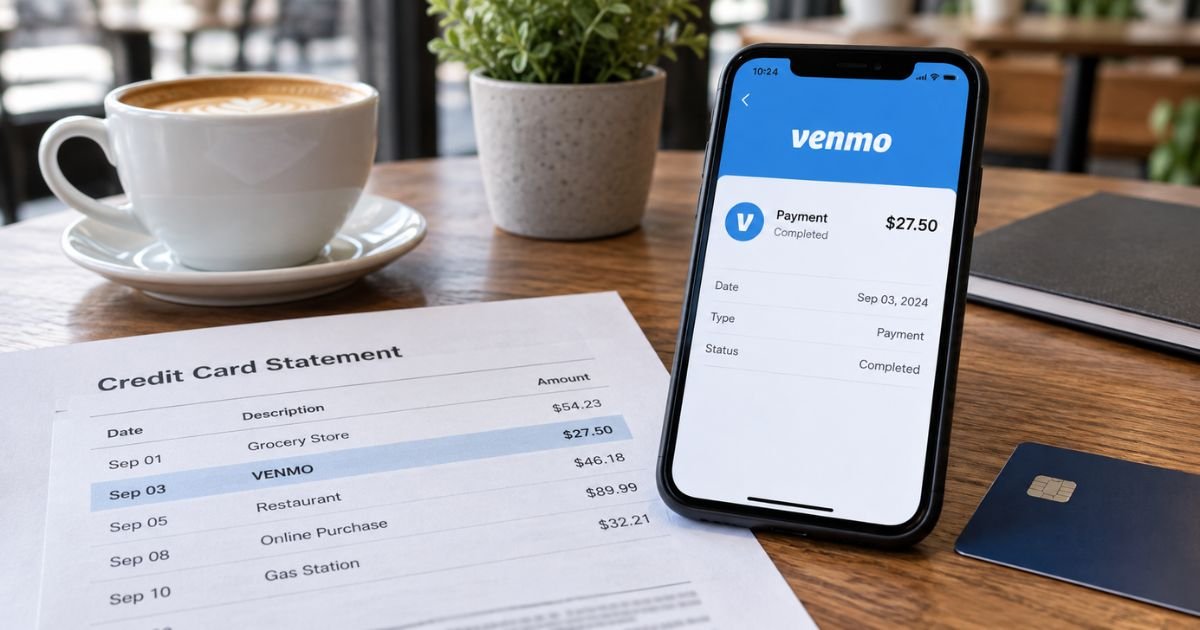
A Venmo charge on a credit card can feel confusing if you don’t recall tapping Send. The line may say only VENMO. The other person’s name is missing.
Unfamiliar Venmo lines are often legitimate. Venmo is a real PayPal, Inc. app for U.S. person-to-person payments and checkout. This guide explains why the charge posts, which official fees apply, and how to match or stop the next pull.
Table of Contents
What is a Venmo charge on a credit card?
A Venmo charge on credit card is typically Venmo pulling your card to fund a send, a checkout, or an add-to-balance move.
Official help says PayPal and Venmo are services of PayPal, Inc. You use the Venmo app or Venmo at a merchant that accepts it.
Official fee pages list a 3.00% fee when you send money to people using a credit card. Sends funded from Venmo balance, a debit card, or a bank account are listed at $0.
Instant Transfer out of Venmo to an eligible U.S. bank or Visa/Mastercard debit card is listed at 1.75%, with a $0.25 minimum and $25 maximum. Standard bank transfer is listed at $0 and generally takes one to three business days.
Official add-a-card help says purchases from authorized merchants do not incur that 3% Venmo fee, even if you use a credit card.
Paying a Venmo business profile with a credit card is also exempt from the sender’s 3% fee. The business pays its own seller fee instead.
Your card issuer may still treat a friend payment as a cash advance. Official Venmo language warns that some providers add cash-advance fees and a higher APR on those sends. That issuer fee is separate from Venmo’s 3%.
How the charge usually appears
Banks shorten the line. You often see Venmo, not the friend or store.
| What you may see | What it often means |
|---|---|
| VENMO, VENMO PAYMENT, VENMO.COM | Common pull to fund a send or checkout |
| VENMO* plus a name or username | Payment tied to that profile |
| VENMO and 855-812-4430 | Same company, plus the official support number |
| PAYPAL*VENMO | PayPal family branding on some issuers |
| PENDING or PRE-AUTH VENMO | Hold that has not fully posted |
| SYNCHRONY BANK*VENMO | Venmo Credit Card activity, issued by Synchrony Bank |
Instant Transfer usually lands as a credit on a bank or debit account, not as a new credit-card purchase. If your credit-card statement shows Venmo, it is more often money leaving the card into Venmo.
The Venmo Credit Card is a separate Synchrony Visa. Paying that bill from a bank is not the same as a VENMO purchase line on another issuer’s card.
Why you might not recognize it
You split dinner and funded the send with the credit card in Wallet. A roommate or authorized user linked the same card. You paid a shop that offered Venmo at checkout, so the store name never printed.
Official unknown-charge help says a Venmo line can appear even if you do not have a Venmo login. Someone with permission to use the card may have added it.
If no authorized person used it, official help says to treat it as a possible breach and work with the card issuer first. Venmo says it cannot act on an account that is not yours.
Small authorization holds can post, then drop. Match the exact amount in the Venmo feed before you assume a second payment.
Pro Tip: Open Venmo, tap the transaction, and check “Paid with.” That screen shows whether the credit card, debit card, bank, or balance funded the send.
How to confirm the charge
- Sign in at venmo.com or in the official app.
- Open your personal feed or Me, then Settings, then Statements.
- Match the date, amount, and recipient.
- Open Wallet and tap the card to see the 3% fee note.
- If you have a Teen Account, the parent or guardian downloads those statements.
Official help lets you download a monthly CSV from Settings, then Statements, or from venmo.com. Use that file when the printed card line is too short.
Completed friend payments generally stay completed. Official purchase-protection language applies when a buyer tags a payment as a purchase to an eligible seller.
Casual “for pizza” notes do not automatically create that coverage. Ask the recipient first if you sent to the wrong @username.
Fees that can sit next to the charge
Official venmo.com/legal/us-user-agreement and the fees page work together.
- Friend send from balance, debit, or bank: $0 Venmo fee
- Friend send funded by credit card: 3.00% Venmo fee
- Authorized merchant purchase: $0 Venmo transaction fee, even on credit
- Business profile receive (seller): 1.9% + $0.10 on payments of $1.00 or more
- Tap to Pay receive: official pages list about 2.29% plus a small fixed amount
- Instant Transfer: 1.75% ($0.25 min, $25 max)
- Standard transfer to bank: $0
Amex Send & Split is a special link. Official Venmo help says adding money to an Amex Send Account from an American Express card has no Venmo send fee and is not a cash advance. Rewards may not apply on that add. Confirm current Amex terms in the Amex app.
Limits depend on identity verification. Official personal-profile help lists higher weekly bank-transfer caps after verification. Instant Transfer has a minimum just above $0.25.
Common Mistakes: Funding roommate rent with a rewards card and missing both Venmo’s 3% and a cash-advance fee. Disputing only with the issuer while the Venmo login still has the card on file. Confusing Instant Transfer (money leaving Venmo) with a credit-card charge (money entering Venmo).
How to stop future Venmo card pulls
Remove the card in Wallet under Banks and cards. Change the default funding source to bank, debit, or balance. Turn off auto-reload if you turned it on.
Official user-agreement language says you can cancel automatic add-money transactions in the app or by contacting support.
Uninstalling the app does not unlink the card. Change the password and review devices if the send was not yours.
Official general support is (855) 812-4430, listed 8 a.m. to 8 p.m. CT every day. In-app path is Me, then Settings, then Get Help, then Chat With Us. Chat hours on contact pages vary slightly by article. Use the in-app flow first.
Venmo Credit Card support is Synchrony. Official lost-or-stolen help lists 855-878-6462. Call the number on the back of that card for bill questions. Venmo Debit Card live-agent hours are listed around 8 a.m. to 8 p.m. CT.
A mailing address on the fees page is Venmo, 117 Barrow Street, New York, NY 10014.
Lookalikes that are not this Venmo line
- PayPal Instant Transfer or PAYPAL *merchant
- Cash App or CASH APP*CASH OUT
- Zelle, which usually posts on checking, not as a card merchant
- Meta Pay or Facebook Pay
- Square or SQ * plus a shop name
- Synchrony on a different store card that is not Venmo Credit Card
Open venmo.com yourself. Venmo will not ask you to send a “test” payment to keep an account open.
If you did not authorize the charge
Change your Venmo password. Remove the card. Official unauthorized-activity help asks for the date, amount, and @username. Chat in the app and ask for an agent.
Also call the number on the back of the credit card. Official Venmo unknown-charge help says the issuer is the best first contact when you do not hold the Venmo account.
Federal credit-card billing-error rules generally give you 60 days after the statement was sent to dispute in writing.
Venmo Purchase Protection is for eligible tagged purchases, not every friend split. Goods-and-services problems start with the seller, then Venmo dispute tools if the payment qualified.
FAQs: Venmo Charge on Credit Card
Q. Why does a Venmo charge on a credit card hide the store or friend?
A. Venmo is the merchant the card network sees when it funds your wallet. The friend or shop name lives in the Venmo feed. Open that transaction and read Paid with, plus the other profile.
Q. Did Venmo add a 3% fee on top of my send?
A. Official fees say yes when you send to people with a credit card. Official help says no Venmo 3% fee on authorized merchant checkouts, even with a credit card. Your issuer can still add a cash-advance fee on friend payments. Check both.
Q. Can Venmo reverse a send I already completed?
A. Friend payments that finished generally stay finished. Ask the recipient to send the money back. Eligible purchases tagged as purchases may have Purchase Protection. Unauthorized card use is a bank and Venmo security issue, not a “cancel send” button.
Q. Is Instant Transfer the same as this credit-card charge?
A. Usually no. Instant Transfer moves Venmo balance to a bank or eligible debit card and takes the 1.75% fee from that transfer. A credit-card Venmo line is typically money coming off the card into Venmo. Match both in the app feed.
Conclusion
A Venmo charge on a credit card is typically Venmo funding a person-to-person send, a merchant checkout, or an add-cash pull.
Official pages list a 3% fee on credit-funded friend payments and $0 Venmo fee on many authorized merchant purchases.
Match the line in the Venmo feed, remove the card if you do not want more pulls, and use in-app chat or (855) 812-4430 if the charge is not yours.
Disclaimer: This article is for general information only. It is not financial, legal, or tax advice. Venmo fees, descriptors, limits, and dispute paths vary by profile type, funding source, and issuer. Verify account-specific questions with Venmo or your bank before you dispute or change a payment method.
Meet the Author
