
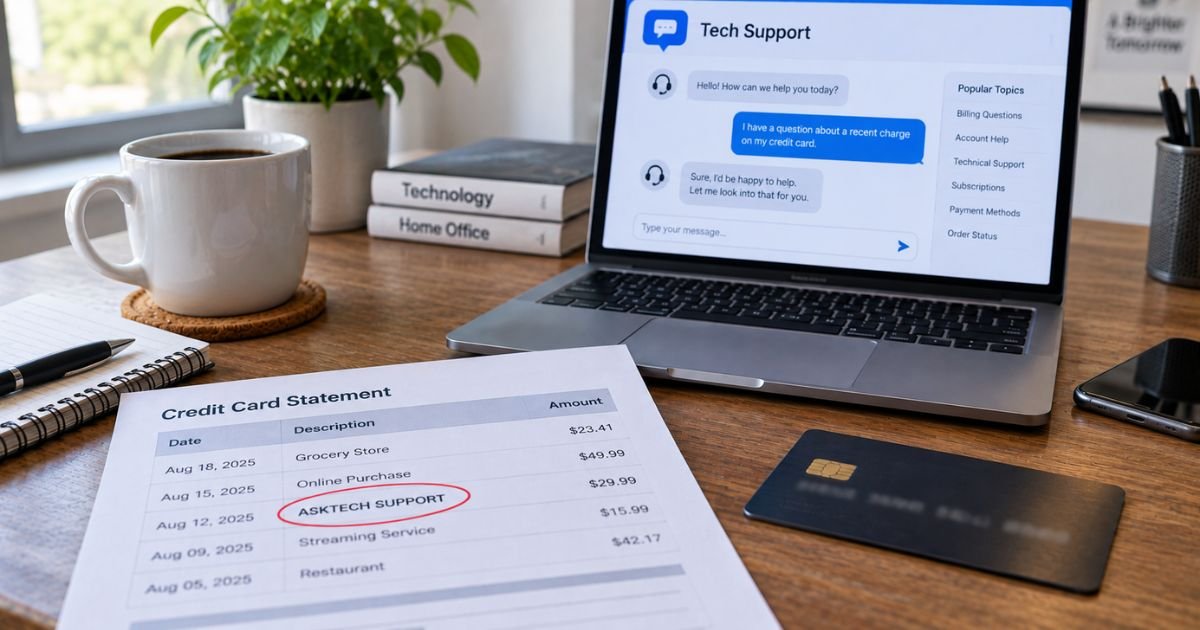
An AskTech Support charge on a credit card can feel confusing if you don’t recall signing up for anything. Many people only remember a $1 or $5 fee to ask one computer question.
Unfamiliar tech-support lines are often a real membership bill, not a random hack. They can still be a plan you did not mean to keep.
This guide shows who usually bills that name, how the line appears, and how to stop the next draft.
Table of Contents
What Is an AskTech Support Charge on a Credit Card?
An AskTech Support charge on credit card is typically a payment to the expert Q&A site at asktech.support. That site is part of the JustAnswer marketplace (also tied to Pearl.com).
You pay to chat with an independent “Expert” about a computer, printer, phone, or similar issue. It is not Apple, Microsoft, HP, Epson, or your internet company.
JustAnswer’s own help pages describe the usual billing model. You generally pay a one-time join fee when you post a question.
If you enroll in membership, a monthly fee is also charged at signup. That monthly fee then repeats until you cancel.
Official pricing pages have listed about $65 per month per category plus a $5 join fee, with a note that your price may vary. Consumer statements often show other amounts, commonly in the $48 to $69 range.
This is not ASK Technologies, Inc. That firm uses asktech.com and has publicly said it is not AskTech Support and does not sell consumer PC help. Do not call that company about this card line.
It is also not the classic “Windows support” phone scam that takes remote control of your PC. AskTech Support is a paid question site. People still get surprised when a small question fee becomes a repeating membership.
How the charge usually appears
Banks shorten the merchant name. Covina, California, is the city tied to JustAnswer LLC’s public business listings.
| Statement text (typical) | What it usually means |
|---|---|
| AskTech.support | JustAnswer tech-category membership or join fee |
| AskTech.support COVINA CA | Same biller, with JustAnswer’s Covina listing |
| ASKTECH.SUPPORT | Same name in all caps |
| AskTechSupport or Ask Tech Support | Same service, shortened by the bank |
| VISA-AskTech.support | Card-network prefix plus the merchant |
| Small first charge, then a larger monthly charge | Join fee, then membership renewal |
Issuers may add PENDING, RECURRING, or a phone fragment. A number on the statement is not always the cancel line. Use official JustAnswer account pages first.
Why you might see this charge
You asked one tech question
Search ads, a chat widget, or a “get help now” pop-up can send you to asktech.support. The checkout often looks like a cheap question. Official JustAnswer language still treats most signups as membership plus a join fee.
You thought the first amount was the full price
Many people report a $1, $5, or $8 authorization, then a larger membership charge the same day or the next billing cycle. Official help says both the join fee and the first monthly fee can post at signup.
Auto-renew kept running
Membership repeats each month unless you cancel before the next period. Skipping the site does not stop the card.
Someone else used your card
A partner or relative may have posted a question on a shared device.
You mixed it up with brand support
Printer and PC makers do not bill as AskTech.support. If you reached the site from a search ad while looking for HP or Epson, the bill is still the Q&A membership.
How to match the charge
Start with email and the JustAnswer account, not a random phone number.
- Search your inbox for JustAnswer, AskTech, Pearl.com, and “membership.”
- Sign in at justanswer.com or asktech.support with every email you use.
- Open My Account, then Membership.
- Match the charge date to the day you posted a question.
- Check whether a join fee and a membership fee posted close together.
If you cannot sign in, use JustAnswer’s password reset with the email from that day. Customer Care is also listed at justanswer.com/help.
JustAnswer LLC publicly lists 440 N Barranca Ave, PMB 7508, Covina, CA 91723. That address matches the “COVINA CA” text many people see.
BBB profiles for Just Answer note large volumes of complaints about membership and subscription billing. That pattern matches what cardholders describe. It does not, by itself, prove any one charge is fake.
Pro Tip: Look for two charges near the same date. A small join fee next to a larger monthly fee is the usual JustAnswer signup pair. Screenshot both lines before you cancel or dispute.
How to cancel AskTech Support billing
Cancel inside the JustAnswer account. Official help says that stops future membership drafts. It does not always erase fees already posted.
On a computer
- Sign in at JustAnswer or AskTech Support.
- Open My Account.
- Open Membership.
- Select Cancel membership and confirm.
In the JustAnswer app
- Open Account.
- Choose Manage Membership.
- Select Cancel Membership and confirm.
Official pages also point you to Customer Care chat from justanswer.com/help if the button is missing. Save the confirmation email.
JustAnswer’s U.S. help says you can cancel before future billing periods to avoid the next monthly fee. Refunds are not automatic in that same language.
The help center says to contact Customer Care if you want a refund review. Some regional terms mention a time-limited refund window. Do not count on a full refund until you have written confirmation.
Pearl.com Trustpilot replies from JustAnswer staff have listed 800-805-5962 for customer care. Confirm any number on justanswer.com before you call. Do not give a new card number just to “unlock” a cancel request.
After you cancel, watch one more statement. If another draft posts, tell your issuer the merchant is AskTech.support or JustAnswer and ask them to block that biller.
Common Mistakes: People chat with an Expert about canceling and think billing stopped. Experts on the site answer tech questions. They are not the billing desk. Others pay a new “question fee” to ask how to cancel. Use My Account or Customer Care instead.
If you do not recognize the charge
Work this list first.
- Confirm you did not tap a “$1 to connect” or “$5 expert” button during a printer or PC problem.
- Check shared family cards.
- Cancel membership in the account if one exists.
- If no account exists on your emails, treat the charge as unauthorized.
For U.S. credit cards, the Fair Credit Billing Act generally gives you 60 days from the statement date to send a written billing-error notice.
Many issuers also let you start a dispute in the app. Ask them to stop recurring billing from that merchant. A new card number is often the cleanest stop if drafts continue.
This site is different from a caller who claims to be Microsoft and asks for remote access. Still use caution. Official cancel paths do not require a new payment to speak with billing.
FAQs: AskTech Support Charge on Credit Card
Q. Is AskTech Support the same as Apple or HP support?
A. No. AskTech Support is a JustAnswer Q&A site. Brand support uses the maker’s own account and does not bill as AskTech.support Covina CA. A search ad or chat widget can look official and still send you to the membership site.
Q. Why was I charged more than $1 or $5?
A. JustAnswer’s help pages say most users pay a join fee and a monthly membership fee at signup. The small amount people remember is often only the join fee or a test charge. The larger line is typically the first membership period. Listed category pricing has been about $65 a month plus a $5 join fee, and JustAnswer says your price may vary.
Q. How do I cancel so the charge does not repeat?
A. Sign in, open My Account, then Membership, and choose Cancel membership. In the app, use Manage Membership. Canceling generally stops future months. It does not automatically refund the current period. Keep the confirmation email.
Q. Is ASK Technologies in Pennsylvania the company on my statement?
A. Usually no. ASK Technologies, Inc. (asktech.com) has said it is not AskTech Support and does not provide consumer PC assistance. A Covina, CA descriptor points toward JustAnswer LLC, not that Pennsylvania firm.
Conclusion
An AskTech Support charge on a credit card is usually a JustAnswer membership after a tech question, billed as AskTech.support and often Covina, CA. It is not manufacturer support and not ASK Technologies, Inc.
Match the date in your JustAnswer account, cancel membership before the next cycle, and use your issuer if drafts continue after you cancel.
Disclaimer: This article is for general information only. It is not financial, legal, or account advice. Membership prices, descriptors, refunds, and cancel steps can change and may vary by category, country, and card issuer. Confirm details in your JustAnswer or AskTech Support account, on official help pages, or with your bank before you dispute a charge.
Meet the Author
