
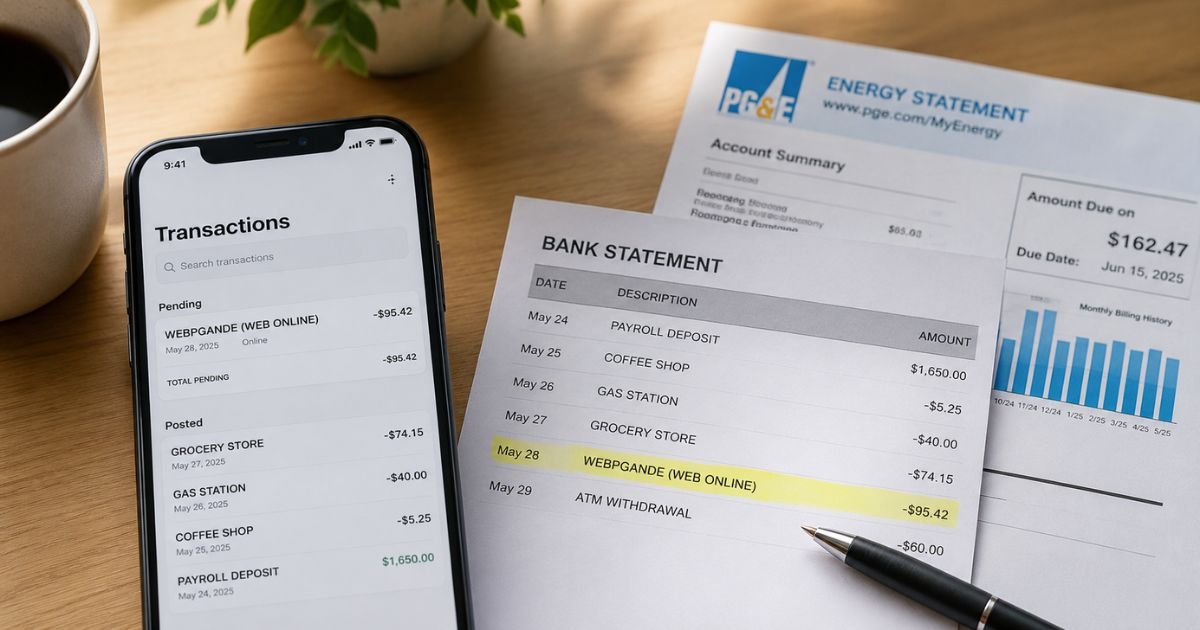
Seeing an unfamiliar charge like “Webpgande” on your bank or credit card statement can feel unsettling. You open your account, scan the list of transactions, and this one does not match anything you remember.
Most of the time this charge is legitimate. It is simply how Pacific Gas and Electric Company (PG&E) labels online bill payments. Still, you should always verify it.
This guide explains exactly what the Webpgande charge on bank statement is, why it shows up, how to confirm it belongs to you, and what to do if something looks wrong.
Table of Contents
What Is the Webpgande Charge?
Webpgande is the billing descriptor Pacific Gas and Electric Company uses for many online and web-based payments.
PG&E is one of the largest combined natural gas and electric utilities in the United States. It serves millions of customers across Northern and Central California.
When you (or someone authorized on your account) pay a PG&E bill online, through guest bill pay, or via autopay, the transaction often appears as:
- WEBPGANDE (WEB ONLINE)
- PGANDE WEB ONLINE
- WEBPGANDE
- ACH-A-1101583-WEBPGANDE
- CHKCARD WEBPGANDE (WEB ONLINE)
- POS Debit WEBPGANDE
These short codes fit the limited space banks allow on statements. The “WEB” part simply signals that the payment came through PG&E’s online system rather than a mailed check or in-person location.
The charge amount should match a recent PG&E bill or the amount you authorized for payment.
Why Did This Charge Appear?
Several common situations explain a Webpgande charge:
- You paid your monthly gas or electric bill online at pge.com or through the guest bill-pay option.
- Autopay or recurring payment is set up on your PG&E account and pulled the amount due.
- A family member or roommate who shares the utility account made the payment with your card or linked bank account.
- You used a credit or debit card for a one-time payment and a small transaction fee was added (card payments often carry a processing fee).
- The charge is a pending authorization that later posts as a final payment.
- Rarely, a duplicate payment or processing delay creates two similar entries.
If you live in or recently lived in the PG&E service area, the charge is almost always tied to actual energy service.
How to Verify the Charge
Follow this simple checklist:
- Log into your online banking or credit card account and note the exact date, amount, and full descriptor.
- Sign in to your PG&E account at pge.com/myaccount (or use guest bill pay with your account number and ZIP code).
- Check Billing & Payment History for a matching payment on or near the same date.
- Compare the amount on your bank statement with the PG&E bill or confirmation email.
- Look for recent emails or paper statements from PG&E that confirm the payment.
- Ask anyone else who has access to the utility account or your payment method whether they paid a bill.
If the amounts and dates line up, the charge is almost certainly legitimate.
Is It Legitimate or Fraud?
Common legitimate scenarios
- Regular monthly utility payment
- Autopay withdrawal
- One-time online payment you or a household member made
Warning signs that deserve a closer look
- You have never had PG&E service and do not live in Northern or Central California
- The amount is far higher than any bill you remember
- Multiple identical charges appear in a short period
- You receive no confirmation from PG&E
If anything feels off, contact PG&E first at the official residential number 1-877-660-6789. Have your account number ready. Then call your bank or card issuer if the charge remains unexplained.
How to Cancel
Because Webpgande is a payment for utility service, “canceling” usually means stopping future automatic payments rather than voiding past service.
To stop Autopay:
- Sign in at pge.com/myaccount.
- Go to All payments tasks → Recurring Payments.
- Select the payment method and choose to cancel or modify.
- Confirm the change.
You can also call residential customer service at 1-877-660-6789 and request that autopay be turned off.
To stop service entirely (move, close account, etc.):
Call 1-877-660-6789 and provide your account details. PG&E will schedule a final meter read and issue a closing bill.
One-time payments already posted cannot be “canceled,” but you can request a refund or adjustment if the amount is incorrect (see next section).
Can You Get a Refund?
Refund eligibility depends on the situation:
- Overpayment or duplicate payment: Contact PG&E. They can apply the excess to a future bill or issue a refund.
- Billing error: PG&E will investigate and adjust if warranted.
- Unauthorized charge: Report it to both PG&E and your bank promptly.
Typical dispute timeline with your bank or card issuer
- Credit cards: You generally have 60 days from the statement date to dispute.
- Debit cards / ACH: Report as soon as possible (often within 60 days under Regulation E).
Call your bank’s fraud or dispute line and provide the transaction details. Keep records of every conversation.
What to Do If the Charge Is Unauthorized
- Contact PG&E immediately at 1-877-660-6789 and ask them to confirm whether the payment is on your account.
- Call your bank or credit card issuer’s fraud department the same day.
- Request that the card or account be frozen or replaced if needed.
- File a dispute and ask for a provisional credit while the investigation continues.
- Monitor your accounts daily for any additional unfamiliar activity.
- Keep written notes of dates, names, and reference numbers from every call.
Acting quickly protects your rights and limits potential losses.
Prevention Tips
- Review your bank and credit card statements at least once a week.
- Turn on real-time transaction alerts through your bank’s app.
- Use a dedicated payment method or virtual card number for utility autopay.
- Keep a simple list of all recurring subscriptions and utilities.
- Log into your PG&E account monthly and check the payment history.
- Never share account numbers or login credentials with anyone who does not need them.
- When moving, formally stop PG&E service so the account does not stay open under your name.
- Prefer bank-account autopay over credit cards when possible to avoid transaction fees.
Common Webpgande Descriptor Variations
| Statement Appearance | Meaning |
|---|---|
| WEBPGANDE (WEB ONLINE) | Online PG&E bill payment |
| PGANDE WEB ONLINE | Same as above |
| ACH-A-1101583-WEBPGANDE | ACH / electronic payment |
| CHKCARD WEBPGANDE | Debit or check card payment |
| POS Debit WEBPGANDE | Point-of-sale style posting |
| PENDING WEBPGANDE | Authorization still processing |
Refund & Dispute Timeline Overview
| Action | Typical Window |
|---|---|
| Report to PG&E | As soon as noticed |
| Credit-card dispute | Within 60 days of statement |
| Debit / ACH dispute | Promptly (often 60 days) |
| Provisional credit (if approved) | Usually 1–10 business days |
FAQs: Webpgande Charge on Bank Statement
Q. What does Webpgande stand for on my statement?
A. It is the shortened billing name Pacific Gas and Electric uses for many online and web payments. The “WEB” portion indicates the payment was processed through PG&E’s online system.
Q. I never lived in California. Why do I have a Webpgande charge?
A. Contact both PG&E and your bank right away. It could be an unauthorized transaction, a family member’s payment, or a rare processing mix-up. Do not ignore it.
Q. Does PG&E charge a fee when I pay with a credit card?
A. Yes. Card payments usually carry a transaction fee set by the payment processors. Bank-account payments made while logged into your PG&E account are typically free of those fees.
Q. How do I stop future Webpgande charges?
A. Log into your PG&E My Account and cancel or edit recurring payments, or call residential customer service at 1-877-660-6789 and request that autopay be turned off.
Conclusion
A Webpgande charge on bank statement is almost always a legitimate Pacific Gas and Electric bill payment processed online. Matching the amount and date to your PG&E account usually clears up the mystery in minutes.
If the charge does not belong to you, act quickly: contact PG&E, then your bank. Keeping an eye on statements and using account alerts will help you catch any future surprises early.
You now have the steps to verify, stop, or dispute the charge with confidence.
Disclaimer: This article is for informational purposes only and is not financial, legal, or professional advice. Always confirm details directly with Pacific Gas and Electric Company and your financial institution. Policies and contact information can change.
Meet the Author
