
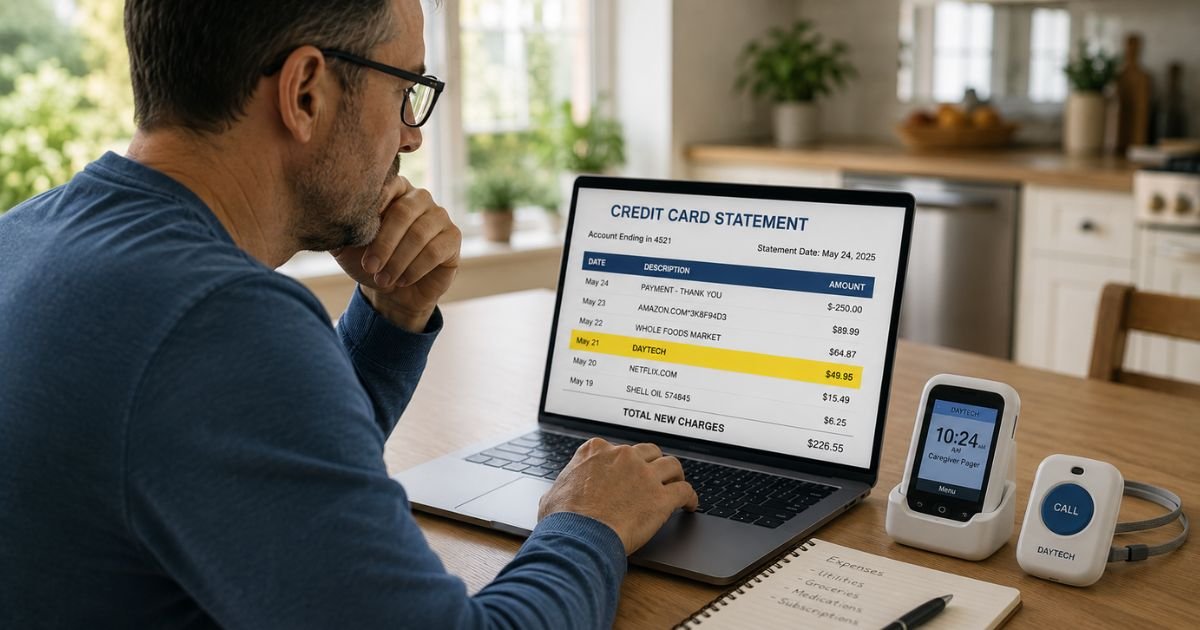
Seeing an unfamiliar charge like “Daytech” on your credit card statement can cause immediate worry. You want to know right away whether it is legitimate or a problem that needs quick action.
This article explains what the charge represents, why it showed up on your statement, how to verify it, and exactly what to do next, whether you want to keep the item, return it, or dispute the charge.
Table of Contents
Quick Answer
The Daytech charge on credit card usually results from purchasing a wireless caregiver pager system, door alarm, or similar home monitoring device directly from Daytech or one of their authorized sellers.
It is normally a one-time payment for the hardware. Some WiFi-connected models offer an optional paid upgrade for SMS or phone call alerts, which can create a recurring charge if you signed up for that extra service.
Most people recognize the charge once they remember ordering a device for a parent, grandparent, or themselves.
What Is the Daytech Charge on My Credit Card?
Daytech, also known as Quanzhou DAYTECH Electronic Technology Co., Ltd., makes and sells affordable wireless caregiver alert systems and basic home security devices.
Their popular products include plug-in receivers with wireless call buttons, fridge door alarms, and WiFi-enabled pagers that send phone notifications.
When you buy from their website (daytech-security.com) or through marketplaces, the charge often appears under a shortened or processed name. Common billing descriptors include:
- DAYTECH
- DAYTECH SECURITY
- DAYTECH* followed by numbers or letters
- DAYTECH ELECTRONIC or similar variations
Payment processors limit descriptor length and sometimes add reference codes, which is why the name on your statement does not always match the full company name.
These descriptors help the merchant track the order but can look confusing to customers.
Why Did This Charge Appear?
Several common situations explain why a Daytech charge shows up on your statement.
You or a household member made a purchase
Many families buy these devices for elderly parents who live alone. The buyer may have forgotten to mention it or used a shared card.
One-time hardware purchase
The majority of Daytech transactions are simple one-time payments for the physical pager kit or alarm system.
Optional subscription add-on
Some WiFi models connect to a phone app for free push notifications. If you (or the user) chose the extra paid option for SMS texts or actual phone calls, that creates a recurring monthly charge.
Gift or shared account purchase
An adult child may have bought the device as a gift using a parent’s card or a joint account.
International processing
Because the company is based in China, your statement may also show a foreign transaction fee or a slightly different processor name alongside “Daytech.”
How to Verify the Charge
Follow these steps in order to confirm whether the charge is yours.
- Search your email inbox and spam folder for “Daytech,” “daytech-security.com,” or “caregiver pager.”
- Check your Amazon, eBay, or Walmart order history if you shop on those sites frequently.
- Log into any account you may have created on daytech-security.com.
- Look at the full transaction details in your credit card app or online banking for any order number or merchant phone number.
- Ask every adult in your household whether they recently ordered a wireless call button or door alarm.
- Contact Daytech support directly at daytech02@daytech-group.com and provide the date and amount of the charge. They can confirm the order.
Is It Legitimate or Fraud?
In the large majority of cases, the Daytech charge is legitimate. Families buy these devices to give elderly relatives a simple way to call for help without needing a smartphone or monthly monitoring contract.
Warning signs of possible fraud include:
- No one in your household recognizes the purchase
- Multiple charges from Daytech in a short period
- The charge appeared right after you used your card on an unfamiliar website
If the charge looks unauthorized, treat it seriously. Contact your credit card issuer’s fraud department immediately.
Credit card companies generally offer strong protection against unauthorized charges when you report them promptly.
How to Cancel (if applicable)
Most Daytech charges are one-time purchases, so there is nothing to cancel.
If you see recurring monthly charges, they almost certainly come from the optional SMS or phone call notification upgrade on a WiFi model.
You can usually manage or cancel this inside the Tuya Smart app that works with the device, or by contacting Daytech support at daytech02@daytech-group.com and asking them to stop the service.
For hardware returns, check the return window listed in your order confirmation email or on their website. Daytech maintains a returns policy for unused items, though exact time frames and conditions vary.
Can You Get a Refund?
You have two main paths depending on the situation.
If the purchase was recent and the item is still in its original packaging, contact Daytech support first to request a return authorization.
Many online retailers allow returns within 30 days for unused goods.
If the charge was unauthorized or you decide to dispute it, your credit card issuer can usually help. Under federal rules, you generally have up to 60 days from the statement date to dispute a charge.
Provide any evidence you have (or lack of evidence that you ordered it). The issuer will investigate and often issue a provisional credit while they review.
What to Do If the Charge Is Unauthorized
Act quickly if no one in your household made this purchase.
- Call the fraud or disputes number on the back of your credit card right away.
- Explain that you do not recognize the Daytech charge and request a dispute.
- Ask whether they recommend freezing the card or issuing a new one.
- Monitor your other cards and bank accounts for any additional suspicious activity.
- Keep records of every conversation and confirmation number you receive.
Your credit card company handles most of the work once you file the dispute. You usually do not have to pay the charge while the investigation is underway.
Prevention Tips
These simple habits help you catch unfamiliar charges faster and avoid surprises in the future.
- Turn on real-time transaction alerts in your credit card app so you receive a notification for every purchase.
- Review your full statement at least once a week instead of waiting for the monthly bill.
- Use virtual card numbers or single-use cards when shopping on lesser-known websites.
- Keep order confirmation emails organized in a dedicated folder.
- Talk openly with family members about any online purchases made for elderly care or home security devices.
- Only save your card details on websites you trust and regularly use.
- Shop on secure (https) sites and check recent customer reviews before buying.
- Consider a credit card that offers strong fraud monitoring and easy dispute tools.
Common Daytech Billing Descriptor Variations
| Descriptor on Statement | Most Likely Meaning |
|---|---|
| DAYTECH | Standard one-time product purchase |
| DAYTECH SECURITY | Caregiver pager or alarm system purchase |
| DAYTECH* [numbers/letters] | Processed order with internal reference code |
| DAYTECH ELECTRONIC | Full or abbreviated company name |
Quick Decision Guide
| Situation | Recommended First Step |
|---|---|
| You recognize the purchase | Contact Daytech if you need support or return |
| Recurring monthly charge | Check Tuya app or email Daytech to cancel |
| No one recognizes the charge | Call your credit card fraud department today |
| Recent purchase, want to return | Email Daytech support for return instructions |
FAQs: Daytech Charge on Credit Card
Q. What company is behind the Daytech charge on my credit card?
A. Daytech (Quanzhou DAYTECH Electronic Technology Co., Ltd.) sells wireless caregiver pagers, call button systems, door alarms, and basic home monitoring devices through their website and online marketplaces. The charge appears when someone buys one of these products.
Q. Is the Daytech charge usually legitimate or a scam?
A. In the great majority of cases it is a legitimate purchase. Families commonly buy these devices to help elderly relatives call for assistance. Treat it as potential fraud only if no one in your household remembers ordering anything from Daytech.
Q. How do I stop recurring Daytech charges?
A. Most Daytech charges are one-time. If you see monthly charges, they likely come from the optional paid SMS or phone call alert service on certain WiFi models. Log into the associated Tuya app or contact Daytech support at daytech02@daytech-group.com to cancel the notification upgrade.
Q. Can I get a refund for a Daytech charge on my credit card?
A. You can request a return from Daytech if the item is unused and within their return window. For unauthorized charges, dispute the transaction directly with your credit card issuer. They will guide you through the process and often provide a provisional credit during the investigation.
Conclusion
The Daytech charge on credit card is most often a straightforward purchase of a caregiver pager or home alarm device that helps families support elderly loved ones.
Start by verifying the charge with your household and the merchant. In the majority of situations you will quickly confirm it was a legitimate order.
If anything still feels off, your credit card issuer stands ready to help you dispute the charge and protect your account.
Stay calm, act methodically, and you will have this sorted quickly.
Disclaimer: This article is for informational purposes only and does not constitute financial, legal, or professional advice. Policies, return windows, and subscription details can change. Always verify current information directly with Daytech and your credit card issuer for your specific situation.
Meet the Author
