
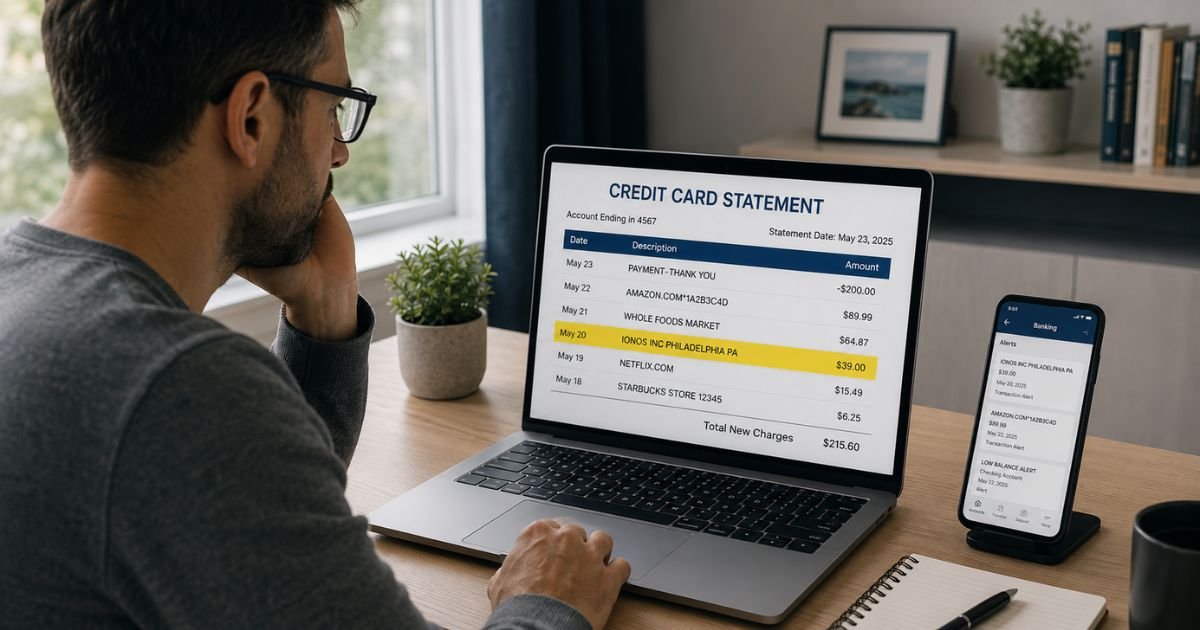
Seeing an unfamiliar IONOS Inc charge on credit card statement can feel alarming. You are not alone. Many people notice these charges and wonder where they came from.
IONOS Inc is a legitimate web hosting and domain company. The charge usually links to real services, but you should still verify it right away.
This guide explains exactly what the charge means, why it appeared, and the clear steps to take next.
Table of Contents
What Is the IONOS Inc Charge?
IONOS Inc operates as the United States subsidiary of IONOS Group.
The company provides website hosting, domain name registration and renewal, professional email accounts, website builder tools, SSL certificates, and cloud server solutions.
It serves many small businesses and individuals across the country.
On your statement you will usually see one of these common billing descriptors:
- IONOS INC followed by a number and PHILADELPHIA PA
- IONOS * WEB-HOSTING SERVICE
- IONOS * DOMAIN RENEWAL
- IONOS.COM PAYMT
- IONOS CLOUD LTD or IONOS*EMAIL HOSTING SUBSCRIPTION
The exact wording can vary slightly depending on the specific service and billing cycle. A 10-digit number sometimes appears next to the name. That number often relates to the customer or contract ID.
These charges cover real services. The amount depends on the plan you selected. Monthly hosting or email plans, annual domain renewals, and one-time add-ons all generate these transactions.
Why Did This Charge Appear?
Several common situations trigger an IONOS Inc charge.
You or someone who shares your card may have signed up for web hosting or a domain name. Many people start a small website or blog and then forget about the recurring fee.
Free trials or promotional offers sometimes convert automatically to paid plans. If you signed up for a trial and did not cancel in time, the first full charge appears.
Domain names and hosting packages often renew automatically each year. The renewal charge can surprise people who registered a domain months or years earlier.
A family member or colleague may have used your card to purchase services.
IONOS sometimes places a small authorization hold when you place a new order. These temporary holds usually reverse or convert into the actual charge within a few days.
In rarer cases, someone obtained your card details and created an account without your knowledge. Stolen card testing occasionally produces these charges.
Duplicate billing or failed payment retries can also create extra transactions.
How to Verify the Charge
Follow these steps in order.
- Search your email inbox, spam, and promotions folders for messages from IONOS, noreply@ionos.com, or similar addresses. Look for order confirmations, invoices, welcome emails, or renewal notices.
- Go to ionos.com or my.ionos.com and try to log in or reset your password using any email address that might be linked to the charge.
- Call the number on the back of your credit card and ask for the full merchant details, including any address or customer reference number associated with the transaction.
- Review your recent online activity. Think about any website projects, domain purchases, or free trials you started in the last year or two.
- If you locate an IONOS account, log in and check the Invoices & Payment Details or Contracts section. Match the dates and amounts to your statement.
These steps usually reveal whether the charge is connected to a real account you control.
Is It Legitimate or Fraud?
Most IONOS Inc charges are legitimate payments for services the customer or an authorized user ordered. People often forget about old domains, automatic renewals, or trials that converted.
Warning signs that the charge may be unauthorized include no matching emails in your inbox, no account found when you try to log in, charges for services you never use, or multiple similar transactions appearing suddenly.
If you have no recollection of any IONOS service and cannot locate an account, treat the charge as potentially unauthorized. Contact your card issuer right away rather than waiting.
How to Cancel
If you find an active IONOS account, you can cancel the services yourself.
Log into your IONOS account at my.ionos.com. Navigate to the Contracts, Services, or My Account section.
Locate the specific contract or subscription that matches the charge. Follow the on-screen prompts to cancel or terminate the contract.
You must usually respect any minimum contract term and notice period that applied when you signed up.
After you submit the cancellation request, save the confirmation screen and any emails you receive.
The process sometimes requires additional confirmation for security reasons. If the website options are unclear or you run into difficulty, use the live chat support available after you log in or visit the official IONOS contact page for further assistance.
Canceling stops future recurring charges, but you may still receive a final invoice for any period already used.
Can You Get a Refund?
IONOS offers a 30-day money-back guarantee on many new orders when customers are not satisfied.
For longer-running subscriptions, refund eligibility depends on your specific contract terms and the timing of your cancellation request.
When you cancel, IONOS issues a final invoice. You may receive a refund or credit for unused basic charges.
Fees already paid in advance for additional domains or add-on services are generally not refunded.
If the charge was unauthorized, work directly with your credit card issuer to dispute it. Provide any evidence you gathered during verification.
Always keep records of your cancellation request and any confirmation numbers.
What to Do If the Charge Is Unauthorized
Act quickly if you believe the charge was not authorized.
Contact your credit card issuer immediately and dispute the transaction. Explain that you do not recognize the charge and have no IONOS account or service.
Request a replacement card with a new number if fraud is suspected.
Monitor your statements closely for the next several weeks and enable real-time transaction alerts.
If you somehow gained access to an IONOS account created with your card, cancel all services right away to prevent additional charges.
Consider placing a fraud alert with the major credit bureaus and review your credit reports for other suspicious activity.
Change passwords on any financial or important accounts and turn on two-factor authentication.
Prevention Tips
Review every credit card and bank statement at least once a month. Small recurring charges can add up quickly.
Use virtual card numbers or privacy-focused services when signing up for trials and subscriptions. These let you create single-use or merchant-specific card numbers that you can turn off later.
Keep a simple list or note on your phone of every free trial, domain purchase, and web service you start. Include the date and confirmation number.
Turn on transaction alerts and push notifications from your card issuer so you see charges the same day they post.
Set calendar reminders a few days before any trial is scheduled to convert to paid.
Use a password manager and create unique, strong passwords for every account. Enable two-factor authentication everywhere you can.
When possible, pay for recurring services through PayPal or similar processors instead of entering your card details directly.
Regularly audit your active subscriptions. Many banks and credit card apps now show recurring charges in one place.
Common IONOS Billing Descriptors
| Billing Descriptor | Likely Meaning |
|---|---|
| IONOS INC … PHILADELPHIA PA | US-based IONOS web hosting or general services |
| IONOS * DOMAIN RENEWAL | Annual or multi-year domain name renewal |
| IONOS * WEB-HOSTING SERVICE | Monthly or annual website hosting plan |
| IONOS*EMAIL HOSTING SUBSCRIPTION | Professional email account plan |
| IONOS.COM PAYMT | General payment processed through IONOS |
| IONOS CLOUD LTD | Cloud server or related infrastructure |
FAQs: IONOS Inc Charge on Credit Card
Q. What does the IONOS Inc charge mean on my credit card?
A. It means you or someone using your card paid for web hosting, a domain name, email service, or another product from IONOS Inc. The company is a legitimate provider based in Philadelphia. Check your email and try to log into an IONOS account to confirm the specific service.
Q. How do I know if I have an IONOS account?
A. Search your email for messages from IONOS. Then visit ionos.com and try logging in or resetting your password with any email addresses you commonly use. If an account exists, the site will guide you through access. You can also contact your card issuer for more merchant details.
Q. What happens if I dispute an IONOS charge with my bank?
A. Your bank will investigate and may temporarily reverse the charge. IONOS will review whether the charge was valid for the payment method used. Disputing a legitimate charge can lead to account restrictions until the matter is resolved. Only dispute charges you genuinely believe are unauthorized.
Q. Can IONOS keep charging me after I cancel?
A. Once you successfully cancel a contract, future recurring charges should stop. You may still see a final invoice for the current period. If charges continue after proper cancellation, contact IONOS support with your cancellation confirmation and ask them to investigate. Keep records of every communication.
Conclusion
An IONOS Inc charge on credit card almost always connects to real web hosting, domain, or email services. The key is to verify the charge quickly using your email and the IONOS login page.
If the service is yours, cancel through your account dashboard to stop future billing. If the charge looks unauthorized, dispute it with your card issuer right away.
Stay proactive with your statements and subscriptions. A few minutes of checking each month prevents most surprise charges.
Disclaimer: This article is for informational purposes only and does not constitute financial, legal, or professional advice. Policies and procedures can change. Always verify current information directly with IONOS through your account or their official help center and consult your credit card issuer or a qualified advisor for decisions about your specific account.
Meet the Author
