
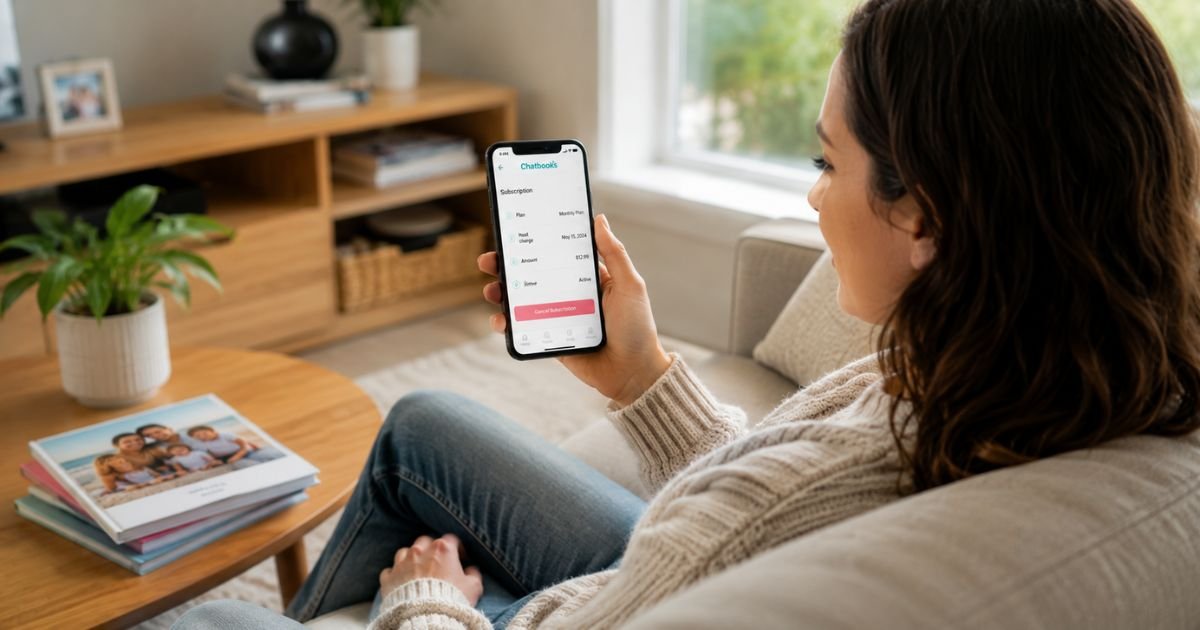
If you’re ready to stop your monthly Chatbooks photo book deliveries, you’re in the right place. Many people sign up for the convenience of turning phone photos into physical books, then later decide the subscription no longer fits their budget, photo habits, or lifestyle.
The good news is that Chatbooks lets you cancel your subscription at any time. You don’t need to call anyone or jump through complicated hoops.
This guide gives you the exact steps for both the mobile app and website, explains what happens to your billing and credits, and shares practical tips so nothing catches you by surprise.
Table of Contents
Quick Answer
You can cancel your Chatbooks subscription in under a minute directly in the Chatbooks app or on their website. Simply go to your active subscription, tap Manage Subscription, and confirm cancellation.
Future automatic billing stops, and you’ll have 30 days to use any remaining photo book credits before they expire.
How to Cancel Your Chatbooks Subscription in the App
The fastest and most reliable way to cancel is through the official Chatbooks mobile app (iOS or Android). Here’s exactly what to do:
- Open the Chatbooks app and log in to your account.
- Tap the menu (usually in the upper left) or go to the My Books tab.
- Tap on your Active subscription (it may show as Monthbooks, Monthly Mini, or similar).
- Tap the Settings gear icon in the top right corner.
- Select Manage subscription.
- Tap Cancel subscription.
- Choose a reason from the list (this helps Chatbooks improve their service).
- Tap Continue to cancel, then confirm Cancel subscription.
You should see a confirmation message once it’s processed. Take a screenshot of the confirmation for your records.
Tip: The steps are nearly identical on iPhone and Android. If you don’t see “Manage subscription,” make sure you’re logged into the correct account and that the app is updated.
How to Cancel Chatbooks Subscription from the Website
You can also cancel directly on Chatbooks.com without using the app:
- Go to chatbooks.com and log in.
- Click the Settings wheel in the upper right corner.
- Click Manage Subscription.
- Click Cancel subscription.
- Select your reason and confirm.
This method works well if you’re on a computer or prefer not to use the app.
What Happens After You Cancel Chatbooks
Understanding the consequences helps you avoid surprises:
- Billing stops for future renewal periods. You won’t be charged again unless you resubscribe.
- Your current subscription period usually continues until the end of the paid cycle.
- Photo book credits remain available for 30 days after cancellation. After that, unused credits expire permanently.
- Any books already in production or shipped will still arrive.
- You can resubscribe later if you change your mind. Chatbooks sometimes offers promotions for returning subscribers.
Important: According to Chatbooks’ Terms of Service, subscription fees are generally non-refundable. You won’t receive a prorated refund for the current period.
Common Mistakes to Avoid When Canceling
Many people run into small issues that are easy to prevent:
- Waiting until the last day before renewal, cancel a few days early to be safe.
- Forgetting to use credits within the 30-day window after canceling.
- Canceling the wrong subscription if you have multiple Chatbooks products.
- Not checking your email (including spam) for the cancellation confirmation.
Pro tip: Before you cancel, quickly review how many credits you have left and whether you want to create any final books. It only takes a couple of minutes and can save you from losing value.
Troubleshooting: What If You Can’t Cancel?
In rare cases, the cancel option may not appear. Try these fixes:
- Log out and back into the app or website.
- Try canceling from both the app and the website.
- Make sure your app is fully updated.
- Clear your browser cache if using the website.
If you still can’t cancel, contact Chatbooks support directly at support@chatbooks.com. Include your account email and a clear request to cancel. They can process it manually and confirm the cancellation for you.
Note: Chatbooks subscriptions are managed through your Chatbooks account. You usually do not need to cancel through Apple or Google Play subscription settings.
Should You Pause Instead of Cancel?
Some older “Series” subscriptions offer a pause option that works similarly to canceling but may preserve more benefits. For current Monthbooks and Monthly Mini plans, the process is primarily cancel or resubscribe later.
If you see a “Pause” or “Deactivate” option in your settings, you can use that instead.
FAQs: How to Cancel Chatbooks Subscription
Q. Can I get a refund after canceling my Chatbooks subscription?
A. Generally no. Chatbooks’ policy states that subscription fees are non-refundable except in specific situations they approve. You keep access through the end of your current paid period.
Q. What happens to my unused photo credits when I cancel?
A. You have 30 days from the cancellation date to use any remaining credits. After 30 days, they expire and cannot be recovered. Plan to create your final books soon after canceling.
Q. Can I reactivate my Chatbooks subscription later?
A. Yes. You can resubscribe anytime through the app or website. Some returning subscribers receive special offers or have unused credits extended.
Q. How do I know my cancellation actually went through?
A. You’ll receive an on-screen confirmation and usually an email. Check your account status in the app under Manage Subscription — it should no longer show as active. Monitor your payment method for the next 30 days to confirm no further charges appear.
Conclusion
Canceling your Chatbooks subscription is straightforward and fully under your control. Whether you use the app or the website, the entire process takes just a minute or two.
Remember to use any remaining credits within 30 days, keep your confirmation for records, and reach out to support@chatbooks.com if anything feels off. Once you’ve canceled, you’re free from future monthly charges while still enjoying the photo books you’ve already paid for.
If your situation is more complicated (multiple accounts, billing issues, or trouble locating the cancel button), don’t hesitate to contact Chatbooks support directly, they handle these requests regularly.
Disclaimer: This content is for informational and educational purposes only and does not constitute professional, financial, legal, or medical advice. The information provided may not apply to your specific situation. Always consult a qualified professional for personalized guidance.
Meet the Author
