
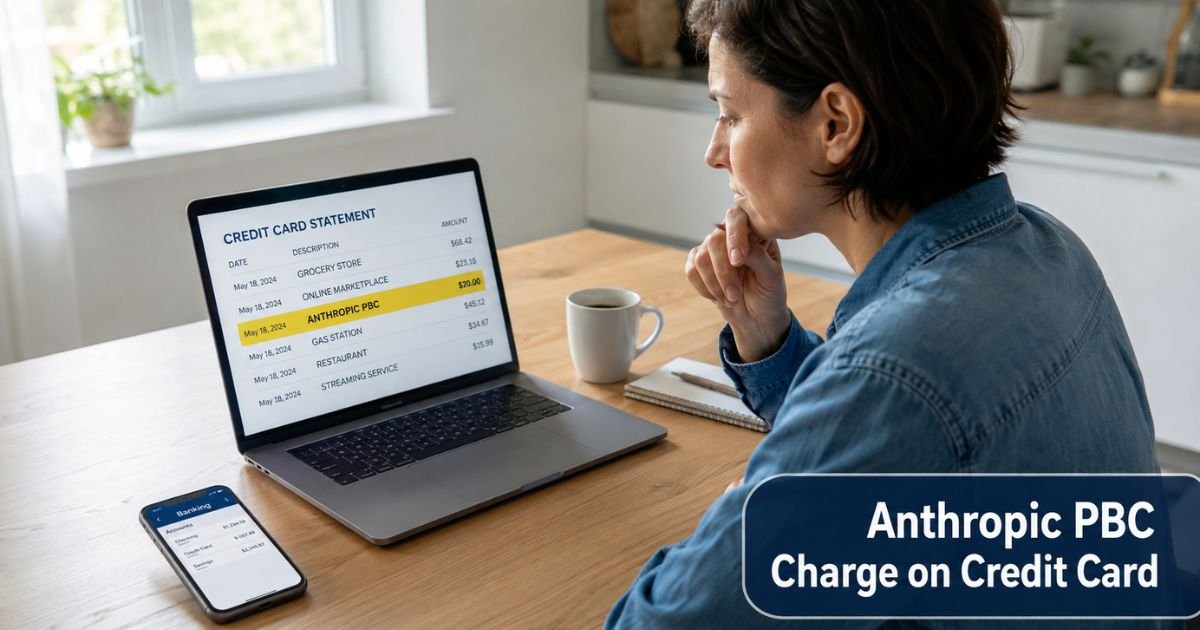
You noticed a Anthropic PBC charge on credit card statement. This descriptor often appears when someone subscribes to Claude, the AI assistant built by Anthropic. Many people see it after signing up for a paid plan or when a free trial converts to a paid subscription.
This guide explains exactly what the charge means, why it shows up, and what to do if the amount or timing does not look right.
Table of Contents
Quick Answer
An Anthropic PBC charge on credit card is a payment to Anthropic PBC, the company behind claude.ai. It almost always represents a subscription to Claude Pro ($20 per month), a higher Max plan ($100 or $200 per month), a Team plan, or an in-app purchase such as extra credits or gifts.
The charge is legitimate in the large majority of cases. It becomes a concern when you have no Claude account, never signed up for any paid plan, or notice several small unexpected charges that do not match normal subscription pricing.
If you recognize the charge, log into your account at claude.ai right away to review billing details and cancel if you no longer want the service. If the charge looks unfamiliar, treat it seriously and follow the verification steps below.
What Is the Anthropic PBC Charge?
Anthropic PBC is the legal name of the artificial intelligence company that created Claude. The “PBC” stands for Public Benefit Corporation, a type of company structure Anthropic uses.
Payment processors often display this full legal name or a shortened version on statements instead of the consumer brand name “Claude.”
You will typically see this charge when you pay for:
- A monthly or annual Claude Pro subscription
- A higher-usage Max plan
- A Team or Enterprise seat
- Additional credits, “gifts,” or usage beyond the base plan limits
The exact amount varies. Claude Pro usually bills at $20 per month. Max plans bill at $100 or $200 per month. Smaller charges sometimes appear for partial periods, failed payment retries, or in-app purchases made inside an active account.
Why Does This Charge Appear?
Several common situations trigger an Anthropic PBC charge on your statement.
Active subscription renewal
Your Claude Pro or Max plan renewed automatically. The charge date usually matches the original signup date or a few days after.
Free trial conversion
You started a free trial of Claude and did not cancel before it ended. The system then charged your saved card for the full plan price.
Family member or shared device purchase
Someone else who had access to your computer, phone, or saved payment details started or renewed a subscription.
In-app purchase or gift credits
You or someone using your account bought extra credits or sent “gifts” of usage to the Claude account. These can appear as smaller or separate charges.
Billing system retry or failed payment
An earlier payment attempt failed, and the system retried. You may see multiple smaller attempts or a successful charge after several declines.
Compromised account
Someone gained access to your Claude account (often through a leaked password or phishing) and used your saved card to buy credits or gifts. This has happened to a noticeable number of users.
Is It Fraud?
Most Anthropic PBC charges are legitimate subscription payments. However, unauthorized charges do occur, usually when an account is taken over or a saved card is used without permission.
Here is a clear comparison:
| Situation | Likely Legitimate | Potential Unauthorized |
|---|---|---|
| You can log into claude.ai | Yes – active plan and invoices visible | No account or unfamiliar recent activity |
| Receipt email received | Yes – from Anthropic or Claude | No receipt or only suspicious emails |
| Charge amount | Matches $20, $100, or $200 plan pricing | Random small amounts or repeated charges |
| Timing | Matches renewal or signup date | No recent signup or renewal |
| Account activity | Normal conversations and usage | Strange new chats or purchases |
If you see several small charges (such as repeated $5 amounts) with no matching account activity, treat the situation as suspicious and act quickly.
What Should You Do?
Follow these steps in order.
- Search your email for messages from Anthropic or Claude. Look for subject lines containing “receipt,” “subscription,” “billing,” or “payment.” Check spam and promotions folders too.
- Go to claude.ai and try to log in with the email address linked to your credit card. Once inside, click your profile icon, select Settings, then Billing. Review your current plan, recent invoices, and saved payment methods.
- If you find an active subscription you did not authorize, cancel it immediately on the billing page. Also remove the saved card from the account.
- Check recent conversations and usage inside Claude. Look for any activity you did not make. If something looks wrong, change your password and enable two-factor authentication right away.
- If you cannot log in, have no account, or still see unexplained charges, contact your credit card issuer or bank immediately. Tell them the charge is unauthorized and ask about a dispute or replacement card.
- You can also open a support ticket through the Claude help center while logged in, or use the contact options listed in your account settings.
Can You Get a Refund?
Refunds depend on the situation.
For a recent legitimate subscription, Anthropic sometimes offers refunds if you cancel quickly. Log into your account, cancel first, then contact their support through the help center and explain the timing.
For charges you did not authorize, your credit card issuer can usually reverse the transaction through a chargeback. Act within the time limit set by your card (often 60 days from the statement date). Provide evidence that you did not make the purchase and have no account with the merchant.
Keep in mind that starting a chargeback on a legitimate subscription can sometimes lead to the account being closed. Verify the charge through your Claude account before disputing when possible.
How to Stop Future Charges
Cancel the subscription at the source.
Log into claude.ai → click your profile icon → Settings → Billing → choose Cancel plan and confirm. This stops recurring billing at the end of the current period.
Remove your card from the account under payment methods.
Turn on transaction alerts in your banking app so you receive a notification for any future Anthropic charges.
If you suspect your card details were exposed, ask your bank for a new card number.
Monitor your statements for the next couple of cycles. Small lingering charges can sometimes appear during the final billing period.
FAQs: Anthropic PBC Charge On Credit Card
Q. What does Anthropic PBC stand for?
A. Anthropic PBC is the full legal name of the AI company behind Claude. The PBC stands for Public Benefit Corporation.
Q. Is the Anthropic PBC charge legitimate?
A. In most cases yes. It reflects a paid Claude subscription or in-app purchase. Unauthorized charges have been reported, so always verify through your account.
Q. How much does a typical Anthropic PBC charge cost?
A. Claude Pro is usually $20 per month. Max plans are $100 or $200 per month. Smaller amounts can appear for credits or billing adjustments.
Q. Why did I get an Anthropic PBC charge without signing up?
A. Common causes include a converted free trial, shared device or family purchase, or a compromised account where someone used your saved card.
Q. How do I cancel my Claude subscription?
A. Log into claude.ai, go to Settings > Billing, and select the cancel option. Confirm to stop future recurring charges.
Q. Can I get a refund for an Anthropic PBC charge?
A. Recent legitimate subscriptions sometimes qualify for refunds after cancellation. Unauthorized charges can usually be disputed with your credit card issuer.
Q. Is there a phone number for Anthropic support?
A. Anthropic primarily uses online tickets and their help center for billing questions. No public customer service phone number is widely available.
Conclusion
An Anthropic PBC charge on credit card almost always traces back to a Claude AI subscription or related purchase. The fastest way to know for sure is to visit claude.ai, log in, and check your billing page directly.
This single step clears up most questions and lets you cancel recurring charges if you no longer need the service.
If the charge does not match anything in your account, or if you see multiple odd amounts, contact your bank or card issuer without delay. Acting quickly protects your money and gives you the best chance of reversing anything unauthorized.
Keep an eye on your statements and review subscription accounts regularly so small problems never turn into bigger ones.
Disclaimer: This article is for informational purposes only and is not financial, legal, or professional advice. Policies and billing practices can change. Always verify details directly in your claude.ai account and with your bank or credit card issuer. For the most current official guidance, visit Anthropic’s support center at support.claude.com.
Meet the Author
