
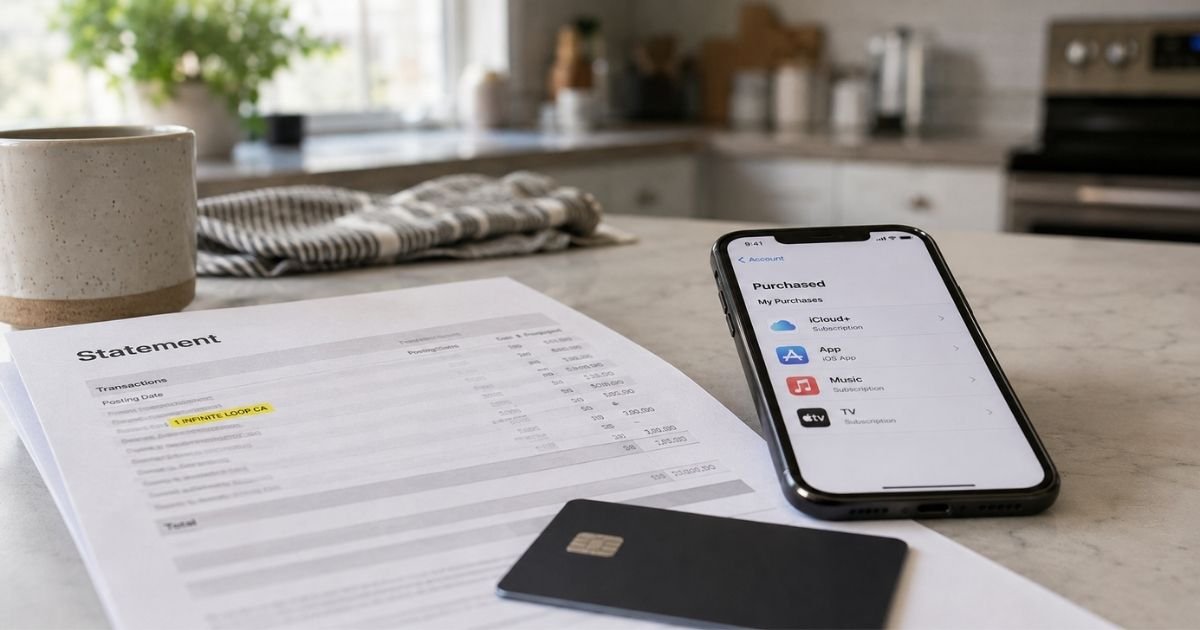
A 1 Infinite Loop charge on bank statement can feel confusing if you don’t recall shopping in California. The wording looks like a street address, not a store name. That alone makes a lot of people stop and worry.
This guide shows you how to match the charge and what to do next.
Table of Contents
What Is a 1 Infinite Loop Charge on Credit Card?
A 1 Infinite Loop charge on credit card is typically an Apple-related transaction. Apple’s historic headquarters sits at 1 Infinite Loop, Cupertino, CA 95014. Banks often print that address as the merchant location.
Your statement may say “1 INFINITE LOOP CA,” “1INFINITELOOP CA,” “1 Infinite Loop CA 95014,” or “APPLE CASH 1INFINITELOOPCA.”
Older lines sometimes add “ITUNES.COM/BILL” or “APL*” in front of the same address. Those are usually the same company with different bank text.
Apple’s own help pages more often talk about “apple.com/bill.” That label appears when you buy apps or other content from Apple, when a subscription renews, or when a family member buys through your account.
Some banks still show the Infinite Loop address instead of, or next to, that web wording.
This is not a separate “Infinite Loop company.” It is also not a city tax. The street name is a billing tag.
Do not mix this up with the generic phrase “infinite loop charge.” Some sites use that phrase for any repeating subscription. “1 Infinite Loop” is a specific Apple address.
Why the Charge Uses an Address, Not “Apple Store”
Card networks need a merchant name and a location. Large companies often send headquarters data, not the product title. Apple used 1 Infinite Loop as its main campus for many years.
The company later opened Apple Park nearby. The Infinite Loop campus still exists as Apple office space, and the old address still shows up in billing records.
Your bank may also drop spaces. That is why one person sees “1 Infinite Loop CA” and another sees “1INFINITELOOPCA.” The ZIP code 95014 is Cupertino.
A retail Apple Store purchase more often shows a store number. A website or App Store purchase more often shows apple.com/bill, iTunes wording, or the Infinite Loop address. Apple Cash sends frequently print the compressed address.
Common Reasons You See 1 Infinite Loop
Most readers find one of these sources after they check the Apple Account that holds the card.
App Store and in-app purchases
A paid app, game coins, or a one-tap upgrade can post under this address. Kids and shared iPads cause a lot of “I didn’t buy that” moments.
Subscriptions
Apple Music, iCloud+, Apple TV+, Apple Arcade, Apple Fitness+, Apple News+, and Apple One can renew on a cycle. Third-party app plans billed through Apple also renew this way.
Media purchases
Movies, TV episodes, books, and older iTunes items still bill through Apple.
Grouped Apple charges
Apple says several purchases can land as one larger line. You may not get a separate email for each item. The statement amount then looks “random.” Check the full receipt, including tax.
Family Sharing
If Purchase Sharing is on, the family organizer’s card can pay for another member’s apps or content. Apple says both the buyer and the organizer typically get a receipt.
Apple Cash or Apple Pay money sends
People who send cash through Messages often see “APPLE CASH” plus 1 Infinite Loop. The address is Apple’s. The person you sent money to is a separate question.
Hardware, accessories, or AppleCare
An apple.com order can use Cupertino or Infinite Loop location data. A walk-in store charge more often names the store.
Small pending holds
Apple says a temporary authorization for a small amount can appear when you update billing info or add someone to Family Sharing. Your bank usually drops that hold after a short time.
| Statement wording you might see | What it often means |
|---|---|
| 1 INFINITE LOOP CA or 1INFINITELOOP CA | Apple processed the payment using its Cupertino campus address |
| 1 Infinite Loop CA 95014 | Same address with the Cupertino ZIP code |
| APPLE CASH 1INFINITELOOPCA | Money sent or moved through Apple Cash |
| ITUNES.COM/BILL 1 INFINITE LOOP | Digital media or App Store billing through Apple |
| apple.com/bill | Apple’s usual label for apps, content, and renewals |
| APPLE STORE #R followed by numbers | A specific Apple Retail Store, not just the HQ address |
| PENDING plus the same address | Authorization that may still settle or drop |
Banks write these lines differently. Use the table as a starting point, not a final ID.
How to Identify the Exact Purchase
Start with Apple’s records. Your statement is too short to name the app.
- Go to reportaproblem.apple.com and sign in.
- Review the purchase list. Tap or click the date to see the full receipt, including tax.
- If Family Sharing is on, switch the Apple Account menu and check each family member.
- On iPhone, you can also open Settings, tap your name, then Media & Purchases, then purchase history.
- Open Settings, tap your name, then Subscriptions. Match the renewal date and price.
- Search email for “receipt from Apple” or “invoice from Apple.” Check spam.
- Repeat the same steps on every Apple Account that might hold your card. Old iPads and work phones hide extra logins.
Apple also notes that some banks show extra purchase detail inside the bank app. Look for a “View Receipt” style link next to an Apple line if your issuer offers it.
Match the date, the amount, and the last four digits of the card. If one statement line is larger than any single item, add nearby purchases together. Grouped billing is a common reason the number looks wrong.
Pro Tip: Check every Apple Account that ever saved the card, not just the one on your current iPhone. A forgotten iCloud login on a child’s device is one of the most common sources of a 1 Infinite Loop surprise.
Is 1 Infinite Loop a Scam?
Apple is a real company, and 1 Infinite Loop is a real Apple address. The label by itself is not proof of fraud. It is also not proof you meant to buy the item.
Treat the charge as likely legitimate if it appears in purchase history or subscriptions for an account you control. Treat it as suspicious if no Apple Account you own shows the date and amount.
Consumer reports sometimes call “1INFINITELOOP” a scam after an Apple Cash send. In those stories, someone else talked the cardholder into sending money.
The statement still shows Apple because Apple Cash processed the transfer. The address was genuine. The request to send money was the problem.
BBB listings for Apple Inc. in Cupertino show a large complaint volume, which is common for a company of this size.
Some complaints involve subscriptions and refunds. That does not make every Infinite Loop line fake. It does mean you should keep receipts.
Ignore websites that ask for your Apple password or full card number to “release a refund.” Use Apple’s own report-a-problem page or the phone number on the back of your card.
How to Cancel an Apple Charge That Will Repeat
Cancel inside the Apple Account that owns the plan. A bank block alone may not stop the next renewal.
On iPhone or iPad, open Settings. Tap your name. Tap Subscriptions. Choose the plan and cancel. You can also sign in at account.apple.com and follow the subscription steps Apple shows there.
Apple says you generally keep access through the period already paid. Cancel before the next renewal if you do not want another charge. Timing rules can vary by product, so read the confirmation screen.
If a family member’s account is on the receipt, that person usually has to cancel. Apple notes you cannot cancel someone else’s subscription from your login.
After you cancel, remove the card from any Apple Account you do not use. Turn on Screen Time purchase limits if a child uses the device. Require a password or Face ID for iTunes and App Store purchases.
Common Mistakes: People dispute one charge, leave the subscription on, and get billed again. Others cancel on the wrong Apple Account. Always match the receipt email to the login you use to cancel.
Refunds and When to Call Your Bank
If the item is in purchase history and you want your money back, use reportaproblem.apple.com to request a refund. Apple reviews these case by case. There is no guaranteed refund, and time limits apply.
If you still cannot identify the charge after checking every Apple Account, Apple’s help page says to contact Apple Support through its official support flow.
Call your bank if the charge is on your card but missing from every Apple Account you control. That pattern can mean stolen card data. Ask about a replacement card if other strange charges appear.
Do not share one-time passcodes with anyone who calls you about an Apple refund. Keep a screenshot of the statement line, the Apple receipt, and any cancel confirmation.
FAQs: 1 Infinite Loop Charge on Bank Statement
Q. Why does my statement say 1 Infinite Loop instead of Apple?
A. Banks often print a merchant location. 1 Infinite Loop is Apple’s longtime Cupertino campus address, so that street name can appear even when the real item was an app, iCloud plan, or Apple Cash send. Check reportaproblem.apple.com for the product name.
Q. Can a child’s iPhone create a 1 Infinite Loop charge on my card?
A. Yes. Family Sharing and a saved payment method can let another device bill your card. Review each family member in purchase history, then cancel unused subscriptions and tighten purchase approvals.
Q. Does a 1 Infinite Loop line mean I shopped at Apple’s old campus store?
A. Usually no. Most of these charges are digital billing or Apple Cash, not a visit to Cupertino. A retail store purchase more often shows an Apple Store number. Match the date and amount in your Apple Account before you assume it was in-person.
Q. What if I do not use Apple products at all?
A. Then treat the charge as unverified until you rule out an old Apple Account or a family member’s device. If no account you control shows the purchase, call the number on your card and consider freezing the card.
Conclusion
A 1 Infinite Loop charge on bank statement usually means Apple processed a payment using its Cupertino campus address. It is often an App Store item, a subscription renewal, a grouped set of small buys, Family Sharing activity, or an Apple Cash transfer.
Your next step is practical. Match the date and amount at reportaproblem.apple.com and in Subscriptions. Cancel any plan you do not want. Contact Apple Support if the item is in your account but still looks wrong.
Call your bank if it is not in any Apple Account you own.
That process answers the real question. You learn why the address is there, and you decide whether to keep the service or shut it off.
Disclaimer: This article is for general information only. It is not financial, legal, or tax advice. Billing descriptors, refund rules, and subscription terms vary by Apple product, account, and card issuer. Confirm details in your own Apple Account or with your bank before you dispute a charge.
Meet the Author
