
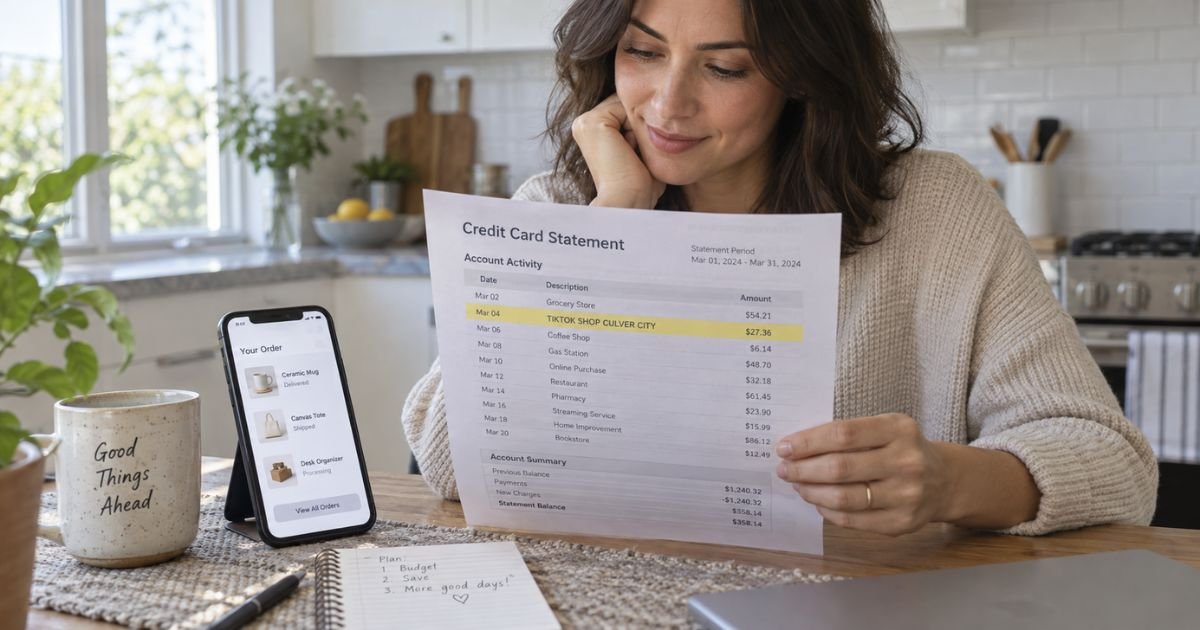
A TikTok Shop Culver City charge on a credit card can feel confusing if you don’t recall tapping Buy on a video. You may only remember the product, not a California city. That mix-up is common.
Most of these lines are still real Shop orders. This guide shows how to match the charge in the app, use official returns, and dispute it if it is not yours.
Table of Contents
What Is a TikTok Shop Culver City Charge on a Credit Card?
A TikTok Shop Culver City charge on credit card is typically a purchase made inside the TikTok app. Official TikTok Help says you can buy from the Shop tab, your feeds, LIVE, or search.
Checkout happens in the app. The seller is often a third-party shop, but the card line usually names TikTok Shop, not the small brand on the video.
Culver City, California is TikTok’s published US office city. Corporate filings for TikTok Inc. list 5800 Bristol Parkway, Suite 100, Culver City, CA 90230. Seller and campaign terms for US Shop also use that Culver City address.
Your issuer often prints the city from the merchant file. You did not need to shop in Los Angeles for the line to post.
In January 2026, TikTok told US buyers it assigned Shop buyer terms to BD TikTok USA LLC, a TikTok Inc. subsidiary. Your app experience stays the same. The legal billing entity on file can still resolve to Culver City.
How the Charge May Appear
Issuers shorten names. You may see:
- TIKTOK SHOP CULVER CITY
- TIKTOK SHOP CULVER CITY CA
- TIKTOK SHOP
- BT*TIKTOK SHOP
- PENDING TIKTOK SHOP
- CHECKCARD TIKTOK SHOP
BT* is a processor-style prefix some banks add. It does not mean a different store.
Official US Shop checkout accepts Visa, Mastercard, American Express, and Discover cards. It also lists PayPal, Apple Pay, Google Pay, Klarna, and Affirm. A wallet or BNPL plan may print that brand instead of TikTok Shop. Match the date and amount either way.
Official Shop payment pages say an authorization hold can appear when you place the order. In most cases the card is charged when the order ships.
Pending authorizations usually clear in 3 to 5 business days. For a short time you may see both the hold and the final charge. The hold should drop once the capture posts.
Why You Might See This Charge
Common reasons include:
- An item you bought from a Shop video or the Shop tab
- A household member using a saved card
- Shipping, tax, or a second item from the same checkout
- A hold that later becomes the shipped-order charge
- A seller-side card on a business account used to cover a Shop negative balance
- An unauthorized use of a card saved in the app
TikTok Shop also has subscriptions terms for some Shop programs. Check Orders and any subscription screen in the app before you assume a one-time buy.
Pro Tip: Open TikTok, tap Shop, then Orders. Sort by the charge date. The order total, including tax and shipping, should match the statement line closer than the price on the video sticker.
How to Confirm the Charge
Work inside the official app first.
- Copy the full descriptor, date, amount, and last four card digits.
- Open Shop, then Orders or Your orders.
- Match the amount and date to a confirmation email.
- Check other profiles or devices signed into the same TikTok account.
- Ask family members who share the card or the phone.
- Look at PayPal, Apple Pay, Google Pay, Klarna, or Affirm if you used those at checkout.
If the order is there, the charge is generally a normal Shop sale. If nothing matches, treat the line as unrecognized.
Official Help tells shoppers to start support in the app. Tap Shop, scroll the row under search, then tap Help. Describe the issue, pick a topic such as Refund, Payment, or Order cancellation, then use Contact us.
Live help is described as available during business hours. The help center is described as available 24/7. TikTok does not publish a reliable public Shop phone for everyday buyers. Ignore numbers from search ads or texts.
Cancel, Return, and Refund Rules
Cancel before the package is treated as shipped when the app still shows Cancel. Official seller guidance says buyers can often cancel in an early pending window. After the order is in transit, use return and refund instead.
Official buyer-facing Shop pages say most items can be returned within 30 days of delivery. Some listings set a different window on the product page.
Many returns can use a QR code or prepaid label and drop-off at USPS, UPS, or FedEx. Grocery, food, some wellness items, and other listed categories may be non-returnable.
For eligible orders, official pages describe a Money-Back Guarantee. If an item arrives damaged or defective, you may request a refund for up to 90 days after delivery, even after the standard window.
Not every listing qualifies. Pre-owned luxury, collectibles, trading cards, and final-sale items are called out as examples that may not.
Official refund timing to the original method includes:
| Payment method | Published refund timing |
|---|---|
| Debit or credit card | 3 to 10 business days |
| Apple Pay or Google Pay | 3 to 10 business days |
| PayPal | 1 to 10 business days |
| Venmo | 1 to 5 business days |
| Klarna Pay in 4 | 2 to 14 business days |
| Affirm | 1 to 10 business days |
Your issuer can add extra posting time after TikTok releases the credit.
If the app says Delivered but you cannot find the box, official guidance says to check household members, neighbors, and odd drop spots first.
Then open the order and request a return or refund with Package wasn’t received, generally within 30 days of the Delivered status.
Common Mistakes: Calling a “TikTok support” number from a text. Disputing a pending hold that is about to become the real shipment charge. Missing the 30-day delivered window. Assuming Ads or Coins lines are Shop orders.
Lookalikes That Are Easy to Mix Up
Nearby TikTok lines are not the same product.
- TIKTOK*ADS or TIKTOK ADS is usually advertiser billing, not a hoodie from Shop.
- In-app Coins or LIVE gifts use different descriptors.
- A seller negative-balance charge hits a business card tied to Seller Center, not a shopper order.
- A random “Shop” invoice in another app is not TikTok Shop.
Fake support texts are common. Official Help says checkout uses trusted payment platforms and that you start help in the Shop tab. TikTok will not ask you to pay a fee by gift card to “release” a refund.
If You Do Not Recognize the Charge
Use in-app Help and the order screen first. Ask TikTok to identify the order ID.
If the account shows no order, or someone used your saved card, call the number on the back of your card. Ask the issuer to flag the line and remove the card from wallets you do not control. Change your TikTok password and review saved payments in the app.
For a credit card billing error, federal Fair Credit Billing Act rules generally require a written notice within 60 days after the issuer sent the statement that first showed the charge. The issuer generally has 30 days to acknowledge and 90 days to resolve. Pay the rest of the bill that you do not dispute.
Debit charges follow different Electronic Fund Transfer clocks. Report those quickly.
Removing the card from TikTok does not cancel an order already shipped. Finish the return in Orders. Closing the card does not stop a Shop seller from completing a package already paid.
FAQs: TikTok Shop Culver City Charge on Credit Card
Q. Why does a TikTok Shop charge say Culver City?
A. Culver City is TikTok’s published US office city. Filings list 5800 Bristol Parkway, Suite 100. Card networks often print that city on Shop transactions. It does not mean you shopped at a mall there.
Q. Is a TikTok Shop Culver City charge a scam?
A. Usually no. It is a standard way many issuers label real Shop orders. An unexpected amount can still be a household buy, a hold, or unauthorized use. Match Orders in the app before you decide.
Q. How do I get a refund?
A. Open the order in Shop and request a return or refund under the listing’s rules. Most items have a 30-day window from delivery. Eligible damaged or defective orders may have longer Money-Back Guarantee coverage. Card refunds are published as 3 to 10 business days after approval.
Q. How do I contact TikTok Shop?
A. Official Help says to tap Shop, then Help under the search row, then Contact us on the matching topic. That is the path TikTok publishes for shoppers. Do not trust a phone number from a text or an ad.
Conclusion
A TikTok Shop Culver City charge on a credit card is usually an in-app Shop order billed under TikTok’s Culver City merchant file. Match the date and amount to Shop Orders. Cancel only while the app still allows it.
After delivery, use the official 30-day return path or Money-Back Guarantee when you qualify. If the line still does not fit your account, write your issuer within the federal billing-error window and pay only the undisputed balance.
Disclaimer: This article is for general information only. It is not financial, legal, or product advice. Return windows, payment descriptors, and support hours vary by listing, seller, and card issuer. Confirm account-specific questions in the TikTok Shop Help flow or with your bank.
Meet the Author
