
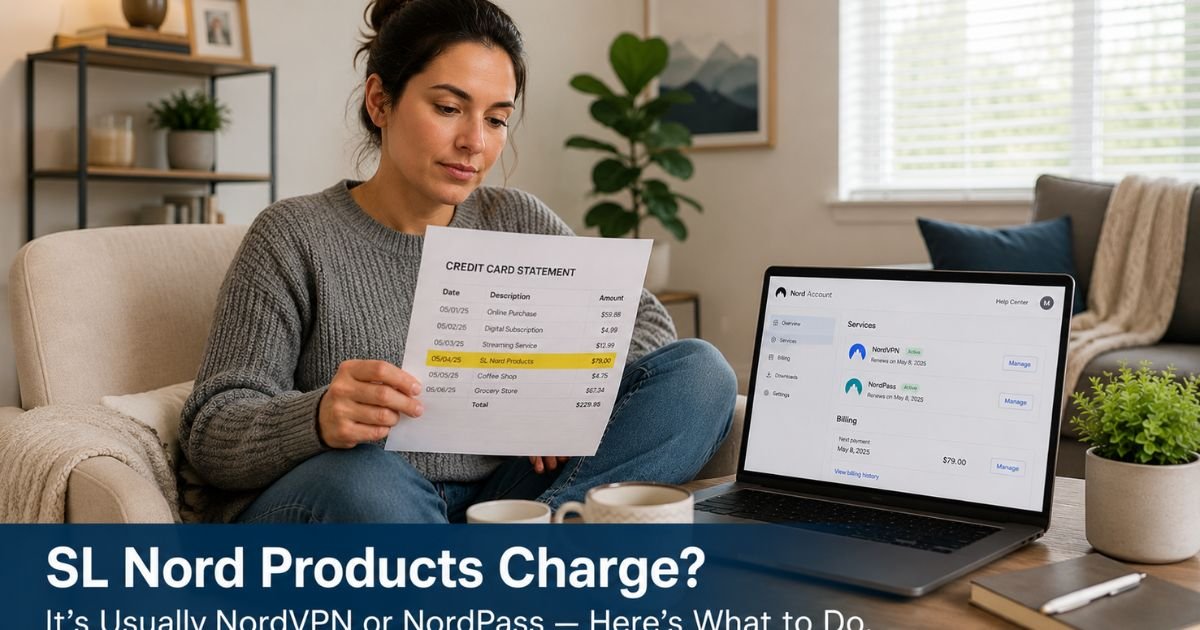
You open your credit card statement and notice a charge labeled “SL Nord Products,” “SL.NORD* PRODUCTS,” or a similar variation that includes “HTTPSWWW.NORD.” The amount might match a subscription you vaguely remember, or it could appear completely out of the blue.
An SL Nord Products charge on credit card almost always represents a subscription or renewal for one of Nord’s cybersecurity tools. These charges can surprise people who signed up during a promotional offer, set up auto-renewal, or had a family member use their card.
In few minutes you will learn exactly what these charges mean, how to trace them back to the specific Nord service, and the simple steps to cancel recurring billing or dispute the charge if it does not belong to you.
Table of Contents
What an SL Nord Products Charge on Credit Card Usually Means
Nord Security uses “SL Nord Products” (and variations like SL.NORD* PRODUCTS) as a billing descriptor for payments processed through their system.
The “SL” often relates to subscription or service-level billing, while “Nord Products” covers their suite of security tools.
Most of these charges are for:
- NordVPN subscriptions (monthly, annual, or multi-year plans).
- NordPass password manager subscriptions.
- Bundled plans that include both VPN and password management.
- Occasional one-time purchases or add-ons within the Nord ecosystem.
Because the descriptor focuses on the parent company rather than the specific product name, many people do not immediately recognize it as their NordVPN or NordPass renewal.
The charge can appear with extra details like “HTTPSWWW.NORD” or a New York processing code, which further obscures the source until you check your account.
These are recurring charges in most cases because Nord services use automatic renewal to keep protection active. If you signed up for a free trial or promotional rate that later converted to full price, the descriptor stays the same.
Bottom line: An SL Nord Products charge on your credit card is almost always a legitimate subscription or renewal payment for NordVPN, NordPass, or another Nord Security service.
How to Verify the SL Nord Products Charge
The quickest confirmation comes from logging into your Nord account. Visit nordvpn.com or nordpass.com and sign in with the email address you typically use for online services.
Check the Subscriptions or Billing section for active plans, renewal dates, and payment history. The date and amount on your credit card statement should match one of the listed transactions.
Search your email inbox for messages from NordVPN, NordPass, or Nord Security. Look for welcome emails, subscription confirmations, or renewal notices sent around the time of the first charge. These emails usually include the exact plan details and payment method.
If you do not remember creating an account, try the “forgot password” option on the Nord websites using common email addresses. Someone in your household may have signed up using a shared card or email.
Once you locate the account, note the specific service (VPN, password manager, etc.) and the renewal date so you can decide whether to keep or cancel it.
Pro Tip: After signing up for any cybersecurity or subscription service, immediately save the confirmation email and set a calendar reminder one month before renewal. This habit makes it easy to review whether you still need the service before the next charge hits.
What to Do If You Do Not Recognize or Want the Charge
If your search through Nord accounts and email does not turn up a matching subscription, treat the charge as unrecognized and act promptly.
Log into any Nord account you can access anyway and review all billing activity. Sometimes a shared family account or an old trial creates charges you do not immediately remember.
Contact Nord support directly through their website or app. Provide the first six and last four digits of the card, the exact amount, the transaction date, and a screenshot of the statement. Their team can look up the specific account tied to the payment and help cancel or investigate.
If you have no record of any Nord service and cannot access an account, call the number on the back of your credit card. Explain that you see recurring charges from SL Nord Products you do not recognize. Ask the representative to block future transactions from this merchant and start a dispute if the charges appear unauthorized.
Monitor your statement for the next cycle and enable transaction alerts so you receive immediate notifications of any new activity from the same descriptor.
Common Mistake: Delaying action on recurring subscription charges because the amount seems manageable. Even moderate annual renewals add up, and canceling early through the account dashboard is far simpler than repeated disputes.
SL Nord Products Charge: Common Scenarios and Next Steps
| Scenario | Typical Amount | Most Likely Cause | Recommended First Step |
|---|---|---|---|
| Recurring annual or monthly charge | $50 – $150+ | Active NordVPN or NordPass subscription | Log into Nord account and check subscriptions |
| Charge after promotional period | First charge lower | Trial converted to paid plan | Review account for auto-renewal settings |
| Charge on shared or family card | Varies | Another household member’s subscription | Ask family members and check shared email accounts |
| Completely unfamiliar recurring charge | Any amount | Possible shared login or error | Contact Nord support with card details |
| Charge after attempted cancellation | Continues | Cancellation not fully processed | Get written confirmation and dispute if needed |
Amounts vary by plan length and promotions. Always verify exact details in your Nord account and credit card statement.
FAQs: SL Nord Products Charge on Credit Card
Q. How do I cancel an SL Nord Products recurring charge on my credit card?
A. Log into your Nord account at nordvpn.com or nordpass.com, go to the Subscriptions or Billing section, and cancel the active plan. You will usually receive a confirmation email. If you cannot access the account, contact Nord support with your card details and request cancellation. For faster results, also ask your credit card issuer to block future charges from this merchant.
Q. Is an SL Nord Products charge on my credit card fraud?
A. Most of the time it is not fraud. The descriptor simply indicates a payment processed for Nord Security services such as NordVPN or NordPass. However, if you have never used any Nord product and have no record of signing up, contact both Nord support and your card issuer immediately to investigate and dispute the charge.
Q. What if I never signed up for NordVPN or NordPass but still see SL Nord Products charges?
A. Contact your credit card issuer right away and report the charges as unrecognized. Provide the transaction details and request a block on future payments from this merchant. At the same time, reach out to Nord support with the first six and last four digits of your card so they can investigate whether an account was created without your knowledge. Keep records of every step.
Conclusion
An SL Nord Products charge on credit card almost always traces back to a subscription or renewal for NordVPN, NordPass, or another Nord Security service. Checking your Nord account dashboard and email usually reveals the exact plan and renewal date in just a few minutes.
When the charge does not match anything you recognize, reach out to Nord support first with your card details, then contact your card issuer if needed. Canceling directly through the account prevents future charges more effectively than disputes alone.
Make it a habit to review new recurring charges promptly and to note renewal dates for any cybersecurity subscriptions you use. Those small steps give you steady control and keep small surprises from turning into ongoing expenses.
Disclaimer: The content on ExplainCharges.com is for informational and educational purposes only and does not constitute financial, legal, or professional advice. We are not affiliated with any companies or services mentioned. The information provided may not apply to your specific situation. If you suspect unauthorized charges or fraud, contact your bank or credit card issuer immediately. Always verify details directly with the source and consult a qualified professional if needed.
Meet the Author
