
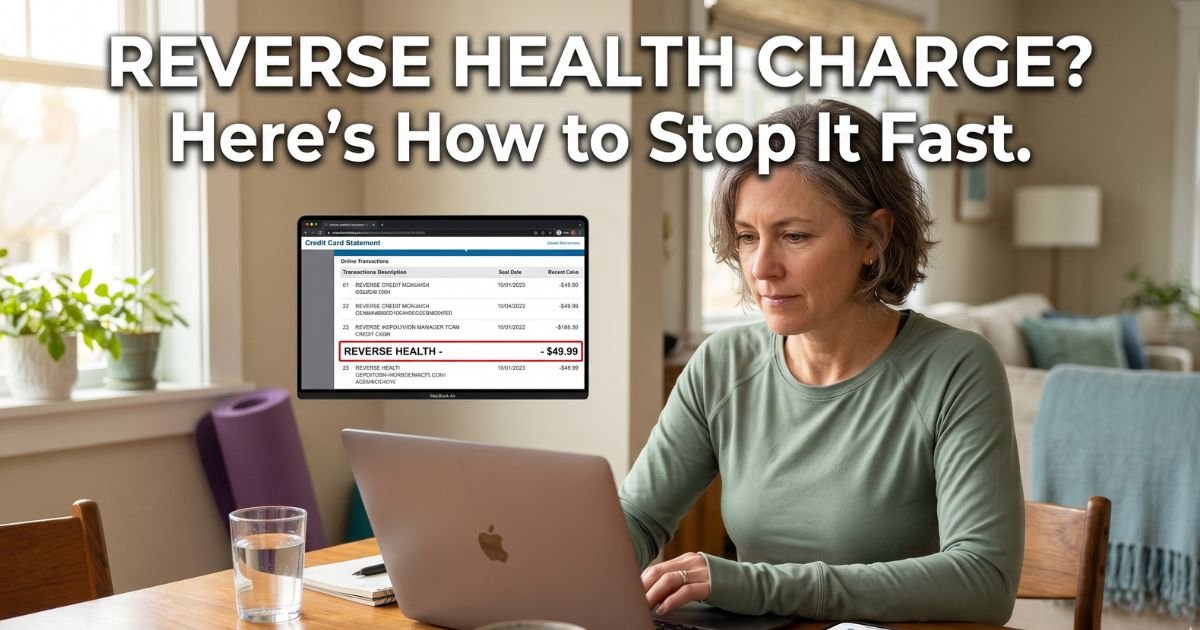
You open your credit card app during your morning routine and freeze. There it is: a Reverse Health charge you do not remember signing up for. The amount is often around $40, and your first thought is, “Did someone get my card?”
You are not alone. Hundreds of people each month spot this exact charge and feel the same confusion. The good news is this almost always comes from one legitimate service, and you can usually stop it quickly once you know the details.
We will explain exactly what the Reverse Health charge on credit card means, how it gets there, and the simple steps you can take today to cancel the subscription and protect your account.
Table of Contents
What Is the Reverse Health Charge on Credit Card?
Reverse Health is a digital wellness app designed for women over 40. It offers personalized fitness plans, meal ideas, and lifestyle tools focused on things like weight management, energy, and changes that come with midlife. Popular programs include Wall Pilates, chair yoga, and custom meal plans that fit busy schedules.
When you sign up, the company bills through your credit card or PayPal. On your statement the charge appears as “Reverse Health,” “Reverse Group, Inc.,” or a similar variation. The service runs on a subscription model that auto-renews unless you turn it off.
Most people start with what feels like a low one-time or trial fee, then the full recurring charge kicks in every four weeks or so. The company is based in Durham, North Carolina, and focuses only on digital programs, not supplements or in-person coaching.
How the Charge Usually Starts
It almost always begins the same way. You see an ad on social media or a search result promising quick results for women over 40. You take a short quiz about your goals, and at the end the app shows an introductory offer, often around $15 for the first four weeks.
You enter your payment details to unlock the plan. What many users miss is the small print right before checkout that says the membership will auto-renew at the regular rate, usually about $40 every four weeks. The confirmation email spells it out, but life gets busy and the reminder slips away.
After the intro period ends, the next charge hits automatically. On your statement it just says Reverse Health, so it looks mysterious if you forgot about the quiz you took weeks earlier.
Bottom line: The Reverse Health charge on your credit card is almost always an automatic renewal of the wellness app subscription you started with an introductory offer.
Real-World Example
Take a 47-year-old teacher from Florida. Last month she saw an ad for easy Wall Pilates workouts made for women her age. She paid the $15 intro fee on her credit card because it sounded perfect for her busy schedule.
Two weeks later she opened her statement and saw a $40.12 charge from Reverse Health. She had used the app only once and never meant to start ongoing billing. After searching online she realized what happened.
She followed the cancellation steps below, reached out through the app, and contacted her bank to dispute the latest fee. The bank gave her a temporary credit while they reviewed it, and she moved on without more surprises.
Stories like this show up often on review sites and forums. The pattern stays the same: a quick sign-up for what feels like a one-time plan, then the recurring charge arrives without a clear reminder.
Step-by-Step: How to Stop the Reverse Health Charge
You have a few straightforward paths. Start with the easiest one for how you signed up.
1. Cancel Directly in the Reverse Health App (Fastest for Most People)
- Open the Reverse Health app on your phone.
- Go to the My Day tab.
- Tap the human icon (your profile) in the top right corner.
- Select the Settings tab.
- Look for Manage Subscription or Cancel Subscription and follow the prompts.
- Confirm the change.
Your access stays active until the current period ends, then it stops.
2. Manage Subscription on the Website
- Go to join.reverse.health or reverse.health and log in with the same email you used to sign up.
- Click the menu (top right) and choose Need Help or Manage Subscription.
- Follow the steps to turn off auto-renewal.
You can also request a magic link sent to your email if you have trouble logging in.
3. Contact Support or Dispute With Your Bank
If the app or site does not work, email help@reverse.health with your account email and transaction details. Or call the number on the back of your card and ask to dispute the charge as an unwanted recurring subscription. Most banks issue a provisional credit while they investigate.
Pro Tip
Screenshot every screen during cancellation and save the confirmation email. Keep everything in one folder on your phone. When you talk to your bank or support, you can share proof instantly and make the whole process faster.
Common Mistake
Do not just pause the subscription instead of fully canceling. Pausing often lets charges resume later. Make sure you select the full cancellation option and confirm it in writing.
What the Charge Usually Covers
Here is a quick look at the most common Reverse Health charges people report:
| Charge Amount | What It Usually Represents | How It Shows on Statement | Typical Billing Cycle |
|---|---|---|---|
| $15.65 | Introductory 4-week access | Reverse Health or intro fee | One-time starter |
| $40.12 | Standard 4-week membership | Reverse Health / Reverse Group, Inc. | Every 4 weeks |
| Varies | Quarterly or annual plan | Reverse Health | Every 3 or 12 months |
| $15–$40 | In-app add-ons or retries | Reverse Health | After failed payments |
Common Reverse Health charge patterns reported by users in 2025–2026. Exact amounts can vary slightly by plan, location, or promotions at signup.
Extra Tips to Protect Yourself Going Forward
Check your statements every week instead of waiting for the full bill. Turn on spending alerts for anything over $10 in your banking app. And if you ever try a new wellness program, set a calendar reminder for the end of the trial period.
Review your saved payment methods on any apps you no longer use. It takes just a minute and can prevent these surprise charges down the road.
FAQs: Reverse Health Charge on Credit Card
Q. Why did Reverse Health charge my card when I thought it was only a one-time $15 plan?
A. The $15 fee is often an introductory offer that automatically rolls into a full recurring membership at the regular rate. Many users say the auto-renewal details are easy to miss during the quick checkout process.
Q. Can I get my money back after a Reverse Health charge on my credit card?
A. You can request a refund through the app or by emailing help@reverse.health with your transaction details. If they do not respond quickly, dispute the charge directly with your bank or card issuer. Many people successfully recover recent fees this way.
Q. How do I know if the Reverse Health charge is fraud or just a subscription I forgot about?
A. Look back at any recent quizzes or ads you clicked for women’s fitness plans. If you remember starting the app but forgot the renewal, it is likely the subscription. If nothing rings a bell and you never downloaded it, treat it as unauthorized and cancel or dispute immediately.
Conclusion
The Reverse Health charge on credit card is almost always tied to the auto-renewing subscription for their wellness app built for women over 40. Now you know exactly what it is, why it shows up, and the quick steps to make it stop for good.
Take action today. Open the app or website, turn off auto-renewal, and keep records of every step. Start checking your statements more often so you stay in control.
If another mystery charge appears later, come back and read our other guides. We have straightforward explanations and fixes for all the common ones.
Disclaimer: The content on ExplainCharges.com is for informational and educational purposes only and does not constitute financial, legal, or professional advice. We are not affiliated with any companies or services mentioned. The information provided may not apply to your specific situation. If you suspect unauthorized charges or fraud, contact your bank or credit card issuer immediately. Always verify details directly with the source and consult a qualified professional if needed.
Meet the Author
