
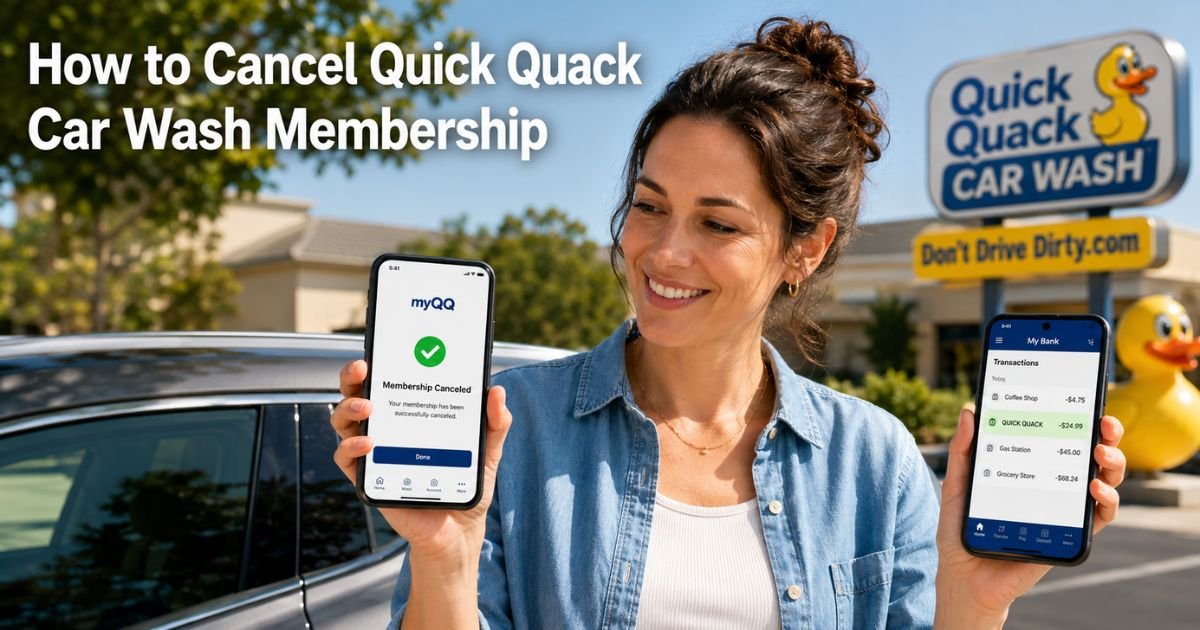
You grab your phone to check your bank app and there it is again, that recurring “QUICK QUACK” or “QUICK QUACK CAR WASH” charge you barely notice until it adds up.
You signed up for unlimited washes thinking it would save time and money, but now life is busy and you have not used it in weeks.
You are not alone. Plenty of drivers search for how to cancel Quick Quack Car Wash membership after the first few months when the convenience wears off or they switch to another option.
The good news is Quick Quack makes it straightforward once you know the exact steps.
You will discover precisely how to cancel your Quick Quack Car Wash membership, what those charges really mean, what to expect after you submit your request, and practical tips to keep your account clear.
Table of Contents
What Is Quick Quack Car Wash and Why the Charge?
Quick Quack Car Wash is a popular express car-wash chain with locations across several states. They offer unlimited monthly membership plans that let you drive through as often as you want for one flat fee.
Most people join during a special promotion, sometimes just a few dollars for the first month. The low entry price makes it easy to sign up, hand over your payment details, and forget about it.
Then the regular monthly charge starts automatically. Add in any add-on services or plan upgrades and those small amounts keep showing up on your statement.
How to Identify Quick Quack Charges on Your Statement
The charge usually appears as “QUICK QUACK,” “QUICK QUACK CAR WASH,” or sometimes a variation tied to “DONTDRIVEDIRTY” (their parent company). It hits on the same date each month based on your signup day.
Take two minutes right now and scan your last three statements. Note the exact wording, amount, and date. Keeping that quick record makes cancellation smoother and helps if you ever need to talk to your bank.
Understanding Your Quick Quack Membership Agreement
Quick Quack runs on simple monthly plans that renew automatically. You can cancel at any time, but your membership stays active until the end of the current paid period you already covered.
There is usually no long-term contract and no big cancellation fee for most members.
The only exception is a $5 fee if you cancel within the first 45 days of your initial purchase. After that your plan simply stops renewing with no extra charges.
How to Cancel Quick Quack Car Wash Membership
You have three main ways to cancel. Pick whichever fits your style best.
1. Cancel Online Through the myQQ Portal or App (Fastest Option)
Download the myQQ app or go to quickquack.com and log into your account. Head to Account, then Settings, and choose “Cancel Your Membership.” Follow the short prompts, confirm your details, and submit.
You will see an on-screen confirmation right away. Save a screenshot.
2. Cancel by Phone (Great for Quick Help)
Call customer care at 888-772-2792. The line is open 6:00 AM to 7:00 PM Pacific time. Tell the representative you want to cancel your membership and have your account or license-plate number handy. They will walk you through it and send confirmation by email.
3. Cancel Through the Website Contact Form
Visit quickquack.com/contact-us, scroll to the form, select “Request Cancel” from the dropdown, fill in your details including your license plate, and submit. Keep the confirmation email they send.
Bottom line: The myQQ app or portal is usually the quickest route and creates an instant record you can reference later.
Pro Tip: Screenshot every screen during cancellation, including the confirmation page and any emails. Store them in a folder labeled “Quick Quack Cancellation.” These records become your safety net if any question comes up down the road.
Real-Life Example
A 41-year-old delivery driver in Texas, signed up for Quick Quack last summer when gas prices were high and he wanted his work van looking sharp.
After a few months the $39.99 monthly charge started feeling unnecessary because he was washing the van at home more often.
One evening he opened the myQQ app, went to Settings, and tapped cancel. The process took less than two minutes. He received confirmation instantly, used the membership for the rest of that paid month, and then the charges stopped.
He later told his coworkers, “I put it off for weeks thinking it would be a hassle, but it was honestly the easiest part of my day.”
His experience shows that even busy drivers can handle this in just a few clicks.
What Happens After You Submit Your Cancellation?
Your membership stays active until the end of the billing period you already paid for. You can still roll through the wash as many times as you want during those final days.
Once that period ends, no new charges will appear. Check your bank or credit card statement for the next two months just to be sure everything looks clean.
If anything posts after your final date, reach out to support with your confirmation details.
Common Mistake: Do not simply remove your card from the app and assume the charges will stop. Quick Quack will keep billing until you officially cancel through their system. That can lead to extra fees or even a collections notice if left too long. Always complete the full cancellation steps first.
Quick Quack Car Wash Cancellation Options at a Glance
| Method | Time Needed | Best For | What You Need | Confirmation You Get |
|---|---|---|---|---|
| myQQ App/Portal | 2–5 minutes | Most people | Login or app | On-screen + email |
| Phone Support | 5–10 minutes | Need live help | Phone number & account info | Email confirmation |
| Website Contact Form | 3–7 minutes | No app access | License plate & details | Email receipt |
Source: Official Quick Quack FAQ and terms as of 2026. Always verify current details directly in your myQQ account.
If You Run Into Problems
A few members mention the cancel button is hard to find or the phone hold time feels long. Stay calm and patient. If the app does not cooperate, try the phone or contact form instead. Your bank can also place a temporary stop on future charges while you finish the process.
FAQs: Quick Quack Car Wash Cancel Membership
Q. How long does it take for Quick Quack Car Wash membership to end after I cancel?
A. Your membership stays active until the end of the current paid period you already covered. After that date no further payments are drawn and your plan ends automatically.
Q. Can I cancel my Quick Quack Car Wash membership through the app without calling?
A. Yes, just open the myQQ app, go to Account then Settings, and select “Cancel Your Membership.” It takes only a couple of minutes and you get instant on-screen confirmation.
Q. Will Quick Quack Car Wash charge me a fee if I cancel my membership early?
A. There is a $5 cancellation fee only if you cancel within the first 45 days of your initial signup. After that period you can cancel anytime with no extra fee and no refund for the current month.
Conclusion
Canceling your Quick Quack Car Wash membership really is as simple as opening the app, making a quick call, or filling out the online form. You now know the exact steps, what to watch for on your statements, and how to protect yourself with good records.
Taking care of this one task frees up a little extra money each month and gives you back control of your budget. While you are here, take a look at our other guides on spotting mystery car-wash charges or managing other monthly services.
Handle it today and enjoy one less thing on your mind tomorrow.
Disclaimer: The content on ExplainCharges.com is for informational and educational purposes only and does not constitute financial, legal, or professional advice. We are not affiliated with any companies or services mentioned. The information provided may not apply to your specific situation. If you suspect unauthorized charges or fraud, contact your bank or credit card issuer immediately. Always verify details directly with the source and consult a qualified professional if needed.
Meet the Author
