
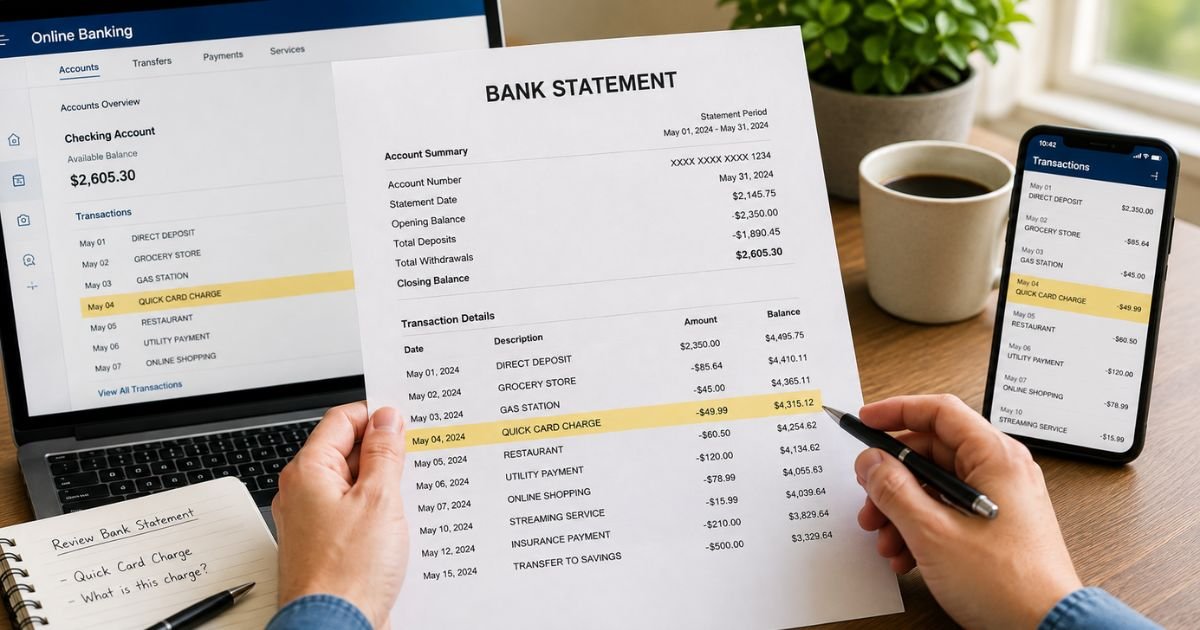
Spotting a Quick Card charge on bank statement can feel confusing if you do not recognize the name. Unfamiliar charges often come from payment processors that handle transactions for other businesses.
This guide explains what the charge usually means and what you can do about it.
Table of Contents
What Is the Quick Card Charge?
Quick Card (often shown as QUICK CARD or QUICK CARD SAN DIEGO CA) is typically a charge processed through QuickCard, a payment platform based in San Diego, California.
QuickCard provides transaction processing services for merchants. When you pay a business that uses their system, the charge may appear under the processor’s name instead of the store or service name you recognize.
The platform supports various payment methods, including card transactions, ACH, and related services.
Common statement descriptors include:
- Quick Card
- QUICK CARD SAN DIEGO CA
- QUICK CARD SAN DIEGO CA US
- Similar variations with a San Diego location
The charge is usually for a purchase or payment made at a merchant that relies on this processor.
Why Did This Charge Appear?
Most people see this charge after making a purchase at a business that uses QuickCard for payment processing.
Common reasons include:
- Buying goods or services from a retailer or dispensary that processes payments through QuickCard
- Completing an online or in-person transaction routed through their system
- A payment that displays the processor name rather than the individual merchant name
- In some cases, an unrecognized or unauthorized use of the card
Think about recent purchases, especially at places that may use alternative or specialized payment systems. Check any receipts or confirmation emails from around the charge date.
How to Verify the Charge
Use this checklist:
- Note the exact date, amount, and full descriptor on your statement.
- Search your email and text messages for receipts or order confirmations that match the date and amount.
- Review recent purchases at stores, online shops, or services you visited around that time.
- Ask household members if they made a purchase using the card.
- Call the number on the back of your card or debit card and ask for any additional merchant details available.
Matching the amount and date to a known purchase is the strongest confirmation.
Is the Charge Legitimate or Fraud?
In many cases the charge is a legitimate payment processed through QuickCard on behalf of a merchant.
Common legitimate explanations
- A purchase at a business that uses QuickCard for card processing
- An online or in-person transaction that billed under the processor name
Warning signs
- No matching receipt, email, or memory of a purchase
- Multiple similar charges you cannot explain
- The amount does not match any recent activity
When to contact the bank
If nothing in your records matches the charge, report it to your bank or card issuer as possible unauthorized activity right away.
How to Cancel or Stop Related Charges
Quick Card charges are typically one-time payments rather than ongoing subscriptions.
- If you recognize the underlying purchase and no longer want future dealings with that merchant, contact the original business directly.
- Ask your bank or card issuer whether they can block future charges from this merchant descriptor.
- Monitor your next statements closely.
- Update or remove stored payment details on any accounts linked to the original merchant.
Because the name on the statement belongs to the processor, your bank is often the most direct path for stopping further activity.
Can You Get a Refund?
Refund options depend on the original merchant and the reason for the charge.
If you authorized a purchase but have an issue with the product or service, start by contacting the business where you made the payment. Keep records of those attempts.
If the charge is unauthorized or the merchant cannot help, open a dispute with your bank or credit card issuer. Provide the statement details, any related receipts or emails, and a clear explanation.
Credit and debit card protections generally give you a set window to dispute unauthorized or incorrect charges. Acting within that window and supplying documentation improves your chances of a successful resolution.
What to Do If the Charge Is Unauthorized
Take these steps promptly:
- Call the number on the back of your card or contact your bank and report the charge as unauthorized.
- Ask them to open a formal dispute and, if available, issue a temporary credit.
- Request a new card number if you are concerned about further use of the old one.
- Change passwords on any accounts that may have stored the card details.
- Keep a written log of dates, times, and what was discussed in every conversation.
Acting quickly helps protect your account.
Prevention Tips
- Keep receipts and confirmation emails for purchases, especially at less familiar merchants.
- Turn on real-time transaction alerts from your bank.
- Use a virtual card number for online or one-time purchases when the option is available.
- Review statements weekly so unfamiliar processor names stand out quickly.
- Note the business name shown at checkout and compare it later to the statement descriptor.
- Update or remove stored card details on sites you no longer use.
FAQs: Quick Card Charge on Bank Statement
Q. What is the Quick Card charge on my bank statement?
A. It is typically a payment processed through QuickCard, a San Diego-based payment platform. The charge appears under the processor name when a merchant that uses their system handles your transaction.
Q. Why does it say Quick Card instead of the store name?
A. Many businesses use third-party processors. The statement often shows the processor’s name (Quick Card) rather than the individual merchant name.
Q. How do I find out which business charged me through Quick Card?
A. Check your email and receipts for matching amounts and dates. Call your bank for any additional merchant information they can provide.
Q. Can I get a refund for a Quick Card charge?
A. Contact the original merchant first if you recognize the purchase. If the charge is unrecognized or the merchant cannot help, dispute it with your bank or card issuer and provide supporting details.
Conclusion
A Quick Card charge on bank statement is most often a legitimate payment processed through the QuickCard platform on behalf of a merchant. Check your receipts and recent purchases first.
If the charge does not match anything you authorized, contact your bank or card issuer promptly to dispute it and protect your account.
Reviewing statements regularly and saving confirmation emails helps you identify these processor-named charges quickly.
Disclaimer: This article is for informational purposes only and is not financial or legal advice. Processor names, billing practices, and dispute outcomes can vary. Always verify details with your bank or card issuer for your specific situation.
Meet the Author
