
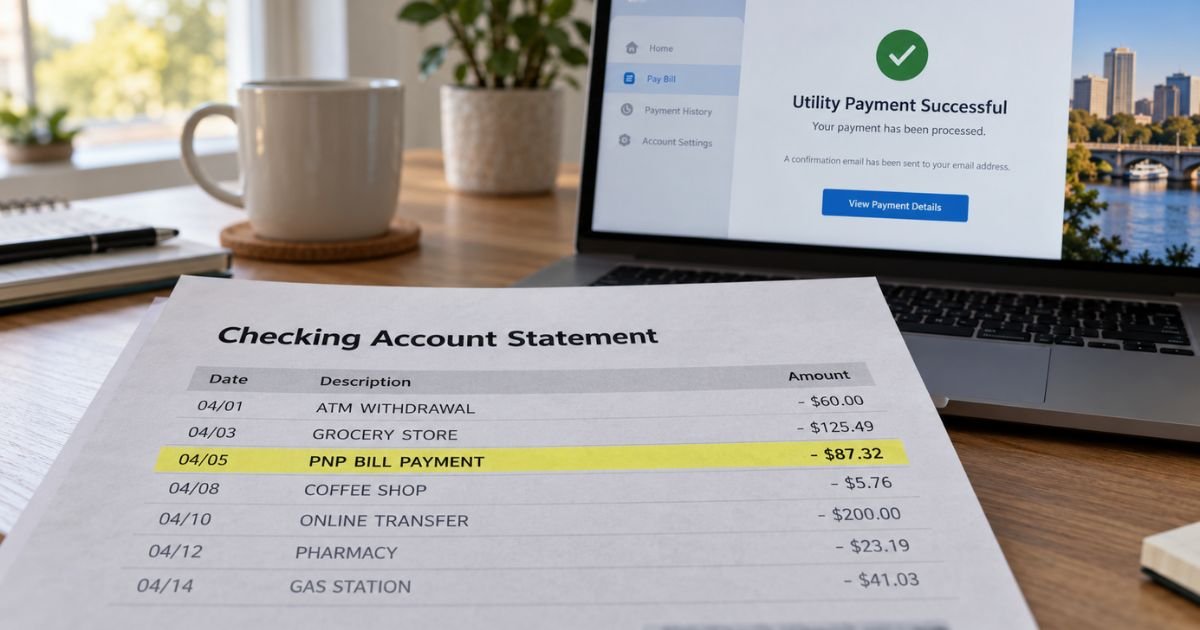
A PNP bill payment on bank statement can feel confusing if you don’t recall a company named PNP. Unfamiliar processor names are often legitimate. This guide explains the usual Plug’n Pay match, what the line does not prove, and how to find the real biller.
Table of Contents
What Is a PNP Bill Payment on a Bank Statement?
A PNP bill payment on bank statement is typically a payment processed through Plug’n Pay Technologies Inc., not a store you walked into.
Plug’n Pay is a US payment gateway. Cities, utilities, tax offices, schools, nonprofits, and online merchants use it to take cards and bank drafts.
The statement often prints the processor instead of the city or company you meant to pay. That is why the line can say PNP BILL PAYMENT when you paid water, property tax, rent, a permit, or another online bill.
Plug’n Pay’s official site is plugnpay.com. Official support lists 800-945-2538 and support@plugnpay.com. That desk is built mainly for merchants and technical tickets. Your receipt or city portal is still the fastest way to name the biller.
How the wording usually appears
Banks shorten the same payment in different ways. Reported variations include:
- PNP BILL PAYMENT
- PNP BILLPAYMENT
- PNP BILLPYMT
- PNP Online Payment
- ACH DEBIT PNP BILLPAYMENT
- CITY OF [NAME] PNP BILL PAYMENT
- FLAGSTAFF BILL PAY PNP
- PNP BILLPAYMENT [state or date code]
A city or county name next to PNP is a strong clue. A date-style code after the words is usually a batch or reference, not a second merchant. PENDING generally means a hold that has not posted yet.
Pro Tip: Search email for the same dollar amount from the same week. Look for “payment confirmation,” “utility,” “treasurer,” or “tax collector.” The receipt usually names the agency even when the bank does not.
Who Plug’n Pay is
Plug’n Pay describes itself as a long-running North American payment gateway. Official pages say the platform serves ecommerce, retail, government, education, and nonprofit merchants. It can process cards and ACH electronic checks. It also supports recurring billing for merchants that set that up.
PNP is the processor label. It is not the water department, the tax office, or the online shop by itself. You still need the underlying account.
Convenience or service fees can sit on top of the bill when a city or portal passes card costs to you. Those extra dollars are set by the biller or its checkout page, not by a single public Plug’n Pay consumer price list. Compare the statement total with the amount on your confirmation email.
What you may have paid
Consumer reports and city checkout examples often tie PNP lines to public or household bills. Typical matches include:
- City or county utilities
- Property taxes or treasurer payments
- Trash, sewer, or stormwater fees
- Permits, licenses, or court-related portals
- Rent or association portals that use the same gateway
- Other online bills or memberships that hide the brand behind PNP
A Dayton, Ohio discussion, for example, found two same-day PNP BILLPAYMENT drafts that neighbors recognized as property tax, not gas or electric. Your amount and schedule matter more than someone else’s bill.
Older write-ups often named the City of Flagstaff, Arizona as a PNP example. Flagstaff’s current official utility pay page uses a different portal vendor. Treat any city name on your own line as the lead. Do not assume every Flagstaff bill still prints as PNP.
Lookalikes to rule out
PNP is a crowded abbreviation. Match the country, currency, and extra words before you call the wrong office.
| Lookalike | What it is | When it may apply |
|---|---|---|
| Plug’n Pay (plugnpay.com) | US payment gateway | Most US “PNP BILL PAYMENT” lines |
| Pick n Pay | South African supermarket bill-pay desks | ZAR amounts or SA cities such as Cape Town |
| Plug&Pay (plugandpay.com) | Separate European checkout software | Unlikely on a US bank file |
| Philippine National Police | Government agency in the Philippines | Not a typical US card descriptor |
| Your own bank’s “bill pay” | Bank-sent check or ACH to a biller | Often shows the biller name, not PNP |
If the line also says Eskom, DStv, or a South African city, start with Pick n Pay bill pay, not Plug’n Pay.
How to match the charge
Work through this list.
- Match the date, amount, card or account, and pending versus posted status.
- Check city, county, tax, HOA, landlord, and utility emails from that week.
- Open any saved autopay in those portals. Recurring PNP drafts can post every cycle.
- Ask household members who may have paid a shared tax or water bill with your card.
- Call the number on your card and ask for the expanded merchant name, city, and phone.
- If the bank only returns Plug’n Pay, call 800-945-2538 with the date and amount and ask which merchant account took the sale. Have a receipt number ready if you have one.
Turn off autopay at the city or merchant site if you want the drafts to stop. Closing the card does not cancel a saved bank-account ACH. Ask your bank about a stop payment if a future debit is already scheduled.
Under federal electronic transfer rules, a stop-payment request for a scheduled recurring debit is generally due at least three business days before the next draft.
Common Mistakes: Calling Plug’n Pay first and skipping the city or tax receipt. The gateway can confirm a merchant ID. It cannot always change a utility balance or cancel service. Also, treating a convenience fee as fraud when the checkout page disclosed it.
What if you still do not recognize it?
If no bill, tax notice, or household user matches the posted amount, treat it as unrecognized.
On a credit card, federal billing-error rules generally give you 60 days from the statement that first showed the charge to send a written notice.
Issuers generally must acknowledge a billing-error claim within 30 days and resolve it within two billing cycles, not more than 90 days.
On a debit card or bank account, report the problem quickly. Electronic fund transfer rules use different clocks. Fast notice generally gives you stronger protection.
Keep screenshots of the descriptor, amount, date, and any confirmation number. Do not send a one-time passcode to a caller who found you. Start with the number on your card and official city or Plug’n Pay pages.
FAQs: PNP Bill Payment on Bank Statement
Q. What is a PNP bill payment on my bank statement?
A. It is usually a Plug’n Pay gateway payment, not a separate consumer brand. The real biller is often a city, tax office, utility, or online merchant. Match the date and amount to a receipt or portal history.
Q. Is PNP BILL PAYMENT a scam?
A. Not by itself. Plug’n Pay is a real US payment company. The line can still be unauthorized if you never paid that biller. Confirm the underlying bill before you dispute.
Q. Why doesn’t the statement show my city or utility name?
A. Some checkouts send the processor name through the card or ACH network. Banks then print PNP BILL PAYMENT. The confirmation email or expanded merchant record usually names the agency.
Q. How do I stop future PNP bill payments?
A. Cancel or edit autopay with the city, tax office, or merchant that saved your card or bank account. Ask your bank for a stop payment if a draft is already scheduled. Contacting Plug’n Pay alone may not turn off the biller’s autopay.
Conclusion
A PNP bill payment on bank statement is typically Plug’n Pay processing a bill you already authorized, not a mystery store. Official Plug’n Pay support is 800-945-2538 and support@plugnpay.com. Match your city, tax, or utility receipt first. Dispute only the lines nobody in your household can explain.
Disclaimer: This article is for general information only. It is not financial, legal, or tax advice. Processors, convenience fees, and dispute timelines vary by biller and issuer. Confirm account-specific questions with the agency on your receipt, Plug’n Pay, or your bank using official contact details.
Meet the Author
