
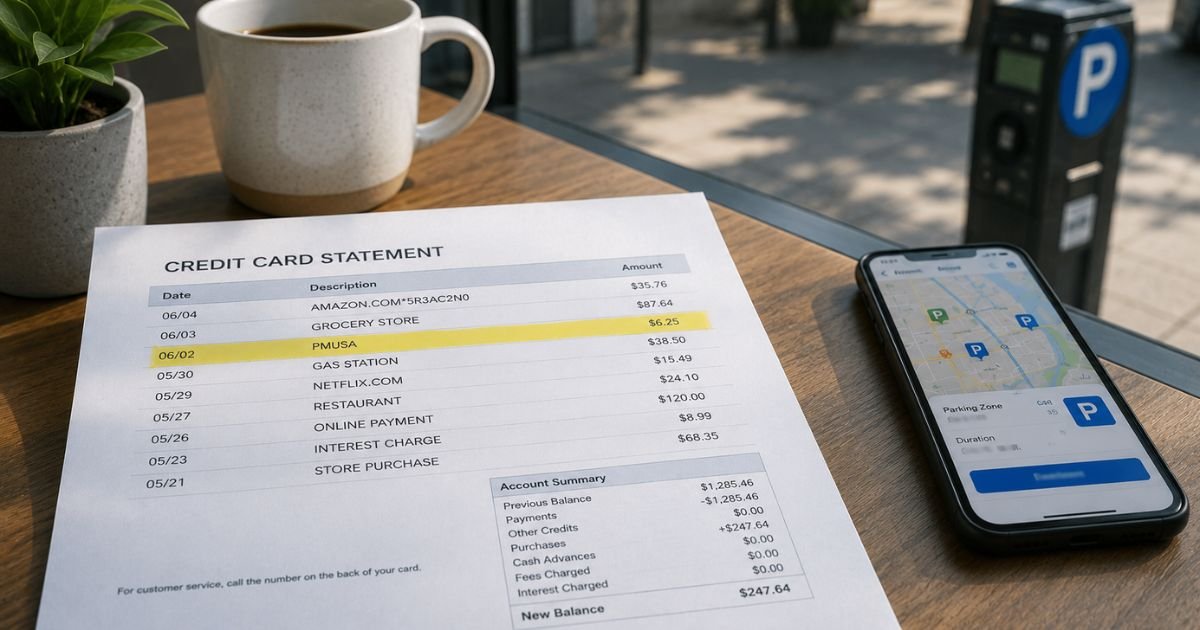
A PMUSA charge on credit card can feel confusing if you do not recognize the name. Unfamiliar short descriptors are common with payment apps and processors.
This guide explains the most likely source, how to check it, and the simple steps to take next.
Table of Contents
What Is the PMUSA Charge on Your Credit Card?
PMUSA on a credit card statement most often refers to ParkMobile USA.
ParkMobile is a widely used mobile app that lets people pay for street parking, garage parking, and some tolls in hundreds of U.S. cities, airports, universities, and venues.
Banks and payment processors shorten the company name to fit statement limits. That is why you may see PMUSA, PMUSA TOLLING, PMUSA ATLANTA GA, PMUSA PARKING, or similar variations instead of the full “ParkMobile” name.
Atlanta is the location of ParkMobile’s headquarters, so the city often appears even if you parked elsewhere.
Note that PMUSA is also sometimes used as an abbreviation for Philip Morris USA, the tobacco company.
In practice, consumer tobacco purchases almost always show the retailer name (such as a gas station or convenience store) rather than the manufacturer.
The parking-related PMUSA descriptor is far more common on everyday credit card statements.
Why Does This Charge Appear?
The most common reasons are straightforward. You (or someone using your card) paid for a parking session through the ParkMobile app.
The charge can also come from an automatic wallet top-up, a session extension, a membership fee such as ParkMobile Pro, or a toll payment processed through the platform.
Amounts are typically small for short-term parking, often a few dollars up to around $20 or $30 for longer stays or event parking.
Toll-related charges or membership fees can vary. The charge may post a day or two after the actual parking session because of processing times.
Here is a quick reference of common descriptors:
| Descriptor Example | Typical Meaning |
|---|---|
| PMUSA | General parking or wallet activity |
| PMUSA TOLLING | Toll payment or related processing |
| PMUSA ATLANTA GA | ParkMobile HQ processing location |
| PMUSA PARKING | Standard parking session |
| PMUSA PM PRO | Membership or premium plan fee |
How to Verify the PMUSA Charge
Open the ParkMobile app or go to the ParkMobile website and sign into the account linked to your card. Check the History, Activity, or Transactions section. Look for a session that matches the date and exact amount on your statement.
Also review any email confirmations or in-app receipts from the day of the charge. If you recently traveled, attended an event, or parked near an airport or stadium, that context often explains the charge.
If the amount and date match a parking session you recognize, the charge is almost certainly legitimate.
Pro Tip: Keep the ParkMobile app notifications turned on or save the confirmation emails. Matching a small parking fee to the statement takes only a minute when you have the details handy.
Is the PMUSA Charge Legitimate or a Potential Problem?
In the large majority of cases a PMUSA charge is a real ParkMobile transaction. The company is a legitimate parking payment platform used across the United States. Most people simply do not remember the exact session or do not recognize the abbreviated descriptor.
Unauthorized charges are still possible if someone else used your card or account. Repeated small charges you cannot match, or charges that appear when you have never used the app, deserve a closer look. Always verify first before assuming fraud.
What to Do If You Do Not Recognize the Charge
Start with the ParkMobile app or website history as described above. If nothing matches, contact ParkMobile customer care.
You can call 877-727-5457 or use the help center at support.parkmobile.io to submit a request. Have the statement date, amount, and last four digits of your card ready.
If ParkMobile cannot locate a matching transaction or the charge still looks wrong, contact your credit card issuer right away. Report it as unrecognized and ask them to open a dispute if needed.
Most issuers offer strong protection for unauthorized credit card use when you act promptly. Request a new card if fraud is suspected and monitor the account for any follow-up activity.
Also check whether a family member or authorized user on the account recently parked using the app.
Common Mistakes: Ignoring a small charge because the amount seems minor. Waiting too long to check the app history, which can make matching harder. Assuming every unfamiliar short name is automatic fraud without first reviewing parking or travel records.
How to Avoid Future Confusion
Review your statements regularly, especially after trips or events in cities that use ParkMobile. Turn on transaction alerts from your card issuer.
If you no longer want the service, remove your card from the ParkMobile account or cancel any paid membership through the app settings.
When parking, note the zone number and approximate cost so you can match it later. Using a virtual card number for the app (if your issuer offers one) can also limit exposure.
FAQs: PMUSA Charge on Credit Card
Q. What does PMUSA stand for on my credit card statement?
A. It most often stands for ParkMobile USA, the parking payment app. The abbreviated form appears because of how payment processors list merchant names. Variants such as PMUSA TOLLING or PMUSA ATLANTA GA point to the same company.
Q. Can a PMUSA charge be from Philip Morris USA instead?
A. The acronym is shared, but consumer tobacco purchases typically show the store or retailer name rather than PMUSA. Small amounts combined with parking or travel activity almost always indicate ParkMobile. Check the amount, date, and any location details for clues.
Q. How do I stop future PMUSA charges?
A. Open the ParkMobile app, go to your account or payment settings, and remove the card or cancel any active membership such as ParkMobile Pro. Confirm the change in the app history.
Q. What should I do if ParkMobile says they have no record of the charge?
A. Contact your credit card issuer immediately to dispute the transaction as unauthorized. Provide the exact descriptor, date, and amount. Ask for a temporary block or new card if needed and keep records of all communications.
Conclusion
A PMUSA charge on credit card is typically a payment to ParkMobile USA for parking, a toll, a wallet top-up, or a membership fee. The short name is simply how the transaction appears on statements.
Most of the time it matches a session you or an authorized user completed. Start by checking the ParkMobile app history for the matching date and amount. If nothing lines up, contact ParkMobile support and then your card issuer.
Acting quickly and matching the details usually resolves the question without lasting worry. Staying aware of parking app charges helps you keep clear records and catch any real problems early.
Disclaimer: This article is for informational purposes only and is not financial, legal, or professional advice. Merchant descriptors, fees, and support processes can vary by issuer, location, and account. Always verify details directly with ParkMobile or your bank or card issuer for questions specific to your situation.
Meet the Author
