
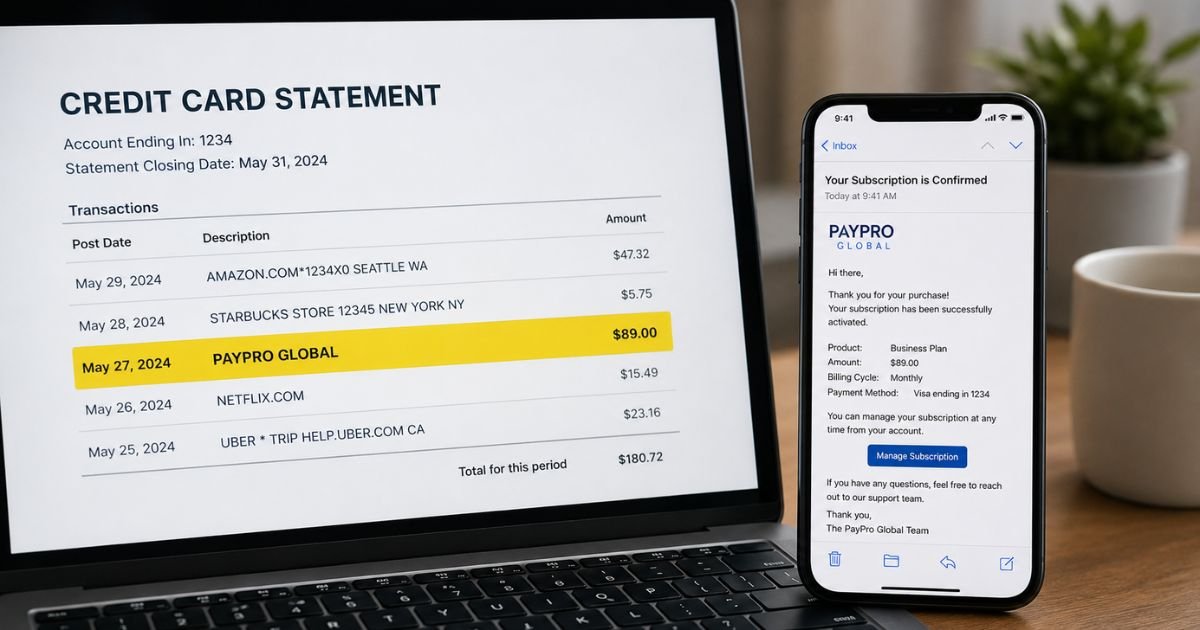
Finding a PayPro Global charge on credit card can catch you off guard. You might not recognize the name, and that naturally raises questions.
This guide walks you through what the charge means, why it showed up, how to check it, and the exact steps to cancel or dispute it if needed.
Table of Contents
What Is a PayPro Global Charge?
PayPro Global is a Merchant of Record (MoR) and payment processor. It helps software, SaaS, digital goods, and video game companies sell their products worldwide.
The company handles the payment, taxes, compliance, and billing on behalf of thousands of partner vendors.
When you buy from one of those partners, the charge appears under PayPro Global’s name instead of the software brand.
Common billing descriptors include PAYPRO GLOBAL, PayPro Global, or slight variations depending on your bank.
This means PayPro processed the transaction for the actual product or service. You likely purchased antivirus software, a VPN, productivity tools, a game, a website builder, or another digital subscription.
The company has operated for more than 20 years, is PCI-DSS Level 1 certified, and maintains offices in Canada, the U.S., and several other countries.
Why Did This Charge Appear?
Several everyday situations lead to a PayPro Global charge:
- Subscription renewal for software or a digital service you signed up for earlier.
- Free trial that automatically converted to a paid plan.
- One-time purchase of software, a digital download, or a game.
- Purchase made by a family member or someone else who uses your card.
- Payment processed by PayPro on behalf of a partner merchant.
- Duplicate billing or a failed-then-retried charge.
- Authorization hold that later posted as a full charge.
Many people forget about a trial or annual renewal until the charge hits their statement. The name “PayPro Global” appears because the company acts as the official seller of record, not the software developer.
How to Verify the Charge
Use this simple checklist:
- Note the exact amount, date, and full descriptor from your statement.
- Search your email (including spam and promotions) for receipts, order confirmations, or messages from PayPro Global or the software company.
- Visit the official order lookup page at payproglobal.com/customer-support and enter the email used for the purchase.
- Log into the PayPro Global customer portal at cc.payproglobal.com using the same email. Look for order history and subscription details.
- Call PayPro Global support and ask them to identify the transaction.
- Ask household members if they recently bought or renewed software.
If the portal or support team shows a matching order, the charge is legitimate.
Is It Legitimate or Fraud?
PayPro Global is a real, established company. Most charges are legitimate purchases or renewals processed for partner software vendors.
Common legitimate scenarios include forgotten trials, annual software renewals, or digital product downloads. Warning signs that something may be wrong include:
- No matching email or order confirmation anywhere.
- Multiple unexpected charges in a short time.
- Charges for products you never installed or used.
- Activity on a card you rarely use online.
If the charge does not match any purchase you recognize, contact your bank right away and also reach out to PayPro Global for clarification.
How to Cancel
You can cancel most subscriptions yourself. Here’s how:
- Go to payproglobal.com/customer-support and use the order lookup tool with the email from the purchase.
- Sign in to the customer portal at cc.payproglobal.com.
- Open the Subscriptions section.
- Select the active subscription and click Cancel.
- Confirm the cancellation and save any confirmation email.
If you cannot find the order or the portal does not work, call support:
- U.S. and Canada toll-free: +1-888-317-4868
- International: +1-647-977-7769
Support is available 24/7. You can also submit a ticket through the customer support page. Ask for written confirmation that the subscription is canceled and that future charges will stop.
Can You Get a Refund?
Refund eligibility depends on the product and timing. PayPro Global generally reviews refund requests submitted within 30 days of the purchase. You submit the request through the same customer support portal or ticket system.
They often forward the request to the actual software vendor first so the issue can be resolved. Credit card refunds typically appear in 1–2 weeks. Debit card refunds are often faster.
If the charge is unauthorized, skip the merchant refund process and dispute it directly with your bank for stronger consumer protections.
Refund timeline overview
| Action | Typical Timeframe |
|---|---|
| Submit refund request | Within 30 days |
| Merchant review | A few days to 2 weeks |
| Credit card credit | 1–2 weeks |
| Debit card credit | 1–3 business days |
What to Do If the Charge Is Unauthorized
Follow these steps immediately:
- Call the number on the back of your credit or debit card and report the charge as unauthorized.
- Request a temporary block or replacement card if needed.
- File a formal dispute through your bank’s app or website and keep the reference number.
- Contact PayPro Global at the numbers above or via the support portal so they can flag the transaction on their side.
- Monitor all your accounts for any additional unusual activity.
- Update passwords and enable transaction alerts on every card.
- If the pattern continues, consider a fraud alert with the credit bureaus.
Acting quickly protects your liability limits under U.S. credit card rules.
Prevention Tips
These practical habits help avoid future surprises:
- Turn on instant transaction alerts for every card.
- Review your statements weekly, not just monthly.
- Keep a simple list of active software subscriptions and their renewal dates.
- Use virtual card numbers for free trials whenever your bank offers them.
- Cancel trials the same day you sign up if you are unsure.
- Check the “Subscriptions” or “Recurring payments” section in your banking app regularly.
- Save confirmation emails in a dedicated folder.
- Ask household members to tell you before they buy digital products with shared cards.
- Periodically log into the PayPro Global portal with emails you commonly use online.
Common descriptor variations
| Descriptor shown | What it usually means |
|---|---|
| PAYPRO GLOBAL | Standard processor charge |
| PayPro Global | Same company, different formatting |
| PAYPROGLOBAL | Compressed version some banks display |
Charge type vs. meaning
| Charge type | Typical meaning |
|---|---|
| Small initial amount | Free trial or first payment |
| Larger recurring amount | Subscription renewal |
| One-time larger charge | Software or digital product purchase |
FAQs: PayPro Global Charge on Credit Card
Q. Why does the charge say PayPro Global instead of the software name?
A. PayPro Global acts as the Merchant of Record. It processes the payment, collects taxes, and handles billing for the actual software company. That is why their name appears on your statement.
Q. How do I find out exactly which product I was charged for?
A. Use the order lookup tool at payproglobal.com/customer-support with the email from the purchase, or log into the customer portal. Support can also look it up for you by phone.
Q. Can I stop future PayPro Global charges without canceling the whole subscription?
A. In most cases you need to cancel the subscription itself. Updating or removing the card in the customer portal can also prevent renewals, but full cancellation is the cleanest method.
Q. Is PayPro Global safe to give my card details to?
A. Yes. The company is PCI-DSS Level 1 certified and processes payments for thousands of established software and SaaS businesses. Always verify the charge matches a purchase you made.
Conclusion
A PayPro Global charge on credit card almost always comes from a software, SaaS, or digital product purchase processed through their Merchant of Record platform.
Check the customer portal or call support to confirm the exact item. Cancel any unwanted subscriptions right away, and dispute anything that looks unauthorized with your bank.
Regular statement reviews and transaction alerts keep these surprises to a minimum.
Disclaimer: This article is for informational purposes only and is not financial or legal advice. Policies can change. Always confirm details directly with PayPro Global and your card issuer.
Meet the Author
