
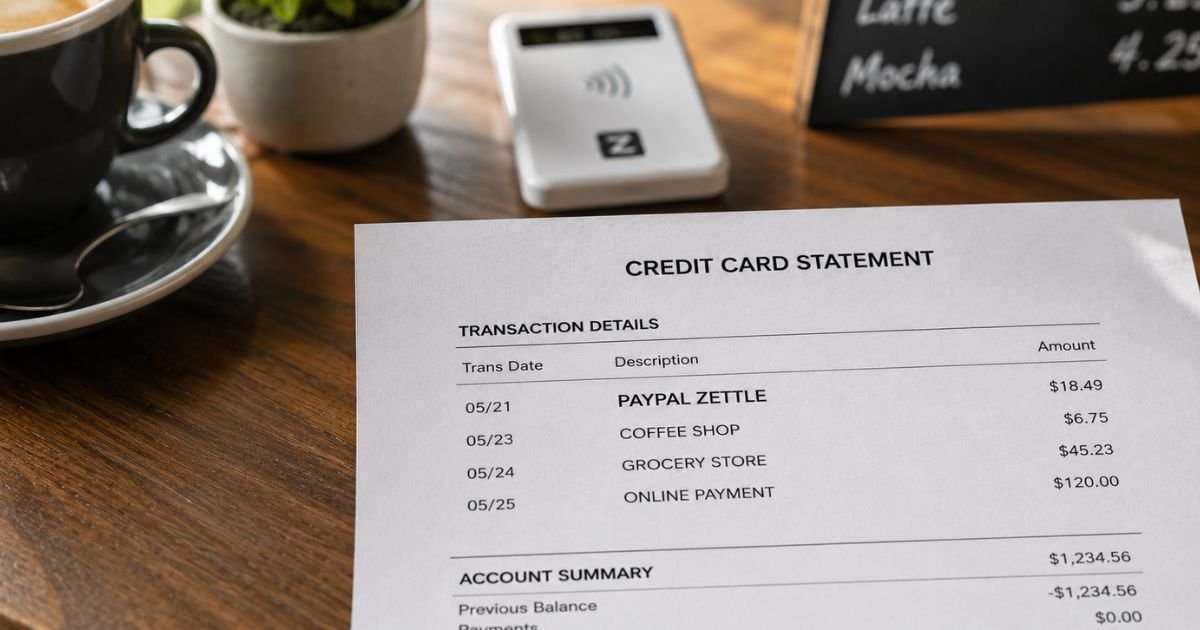
Seeing an unfamiliar PayPal Zettle charge on credit card statement can be confusing. You may not recognize the name, which often leads people to wonder if the charge is legitimate or something to dispute.
This article explains what the charge means, why it appears, how to verify it, and what to do if you need to dispute it.
Table of Contents
What Is the PayPal Zettle Charge?
PayPal Zettle (formerly known as iZettle) is PayPal’s point-of-sale and mobile card reader system designed for small businesses.
Merchants use the Zettle app and a compact card reader to accept credit cards, debit cards, contactless payments (Apple Pay, Google Pay, etc.), and other methods in person.
When you tap, insert, or swipe your card at a business that uses Zettle, the payment is processed through Zettle’s system.
As a result, your bank or card issuer often shows the processor name (“Zettle,” “PayPal Zettle,” or “iZettle”) instead of the individual shop or seller’s name.
Common statement variations include:
- ZETTLE
- PAYPAL ZETTLE
- iZETTLE
- ZETTLE * [Business or location]
- ZETTLE [City/Country]
The amount matches what you paid the merchant for goods or services.
Why Did This Charge Appear?
The most common reasons are everyday purchases:
- You paid at a café, market stall, food truck, barber, salon, or independent retailer that uses a Zettle card reader.
- You paid a tradesperson, taxi, or service provider who accepts cards via Zettle.
- You paid an invoice sent through the Zettle system.
- A family member or household member used your card at a Zettle-equipped business.
- Contactless or mobile wallet payment processed through a Zettle reader.
Because many small businesses do not set a custom trading name in the system, the default processor name appears on statements.
This is normal and does not mean the charge is fraudulent.
How to Verify the Charge
Use this checklist:
- Note the exact date, amount, and full descriptor on your statement.
- Think about recent in-person purchases at small shops, markets, cafés, or service providers around that date.
- Check any paper or email receipts you received and compare the amount and date.
- Look at the location information on the statement (city or country) if available — it can help jog your memory.
- Ask household members if they used the card for any small-business purchases.
- If the amount and date match a purchase you remember, the charge is expected.
Matching the details to a real transaction confirms it is legitimate.
Is It Legitimate or Fraud?
In the large majority of cases, a PayPal Zettle charge is legitimate. Zettle is a well-established PayPal product used by hundreds of thousands of small businesses.
The charge simply reflects a payment you (or someone using your card) made to a merchant who processes cards through Zettle.
Common legitimate scenarios:
- You paid a small business in person with your card or mobile wallet.
- The merchant’s name does not appear because Zettle is the payment processor.
- The amount matches a recent purchase.
Warning signs that need investigation:
- You have no recollection of any in-person purchase around that date.
- Multiple unexpected charges appear with no matching activity.
- The amount is unusually high or does not match any recent spending.
- You receive no receipt and cannot identify any possible merchant.
If the charge does not match anything you recognize, treat it as potentially unauthorized and contact your card issuer.
How to Cancel or Stop Future Charges
Zettle charges are almost always one-time payments for goods or services. There is typically no ongoing subscription or recurring billing from Zettle itself for consumers.
To avoid similar surprises:
- Keep receipts from small-business purchases.
- Note the business name when you pay with a card reader.
- Ask the merchant for a receipt that includes their trading name if possible.
If you believe a merchant is incorrectly charging your card, contact that business first.
Zettle processes the payment on the merchant’s behalf and generally cannot reverse individual consumer charges without the merchant’s involvement or a formal dispute.
Can You Get a Refund?
Refunds depend on the merchant, not on Zettle alone.
- Contact the business where you made the purchase and request a refund according to their policy.
- If the merchant agrees, they can process a refund through their Zettle account, which will return the money to your card.
- For unauthorized charges, dispute the transaction with your credit card issuer under the Fair Credit Billing Act.
- In some regions (for example, the UK), additional consumer protections may apply for credit card purchases over certain amounts.
Start with the merchant if you can identify them. Keep records of all communications.
If the merchant does not resolve the issue, file a dispute with your card issuer within the required timeframe.
What to Do If the Charge Is Unauthorized
If you confirm no one authorized the payment:
- Call the number on the back of your credit card and report the charge as unauthorized.
- Request a dispute and ask the issuer to investigate.
- Provide the date, amount, and any details you have.
- Monitor your account for other unexpected activity.
- Consider changing online banking passwords and enabling transaction alerts.
- Document everything, including reference numbers from your conversations with the bank.
Report the issue promptly. Federal law limits your liability for unauthorized credit card charges when you report them quickly.
Prevention Tips
- Review credit card and bank statements every month.
- Turn on transaction alerts for new merchants or amounts above a set threshold.
- Keep paper or digital receipts from small-business and market purchases.
- Note the business name when you use a portable card reader.
- Ask household members to tell you about any card payments they make.
- Prefer merchants who provide clear receipts with their trading name.
- Use virtual card numbers or spending limits for everyday purchases when available.
- Double-check the amount on the card reader screen before authorizing payment.
Common Reasons for a PayPal Zettle Charge
| Situation | Typical Amount | What to Check |
|---|---|---|
| Café, market, or small shop | Varies | Recent in-person purchases |
| Barber, salon, or service | Varies | Appointments or services around the date |
| Tradesperson or taxi | Varies | Service or ride receipts |
| Invoice paid by card | Varies | Email invoices received |
Statement Descriptor Variations
| Descriptor Example | Meaning |
|---|---|
| ZETTLE | Standard processor name |
| PAYPAL ZETTLE | PayPal-branded version |
| iZETTLE | Older brand name (same company) |
| ZETTLE * [Name or location] | Includes merchant or city details |
FAQs: PayPal Zettle Charge on Credit Card
Q. What is a PayPal Zettle charge on my credit card?
A. It is almost always a payment you made to a small business or independent seller that uses PayPal’s Zettle card reader or point-of-sale system. The processor name appears instead of the shop’s name.
Q. Is a Zettle charge a scam?
A. No. Zettle is a legitimate PayPal product. The charge is legitimate when it matches an in-person (or invoice) purchase you or someone using your card authorized. Unrecognized charges should still be investigated.
Q. Why doesn’t the shop name appear on my statement?
A. Zettle is the payment processor. Banks often display the processor’s name rather than the individual merchant’s name, especially for small businesses that have not set a custom descriptor.
Q. How do I dispute a PayPal Zettle charge?
A. Contact your credit card issuer using the number on the back of your card, report the charge, and follow their dispute process. Provide the date, amount, and any supporting details. Your issuer will investigate.
Conclusion
A PayPal Zettle charge on credit card is typically a legitimate payment processed through PayPal’s point-of-sale system for a small business or independent seller.
Match the date and amount to recent in-person purchases, check any receipts, and contact your card issuer if the charge is completely unfamiliar.
Keeping receipts and reviewing statements regularly helps you quickly recognize these processor-named charges in the future.
Disclaimer: This article is for informational purposes only and is not financial, legal, or professional advice. Policies and procedures can change. Always verify details directly with your financial institution or the relevant merchant when possible.
Meet the Author
