
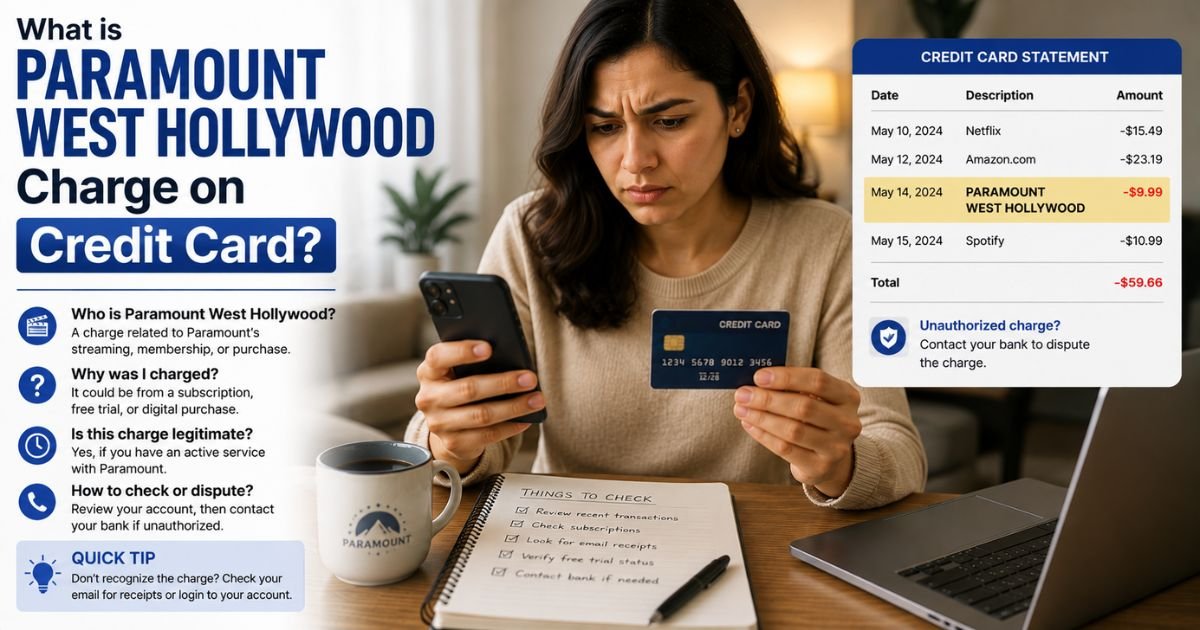
Spotting a Paramount West Hollywood charge on credit card can feel confusing if you do not recall a recent purchase. Unfamiliar charges are often legitimate subscriptions that appear under a location-based name.
This guide explains what the charge typically means and what you can do about it.
Table of Contents
What Is the Paramount West Hollywood Charge?
The Paramount West Hollywood charge most often relates to a Paramount+ streaming subscription. Paramount+ is the service that offers movies, TV shows, live sports, and original content.
The “West Hollywood” part usually comes from the billing or processing address linked to Paramount entities in California. Payment processors sometimes list the merchant location this way instead of simply saying “Paramount+.”
Common statement descriptors include:
- Paramount West Hollywood
- Paramount+ West Hollywood
- POS Debit Paramount West Hollywood CA
- Similar variations with West Hollywood or CA
Charges are typically recurring monthly or annual subscription fees. Exact amounts depend on the plan (Essential with ads or Premium ad-free) and can change over time. Always check your own account for the current price.
Why Did This Charge Appear?
Most people see this charge after starting or renewing a Paramount+ plan.
Common reasons include:
- Signing up for a free trial that converted to a paid subscription
- An automatic monthly or yearly renewal
- A family member or someone with access to your card starting the service
- Signing up through a partner platform (smart TV, Roku, Amazon, or similar) that still bills under a Paramount-related name
- A one-time purchase such as a gift subscription or add-on
The location name on the statement does not mean you visited West Hollywood. It is simply how the billing system records the transaction.
How to Verify the Charge
Follow these steps:
- Note the exact date, amount, and full descriptor on your statement.
- Log into your Paramount+ account at paramountplus.com and check the billing or subscription history.
- Search your email for confirmation messages or receipts from Paramount+ around the charge date.
- Review any other accounts (Apple, Google, Amazon, or device platforms) that might handle the billing.
- Call the number on the back of your credit card if you need the full merchant details.
Matching the amount and date to your Paramount+ plan confirms the source in most cases.
Is the Charge Legitimate or Fraud?
In the majority of cases the charge is a legitimate Paramount+ subscription.
Common legitimate explanations
- An active or recently renewed streaming plan
- A trial that auto-converted to paid
- Billing processed under the company’s California address
Warning signs
- No matching Paramount+ account or email confirmation
- Multiple unknown charges around the same time
- The amount does not match any plan you recognize
When to contact the bank
If nothing in your accounts matches the charge, treat it as possible unauthorized activity and report it promptly.
How to Cancel Paramount+ (or Stop the Charges)
Cancellation is straightforward through your account.
- Go to paramountplus.com and sign in.
- Open Account settings, then look for Subscription or Billing.
- Select the option to cancel or manage your plan.
- Confirm the cancellation and note the end date of your current period.
- If you signed up through a third-party platform (Apple, Google, Amazon, etc.), cancel through that platform’s subscription settings instead.
You typically keep access until the end of the paid period. After canceling, watch your next statement to confirm the charge stops.
Can You Get a Refund?
Refund policies for Paramount+ are limited and depend on the circumstances.
If you cancel during a free trial or within a short window after a recent charge, you may qualify for a refund or credit. Contact Paramount+ support through the help center or account chat and explain the situation.
If the charge was unauthorized or the company cannot help, open a dispute with your credit card issuer. Provide the statement details, any account screenshots, and notes from your contact with Paramount+.
Credit card protections under federal rules often give you strong options when you act within the required time frames.
What to Do If the Charge Is Unauthorized
Take these steps right away:
- Call the number on the back of your card and report the charge as unauthorized.
- Ask the issuer to open a dispute and, if available, issue a provisional credit.
- Check and cancel any Paramount+ account linked to the card.
- Change passwords on related accounts and review recent activity.
- Monitor your statements for additional charges and consider a card replacement if needed.
Keep records of every call and message.
Prevention Tips
- Review active subscriptions in your Paramount+ account and other platforms regularly.
- Turn on real-time transaction alerts from your bank or card issuer.
- Use a virtual card number for streaming trials when the option is available.
- Cancel trials before they convert if you do not want the paid service.
- Keep a simple list of recurring charges so nothing surprises you.
FAQs: Paramount West Hollywood Charge on Credit Card
Q. What is the Paramount West Hollywood charge on my credit card?
A. It is typically a Paramount+ streaming subscription billed under a location-based merchant name linked to the company’s California operations.
Q. Why does it say West Hollywood instead of Paramount+?
A. Payment processors often include the billing or office address. Paramount-related entities have ties to West Hollywood, CA, so the location appears on the statement.
Q. How do I cancel the charges?
A. Sign in at paramountplus.com, go to your account settings, and cancel the subscription. If you signed up through another platform, cancel there instead.
Q. Can I get a refund for a Paramount West Hollywood charge?
A. Refunds depend on timing and the reason. Contact Paramount+ support first. If that does not resolve it, dispute the charge with your credit card issuer.
Conclusion
A Paramount West Hollywood charge on credit card is most often a Paramount+ subscription that appears with a location-based descriptor. Check your account and email confirmations first.
Cancel through the Paramount+ site or the platform you used to sign up, and contact your card issuer if the charge looks unauthorized.
Staying aware of your active streaming plans and reviewing statements regularly helps you avoid surprises.
Disclaimer: This article is for informational purposes only and is not financial or legal advice. Subscription prices, billing descriptors, and refund policies can change. Always verify details directly with Paramount+ or your card issuer for your specific account.
Meet the Author
