
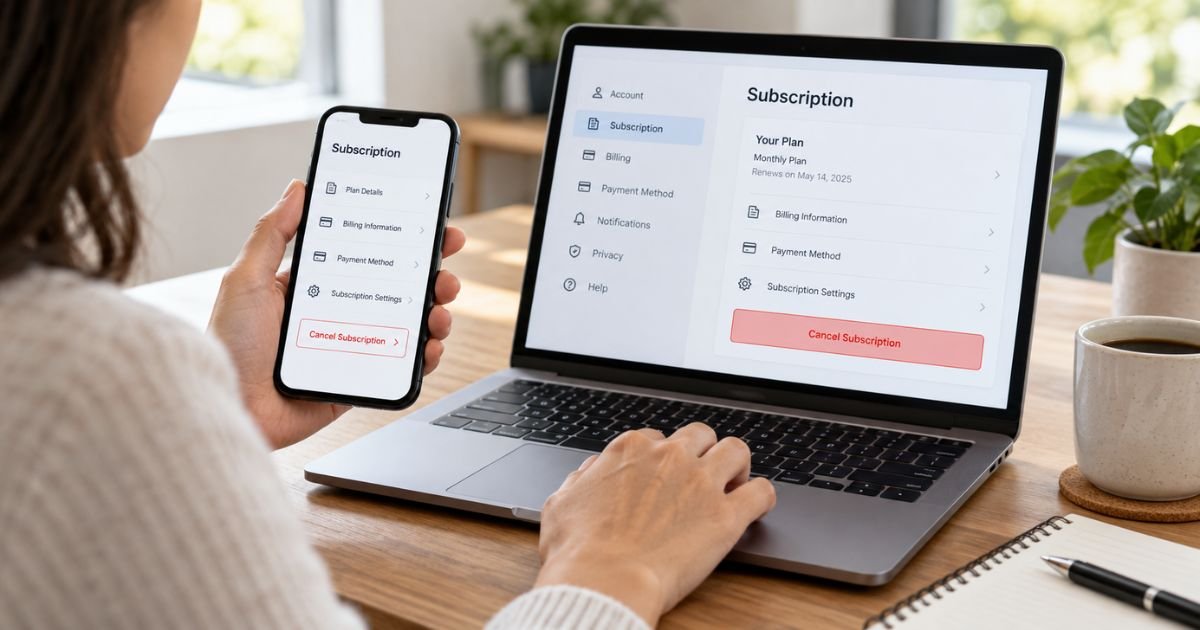
If you are searching for Moyra Web cancel subscription instructions, first identify how you originally paid. Moyra says web subscriptions may be managed through Zotlo or PayPal, while subscriptions purchased inside the mobile app are generally managed through Apple or Google Play.
Deleting the Moyra app or deleting your account is not the same as canceling a paid subscription. This guide explains each cancellation method and what to do if you cannot find the subscription.
Table of Contents
Moyra Web Cancel Subscription: How to Stop Renewal
Your cancellation method depends on where the original transaction took place. Before trying several different subscription menus, check your purchase confirmation email, bank statement, or payment receipt.
Moyra subscriptions may be handled through:
- Zotlo for some website purchases
- PayPal for some web payments
- Apple App Store for iPhone or iPad subscriptions
- Google Play for Android subscriptions
Cancel through the company that manages the recurring payment. Once canceled, you will generally retain access through the end of the billing period you already paid for, but the subscription should no longer automatically renew.
How to Cancel Moyra Web Through Zotlo
If you purchased Moyra directly on the web and cannot find the subscription in Apple or Google Play, check Zotlo.
Zotlo is a subscription and payment-management provider used by digital services. Its customer account portal allows users to view purchases, manage subscriptions, cancel recurring plans, and review payment information.
To cancel:
- Open your browser and go to account.zotlo.com.
- Choose the option to sign in with your email address or phone number.
- Use the same information you entered when purchasing Moyra.
- Complete any verification step requested by Zotlo.
- Open your subscriptions or purchases section.
- Locate Moyra or Moyra Web.
- Open the subscription details.
- Choose the cancellation option.
- Confirm that you want to stop the subscription from renewing.
- Save the confirmation page or email for your records.
After cancellation, check the subscription details again. You should see information indicating that the plan has been canceled or will expire at the end of the current paid period.
Do not stop after simply signing into Zotlo. Make sure you open the subscription and complete the cancellation confirmation.
What if You Cannot Log In to Zotlo?
The most common problem is using an email address that is different from the one connected with the purchase.
Check the email account where you received your original Moyra confirmation or horoscope purchase message. You can also search your inbox for terms such as:
- Moyra
- Zotlo
- Subscription
- Payment
- Receipt
- Purchase
If you used Google sign-in when purchasing Moyra, try the email address connected with that Google account.
Zotlo’s customer portal also provides an account-recovery option for people who do not remember which email address or phone number they used. Depending on the situation, you may be able to locate your payment using transaction information.
Avoid creating several unrelated accounts unless necessary. Your subscription will usually be associated with the contact information provided during the original checkout.
How to Cancel Moyra if You Paid With PayPal
Moyra says some web subscriptions may be managed through PayPal. If your PayPal account shows the recurring payment, cancel the automatic payment there.
On the PayPal website:
- Sign in to your PayPal account.
- Open Settings.
- Select Payments.
- Open Automatic Payments, Subscriptions, or Saved Businesses, depending on the menu shown.
- Find the merchant associated with your Moyra subscription.
- Open the payment agreement.
- Select Cancel.
- Confirm the cancellation.
Canceling the automatic payment stops PayPal from processing future payments under that billing agreement.
You should still keep the cancellation confirmation. If you also see the subscription in Zotlo, review its status there so you understand whether the service itself also shows the subscription as canceled.
How to Cancel Moyra on iPhone or iPad
If you purchased Moyra through Apple’s App Store instead of Moyra’s website, the subscription should normally be managed through your Apple Account.
Follow these steps:
- Open Settings on your iPhone or iPad.
- Tap your name.
- Tap Subscriptions.
- Look for Moyra.
- Tap the subscription.
- Select Cancel Subscription.
- Confirm the cancellation.
If you see an expiration date instead of a cancellation button, the subscription may already be canceled.
If Moyra does not appear, check whether you have another Apple Account. You can also review the original purchase receipt to determine which account handled the payment.
How to Cancel Moyra on Android
If you subscribed through the Moyra Android app and Google Play processed your payment, cancel through Google Play.
To do this:
- Open the Google Play Store.
- Tap your profile icon.
- Select Payments & subscriptions.
- Tap Subscriptions.
- Find Moyra.
- Tap Cancel subscription.
- Follow the prompts.
- Confirm the cancellation.
Google Play should then show when your access ends.
If Moyra is missing, switch to any other Google Accounts you use and check their subscription lists. The purchase may be linked to a different account.
Why Can’t I Find Moyra in Apple or Google Subscriptions?
If Moyra does not appear in your App Store or Google Play subscriptions, that does not necessarily mean there is no subscription.
A web purchase may have been processed outside the app stores. Moyra’s current subscription information says web purchases may be handled through Zotlo or PayPal.
Use your payment record to identify the correct path.
For example:
- If your receipt indicates Apple, check Apple Subscriptions.
- If it indicates Google Play, check Google Play.
- If the purchase was made through Moyra’s website, check Zotlo.
- If PayPal was used, check PayPal Automatic Payments.
This distinction is especially important when you originally opened a Moyra offer through a web browser instead of purchasing Premium directly inside the mobile app.
Does Deleting Your Moyra Account Cancel the Subscription?
No. Account deletion and subscription cancellation should be treated as separate actions.
Moyra specifically warns users to cancel an active subscription separately before deleting their account. Removing your account or uninstalling the application does not necessarily terminate recurring billing.
Use this order:
- Locate the active subscription.
- Cancel its automatic renewal.
- Confirm that cancellation was successful.
- Save evidence of the cancellation.
- Delete the Moyra account or app if you still want to.
This prevents a situation where you lose easy access to your account but the billing arrangement remains active.
Does Uninstalling Moyra Stop the Charges?
Uninstalling an app only removes the software from your device. It does not automatically cancel a subscription associated with Apple, Google Play, Zotlo, PayPal, or another billing provider.
Always cancel the subscription first.
Once you can see that the subscription is canceled and has an expiration date, you can remove the app without relying on the deletion itself to stop billing.
What Happens After You Cancel Moyra?
Moyra states that canceling generally stops the subscription from renewing at the end of the current billing period.
For example, suppose your monthly plan renewed on September 15 and you cancel it on September 20. You may continue to have paid access until the current subscription period ends, but another renewal should not occur if the cancellation was completed correctly.
Check the exact expiration information shown in your account because billing periods can vary.
Do not assume a subscription has been canceled merely because you submitted a support request. Whenever possible, confirm the status directly in the billing platform.
Can You Get a Refund From Moyra?
Canceling a subscription and requesting a refund are two different processes.
Cancellation normally stops future renewals. It does not automatically return a payment that has already been completed.
Moyra’s published purchase information says payments are generally non-refundable except where its policy or applicable law provides otherwise. Zotlo also allows users to submit refund requests through its customer portal, but submitting a request does not guarantee approval.
If you believe a charge should be refunded:
- Cancel the subscription first to prevent another renewal.
- Locate the transaction receipt.
- Record the charge date and amount.
- Request a refund from the company that processed the payment.
- Keep copies of your request and any response.
For an Apple or Google Play purchase, use that platform’s refund process rather than assuming Moyra controls the transaction directly.
What to Do if Moyra Keeps Charging You
If you receive another charge after canceling, compare the charge date with your cancellation date.
First, confirm that the subscription actually shows as canceled. Then gather:
- Cancellation confirmation
- Original receipt
- Subscription expiration date
- Charge date
- Charge amount
- Transaction ID
- Email address connected with your account
Contact the relevant billing provider and explain that the recurring payment was canceled before the new charge.
If the transaction appears in Zotlo, use its customer account or support options. If PayPal processed the charge, review the automatic payment and PayPal transaction history. For Apple or Google Play payments, use their respective support channels.
If you genuinely did not authorize the transaction, contact your payment provider promptly and ask about the appropriate process for reporting an unauthorized charge. Do not describe an authorized subscription renewal as fraud simply because you forgot to cancel it. Explain the circumstances accurately.
How to Confirm Your Moyra Subscription Is Really Canceled
Before closing the browser, verify the cancellation instead of relying only on the fact that you clicked a button.
Look for:
- A canceled status
- An expiration date
- A message that automatic renewal is turned off
- A cancellation confirmation email
- No upcoming renewal payment
Take a screenshot or save the confirmation email.
You can also review your bank, PayPal, Apple, Google, or Zotlo account after the previous renewal date passes. If no new payment appears and the subscription remains inactive, the cancellation has taken effect.
FAQs: Moyra Web Cancel Subscription
Q. Where do I cancel a Moyra Web subscription?
A. If you subscribed through Moyra’s website, check the Zotlo customer portal or PayPal, depending on how the transaction was processed. In-app purchases should normally be canceled through Apple or Google Play.
Q. What is Zotlo and why is my Moyra subscription there?
A. Zotlo provides payment and subscription-management services for digital companies. Some Moyra website subscriptions are processed through Zotlo, so the recurring plan may appear in your Zotlo customer account.
Q. Can I cancel Moyra by deleting my account?
A. No. Moyra says account deletion does not automatically cancel an active subscription. Cancel the subscription through the appropriate billing provider first.
Q. Will Moyra refund me after I cancel?
A. Cancellation does not automatically produce a refund. Refund eligibility depends on the payment provider, the transaction circumstances, Moyra’s terms, and applicable consumer laws.
Conclusion
For a Moyra Web cancel subscription, start by checking how you paid. Web subscribers should look at Zotlo or PayPal, while Apple and Android users should check their App Store or Google Play subscriptions.
If your web purchase was processed by Zotlo, sign in at account.zotlo.com using the same email address or phone number used for your Moyra purchase, cancel the active subscription, and save the confirmation. Do not rely on deleting the app or your Moyra account to stop recurring charges.
Disclaimer: This article provides general educational information about canceling subscriptions. Moyra, Zotlo, PayPal, Apple, and Google may change their account menus, billing procedures, and refund policies. Check the current information displayed in your account before making payment or subscription decisions.
Meet the Author
