
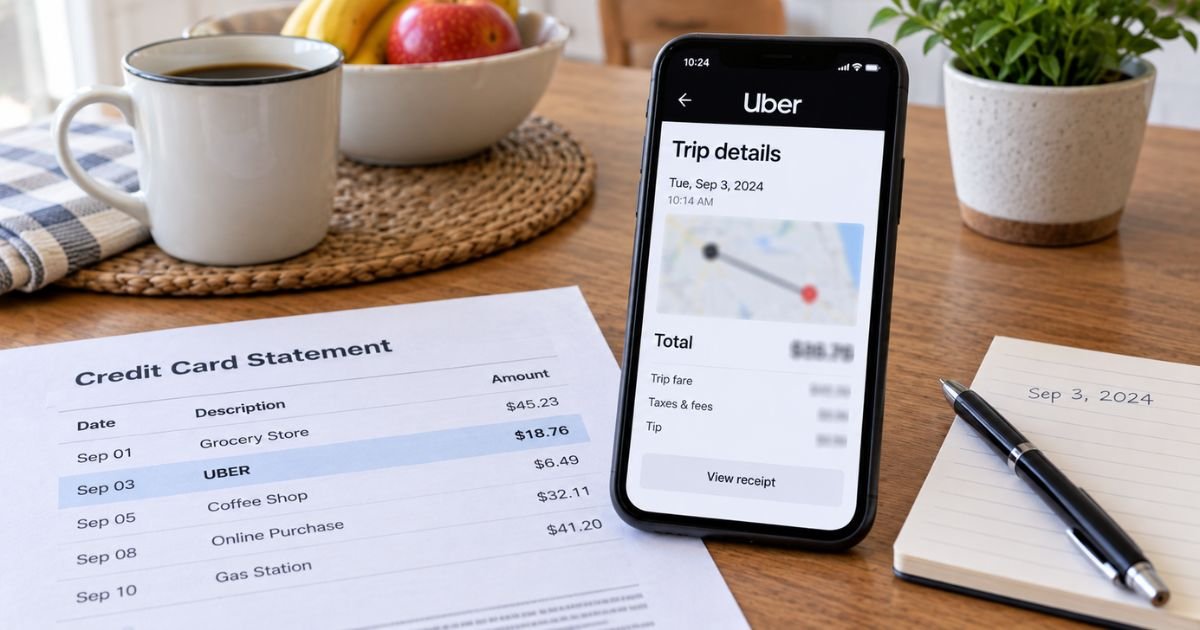
An Uber charge on card can feel confusing if the amount is higher than the estimate or you do not remember the trip. The statement may say only UBER. The receipt lives in the app.
Unfamiliar Uber lines are often real rides, tips, cancellation fees, or a pending hold. This guide shows how to dispute an Uber charge in official Help, when a hold is not a second fare, and how your card issuer fits in.
Table of Contents
How to dispute an Uber charge
Start with Uber, not a random phone number. Official rider pages send you to the app or help.uber.com. Pick the trip first. Then choose the issue that matches.
Uber’s Rider Refund Policy says to report an issue within 30 days. That policy lists examples that may qualify for a full or partial refund.
Those examples include a fare or fee charged in error, a technical issue such as an eligible promo that did not apply, and a trip price that was significantly higher than the estimate shown before booking, if you did not add stops or change the destination. Safety issues go through a specialized path at help.uber.com.
If Uber finds you eligible, the same policy says refunds should return to the original payment method within 3 to 5 business days, depending on your bank. Uber also says it investigates each report.
Official language warns that inaccurate information when disputing fees can lead to a denied request and possible account deactivation under Community Guidelines.
Match the statement to a trip first
Open the Uber app and go to your trip history, or sign in at riders.uber.com. Official duplicate-charge help tells you to confirm there is not a second trip with the same fare, a fare adjustment, a tip, or a cancellation fee.
A line that says uber.com/bill can be a ride, an Uber Eats order, or Uber One. Official Uber help for that descriptor points you to account transactions to see what posted.
Check household phones and family profiles. Official unrecognized-charge help says a friend, coworker, or family member may have used your account or your card on another login.
| What you may see | What to check first |
|---|---|
| UBER or UBER *TRIP plus an amount | Trip receipt in Your Trips |
| Pending UBER for the estimate | Authorization hold, not a finished second fare |
| Two similar amounts hours apart | Hold plus final fare, or two trips |
| uber.com/bill | Rides, Eats, or Uber One in account transactions |
| Extra dollars after the ride | Tip, toll, wait-time, cleaning, or fare adjustment |
Save a screenshot of the receipt and the card line. You will need the date, amount, and trip ID if you escalate.
Use in-app Help for the official dispute
Official cancellation-fee help uses this path:
- Tap the account icon, then Help.
- Open Trip Issues and Refunds.
- Select the trip.
- Follow the prompts.
- Choose a reason and submit.
On a single trip screen, look for Review my fare or fees. Official “different issue with my charge” help lists common reasons:
- Dispute my wait-time fee
- My driver took a poor route
- I was charged more than once for this trip
- I was charged a cancellation fee
- Someone else took this trip
- My fare doesn’t reflect the upfront price I was shown
Pick the closest match. Add short facts. Note added stops only if they happened. Uber Reserve uses upfront fare, and official help says time-and-distance pricing does not apply to Reserve the same way.
You can start the same topics at help.uber.com after you sign in. @Uber_Support on X often asks for the registered email, phone, trip ID, date, and amount by direct message. Use that handle only after you confirm it is the official account.
Uber Eats missing-item issues are usually reported from the Eats order, not the ride menu. Timing for food complaints can be shorter than the 30-day rider refund window. Use the order Help screen as soon as you notice a problem.
Pro Tip: Write the trip ID and the last four digits of the card on the same note. Uber and your issuer ask for different pieces, and the receipt already has both.
Pending charges that look like duplicates
Official help says Uber may place a temporary authorization hold for the upfront fare when you request a trip. That hold shows as pending. After the trip, Uber converts it to the final fare or voids it.
Official temporary-hold articles say Uber reverses the hold on its side when the trip ends or is canceled. Your bank may take 3 to 5 business days, and some pages say 1 to 7 business days or up to about two weeks.
Authorization-hold FAQ language also mentions up to 10 business days or longer, depending on the bank.
A pending line that matches the estimate, plus a posted line for the final fare, is often one trip. Official help says to read the receipt in Your Trips for the amount that actually billed. Tipping can create another short hold.
If a trip never started and you still see pending Uber, give the issuer those few business days before you open a bank dispute.
Official review-duplicate pages say holds used to add a new card or after a long gap can appear even without a completed ride.
When to use your credit card issuer
If Uber closes the case and the charge is still wrong, you can use your card’s billing-error process.
For U.S. credit cards, federal rules generally give you 60 days after the statement that shows the charge was sent to give written notice.
Say you are reporting a billing error. Include your name, account, the amount, the date, and why you believe Uber billed you in error.
Call the number on the back of the card first, then follow up in writing if your issuer asks. Keep Uber’s in-app case number. Unauthorized use of a stolen card is different from “the fare felt high.” Tell the issuer which one you mean.
A chargeback is not a guaranteed refund. Some riders report account limits after issuer disputes. Official Uber policy already warns about false reports. Stick to facts from the receipt.
Debit-card electronic transfers have their own federal error-resolution clocks. Report those quickly. Your bank’s deposit agreement controls the exact steps.
Common Mistakes: Disputing a pending hold that official help says will drop. Missing Uber’s 30-day refund window, then having less detail for the bank. Calling a “Uber support” number from a search ad. Official U.S. rider help runs through the app and help.uber.com, not a general billing hotline.
What Uber generally will and will not treat as an error
Official refund examples focus on price errors, broken promos, and large gaps from the estimate when you did not change the trip. A long route because of traffic is not automatically a refund. Added stops and a new destination can raise the fare on purpose.
Cancellation fees pay the driver for time already spent heading to you. Official city rules set when that fee starts. You can still tap Review my cancellation fee if you believe the fee was wrong.
Cleaning fees need driver documentation. Challenge them in trip Help if you did not cause the mess.
Someone else taking the car is a listed Help reason. Official pages also suggest Verify Your Ride, a PIN that helps the driver confirm the right passenger.
Safety incidents are not fare tickets. Use the in-app safety tools and help.uber.com. Do not send a stranger a new card number to “unlock” a refund.
If the charge is not on your Uber login
Change your Uber password. Review devices and payment methods in Wallet. Remove cards you do not want stored.
If you have no Uber account and still see UBER on a card, official unknown-charge help still asks you to rule out family use. Then use the issuer dispute path and Uber’s unrecognized-charge form with a redacted statement image if the page requests one.
Merchant and restaurant phone lines on uber.com/us/en/contact are not for rider fare disputes. Driver in-app Call Support is for drivers.
FAQs: How to Dispute Uber Charge
Q. How do I dispute an Uber charge in the app?
A. Open the trip, then Help or Review my fare or fees. Official pages also use Account, then Help, then Trip Issues and Refunds. Choose the reason that matches, add the facts, and submit. Do this within 30 days under the Rider Refund Policy.
Q. Why do I see two Uber charges for one ride?
A. Official help says the first line is often a pending authorization hold for the upfront fare. Uber voids or converts that hold when the trip finishes. Your bank may show both until the hold drops, which can take several business days.
Q. Will Uber refund me if I go to my bank first?
A. Start with Uber so they can match the trip ID. Official policy says eligible refunds go back to the original payment method in about 3 to 5 business days. Your issuer is a separate 60-day credit-card path if the charge remains wrong. Results vary.
Q. Is there an official phone number to dispute an Uber charge?
A. Uber routes rider billing through the app and help.uber.com. Merchant and driver numbers on Uber’s contact pages are for those roles, not a general rider fare line. Numbers from search ads are often not Uber. Use in-app Help or official @Uber_Support after you verify the handle.
Conclusion
How to dispute an Uber charge on credit card starts in official Help on the trip, within 30 days when you want Uber’s Rider Refund Policy to apply.
Match the card line to the receipt, rule out a pending hold, then use your issuer’s billing-error process if the fare is still wrong. Keep the trip ID, and skip unofficial phone listings.
Disclaimer: This article is for general information only. It is not financial, legal, or tax advice. Uber refund decisions, hold times, descriptors, and issuer dispute rules vary by trip type, city, payment method, and bank. Verify account-specific questions with Uber Help or your card issuer before you dispute a charge.
Meet the Author
